AI Order Sub-Agent
AI Order Sub-Agent lets the AI Chat Agent answer order questions, such as "Where is my last order?". It reads orders from your store and replies with the order number, status, date, total and items.
The AI Chat Agent calls this workflow as a tool. A sub-agent inside it looks up an order by its ID, or lists orders by the user ID passed from the app.
It works with WooCommerce, Dokan, WCFM and Shopify. It is an AI Chat Add-on and needs the Lifetime, Ultra or Professional plan, or an Extended license.
Requirements
| What | Used for |
|---|---|
| AI Chat Agent | Calls this workflow |
| OpenAI API key | Runs the sub-agent |
WooCommerce REST API key (Read), or Shopify Admin API access token (read_orders) | Reads your orders. Shopify returns only the last 60 days unless the token also has read_all_orders |
1. Download and import the workflow
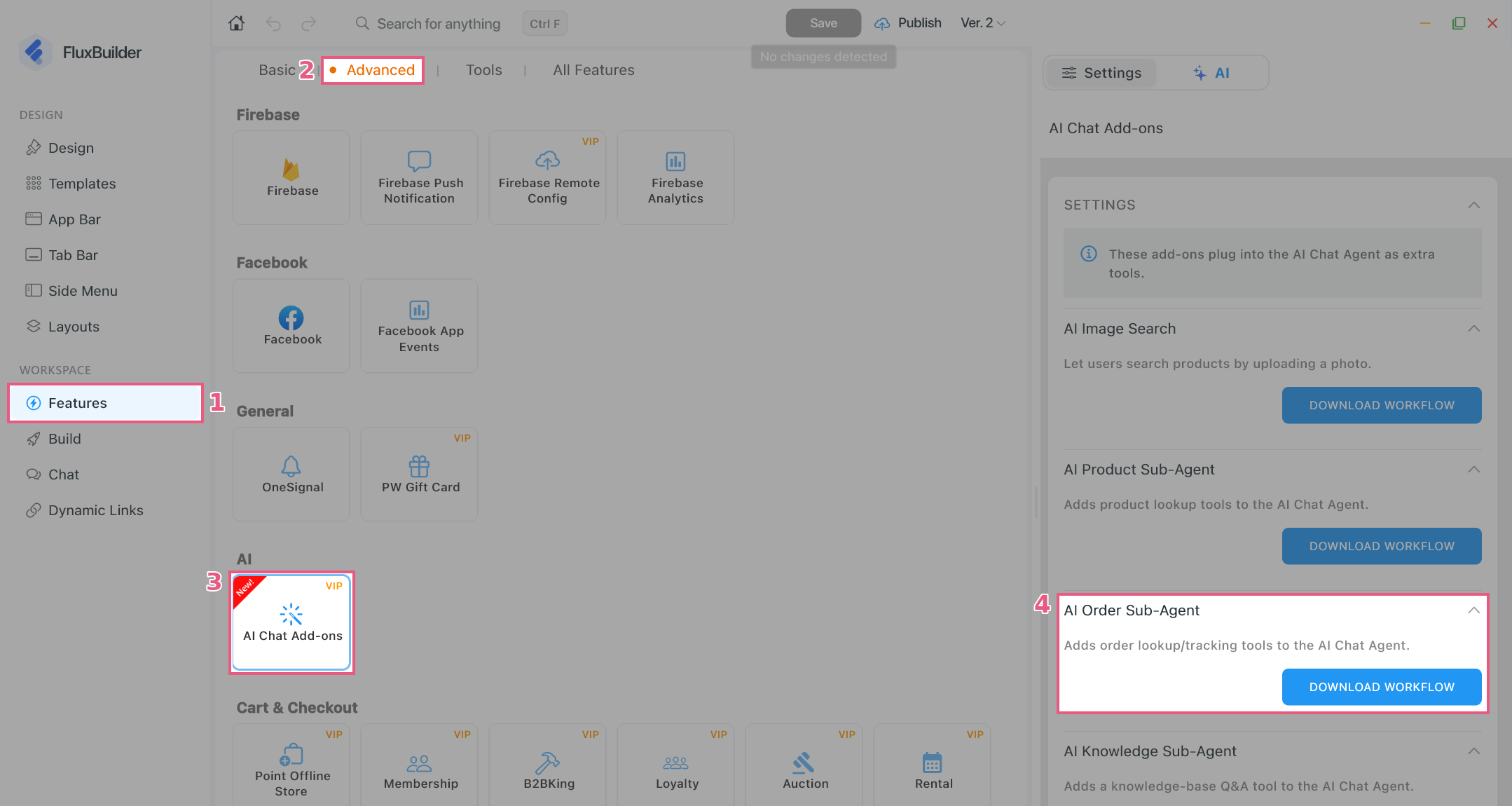
In FluxBuilder, go to Features > AI Chat Add-ons.
Next to AI Order Sub-Agent, click DOWNLOAD WORKFLOW. You get the template for your app's platform.
In n8n, open Workflows > Create > Import from File and pick the downloaded JSON.
2. Set the credentials
| Node | Credential |
|---|---|
| OpenAI Chat Model, Chat Model Fallback | OpenAI |
| Get an order by order ID - WooCommerce, Get many orders by user ID - WooCommerce | WooCommerce API |
| Get orders by user ID tool - Custom API - Shopify, Get Order info by order ID tool - Custom API - Shopify | Shopify Access Token API |
Pick a model your OpenAI account can use in both model nodes.
Nodes that are not connected, such as MCP Client or Get latest order by email - Custom API - Shopify, need no credential. You can delete them.
3. Shopify only: set your store URL
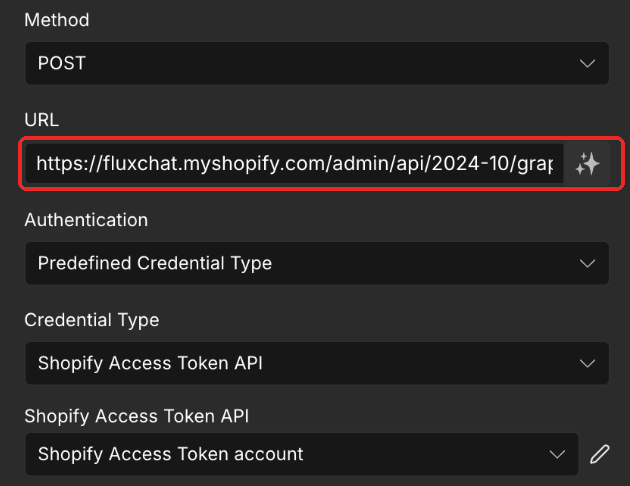
The two Shopify tool nodes call a sample store. Open each one and change URL to your own store:
<https://your-store.myshopify.com/admin/api/2024-10/graphql.json>
4. Connect it to the AI Chat Agent
- Save the workflow and click Publish.
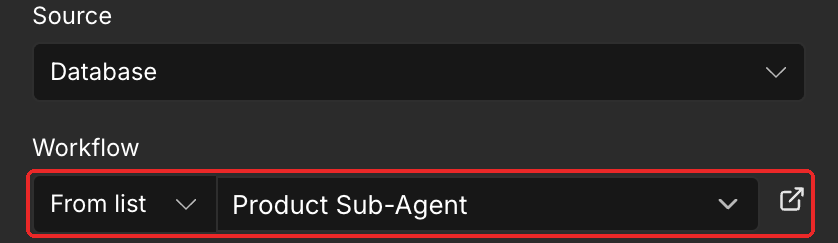
- Open your AI Chat Agent workflow and the tool node Order Sub-Agent.
- In Workflow, select the Order Sub-Agent workflow you imported, then publish the AI Chat Agent again.
The AI Chat Agent passes the question, with the user ID and order ID when it has them, and your store platform. The app sends the user ID only when the shopper is signed in.
Troubleshooting
| Problem | Fix |
|---|---|
| The agent says it cannot find any order | Check the WooCommerce or Shopify credential, then test the node with Execute step |
| Shopify orders come from another store | Change the URL in both Shopify tool nodes |
| The AI Chat Agent never calls this workflow | In AI Chat Agent, check that Order Sub-Agent points to this workflow |