Product Image Search
Learn how to enable Product Image Search, allowing users to search for products using an image and quickly discover similar or matching items in your store.
Let shoppers search for Products faster with Image Search in your E-commerce App. Simply upload an image and find similar products in seconds.
Configuration
- Contact FluxBuilder support team to get the API key and n8n workflow instructions.
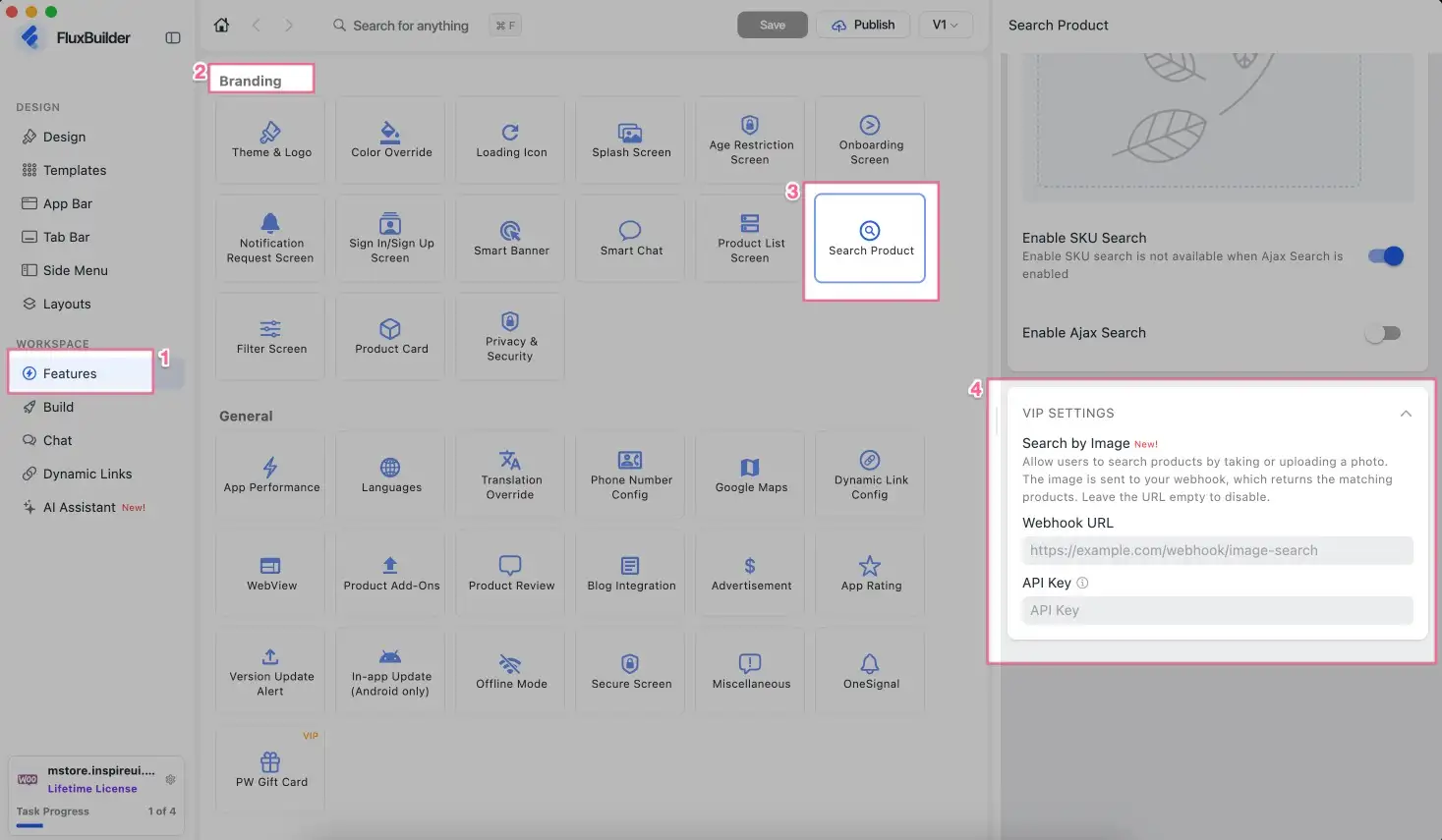
- Open your app on FluxBuilder.
- Go to Features. In Branding, open Search Product.
- Input Webhook URL and API Key (optional).
- Save the changes.