Version 3.0
Last updated: Nov 12th, 2026
FluxBuilder.com | MacOS | Windows | Web version | Guide | Support | Video | Affiliate
🚀 FluxBuilder 3.0 brings AI Layout blocks, the new AI Screen, a Product Detail designer, 25 new templates, new Edit and Play buttons, and new settings for Blog, Sign In and Tab Bar.
(1) AI Layout Blocks 🎨
Supported: All Apps
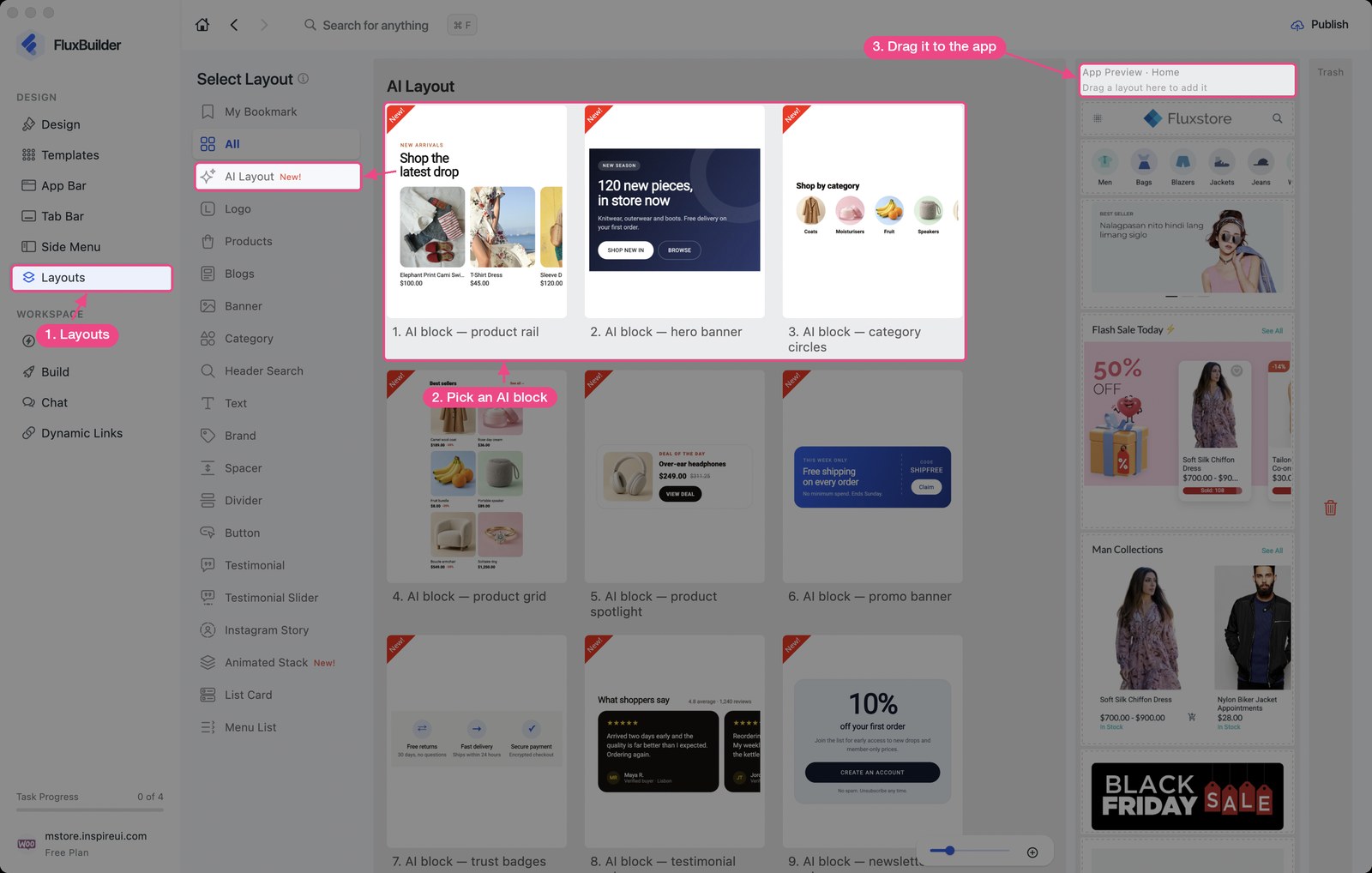
- 88 ready-made AI blocks that show your real products, categories and colors.
- Click a headline, image or button inside a block to edit only that element.
- Live data: pick the category, set the item limit and the countdown end time.
Enable this feature: open your app on FluxBuilder, select Layouts > AI Layout, then drag a block into the app preview:
(2) AI Screen 📱
Supported: All Apps
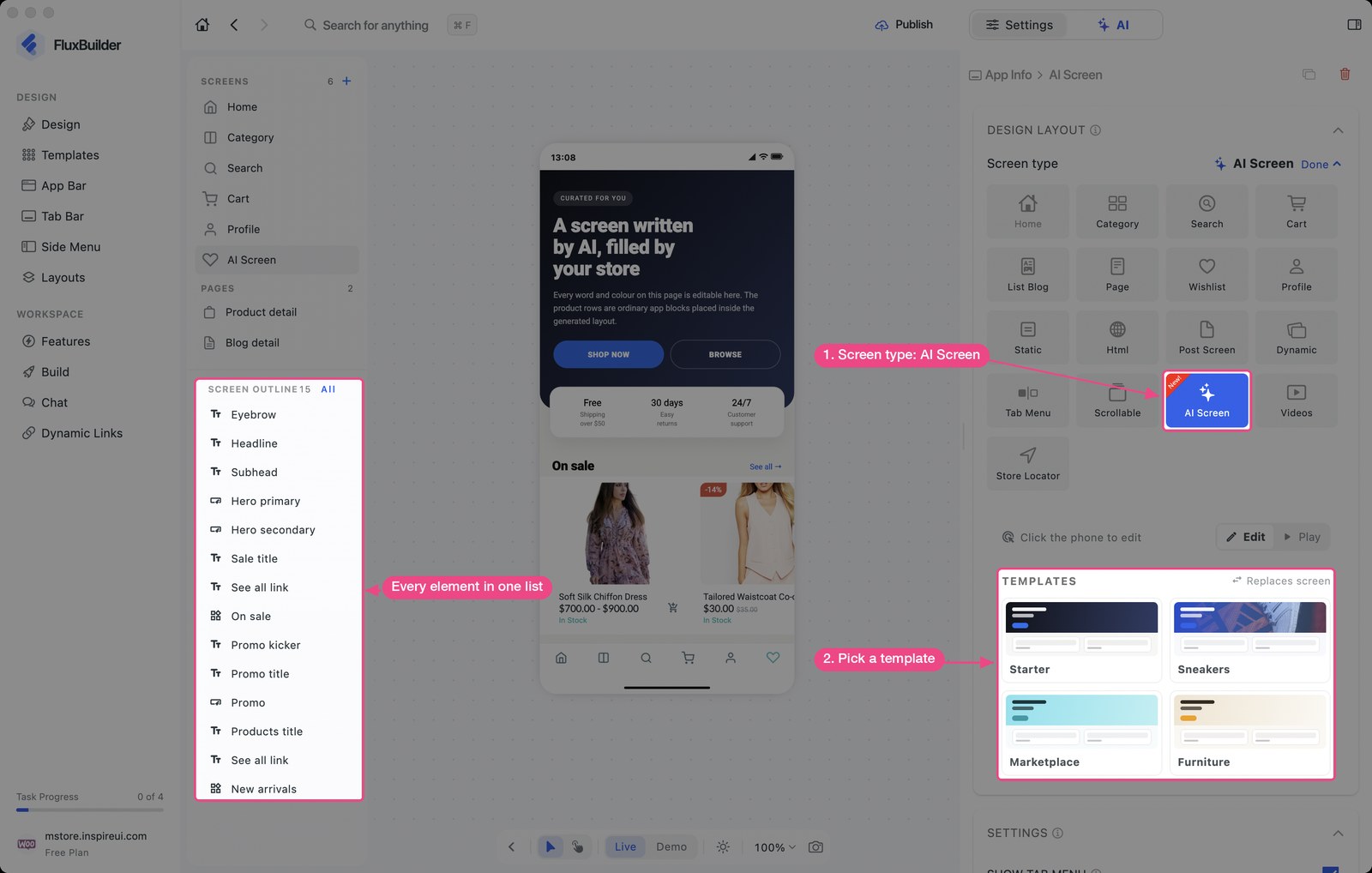
A new screen type drawn from a template.
- Start from a template: Starter, Sneakers, Marketplace or Furniture.
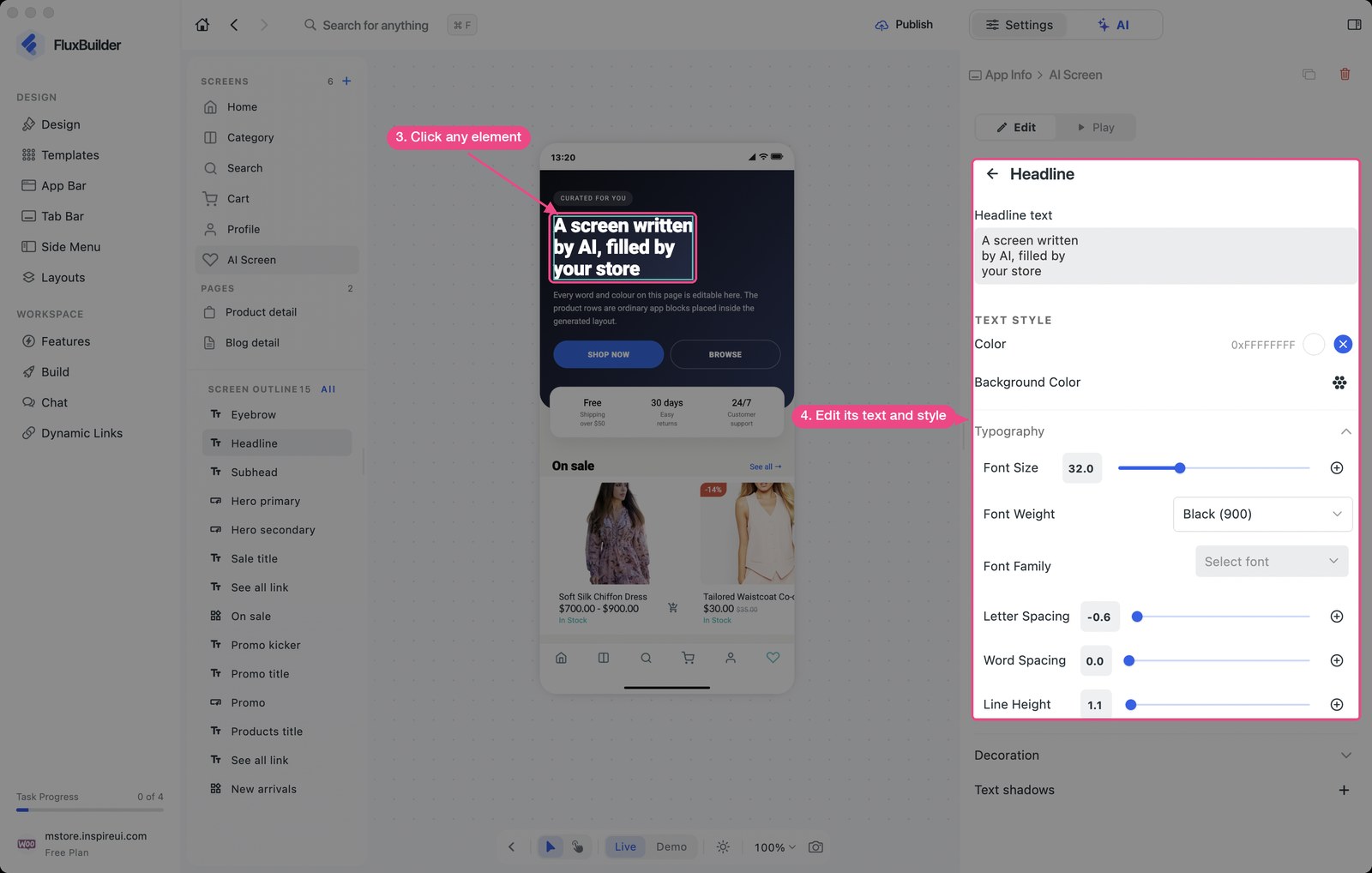
- Click any element on the phone to change its text, colors and style.
Enable this feature: open your app on FluxBuilder, select Design, add a screen with +, then set Screen type to AI Screen:
(3) Screen Outline & Pages
Supported: All Apps
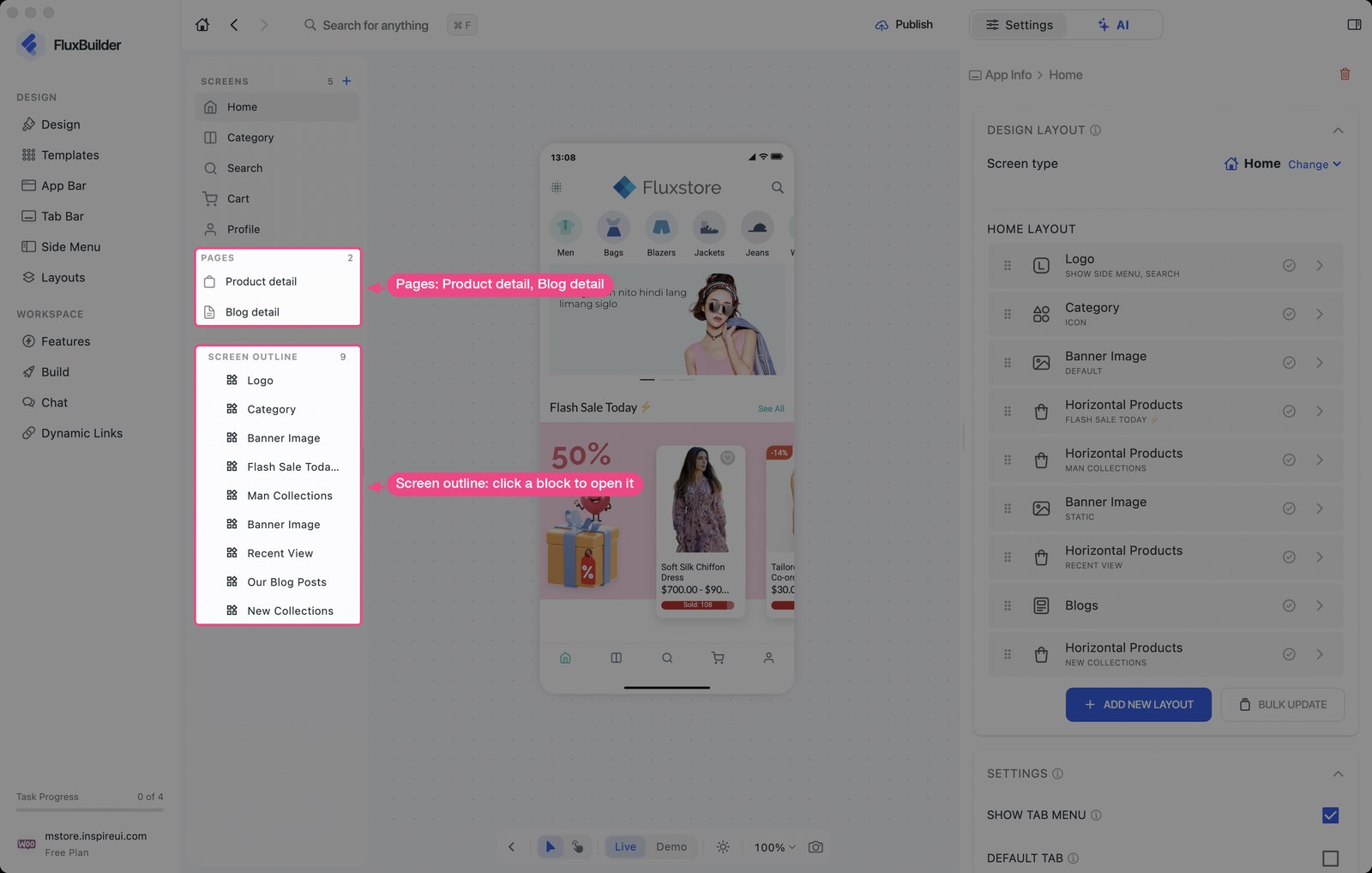
- Screen outline: every block of the screen in one list. Click a row to open it.
- Pages: open Product detail and Blog detail in one click.
Enable this feature: open your app on FluxBuilder, select Design and switch the preview to Edit:
(4) New Edit & Play Buttons
Supported: All Apps
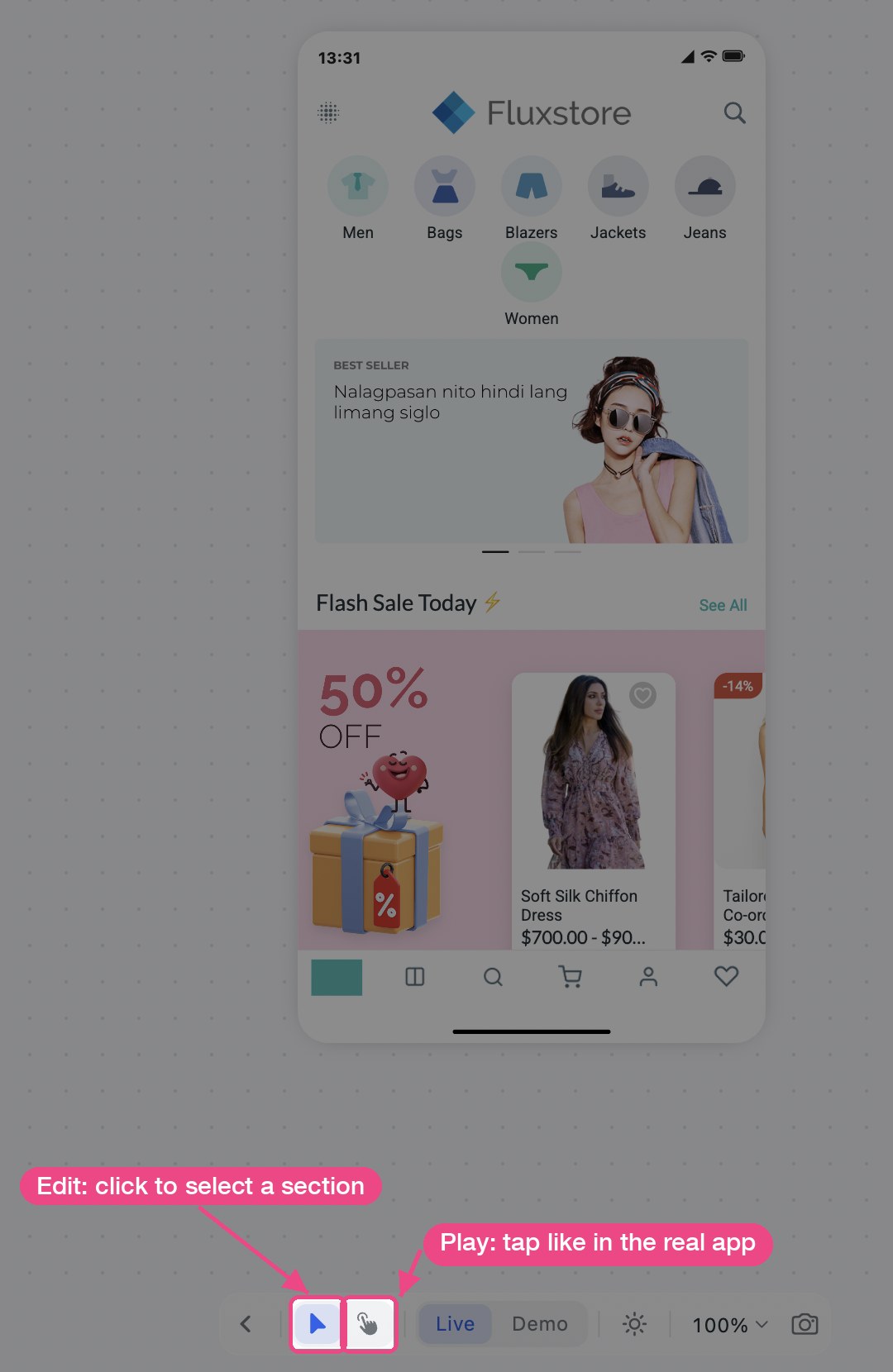
- Edit: click the phone to select a section and change its settings.
- Play: tap the phone like in the real app.
You find both buttons in the toolbar under the phone:
(5) Product Detail Designer 🛍️
Supported: All E-commerce Apps
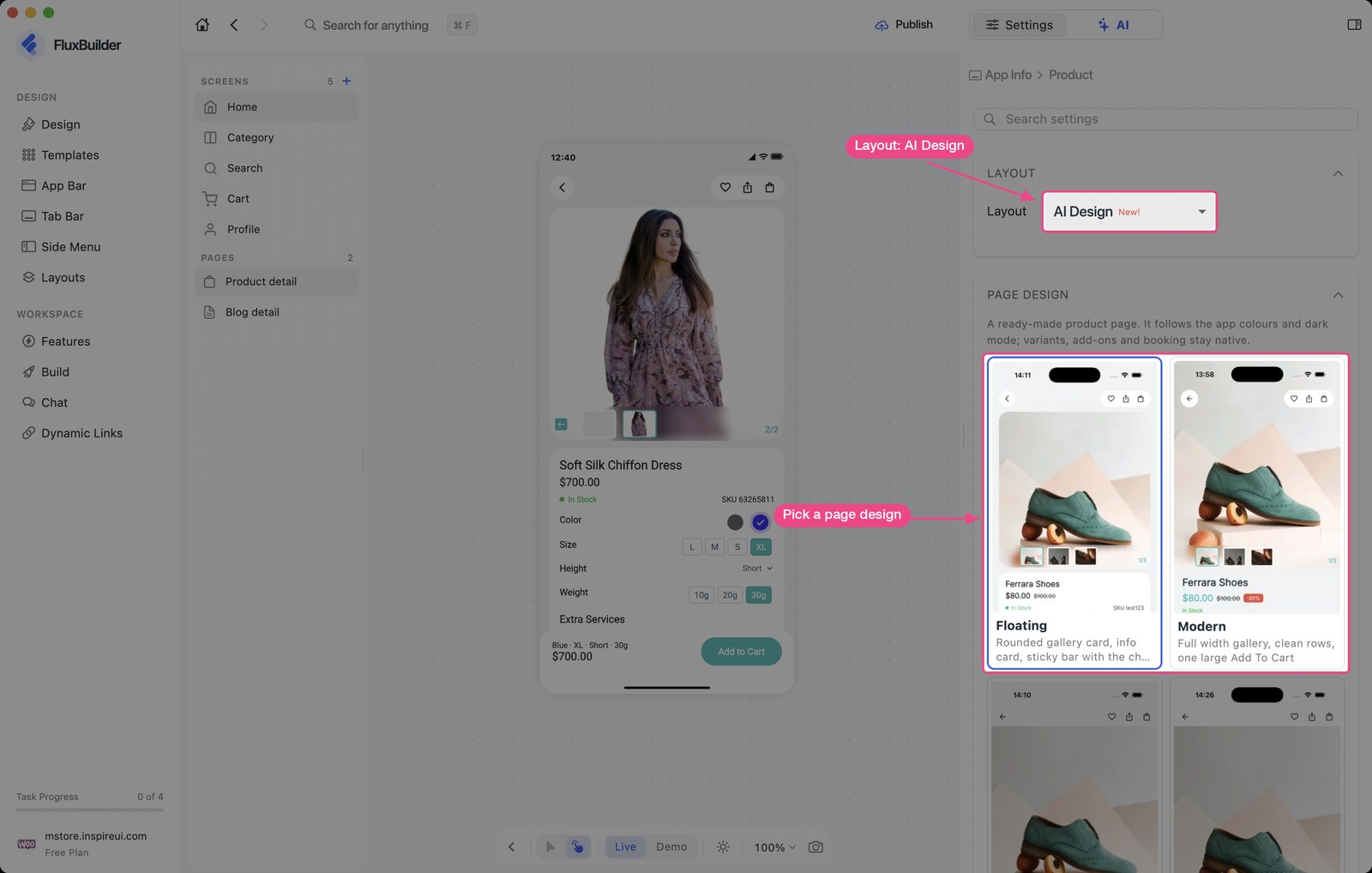
- AI Design layout: 5 page designs (Floating, Modern, Minimal, Editorial, Market), or customize one with AI.
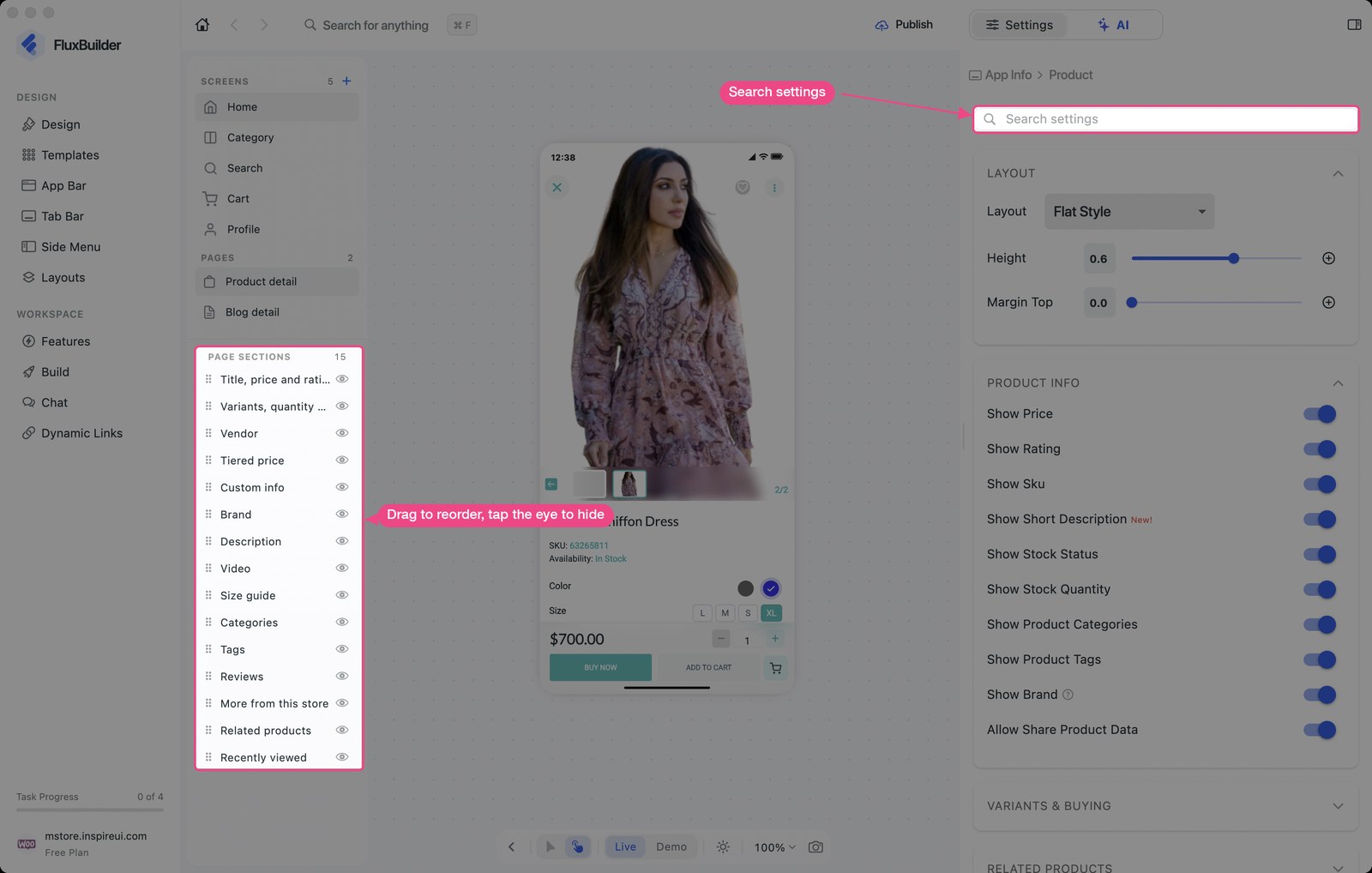
- Page Sections: reorder, hide and style the parts of the page.
- Buy Buttons: size, corners, font, colors, order and margin.
Enable this feature: open your app on FluxBuilder, select Design > Pages > Product detail:
(6) 25 New Templates 🧩
Supported: All Apps
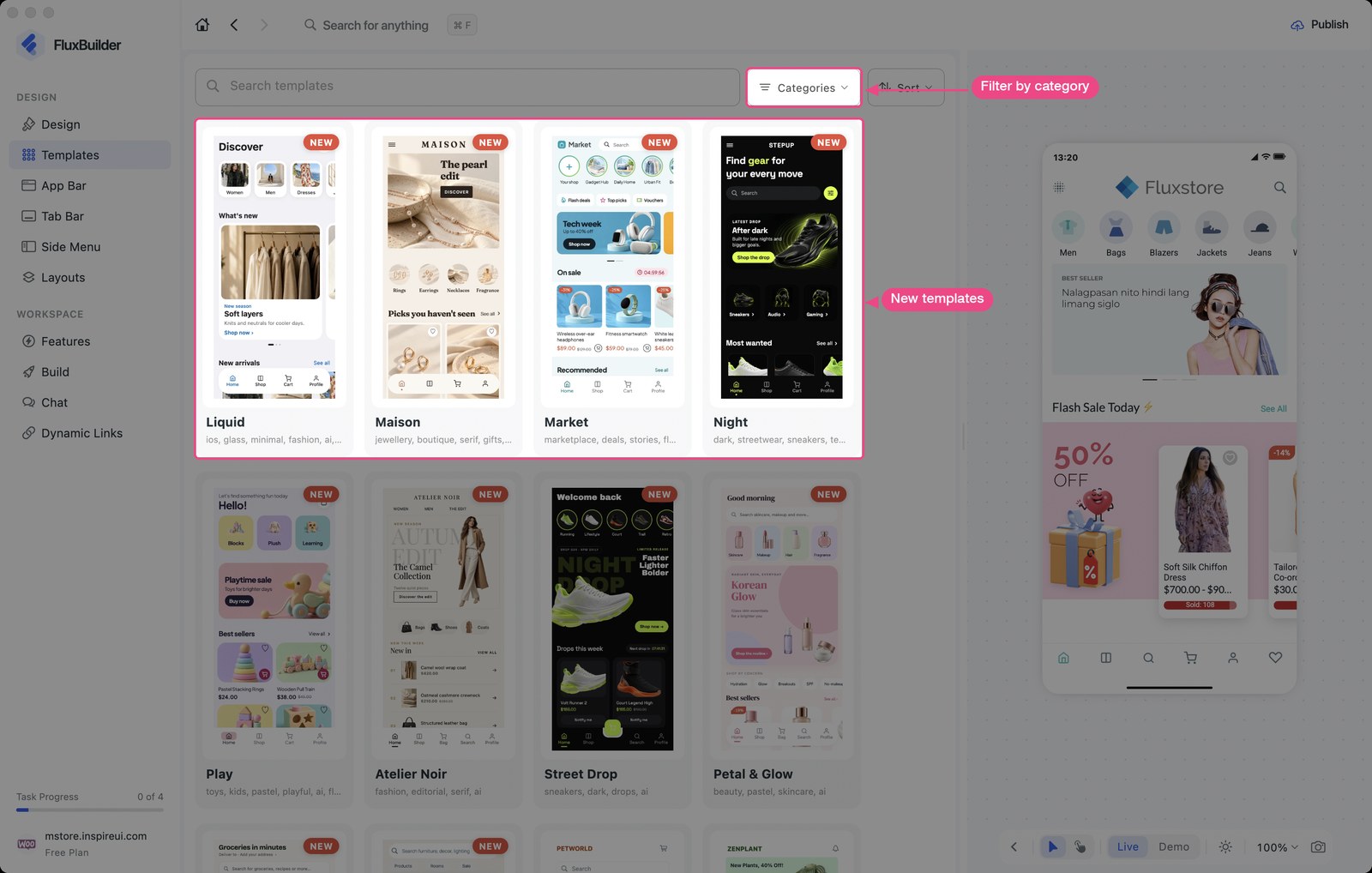
New templates for Shopping, Finance, Food & Drink, Education, Music, Social, Sports, Fitness, Business and the new House & Home category.
(7) Blog Settings
Supported: WordPress-based Apps
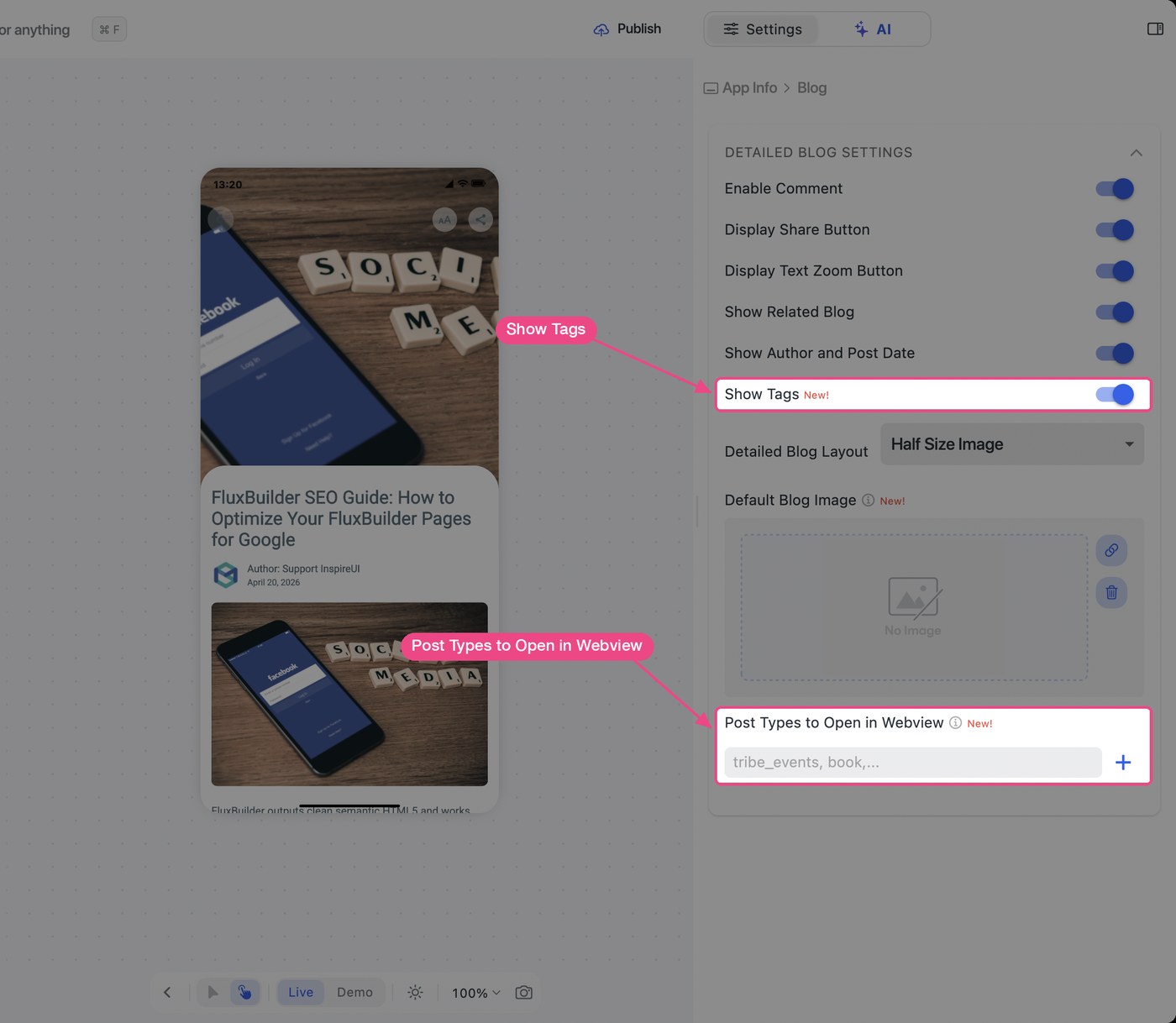
- Blog detail: Show Tags, Post Types to Open in Webview.
- Blog layouts: Post Type (posts, pages or custom types), Advanced Params, Hide When Empty.
Enable this feature: open your app on FluxBuilder, select Design > Pages > Blog detail:
(8) Sign In & Languages
Supported: All Apps
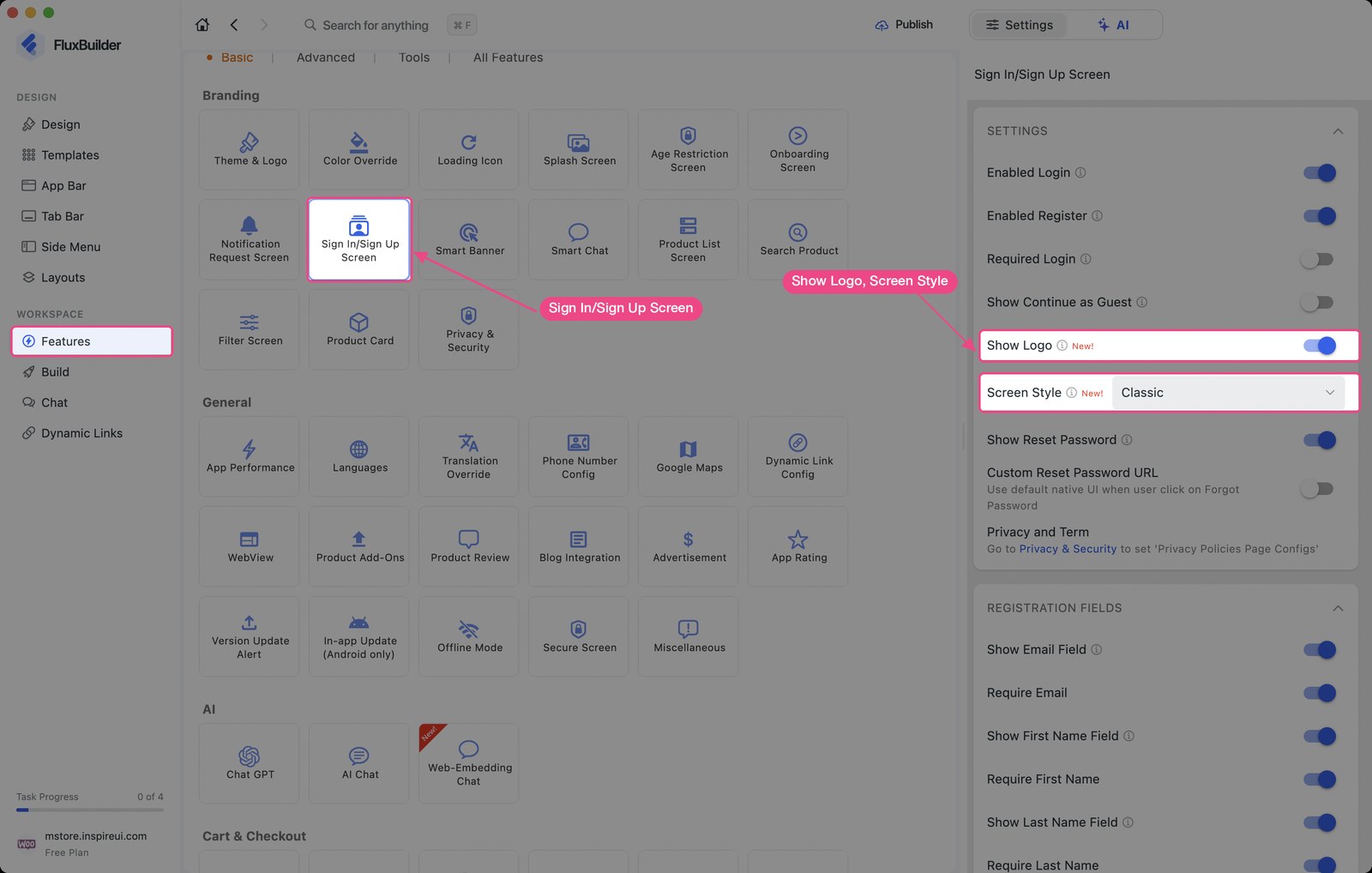
- Sign In: Screen Style (Classic, Card, Minimal), Show Logo, SMS login Countries.
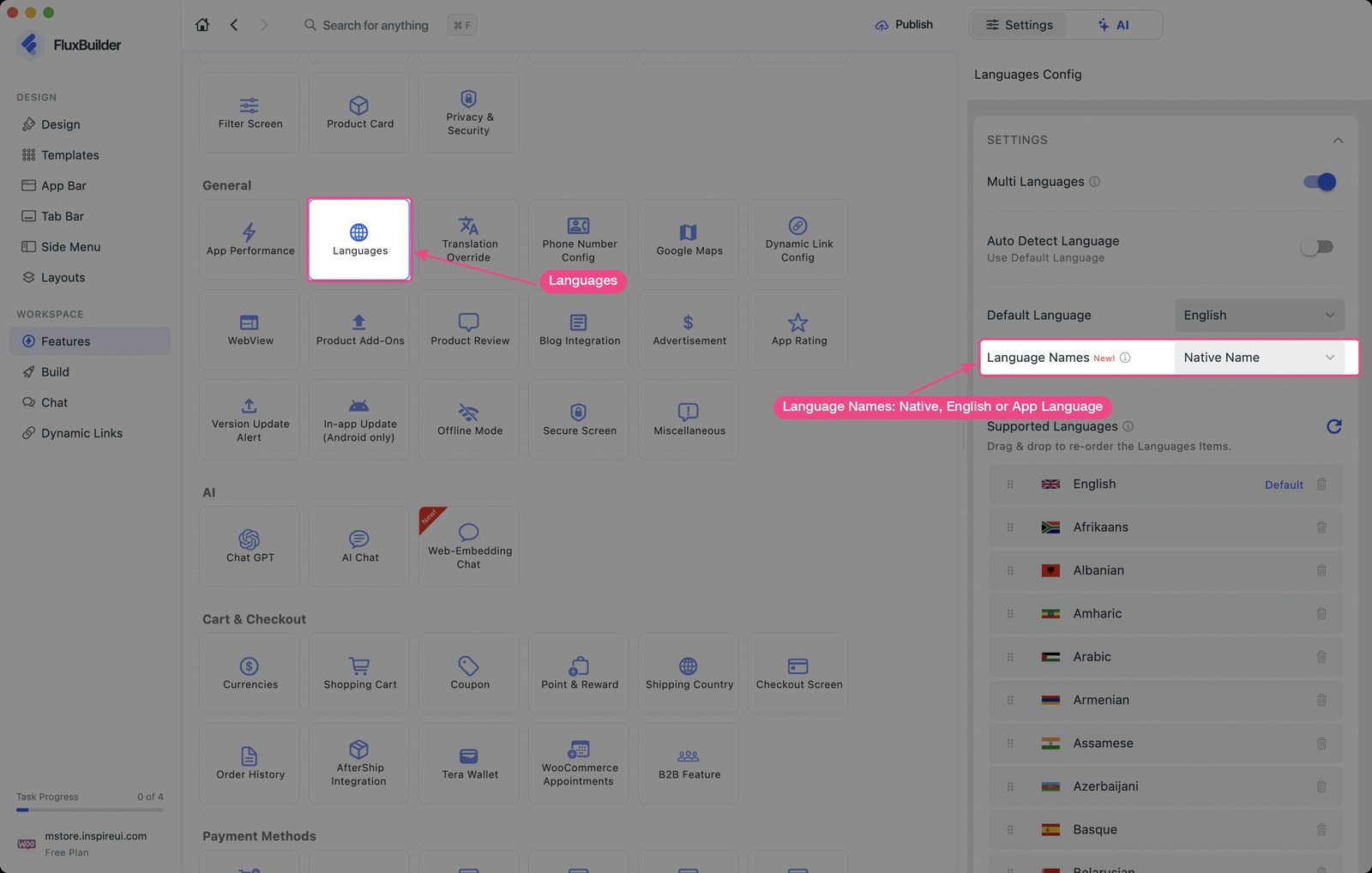
- Languages: Language Names (Native Name, English, App Language).
Enable this feature: open your app on FluxBuilder, select Features > Sign In/Sign Up Screen or Languages:
(9) Tab Bar Indicator
Supported: All Apps
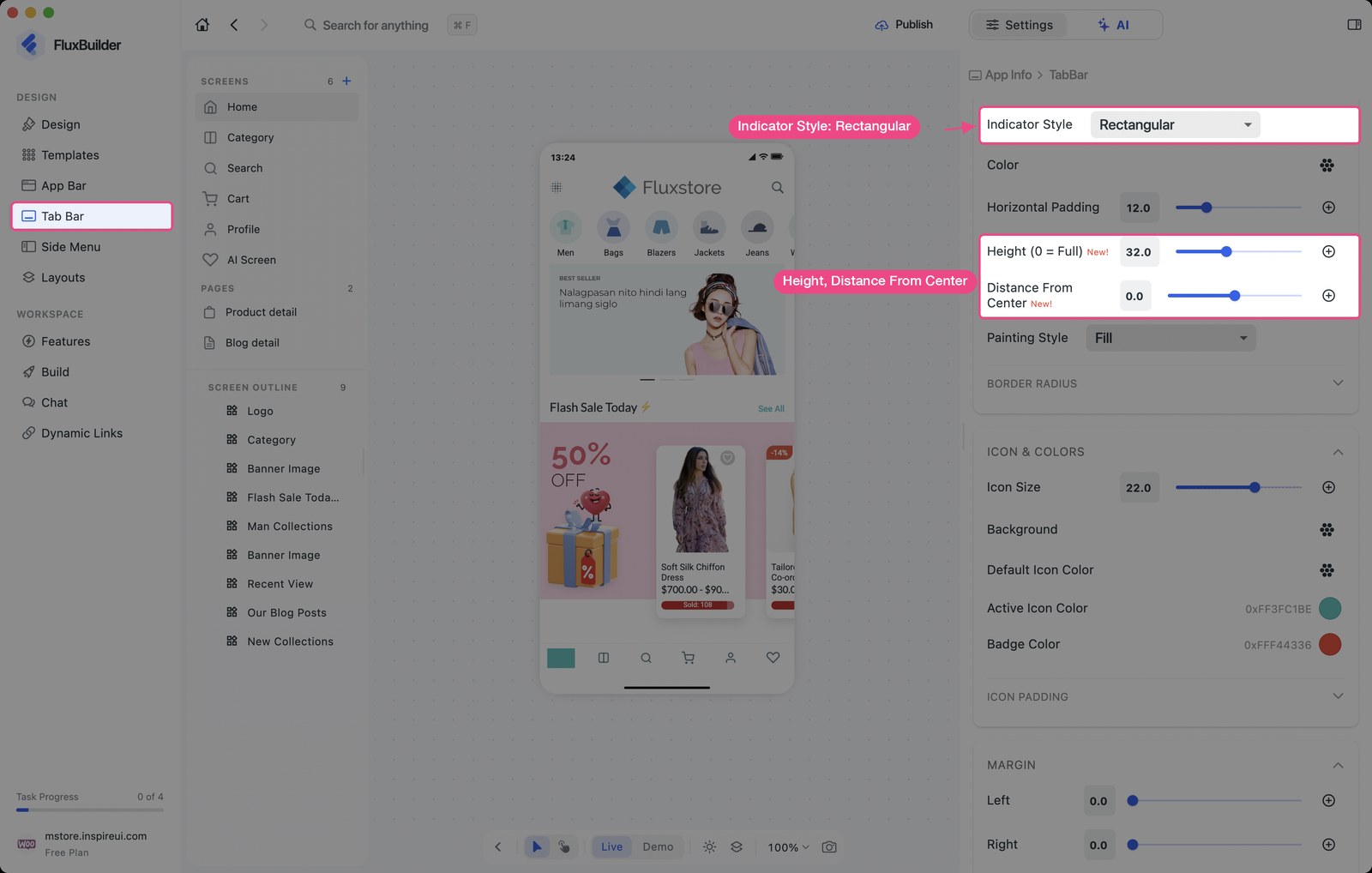
- Rectangular indicator: Height and Distance From Center.
- Liquid Glass: Pill Margin.
Enable this feature: open your app on FluxBuilder, select Tab Bar > Indicator Style > Rectangular:
(10) More Design Options
Supported: All Apps
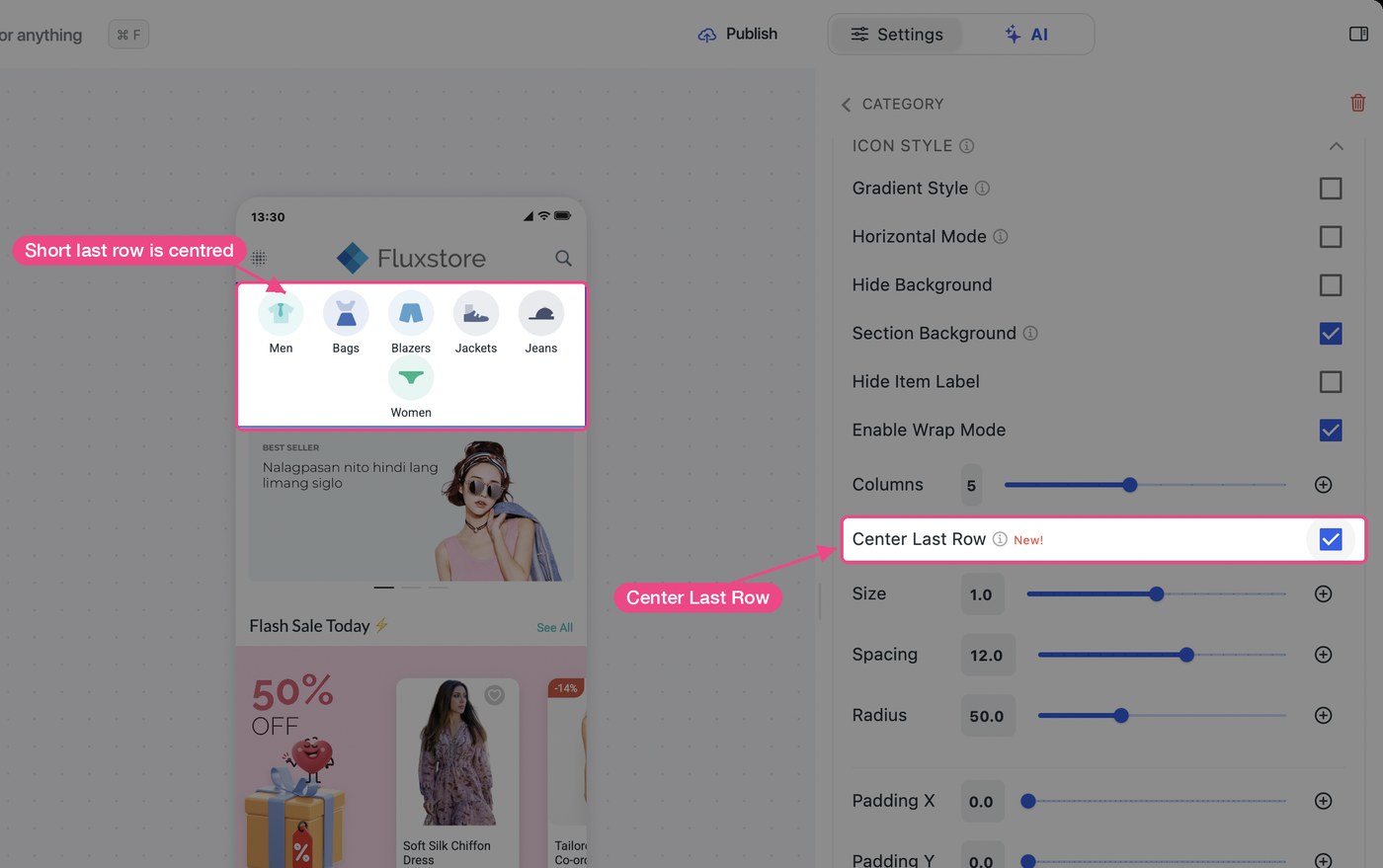
- Category layout: Center Last Row (with Wrap Mode on).
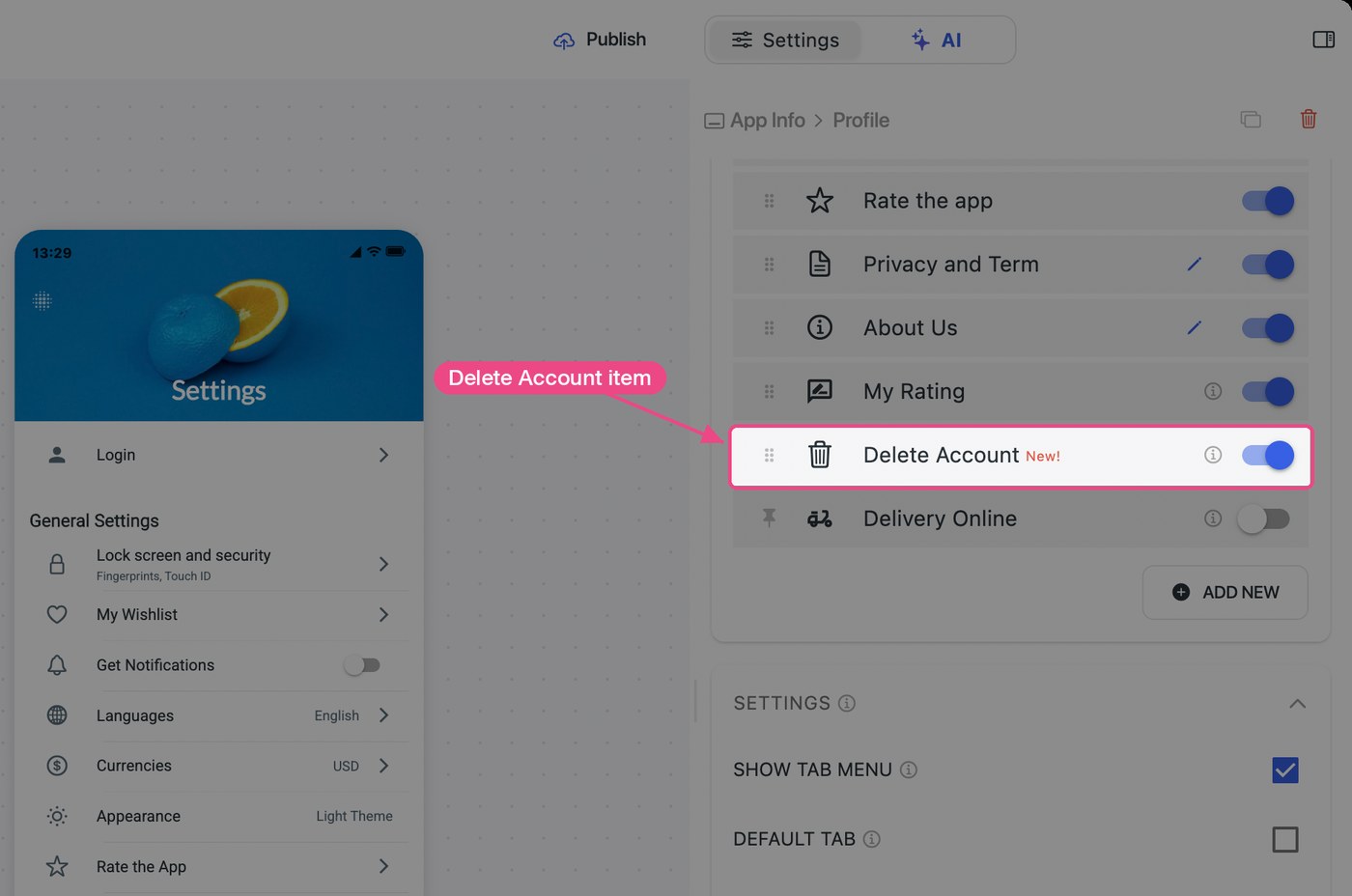
- Profile screen: Delete Account item.
(11) PWA: Web Payment Method IDs
Supported: PWA
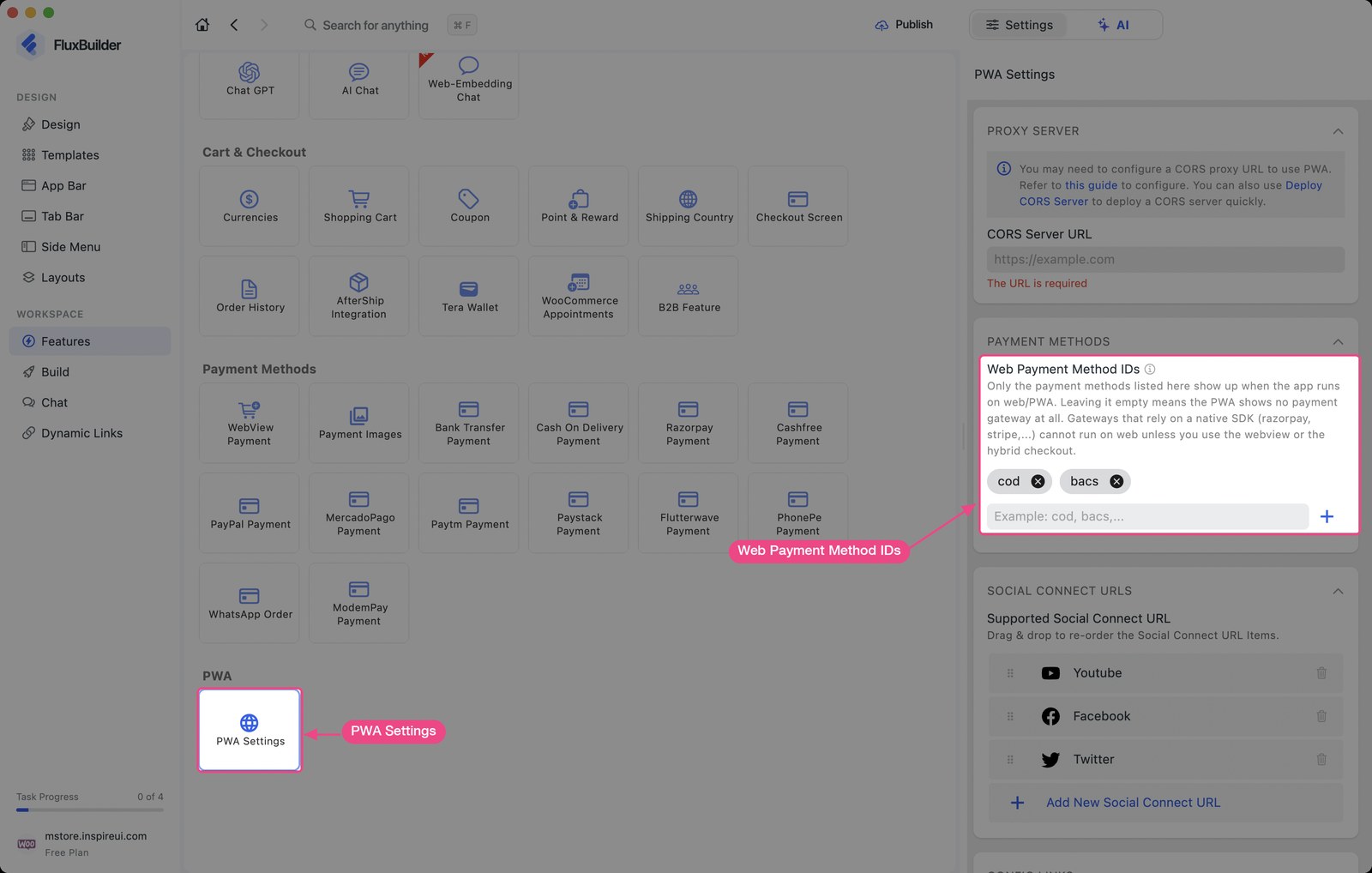
Choose which payment methods show on your web checkout.
Enable this feature: open your app on FluxBuilder, select Features > PWA Settings:
(12) Improvements
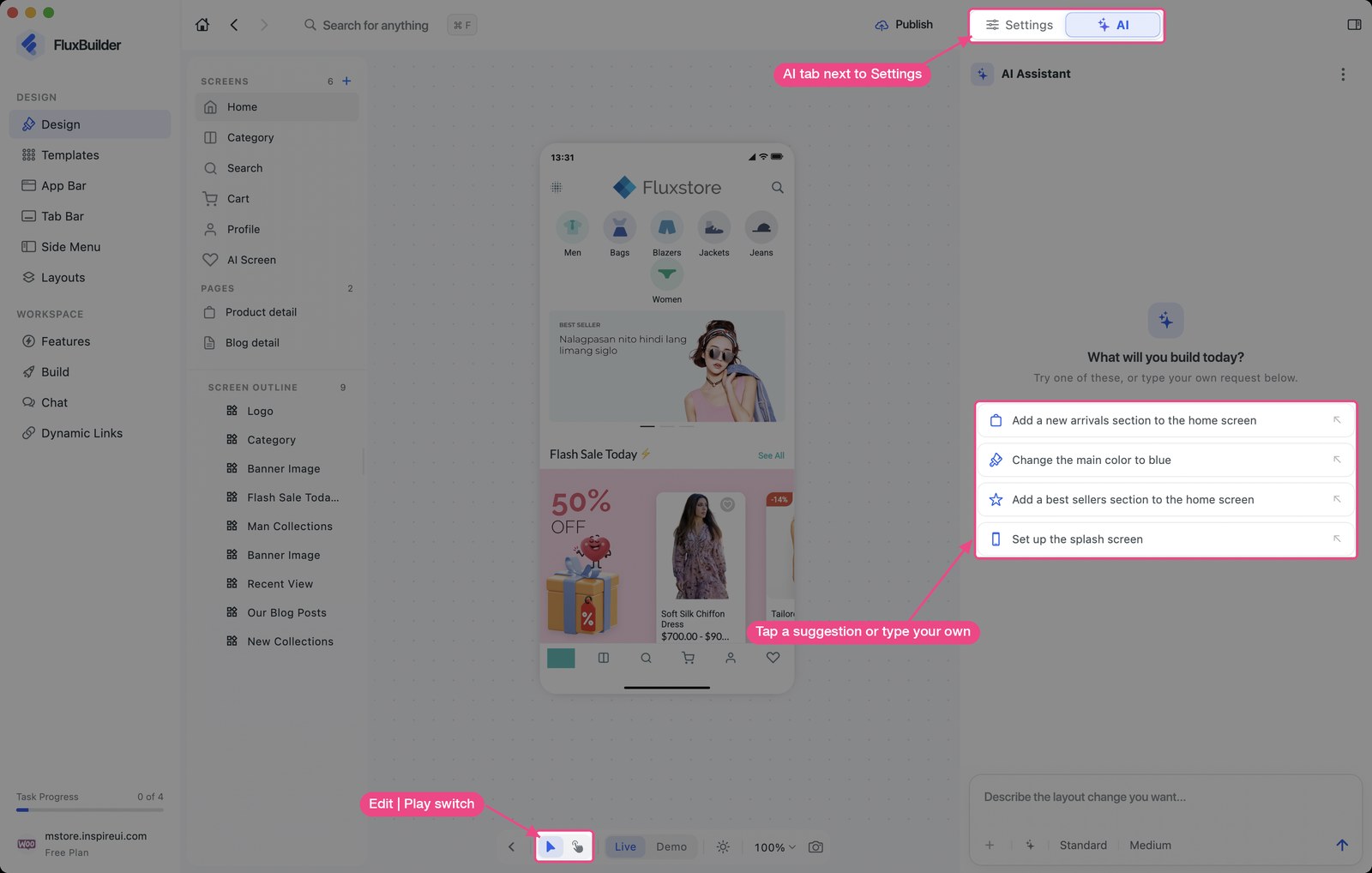
- AI Assistant: now the
AItab next to Settings, shared by Design and Features. Manager and Delivery apps can use it too. Keep or undo every change. - Create apps: one box on the Dashboard for your website or idea. Choose the plan when you create the app.
- AI wizard: the first preview shows your real products. Switch Sample | Your site, or Try another look.
- Layout Kit: about 60 new Animated Stack layouts, and new block icons.
- Preview: a cleaner toolbar, Zoom out and canvas backgrounds. Liquid Glass looks like real iOS.
- Design screen: settings grouped in sections, a resizable panel, focus mode with
Cmd/Ctrl + \. - Plans & billing and Credits: redesigned pages for your plans, apps and AI credits.
- Faster: less memory on desktop, faster first load on web, works on phones.
- Agency: fully white-labeled builder.
- MCP: use Remote MCP. The local MCP tool is removed.
✨ Try the FluxBuilder No-code App Builder for FREE https://fluxbuilder.com/download
📖 Quick Tutorial https://docs.fluxbuilder.com
🧑🏻💻 FREE Support https://support.fluxbuilder.com