Human Handoff
Human Handoff lets the AI Chat Agent pass a shopper to your support team. When a shopper asks for a person, the agent collects their contact details and sends your team a Discord message with a summary and the full chat history.
The AI Chat Agent calls this workflow as a tool. Your team then contacts the shopper the way they asked: email, phone, WhatsApp and so on.
It is an AI Chat Add-on and needs the Lifetime, Ultra or Professional plan, or an Extended license.
Requirements
| What | Used for |
|---|---|
| AI Chat Agent | Calls this workflow |
| The same Postgres database as the AI Chat Agent | Reads the chat history |
| A Discord channel webhook | Notifies your team |
1. Download and import the workflow
In FluxBuilder, go to Features > AI Chat Add-ons.
Next to Human Handoff, click DOWNLOAD WORKFLOW.
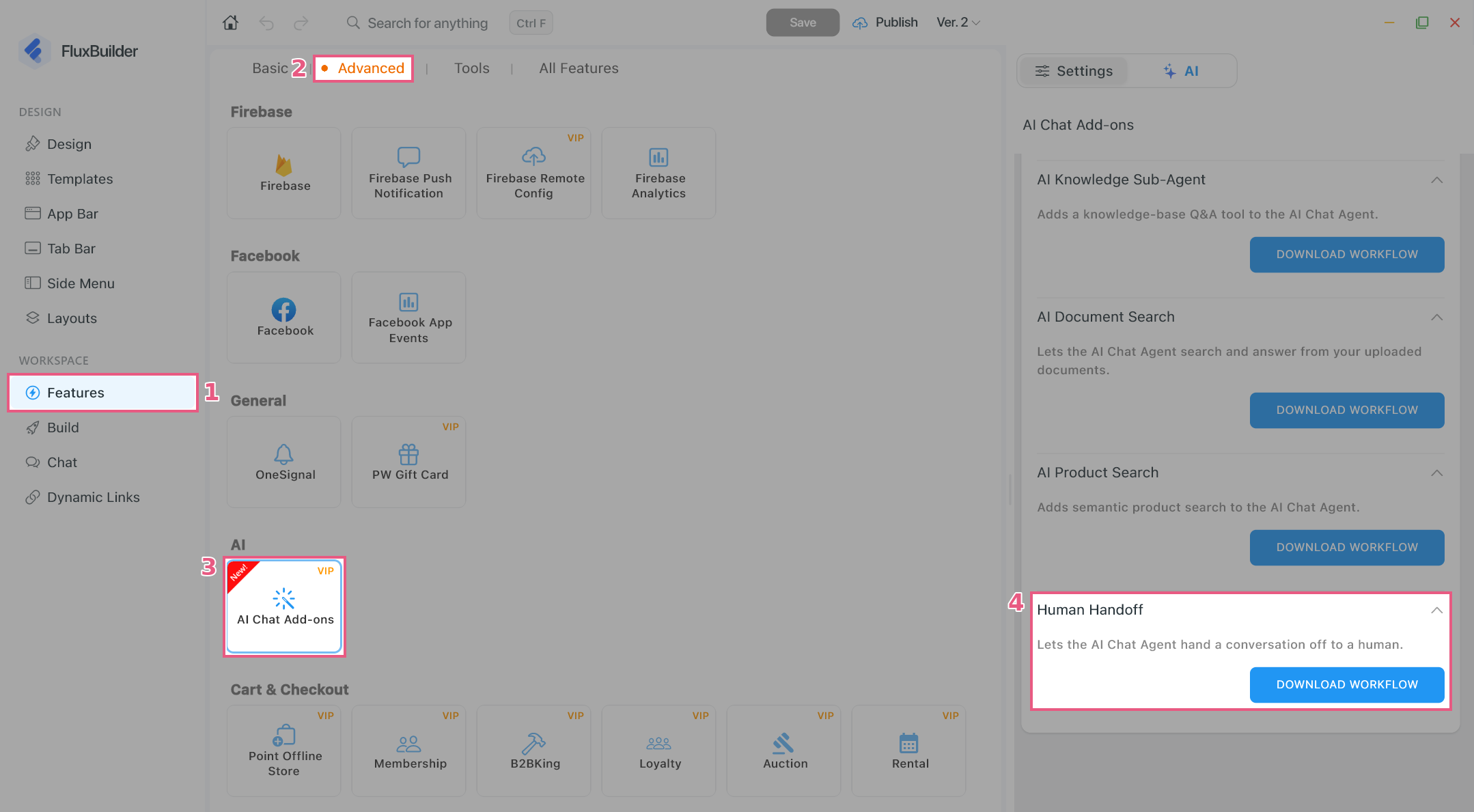
In n8n, open Workflows > Create > Import from File and pick the downloaded JSON.
2. Set the credentials
| Node | Credential |
|---|---|
| Postgres Chat Memory | Postgres, the same one used by Postgres Chat Memory in AI Chat Agent |
| Discord | Discord Webhook |
To get a Discord webhook URL, open your Discord channel, go to Edit Channel > Integrations > Webhooks > New Webhook, then click Copy Webhook URL.
If the Postgres credential is not the same as in AI Chat Agent, the history file is empty.
3. Connect it to the AI Chat Agent
- Save the workflow and click Publish.
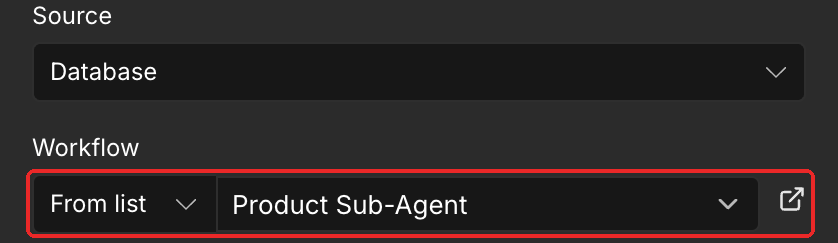
- Open your AI Chat Agent workflow and the tool node Human Handoff.
- In Workflow, select the Human Handoff workflow you imported, then publish the AI Chat Agent again.
What your team gets
Each request posts one Discord message with:
- Conversation ID: the chat session ID.
- User details: name, email, phone and preferred contact method, as the shopper gave them.
- Summary: what the shopper needs.
- chat_history: a file with the chat history.
The agent calls this tool only after it has the shopper's contact details. If a detail is missing, the workflow returns Invalid inputs and sends nothing.
To use another channel, such as Slack, Telegram or email, replace the Discord node with that channel's n8n node. Keep the message fields and the chat_history file.
Troubleshooting
| Problem | Fix |
|---|---|
| No Discord message arrives | Check the Discord Webhook credential, and that the workflow is published |
| The history file is empty | Use the same Postgres credential as AI Chat Agent |
| The agent never hands off | In AI Chat Agent, check that Human Handoff points to this workflow |
| The agent keeps asking for contact details | Expected. It needs the shopper's details before it can hand off |