Version 2.4.0
Last updated: Dec 25th, 2025
FluxBuilder.com | MacOS | Windows | Web | Support | Video | Affiliate
FluxBuilder v2.4.0 delivers powerful enhancements that give you more design freedom, better localization control, and stronger shopping experiences across mobile apps and PWAs.
(1) Important Updates 💥
- Remove Firebase Dynamic Link completely
- Remove the old Shopify Checkout API completely (now use the Cart API as default)
- In the Web version, Image quality may be reduced to help FluxBuilder load faster. Rest assured, your real app will display full-resolution visuals. Or you can try the Desktop version for the best visual experience.
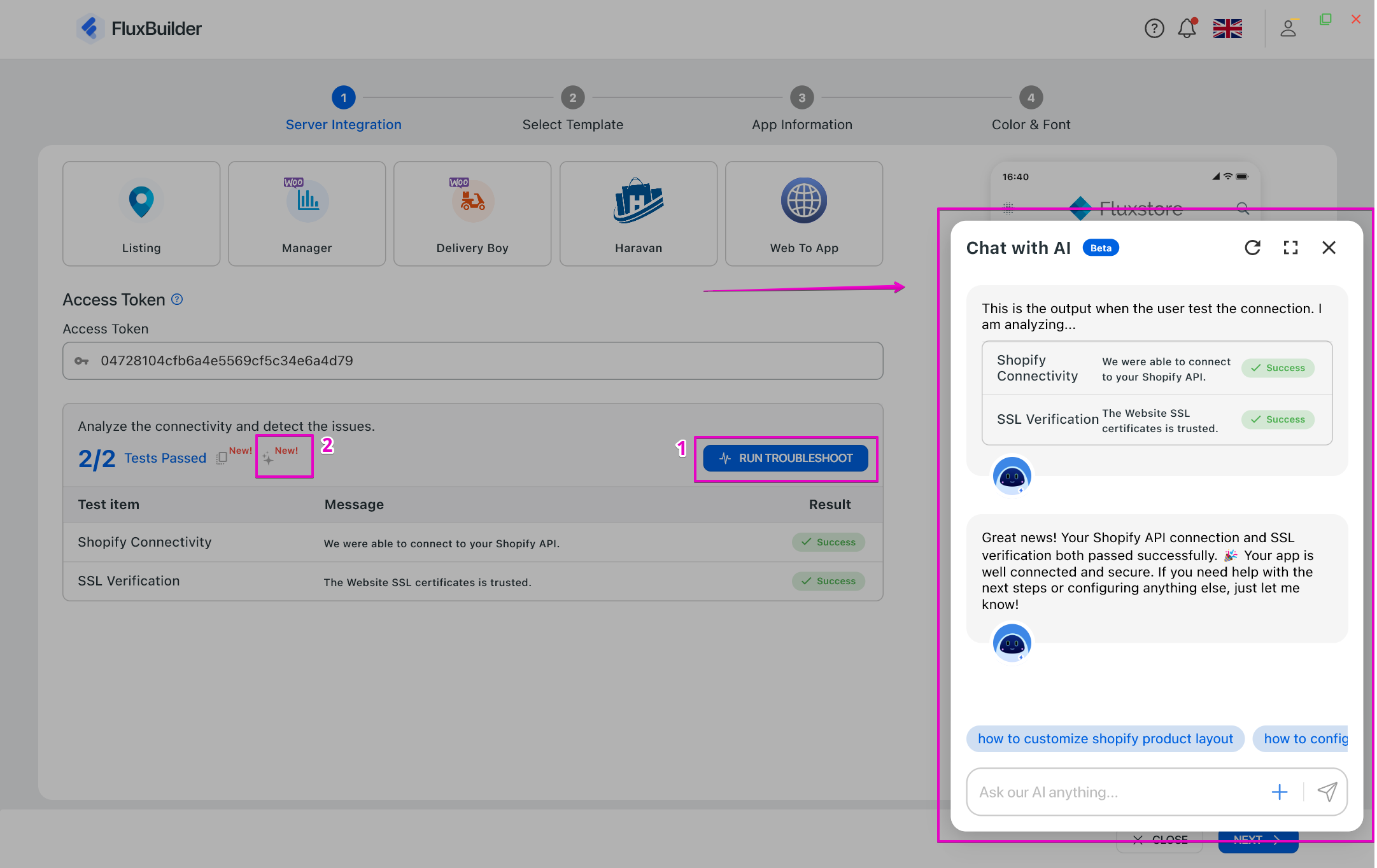
(2) Troubleshoot with AI 🤖
FluxBuilder now supports AI-assisted troubleshooting to help you identify and understand issues faster. The AI analyzes system checks and error details to provide clear insights and suggestions, reducing debugging time and making problem-solving easier—even for non-technical users.
👉 Please review this step-by-step guide for creating a new app before troubleshooting.
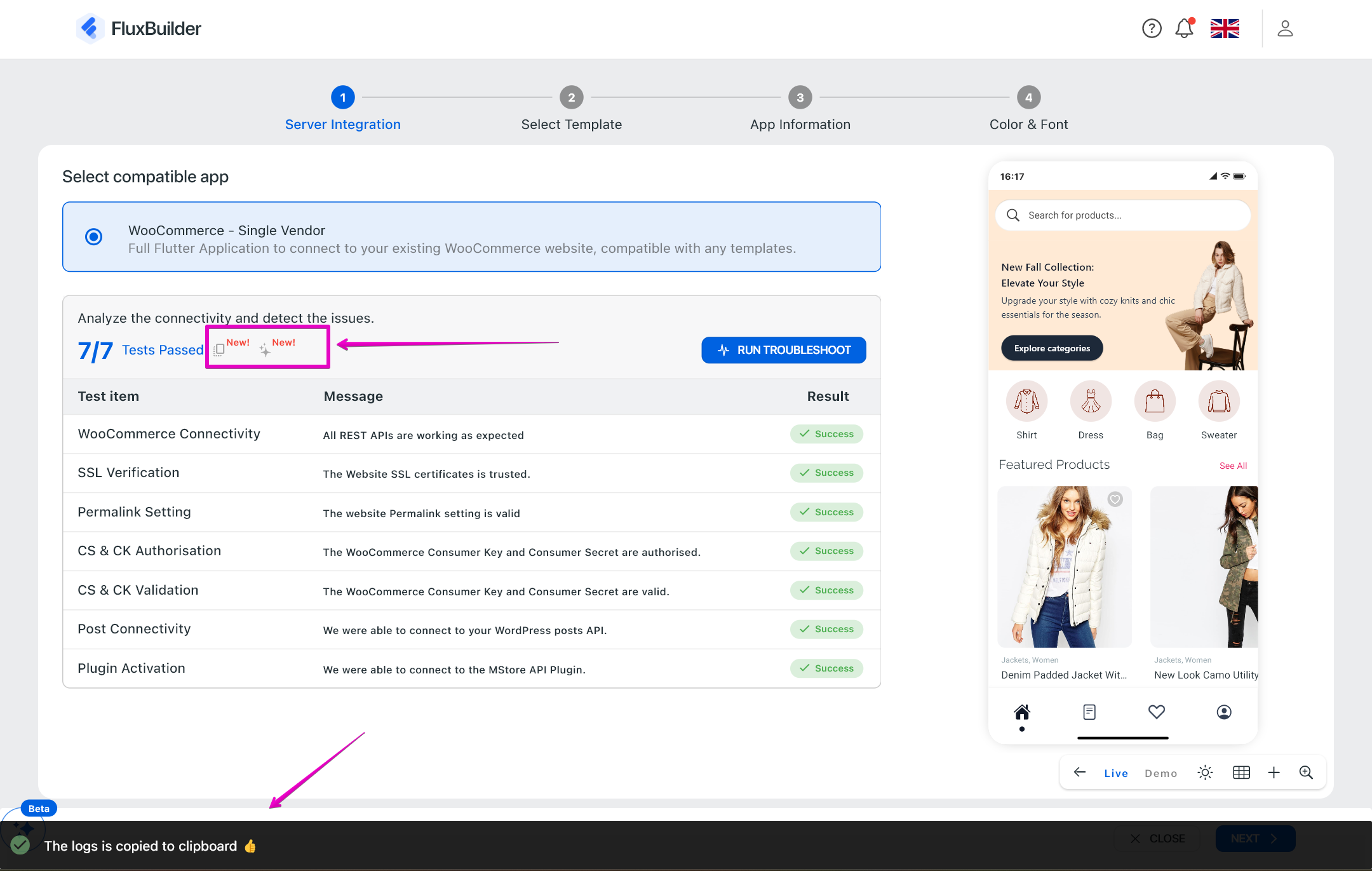
(3) API Call Logs with Status Codes (Troubleshoot Wizard) 💫
FluxBuilder now records API call logs inside the Troubleshoot Wizard, including response status codes (for example: 200 success, 404 error) and error details when available. These logs are included in the Copy Logs output for easier debugging and support investigation, while not being shown directly on the UI, keeping the interface clean and secure.
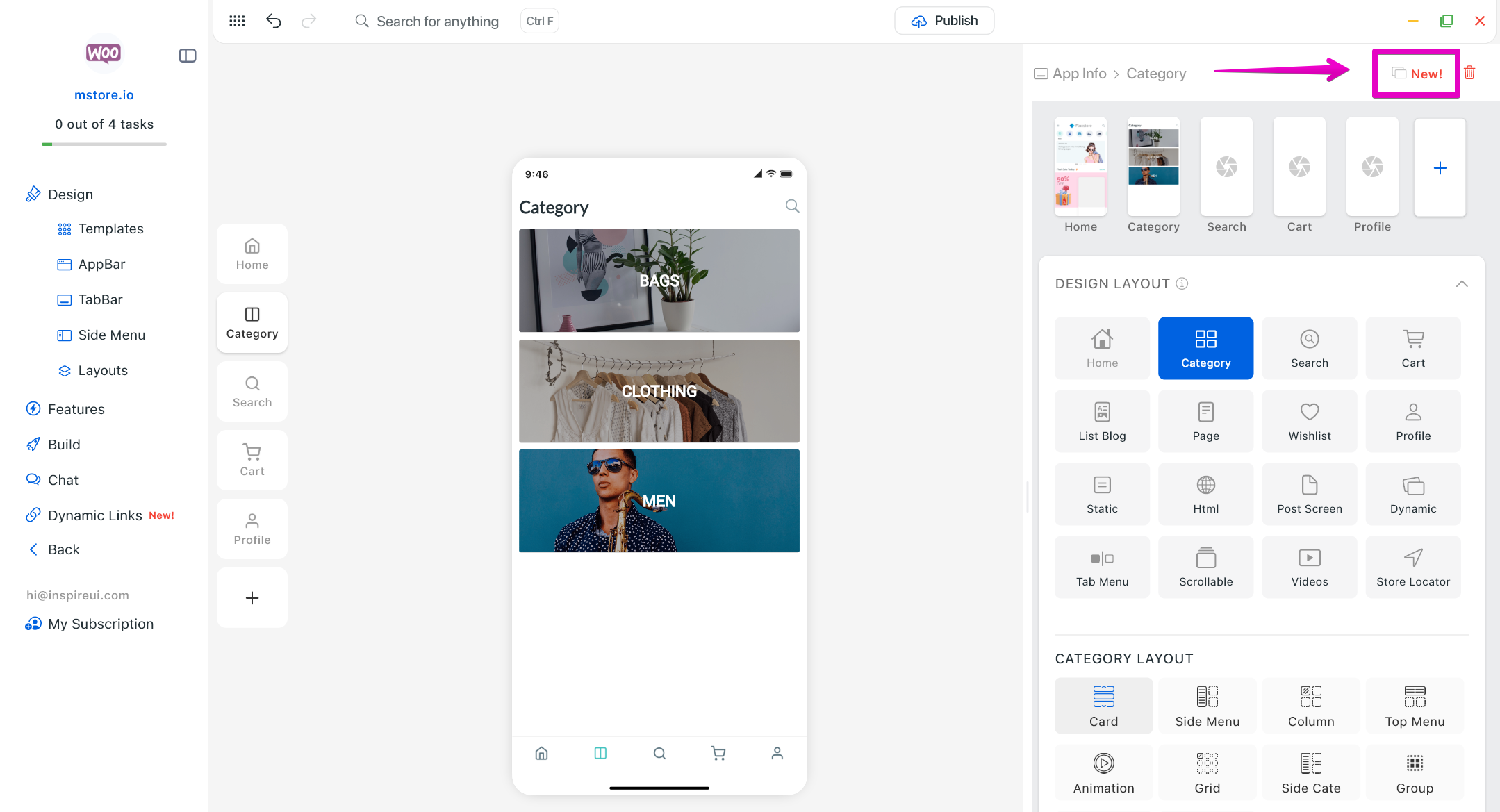
(4) Screen Duplication Button 🖱️
Instantly duplicate any existing screen with one click. This helps you build apps faster, reuse layouts efficiently, and reduce repetitive setup when creating similar pages or flows.
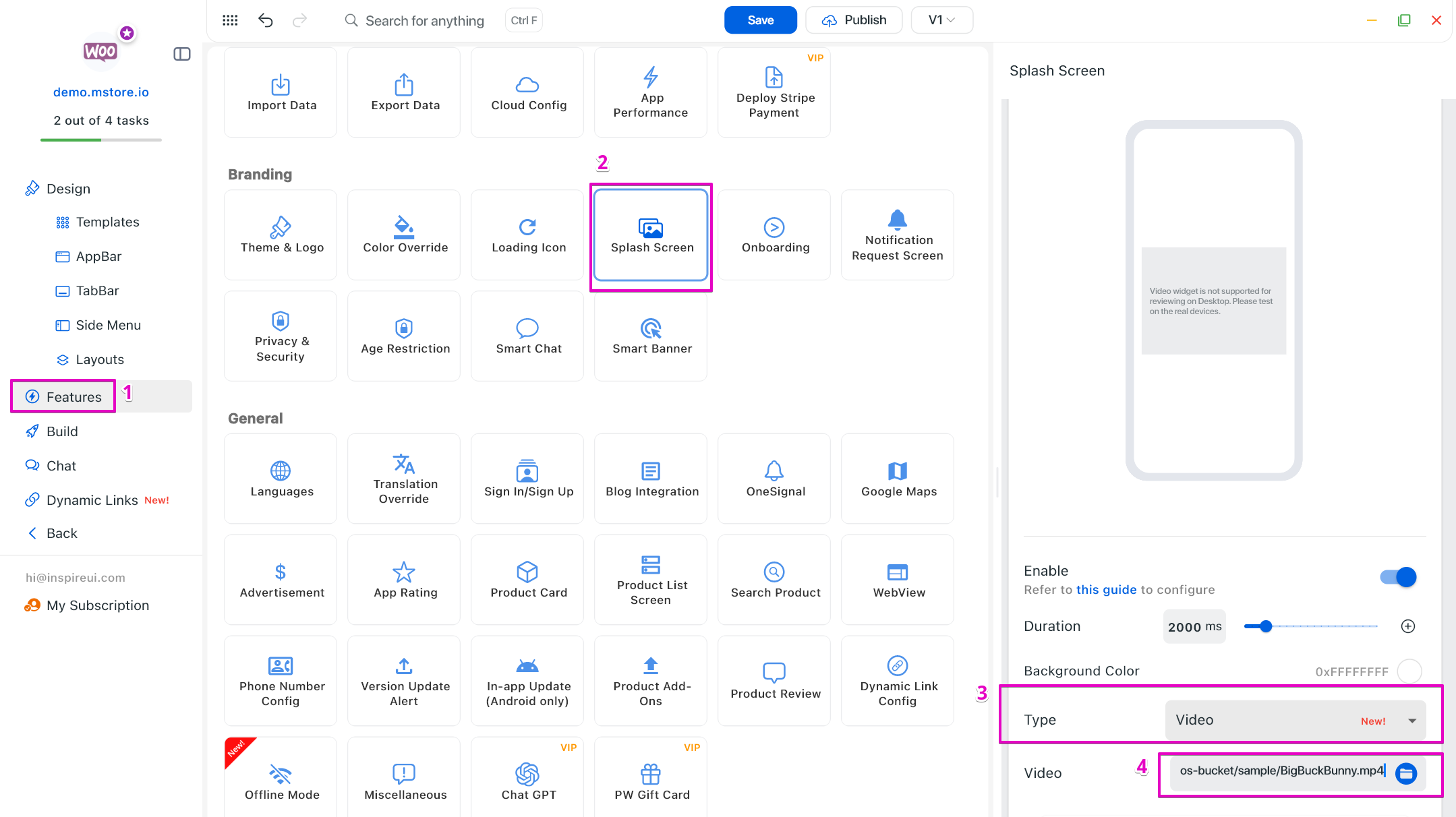
(5) Video Type for Splash Screen 🌈
Use videos instead of static images for your splash screen to create a strong first impression and boost brand engagement from the first app launch.
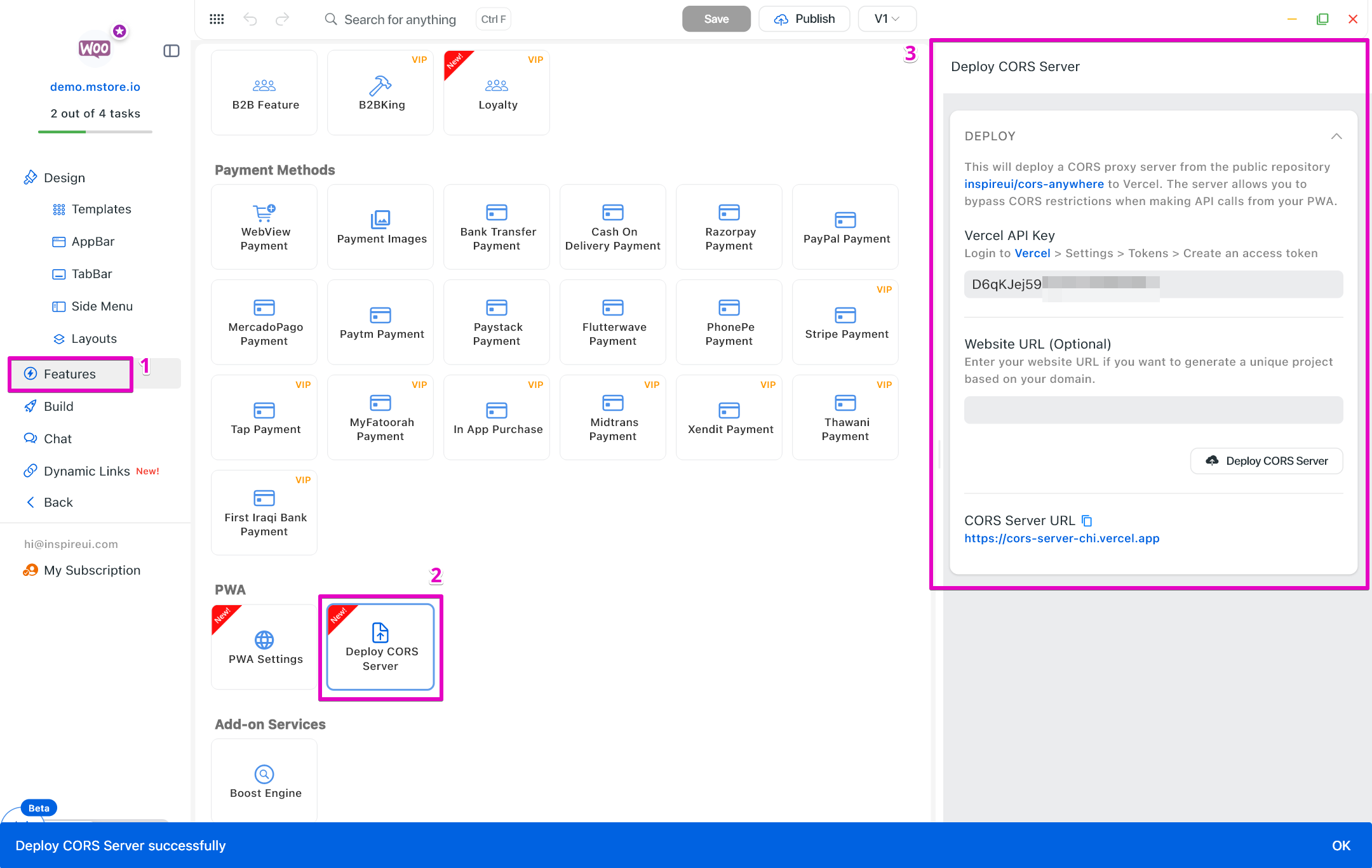
(6) Deploy CORS Server 🚀
Added CORS server deployment to improve security, stability, and compatibility when connecting your app with external services or APIs.
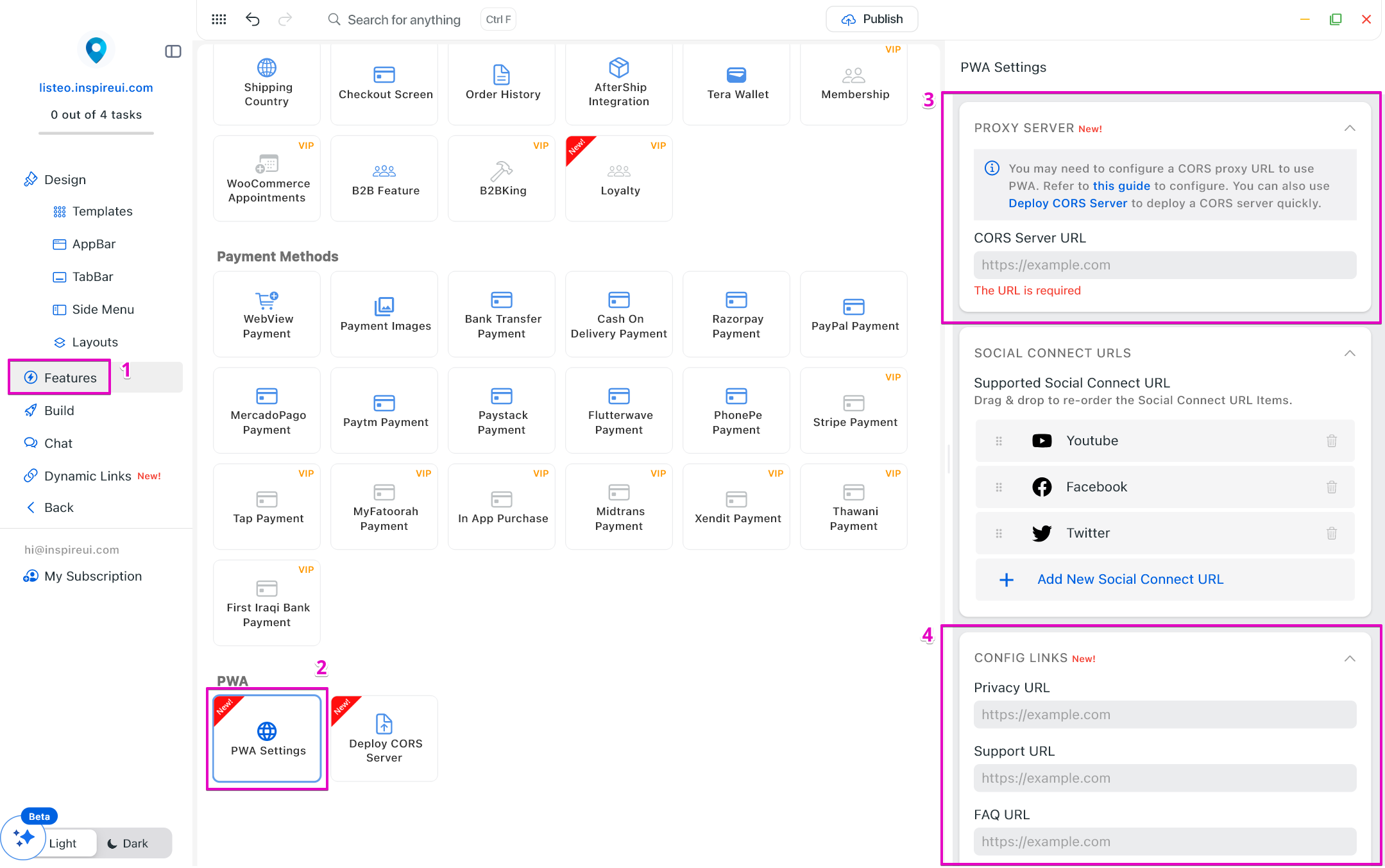
(7) PWA Settings 🚩
Expanded PWA settings with Proxy Server and Config Links, improving performance, security, and flexibility for Progressive Web Apps.
(8) Onboarding Screen Update 🎉
- Enhanced onboarding experience with visible Sign In / Sign Up buttons (support for version 1 only), helping users get started faster.
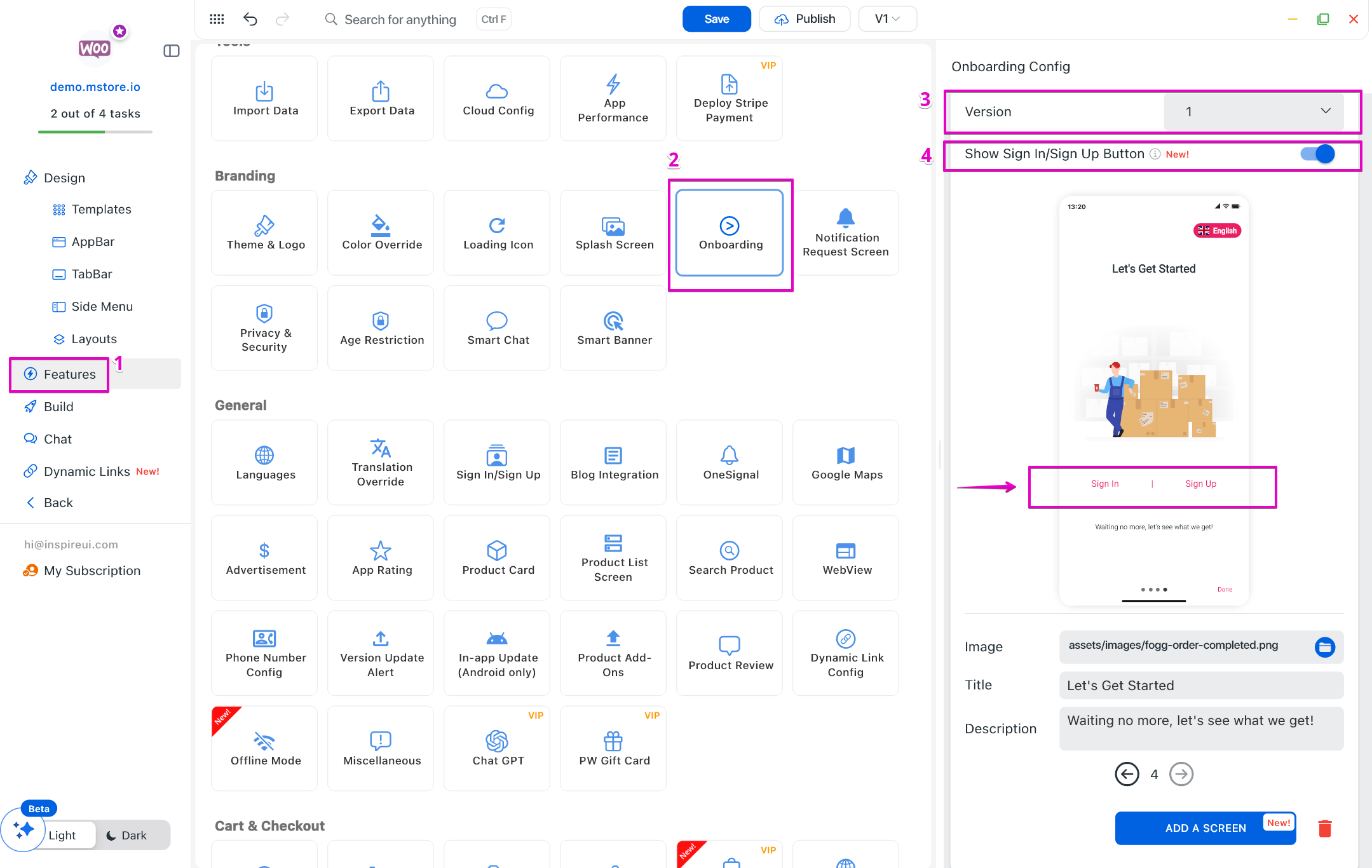
- Support for adding/removing Onboarding screens.
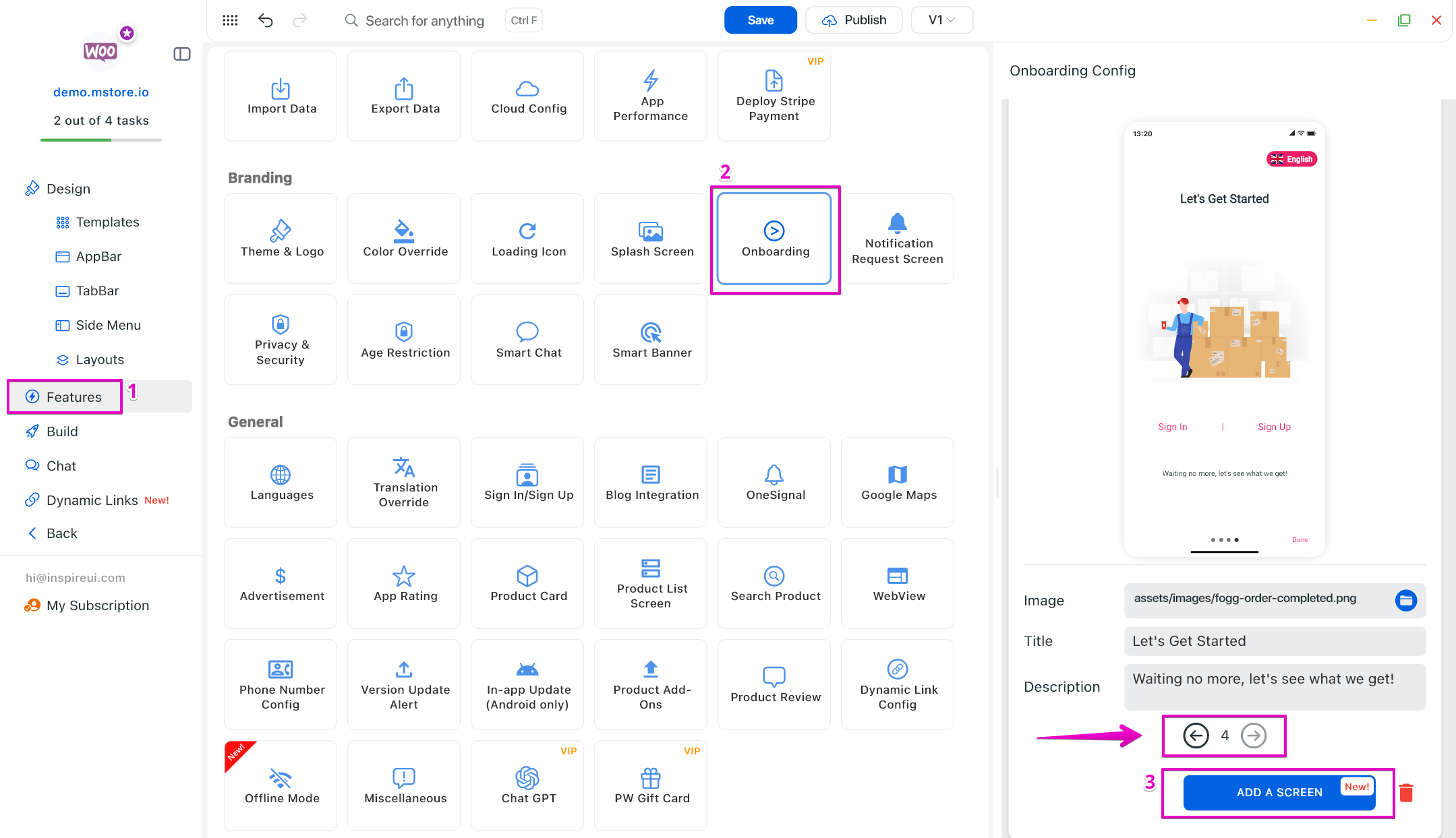
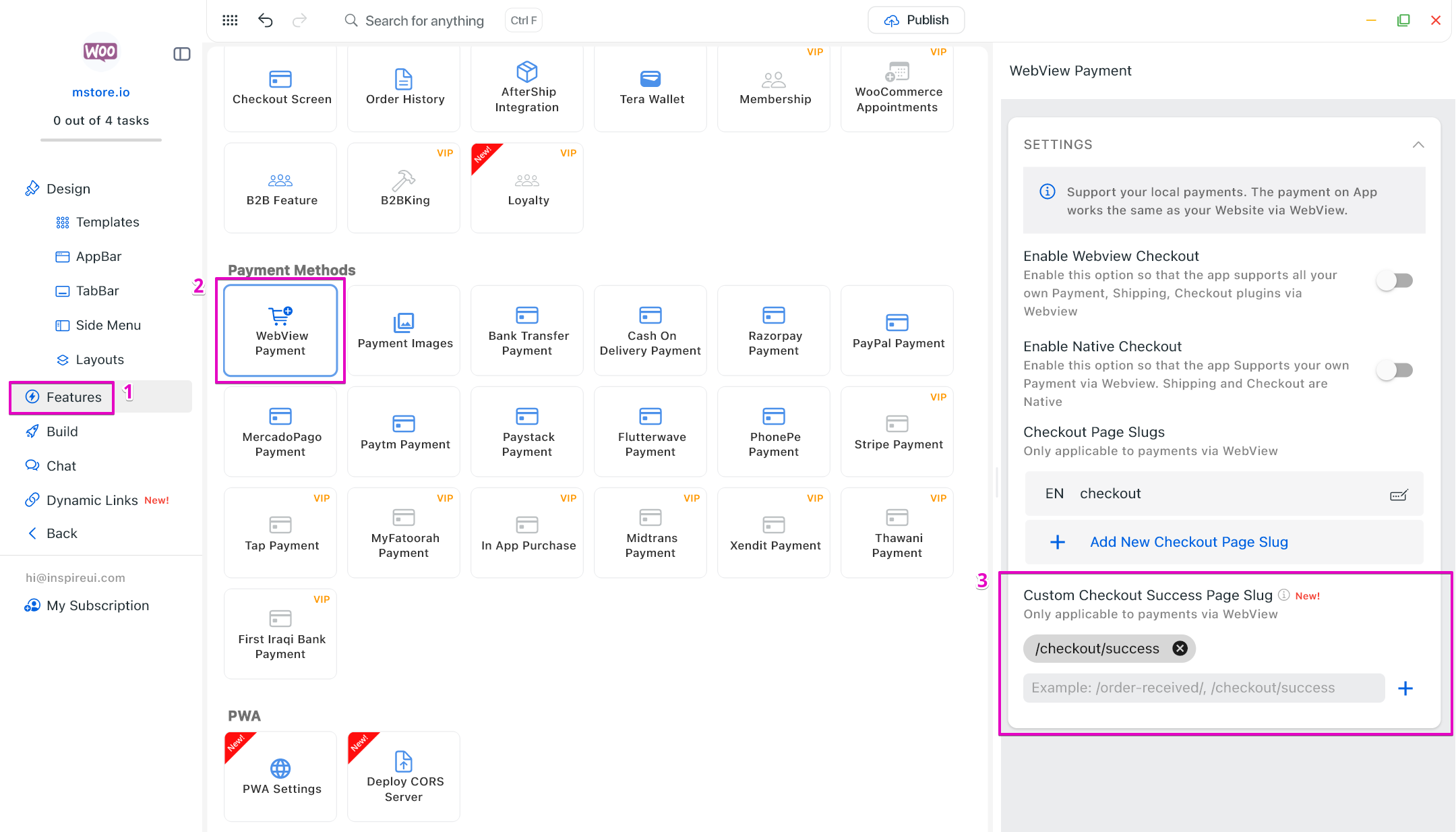
(9) WebView Payment: Custom Success Checkout Page Slug 💫
Support custom or translated checkout success URLs so the app can correctly detect completed orders, clear carts, and display the Thank You screen reliably.
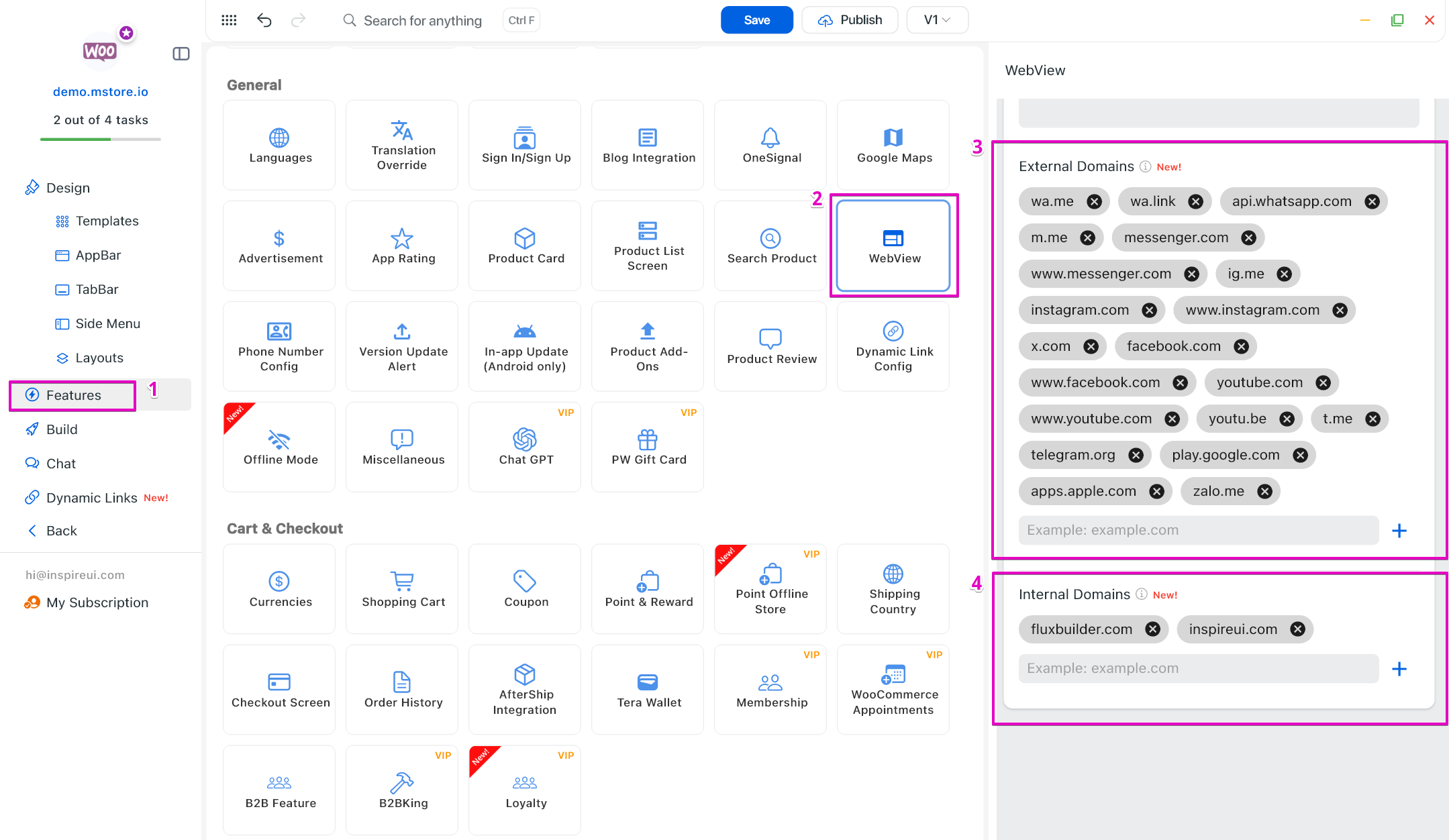
(10) WebView: Smart Domain Detection 🔬
FluxBuilder now intelligently handles link navigation based on domain rules.
- External Domains will open in the device’s default browser, while Internal Domains can continue to open inside the app WebView.
- This prevents broken flows, improves checkout and login reliability, and gives you full control over user navigation.
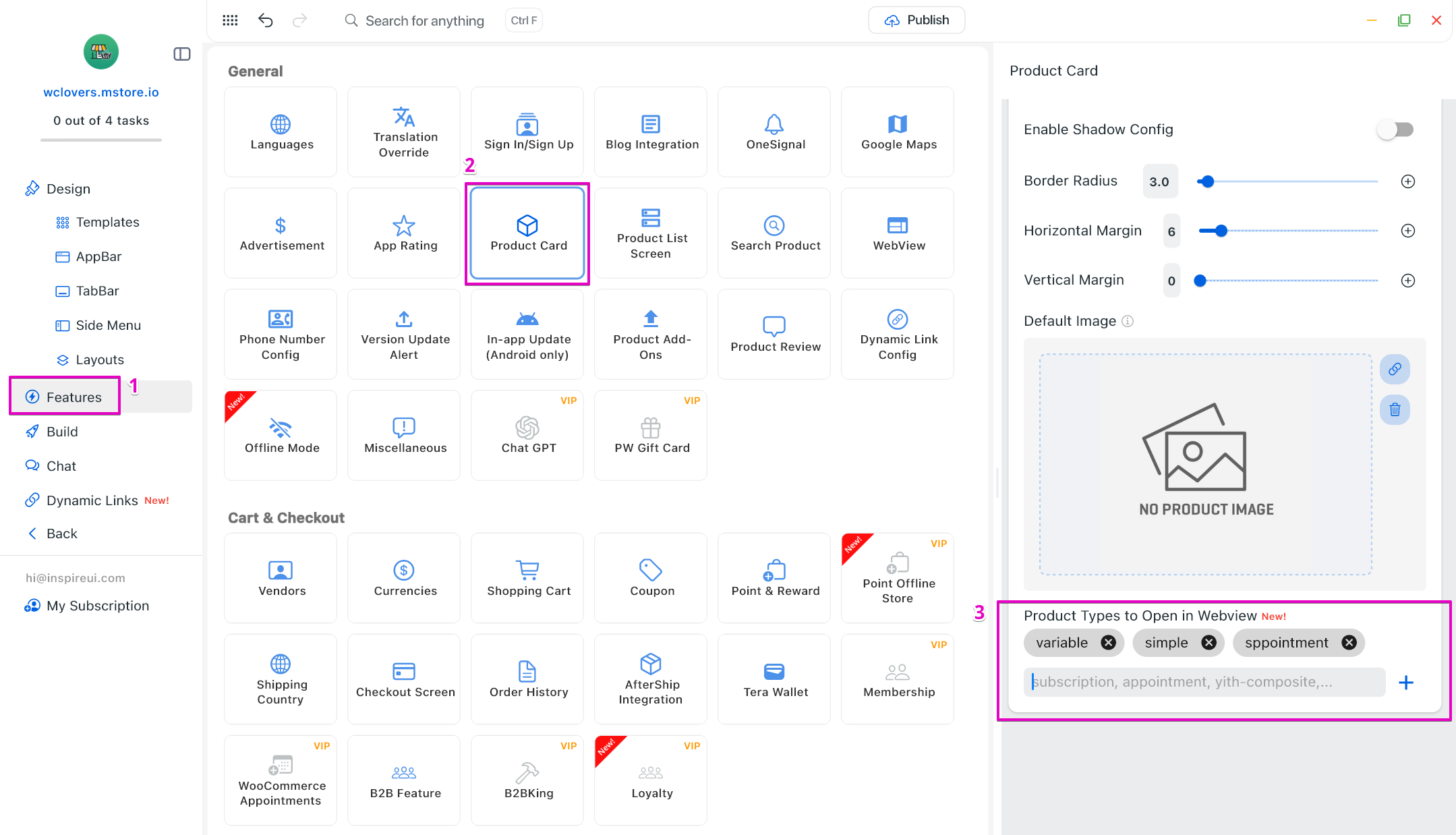
(11) Product View Routing ⭐️
“Product Type to Open in Webview”: Gain full control over navigation behavior by choosing whether products open in Webview or Native Product Detail based on product type, ensuring consistent user experience.
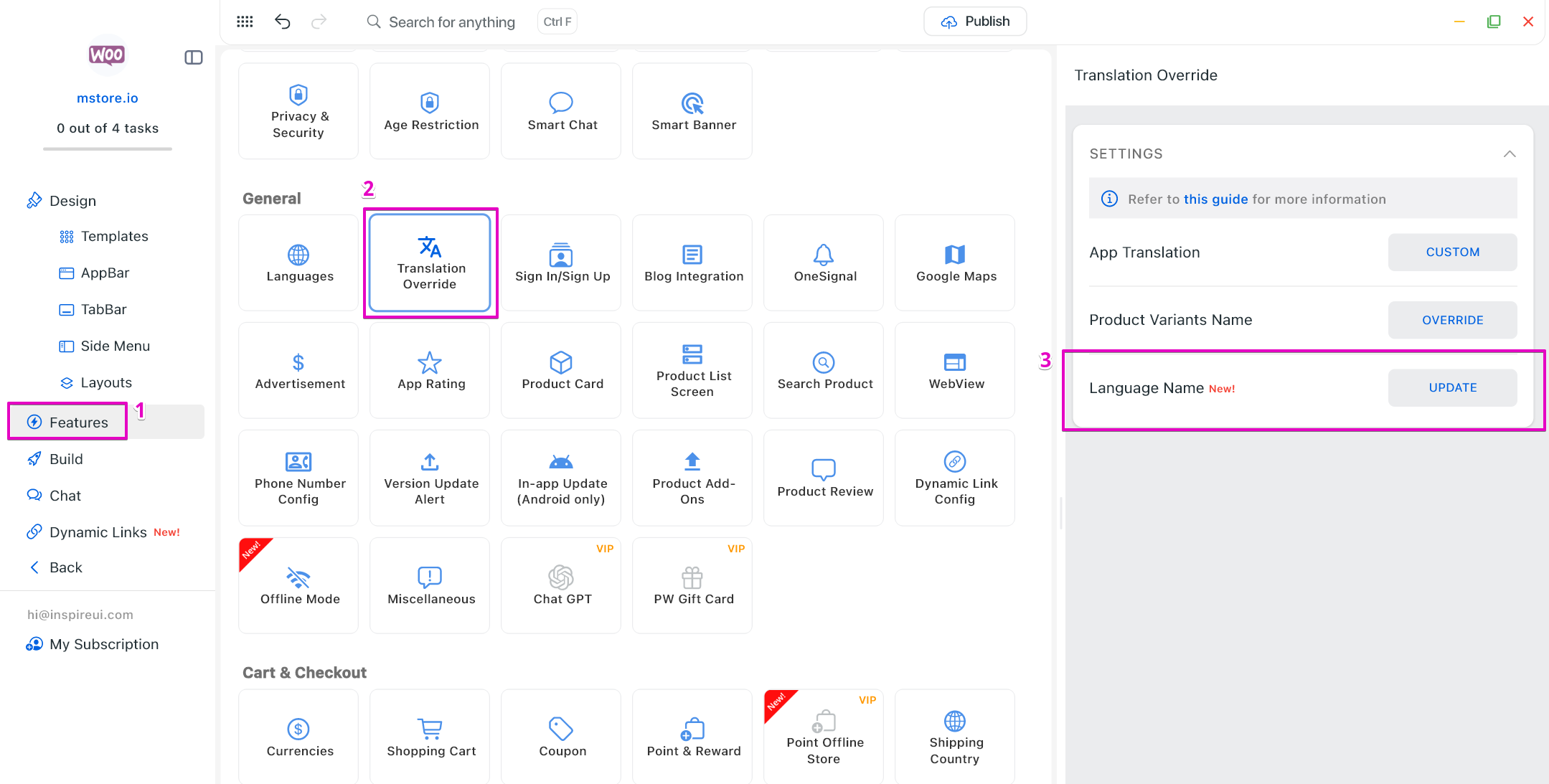
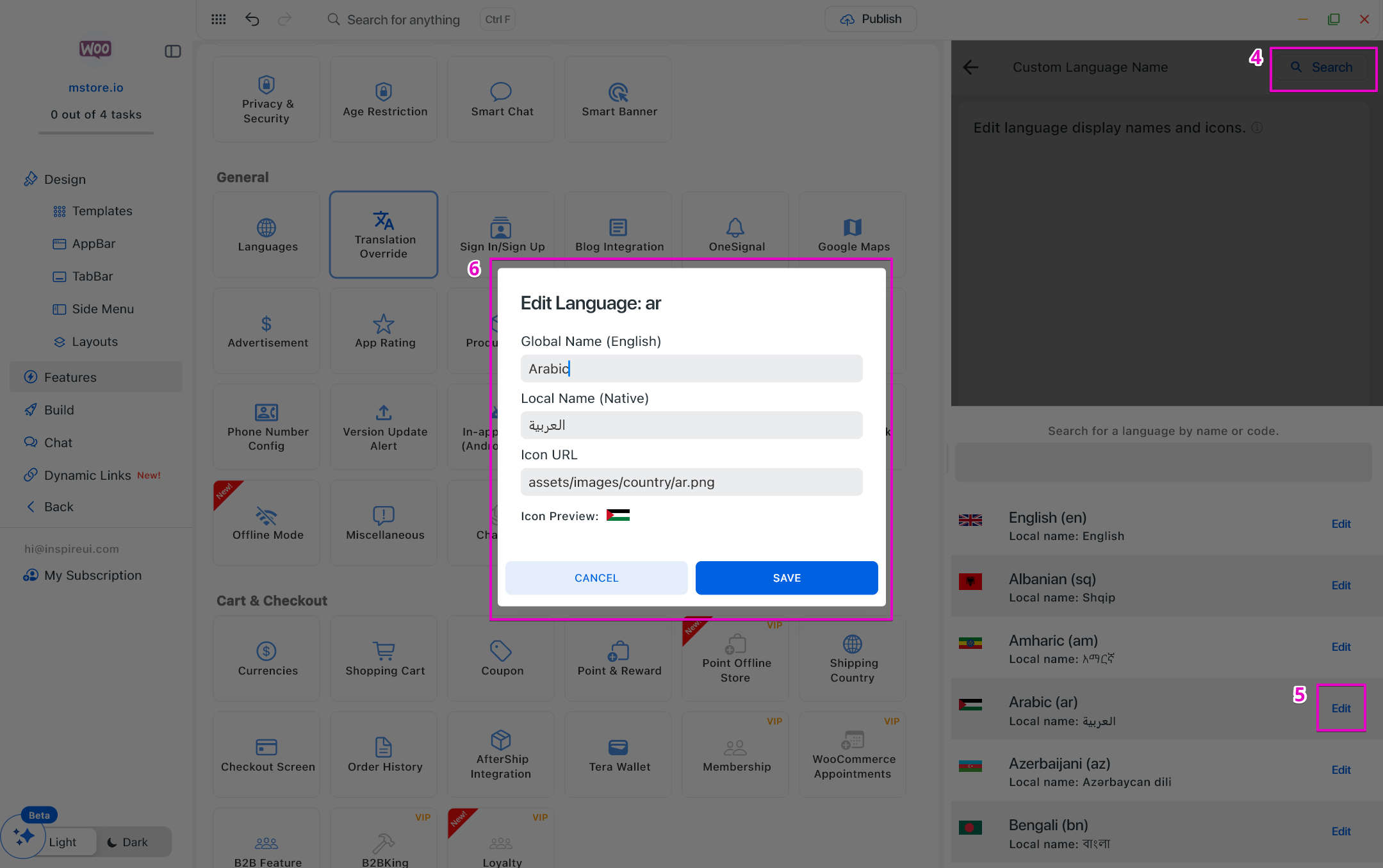
(12) Language Name Override 🔰
Customize how language names are displayed in the app (for example, showing native language names instead of default system labels), providing a clearer and more user-friendly language selection experience.
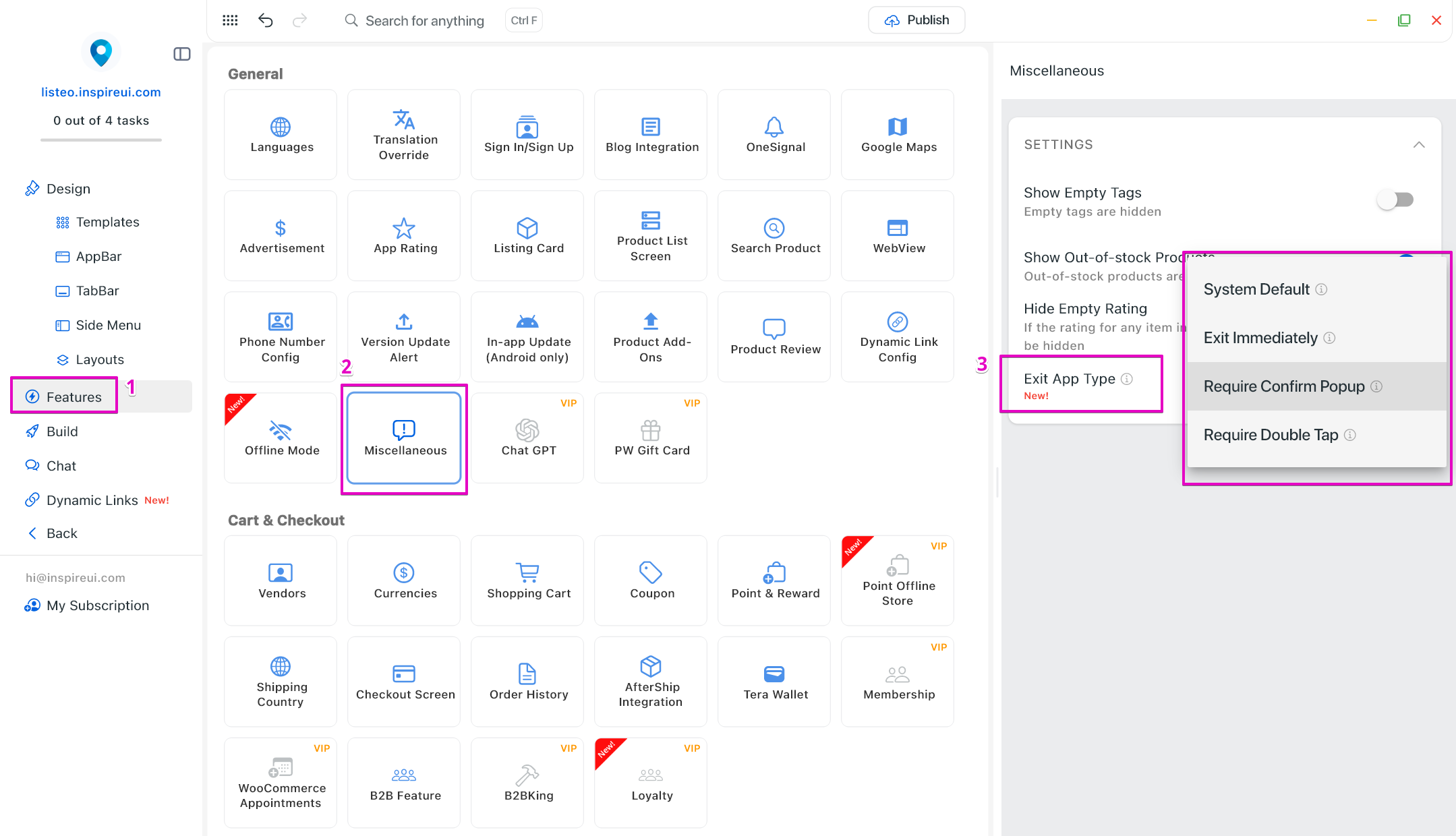
(13) App Exit Styles 💠
More app exit behaviors give you better control over how users leave the app, improving UX and preventing accidental exits.
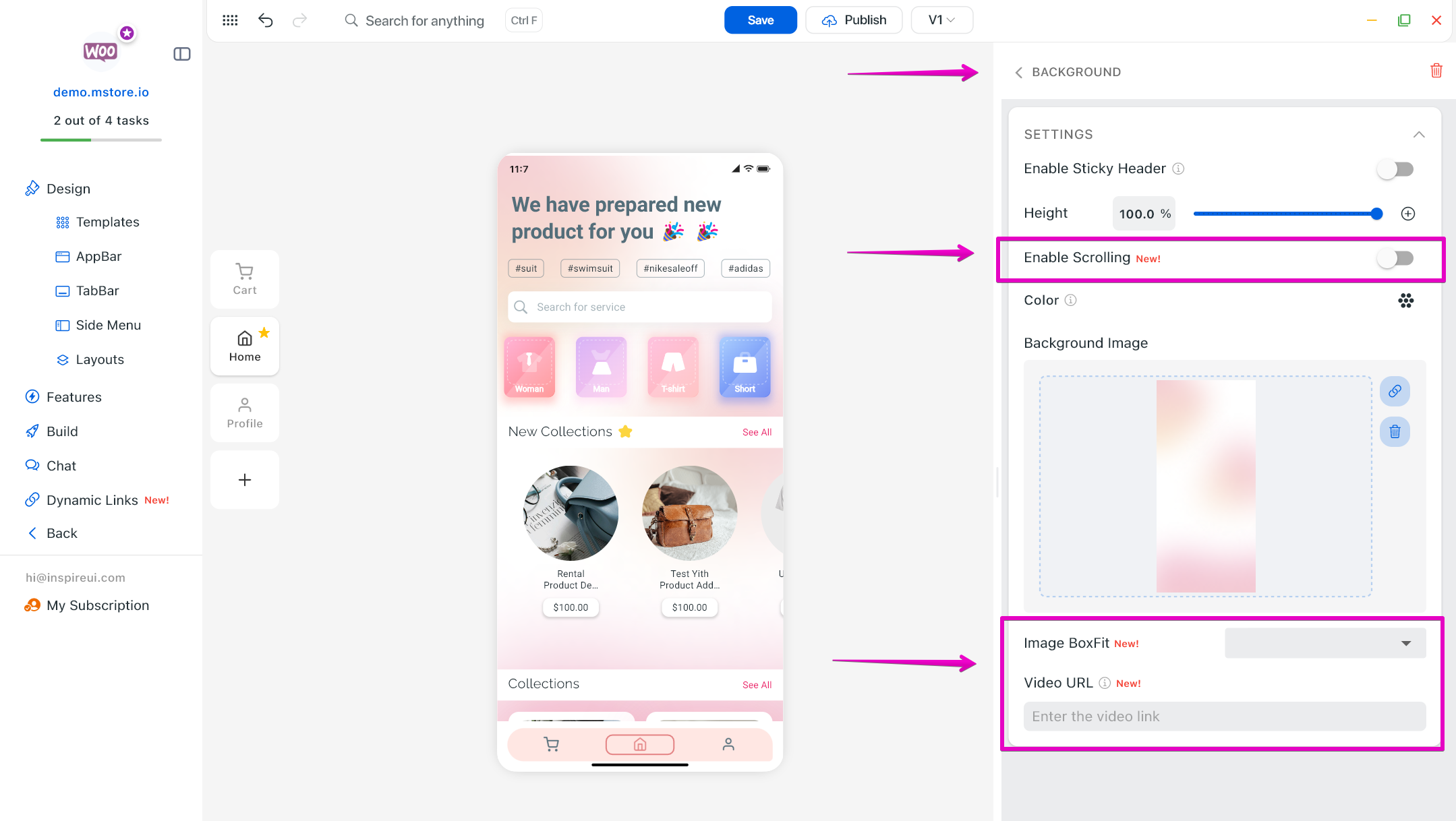
(14) Background Updates 🎨
Take full control of screen backgrounds with new options:
- Enable or disable background scrolling for smoother UX
- Choose image box fit to keep visuals perfectly aligned
- Use a video URL as background to create dynamic, eye-catching screens
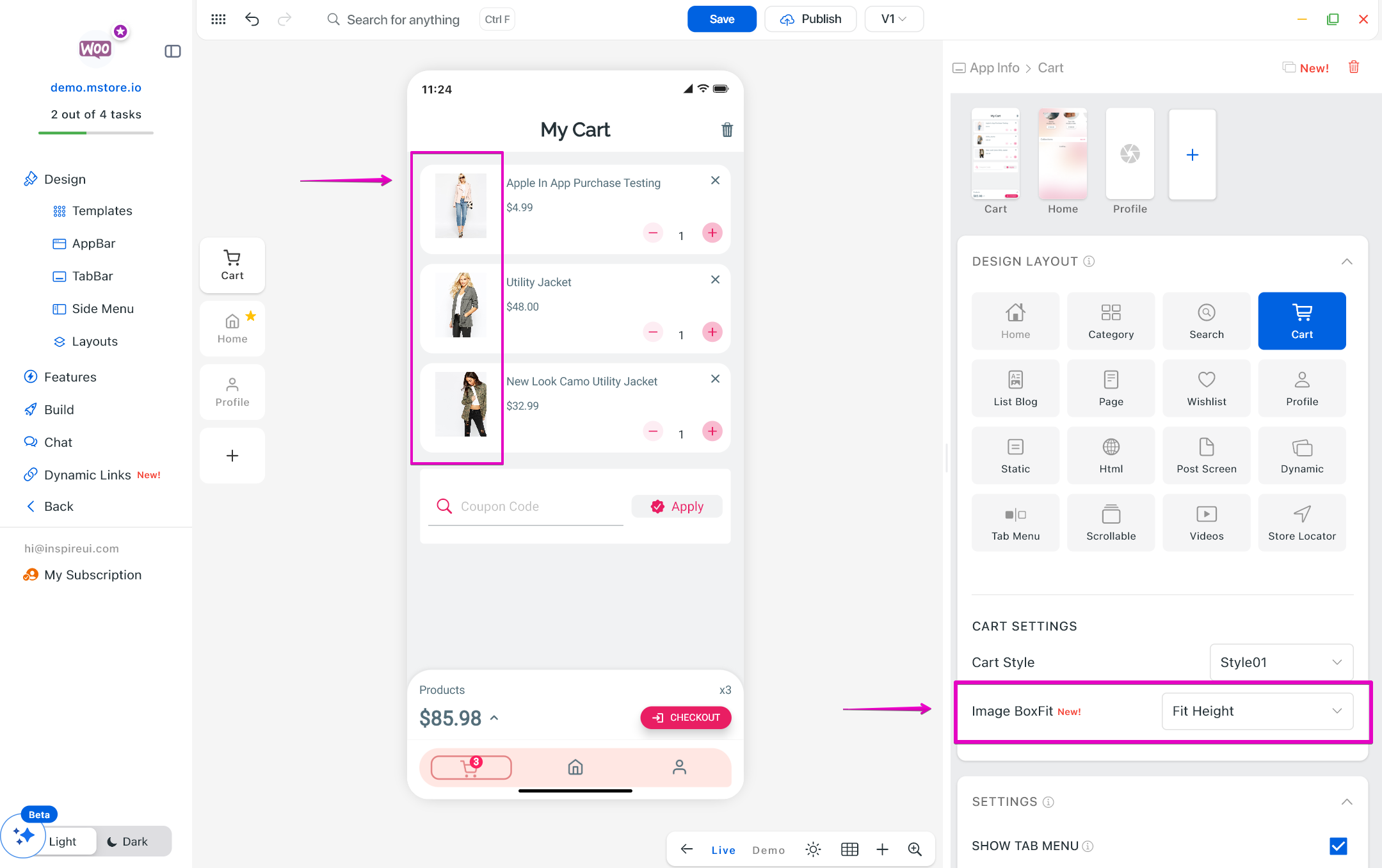
(15) Image Boxfit for Product Image in Cart 🖼️
Product images in the cart now support box fit settings, ensuring a clean and consistent checkout layout across all devices.
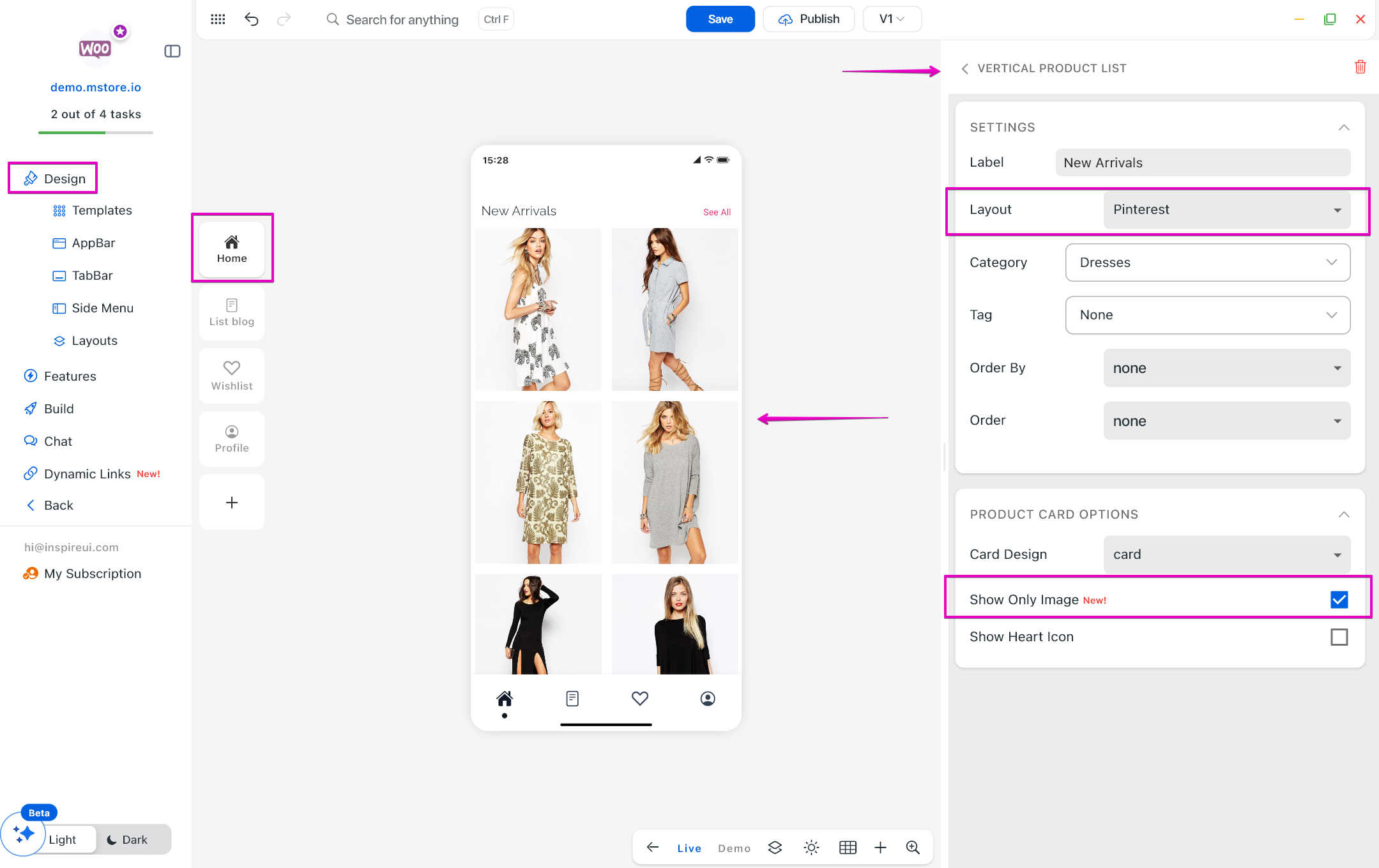
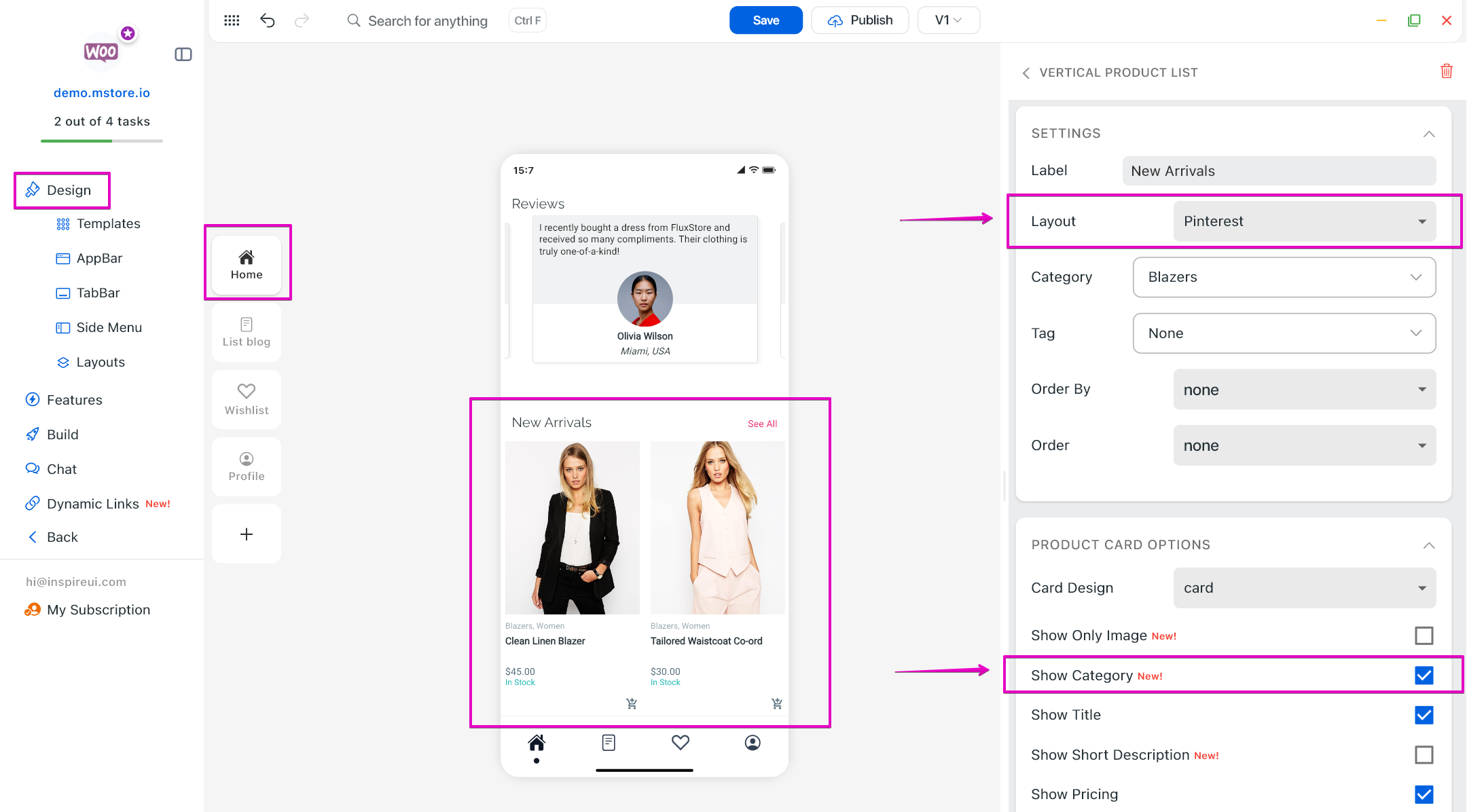
(16) Show Only Image for Pinterest Layout 💌
A new display option for Pinterest-style layout of Vertical Product List on Home page that shows image-only cards. This creates a cleaner, more visual-first browsing experience, improves loading performance, and helps products or content stand out without text distractions.
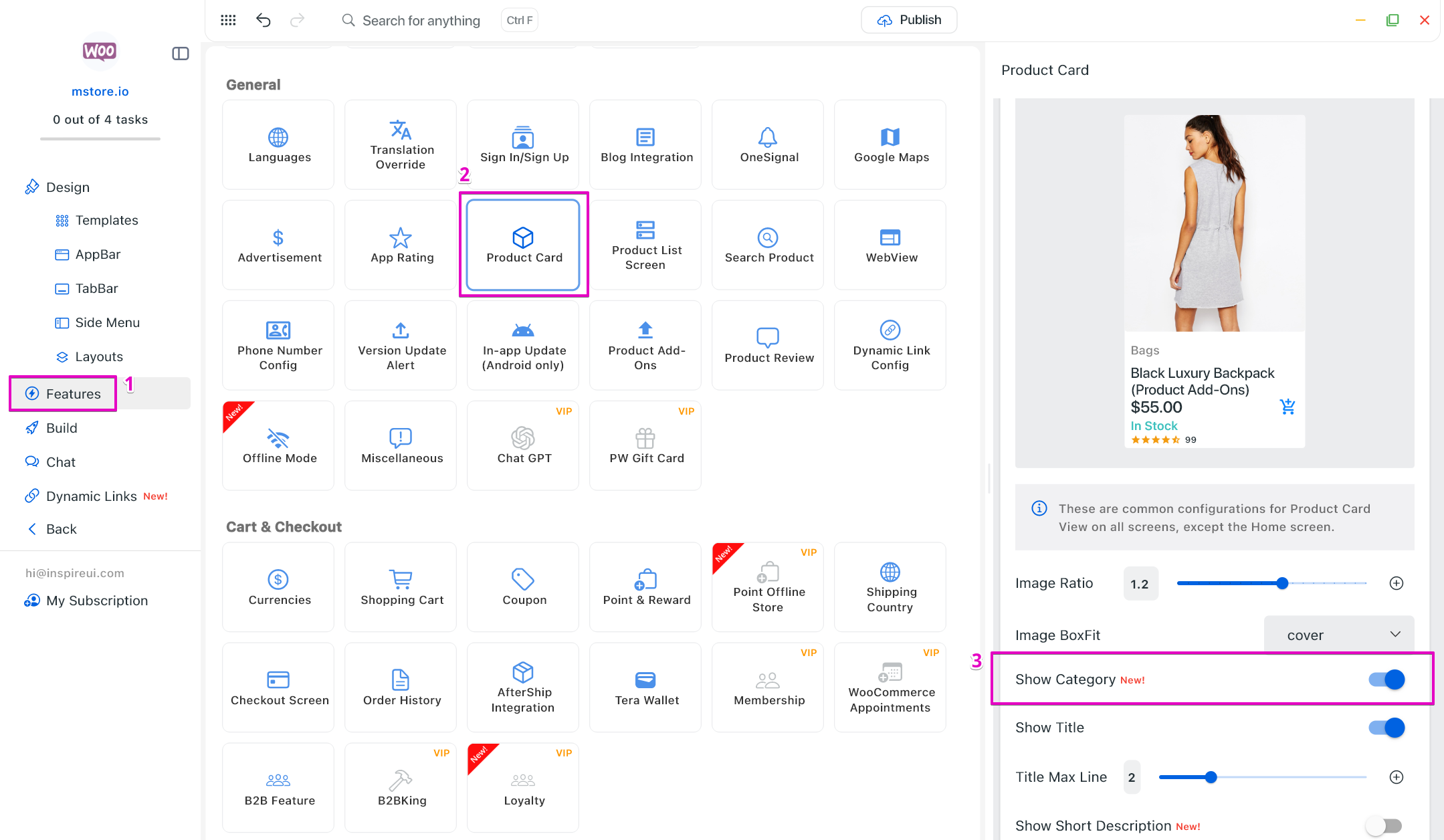
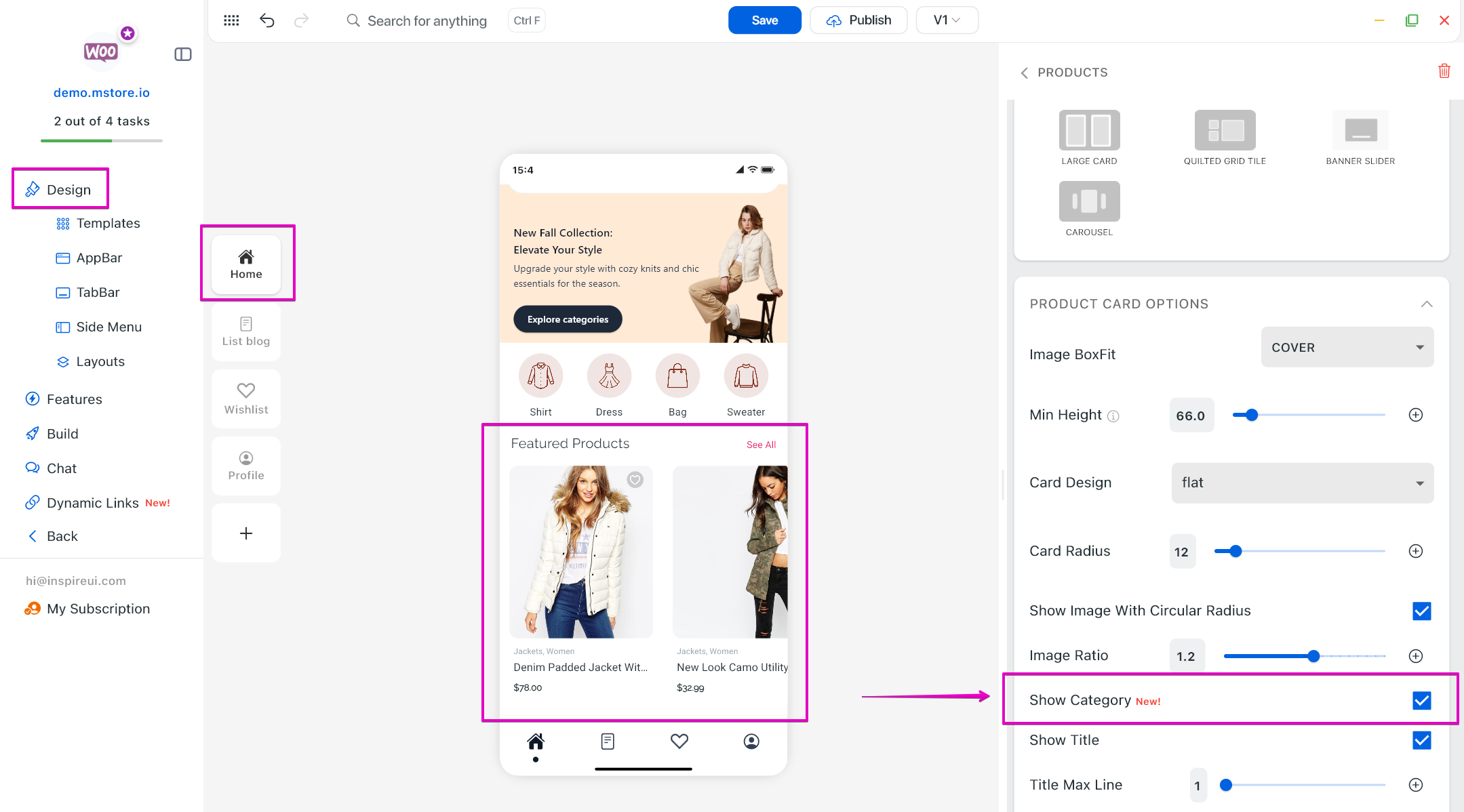
(17) Show Category in Product Card 🔆
Display product categories clearly in product cards, making product discovery faster and improving navigation for a better shopping experience.
Edit in Features:
Edit in Horizontal Layout:
Edit in Vertical Layout:
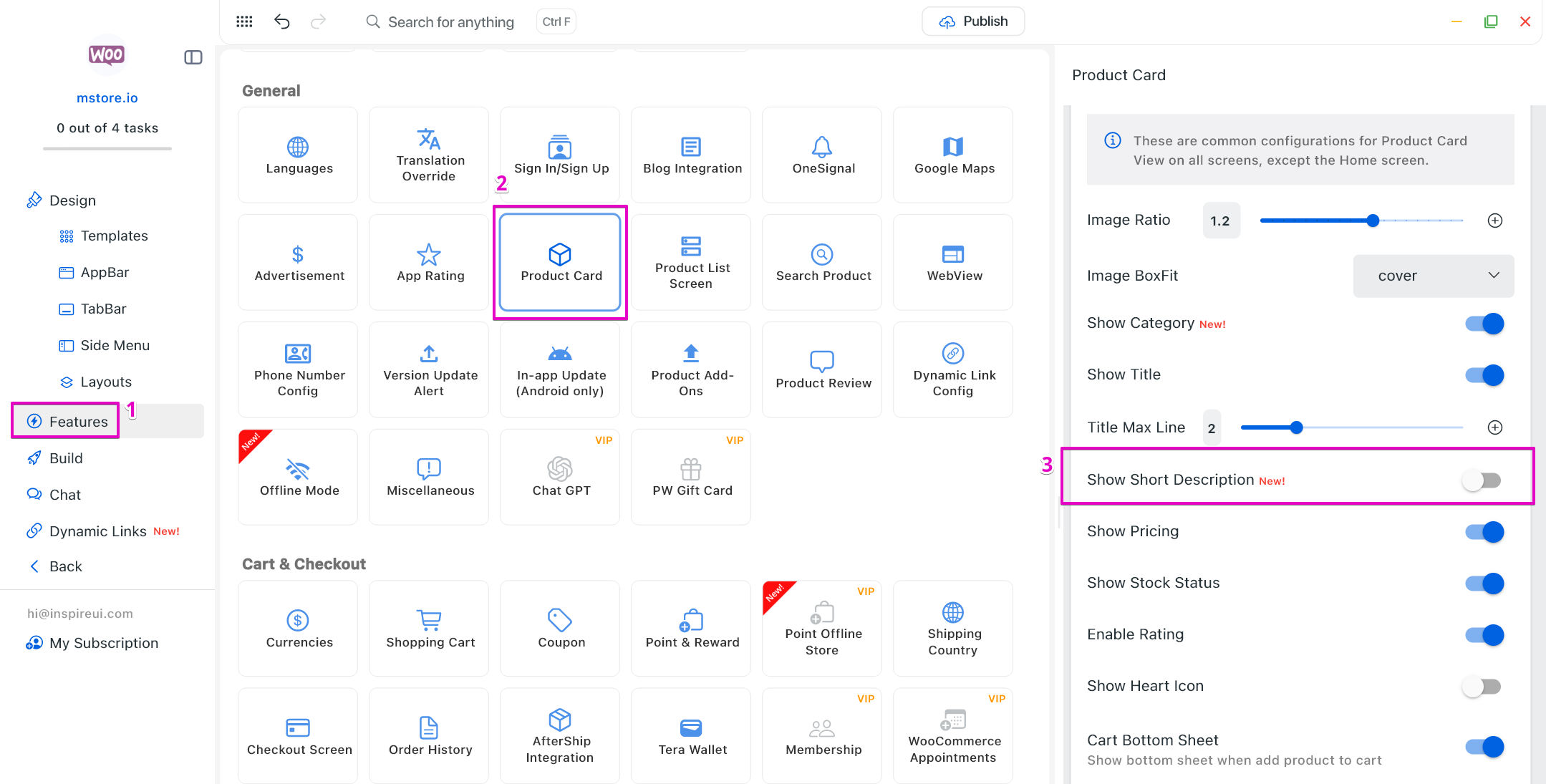
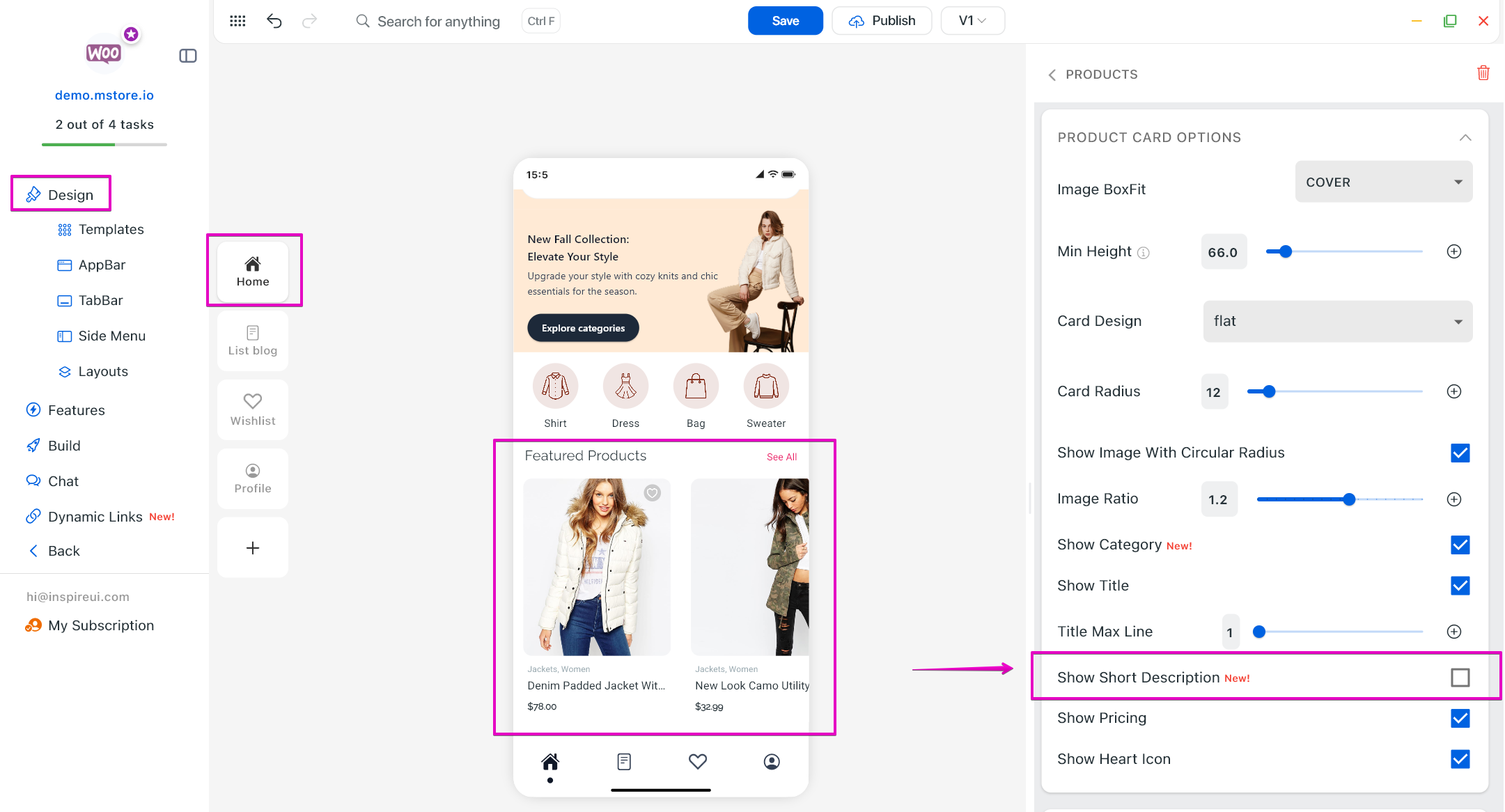
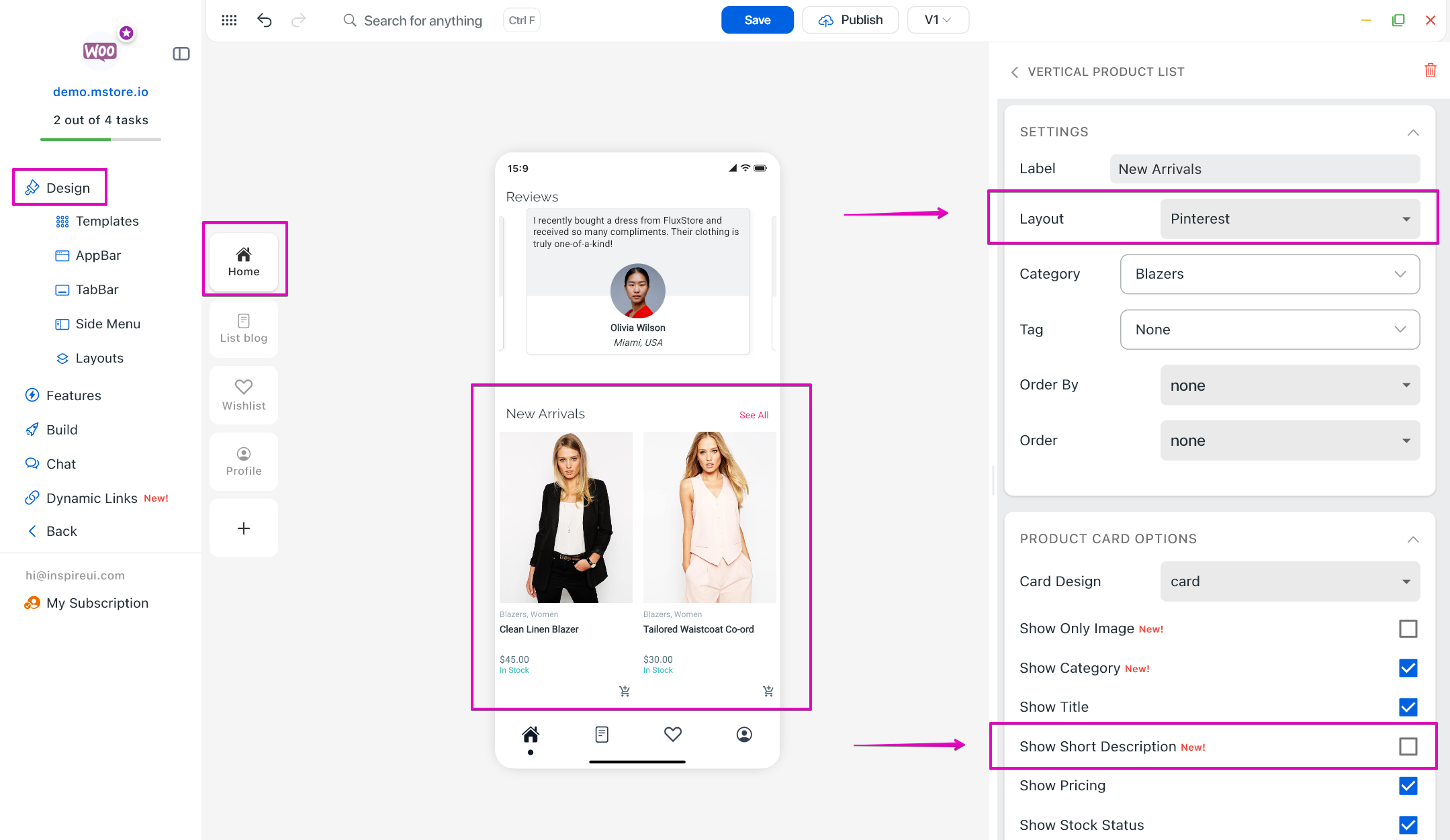
(18) Show Short Description in Product Card 🧩
Show short product descriptions directly in product card to help users quickly understand products and increase conversion rates.
Edit in Features:
Edit in Horizontal Layout:
Edit in Vertical Layout:
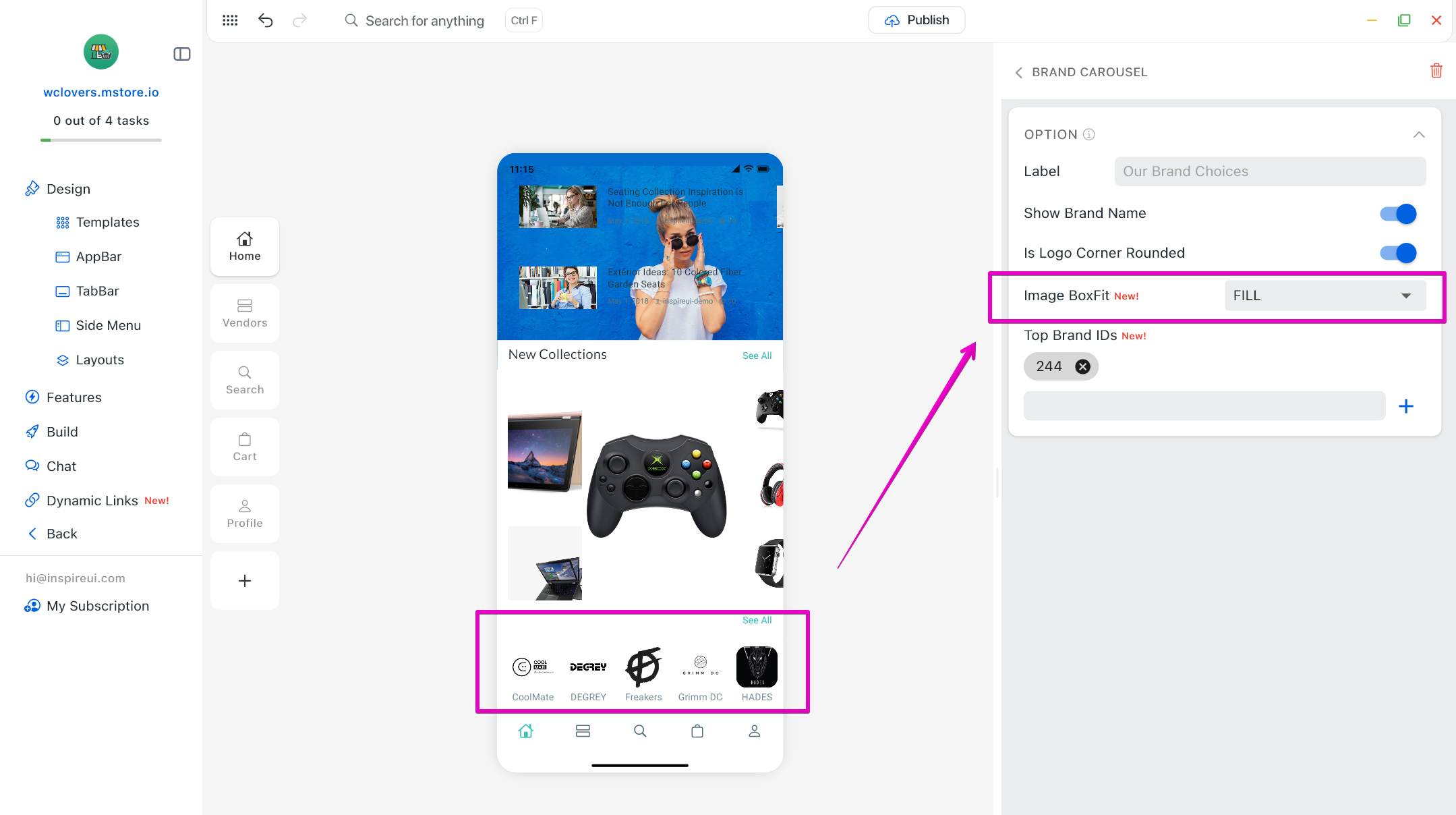
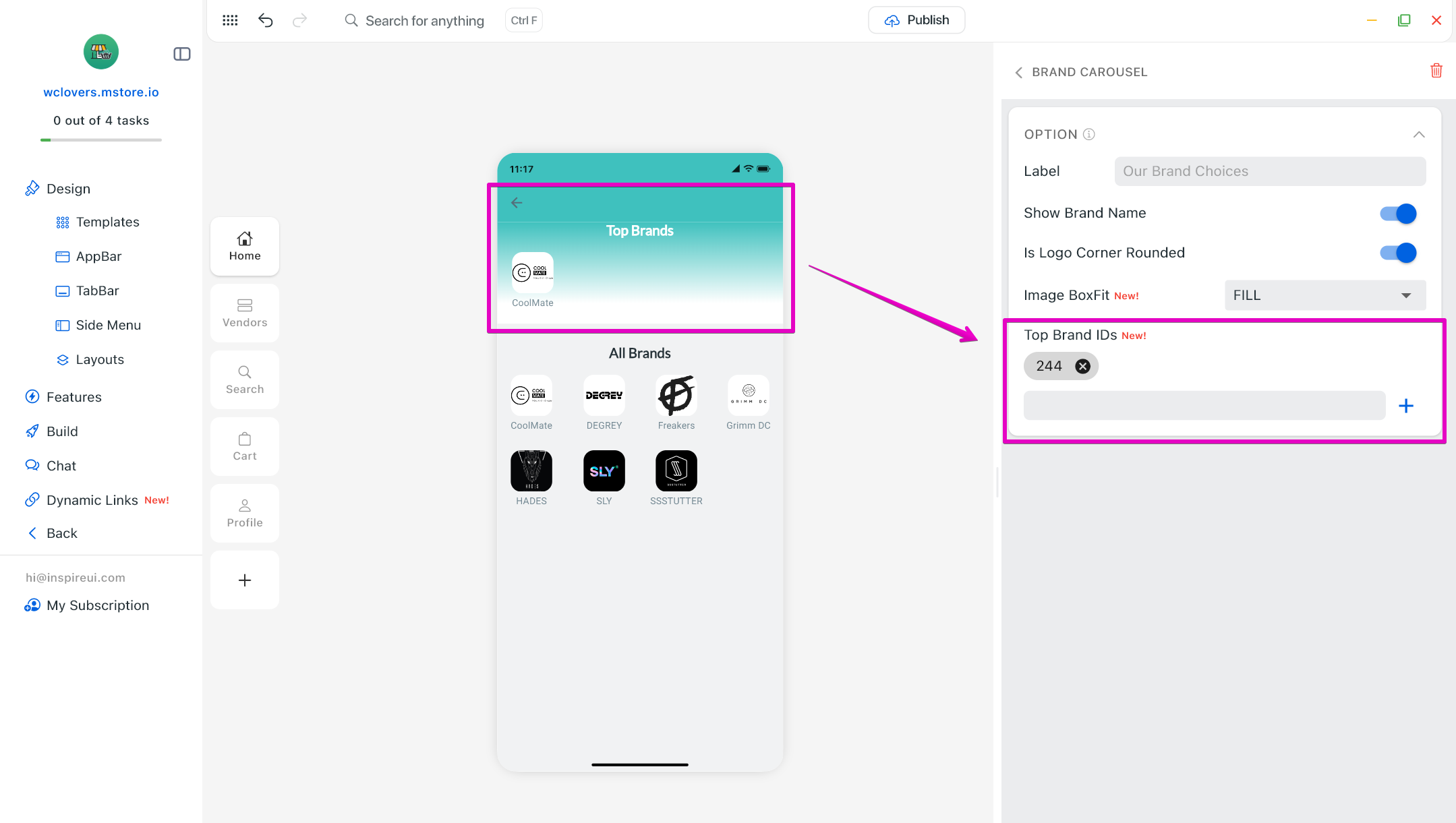
(19) Brand Carousel Update 📍
- Upgrade your brand showcase with improved image box fit and the ability to select Top Brand IDs, helping highlight featured brands and build customer trust.
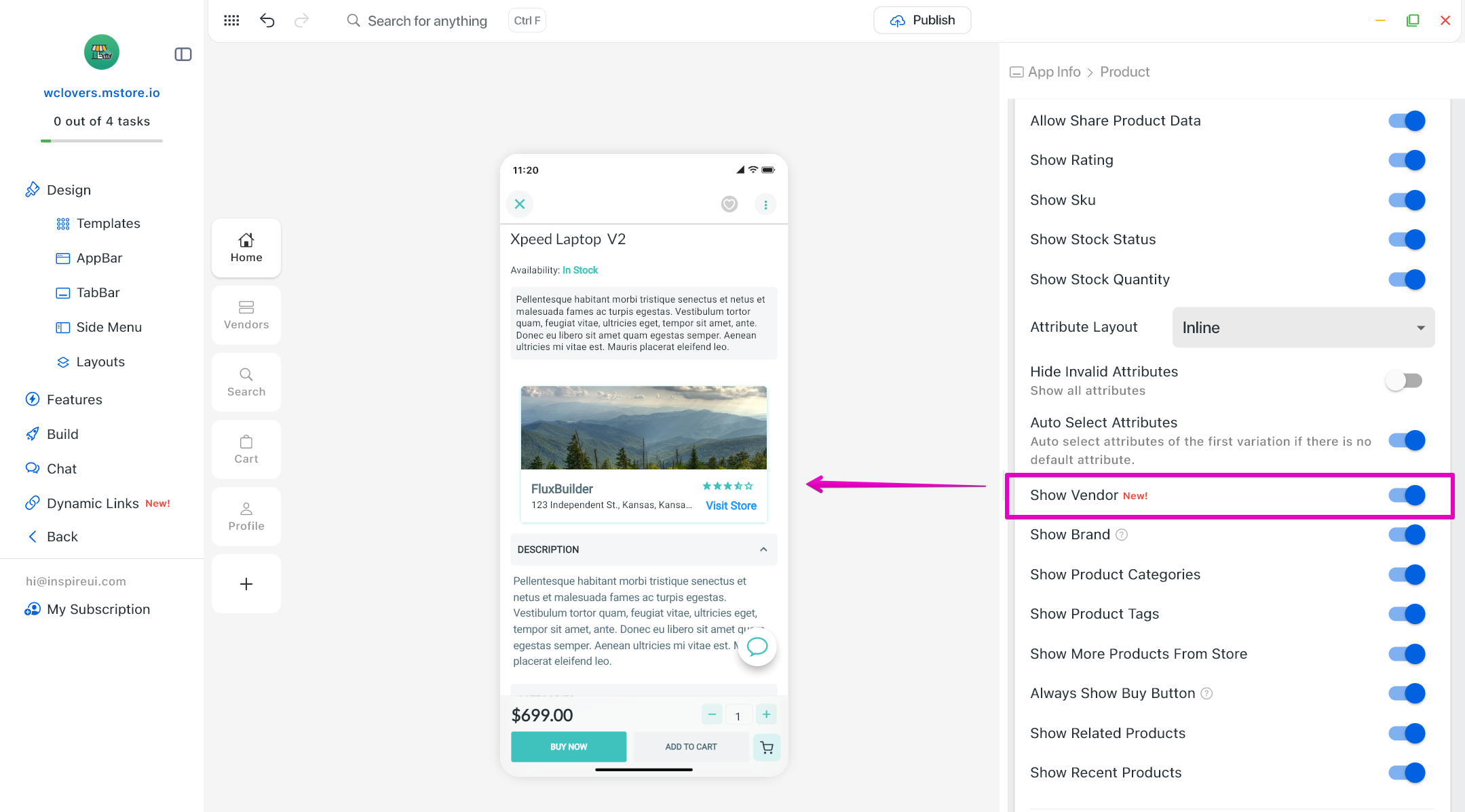
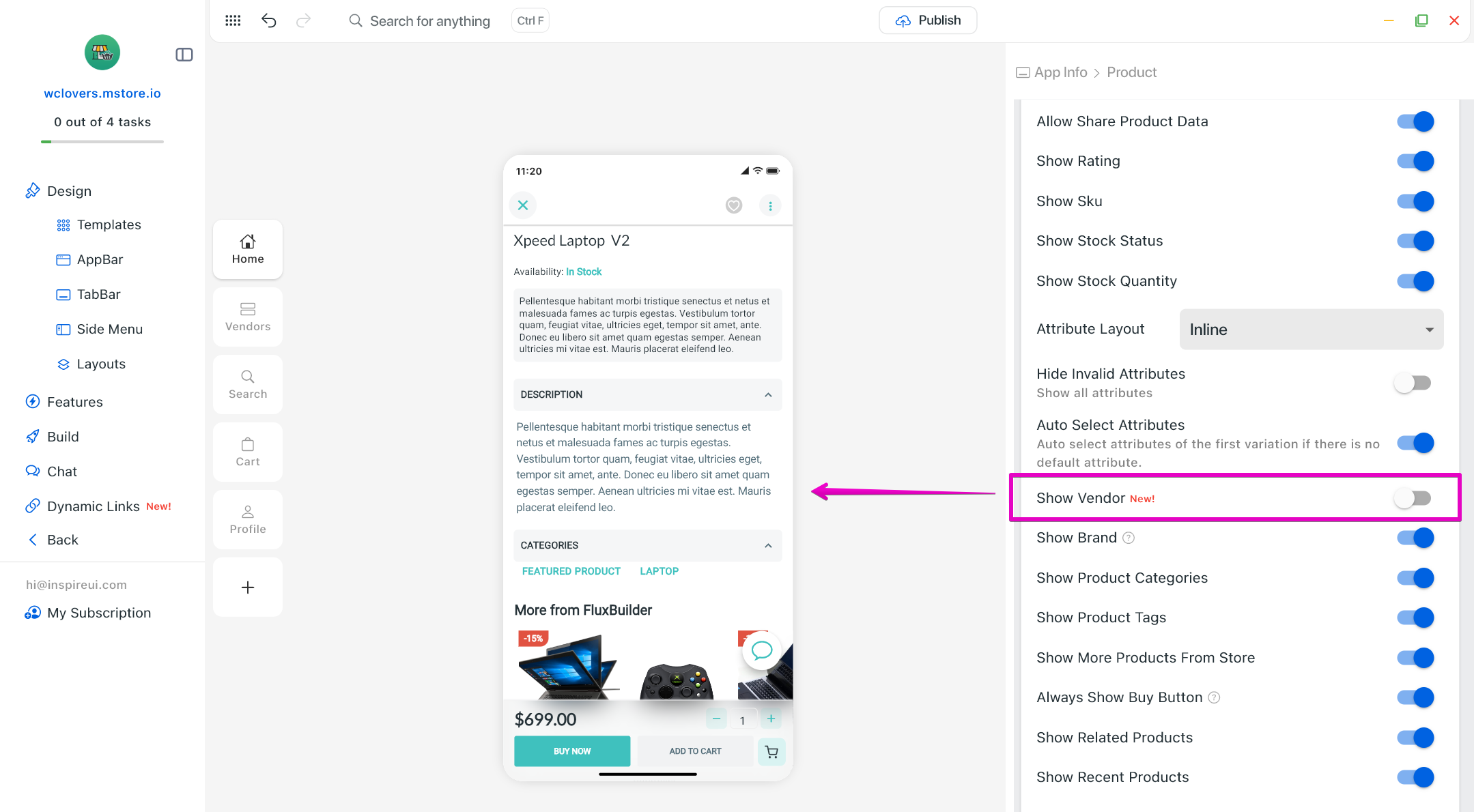
(20) Show/Hide Vendor in Product Detail screen of Multi Vendors App ⚓
Vendor information is now displayed directly on the product detail screen, improving transparency and credibility for multi-vendor marketplaces.
(21) WCFM Live Chat 💬
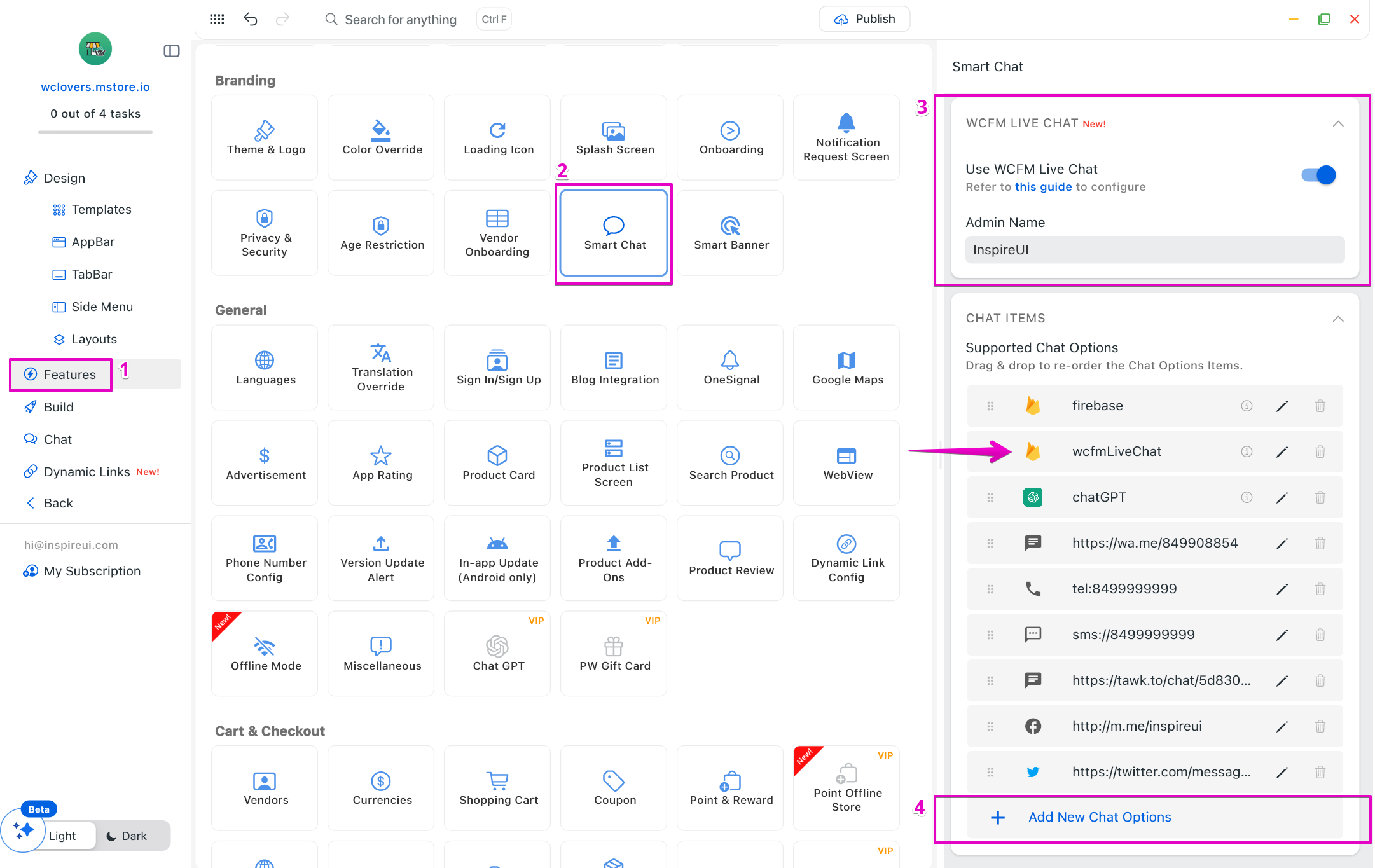
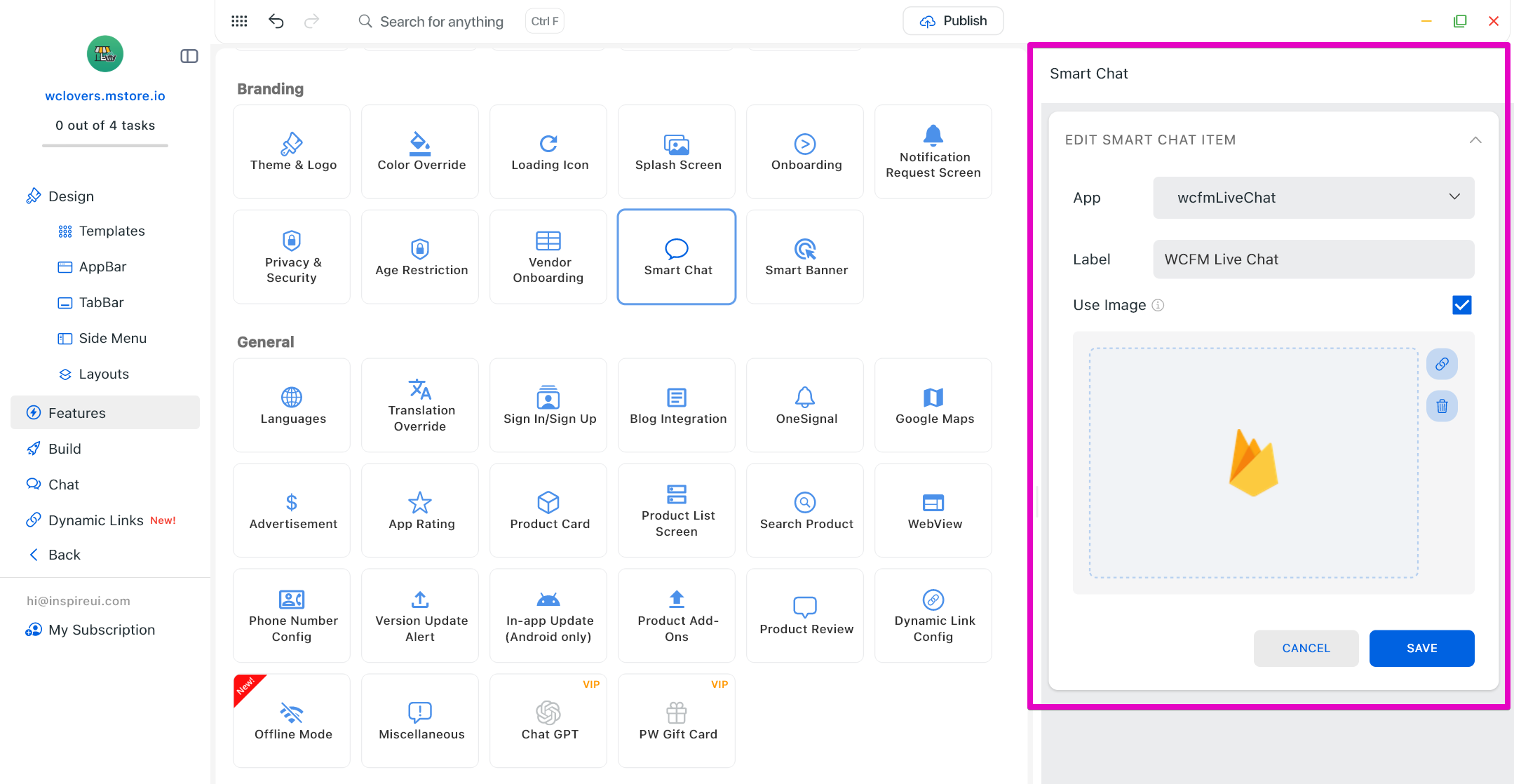
Enable real-time live chat between customers and vendors, improving communication, customer support, and conversion for marketplace apps.
(22) Listing Card Updates 💯
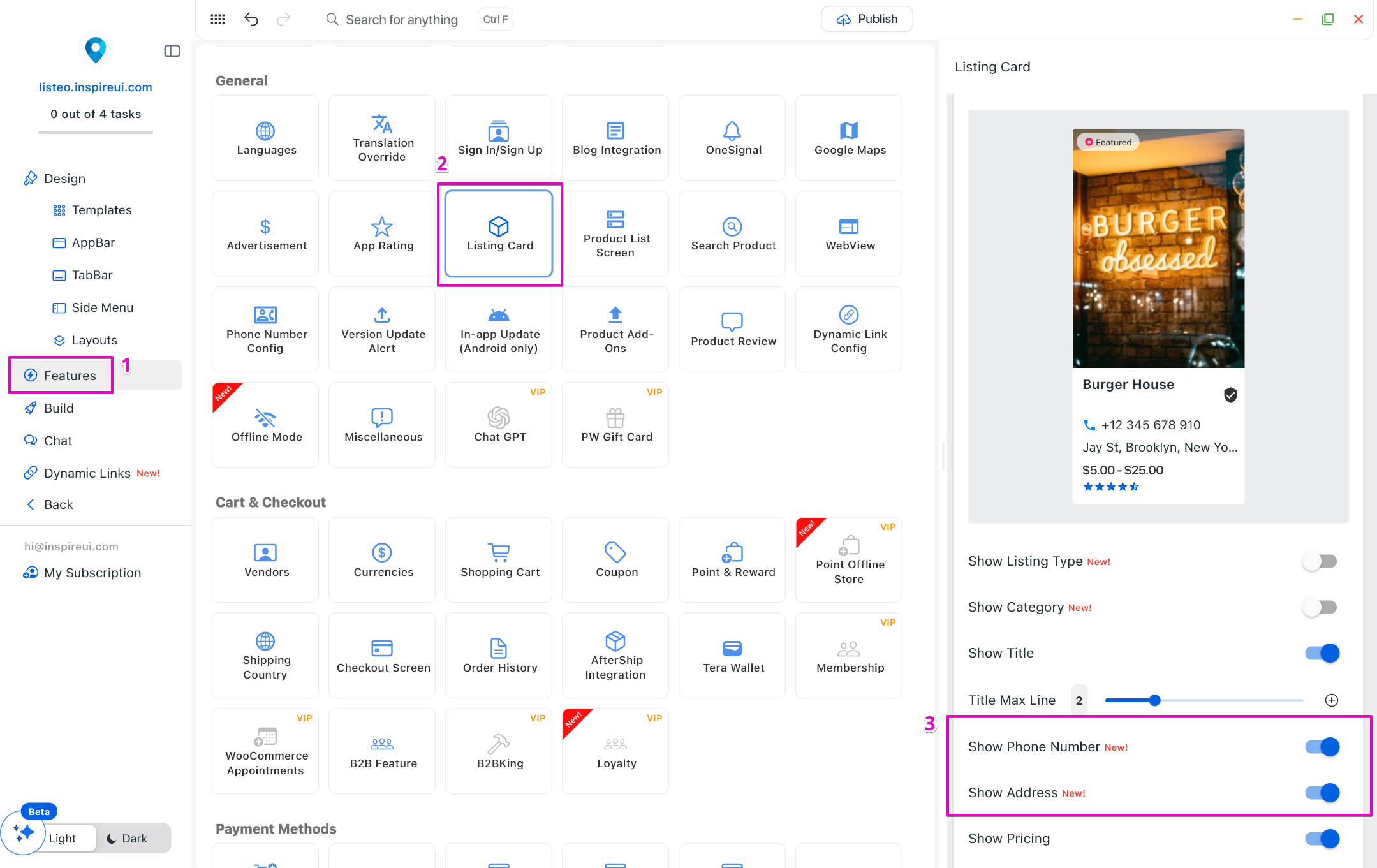
Listing cards now support displaying Phone Number and Address, making it easier for users to contact or visit businesses directly.
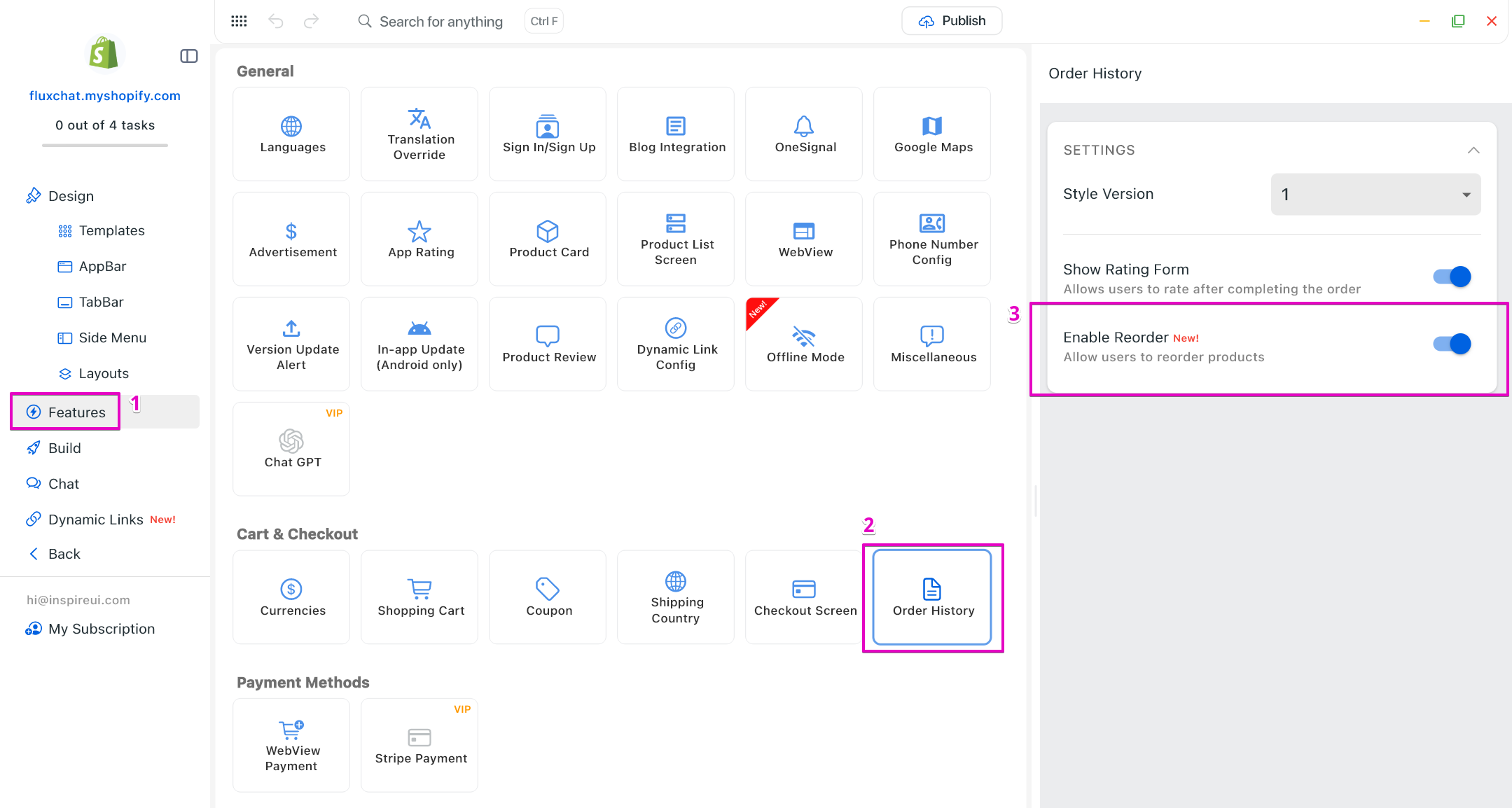
(23) ReOrder for Shopify App ♻️
Allow customers to reorder previous Shopify purchases with one tap, encouraging repeat purchases and improving customer retention.