Version 2.8
Last updated: Oct 28th, 2026
FluxBuilder.com | MacOS | Windows | Web version | Guide | Support | Video | Affiliate
🚀 FluxBuilder 2.8 brings a brand-new AI section 🤖, Maintenance Mode, Forced Update, Search by Image, a fully customizable Filter Screen, more control over Product Detail, Blog and Cart, plus many improvements for a smoother app-building experience.
(1) AI Chat Features 🤖
Supported: All Apps
All AI settings are now grouped in a new AI section, making it easier to add AI-powered experiences to your app.
- AI Chat: set up an AI chat assistant shown in Smart Chat and other AI Chat surfaces.
- Web-Embedding Chat: embed the AI chat widget on your website.
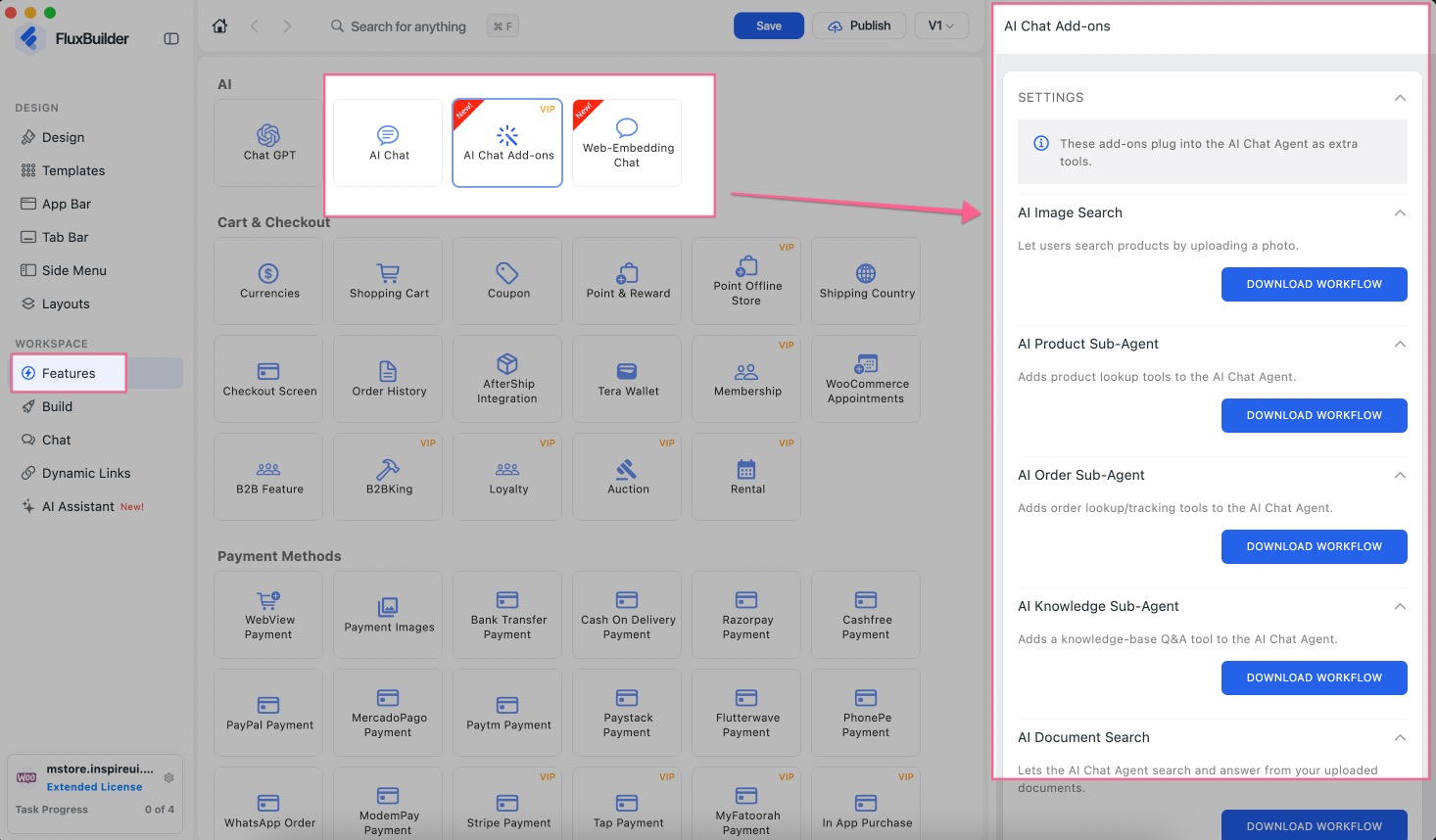
- AI Chat Add-ons: extend AI Chat with extra add-ons — Image Search, Product Search, Document Search (RAG), Knowledge Sub-Agent, Product Sub-Agent, Order Sub-Agent, MCPs, Human Handoff,…
- This feature is available for Lifetime, Ultra plan, Professional or Extended license. Please contact the support team to receive the n8n workflow and instructions.
- This feature is available for Lifetime, Ultra plan, Professional or Extended license. Please contact the support team to receive the n8n workflow and instructions.
Enable this feature: create/open your app project on FluxBuilder, then go to Features, select AI items:
(2) Maintenance Mode
Supported: All Apps
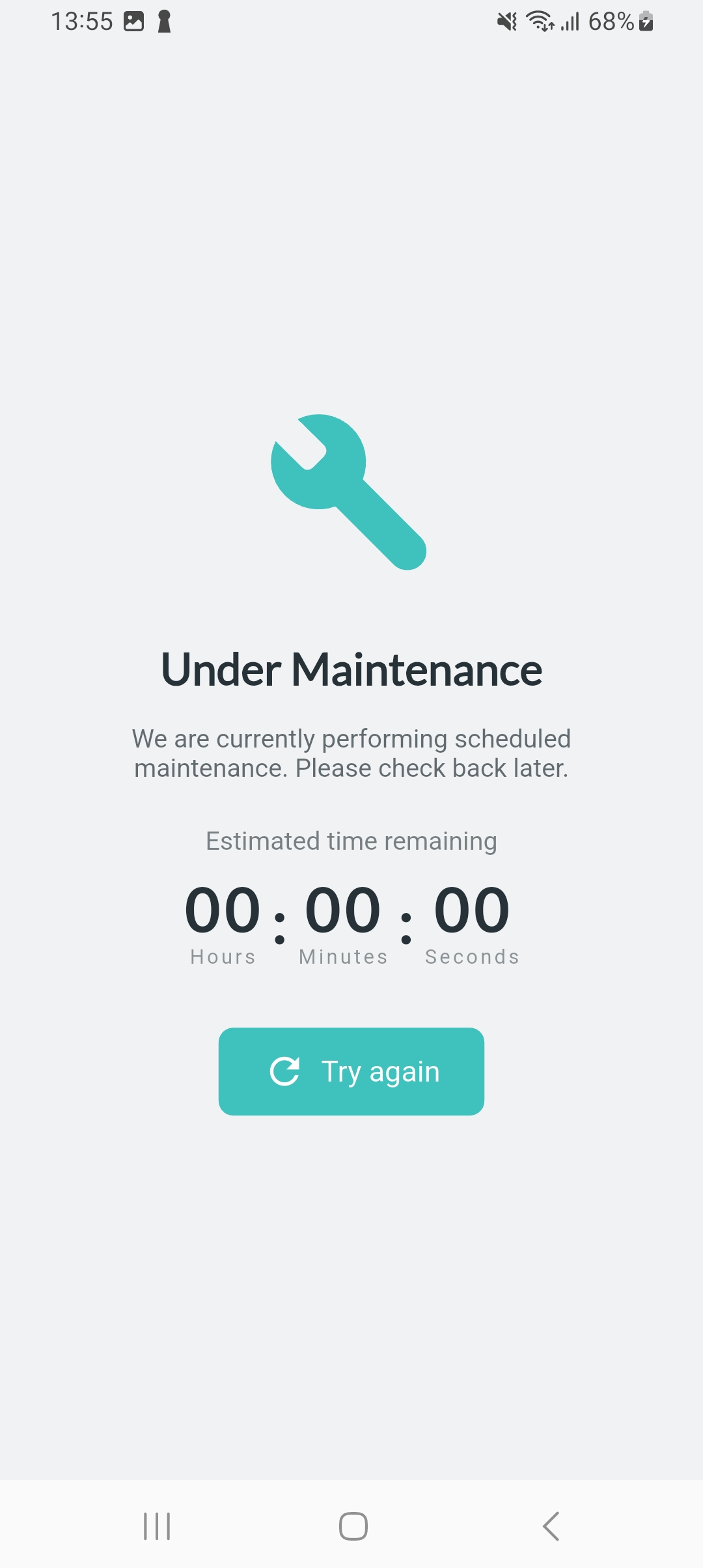
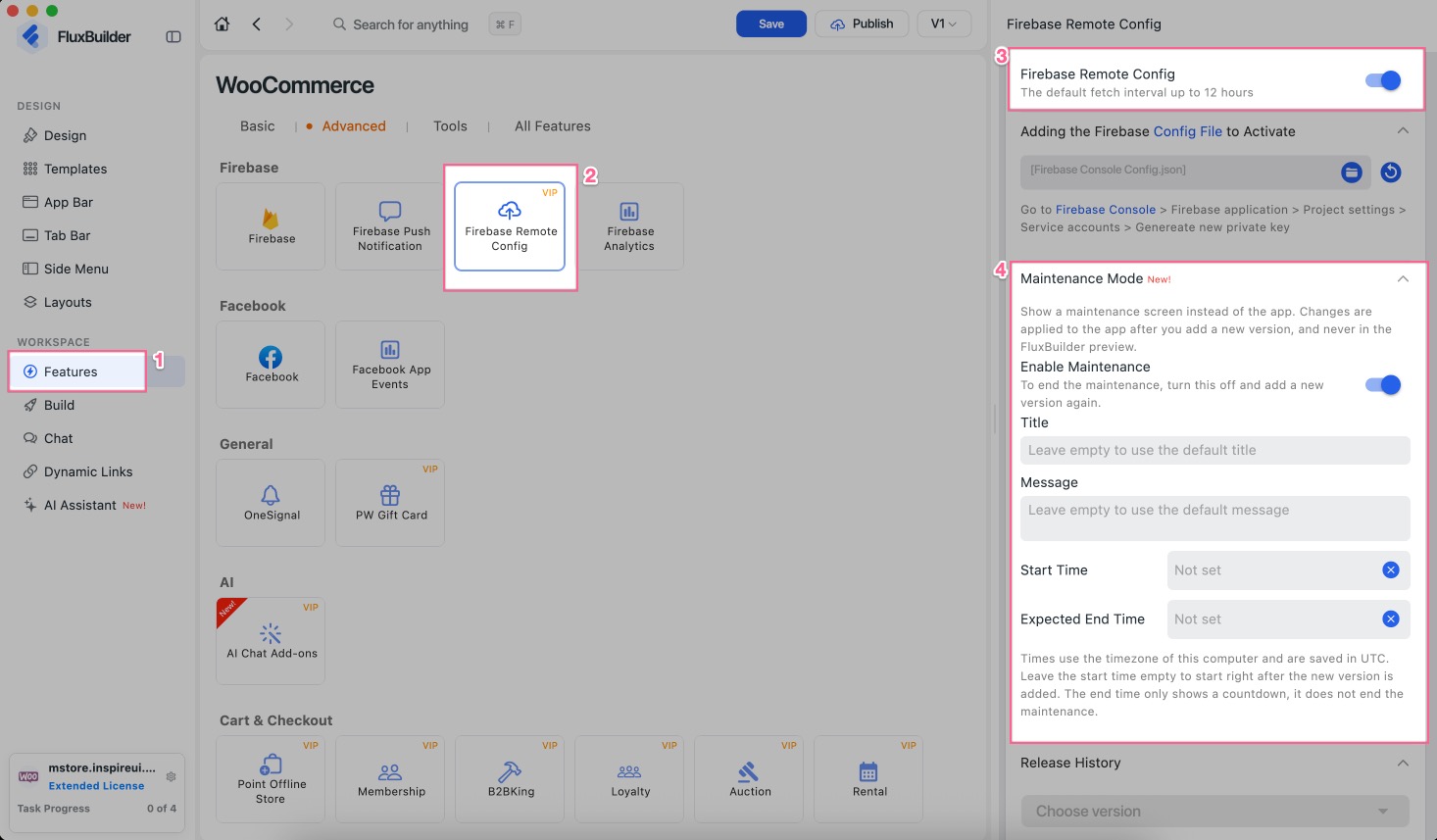
Put your app into maintenance mode remotely via Firebase Remote Config, without releasing a new version.
Enable this feature: create/open your app project on FluxBuilder, then search Firebase Remote Config, select Maintenance Mode, turn on Enable Maintenance and input text:
(3) Enhanced Version Update Alerts
Supported: All Apps
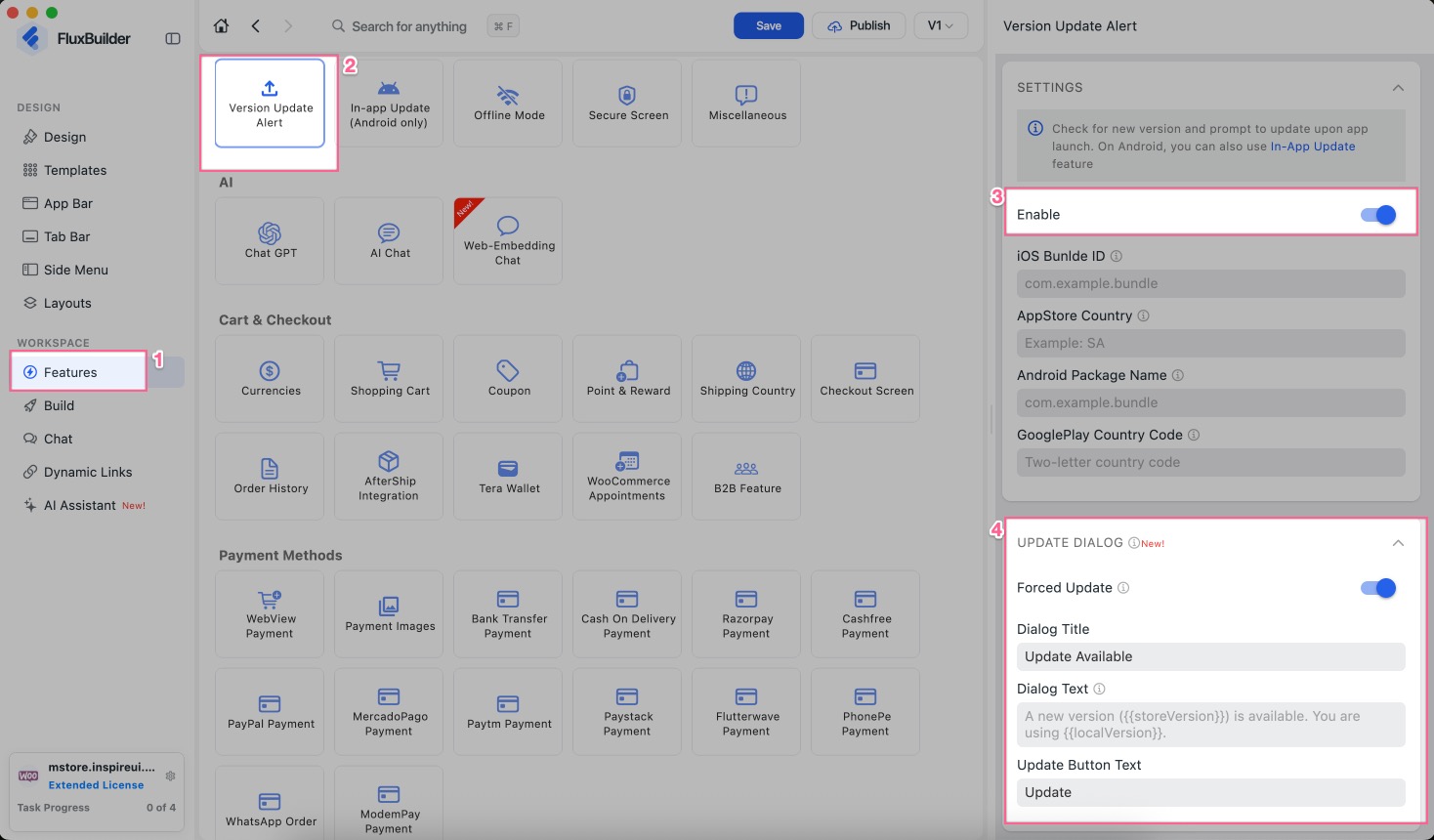
- Configure app updates as required or optional.
- Customize update dialog Title, Message, and Button Labels to match your app.
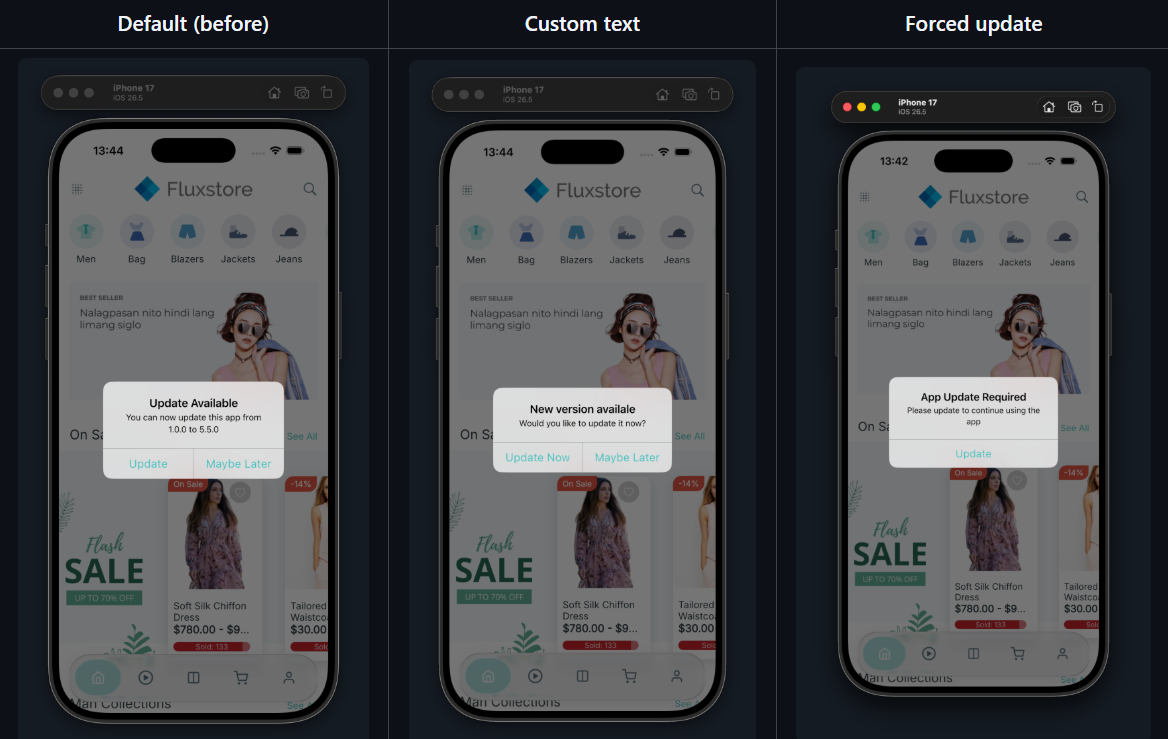
Note: on Android, this dialog is skipped when In-App Update is enabled.
Enable this feature: create/open your app project on FluxBuilder, then search Version Update Alert, turn on the Enable option, customize the Update Dialog:
(4) Search Products by Image ⚡️
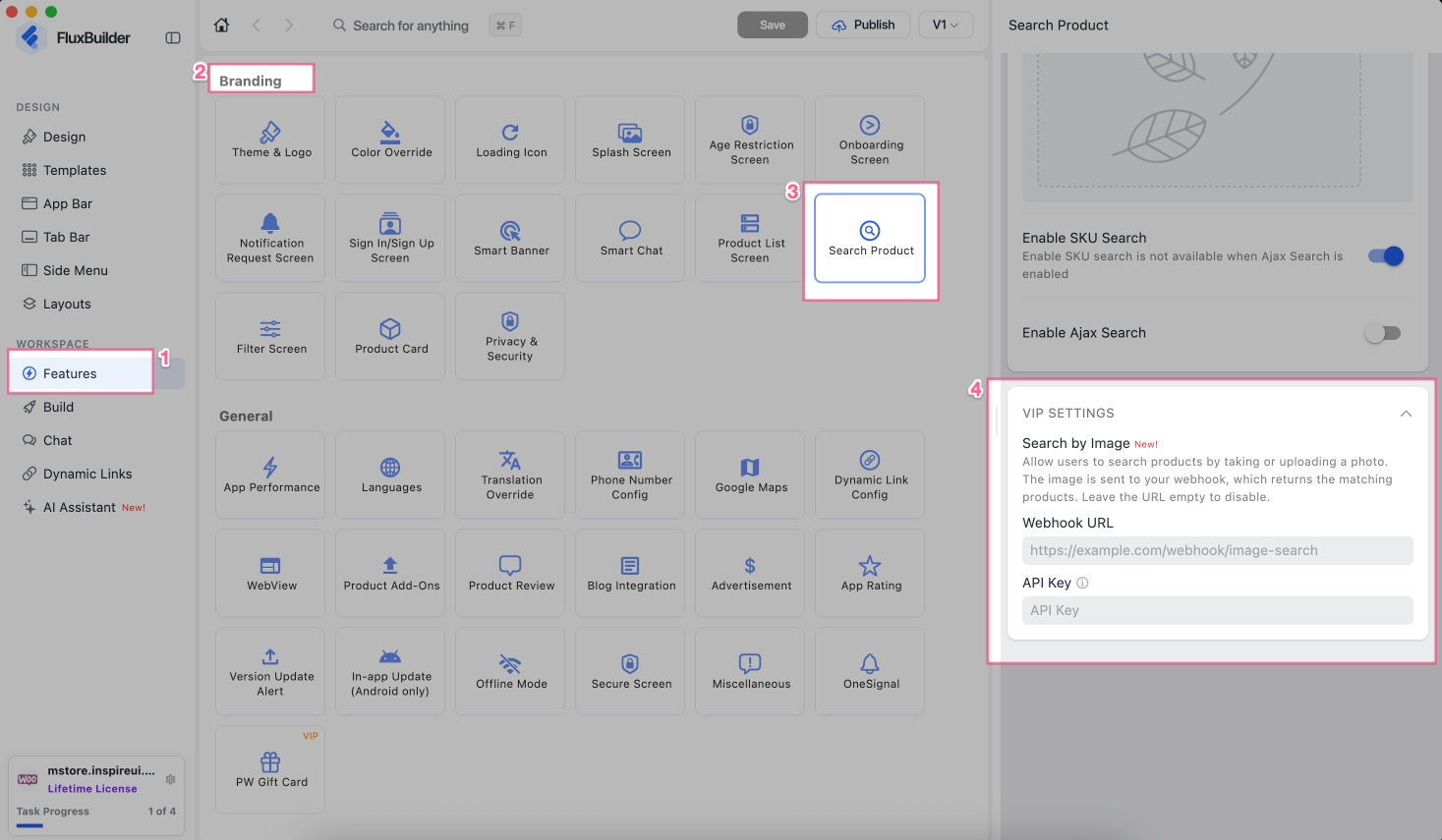
Supported Apps: WooCommerce, MultiVendor, Shopify, Listing, Magento, Opencart, Strapi, Prestashop, Notion, BigCommerce, Haravan, Serverless (Firebase), MAX-Multisites
- Let shoppers search for Products faster with Image Search in your E-commerce App. Simply upload an image and find similar products in seconds.
- This feature is available for Lifetime, Ultra plan, Professional or Extended license. Please contact the support team to receive the n8n workflow and instructions.
(5) Filter Sections
Supported: All Apps
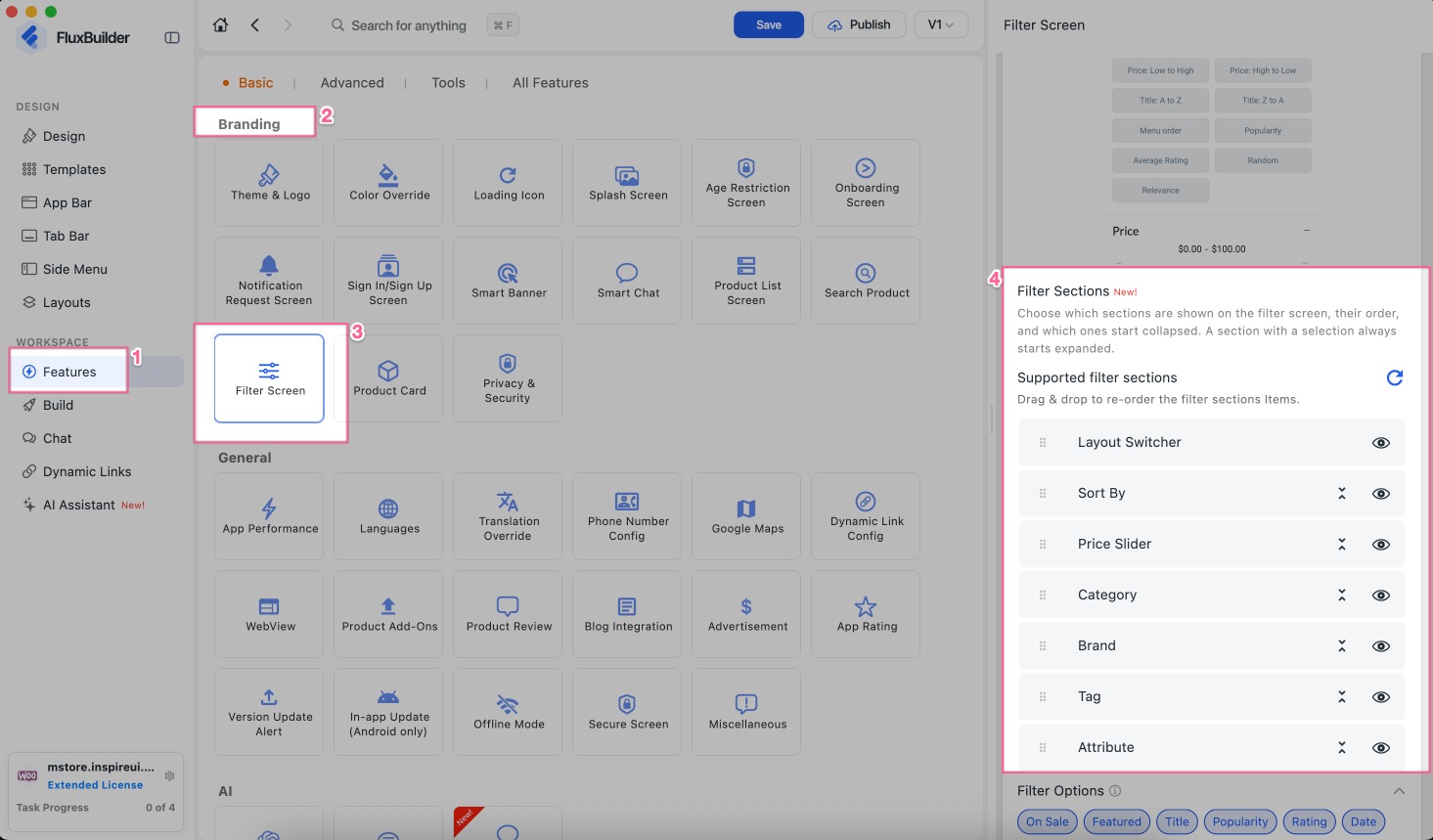
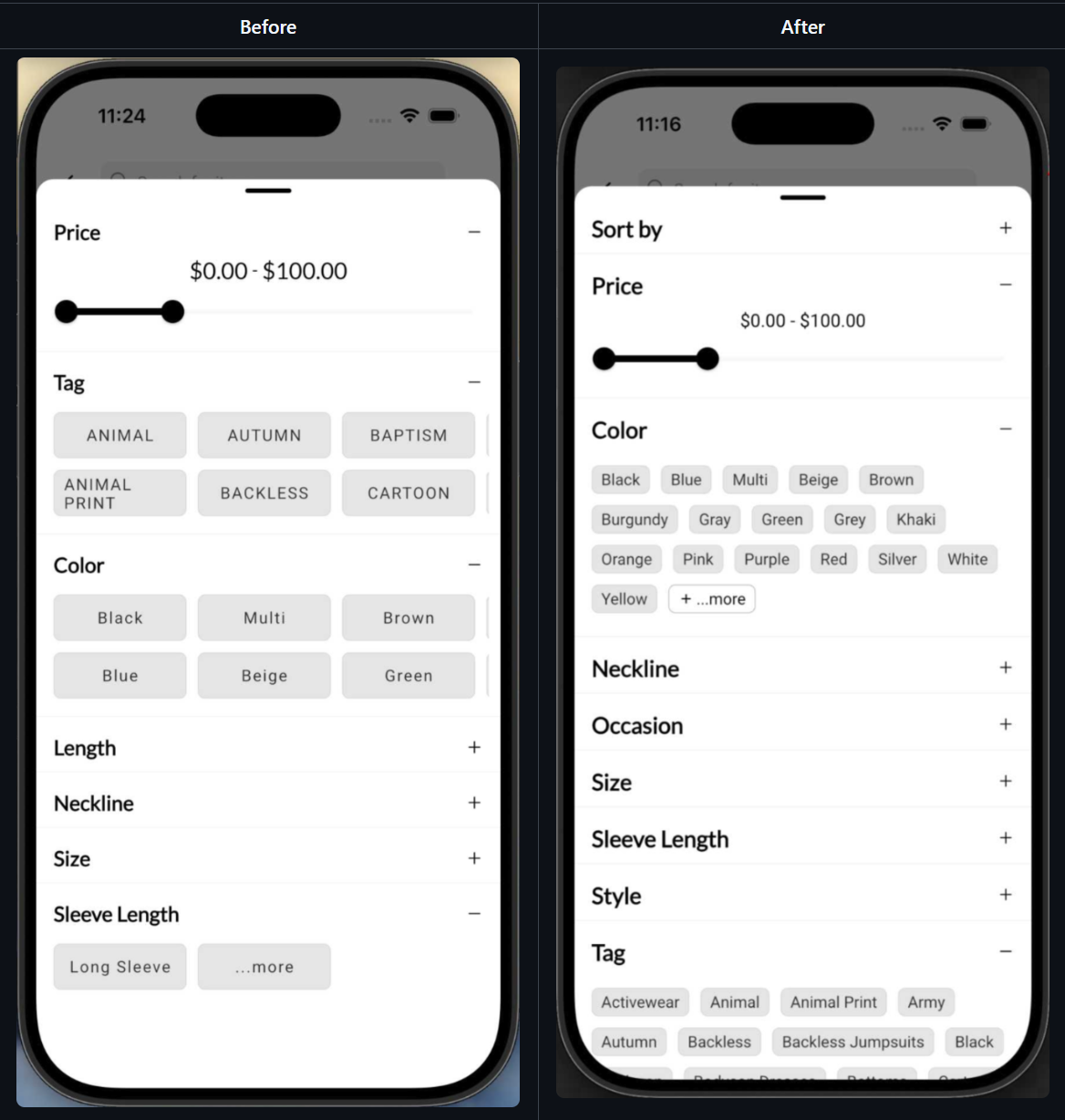
Customize the Filter screen your way:
- Drag and drop to reorder filter sections.
- Show or hide each section.
- Choose which sections start collapsed.
The preview follows your saved order and collapsed sections.
Enable this feature: create/open your app project on FluxBuilder, search Filter Screen, you will see the Filter Sections:
(6) Filter Payment Gateways by Currency 💳
Supported: All E-commerce & Listing Apps
Choose which currencies each payment gateway supports. The new Supported Currencies field is available on every payment gateway.
Enable this feature: create/open your app project on FluxBuilder > Features > Payment Methods > select a payment gateway > Supported Currencies.
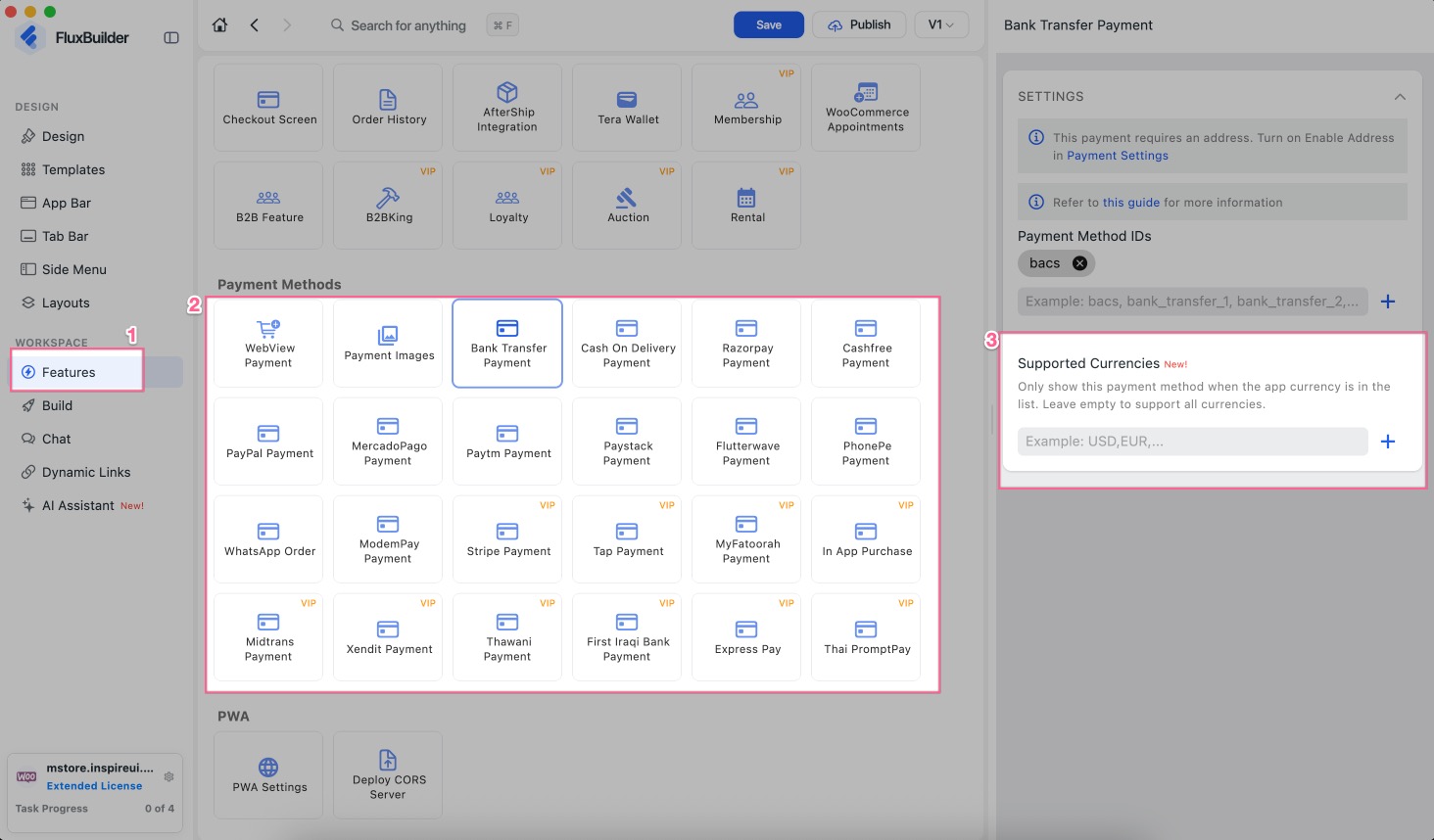
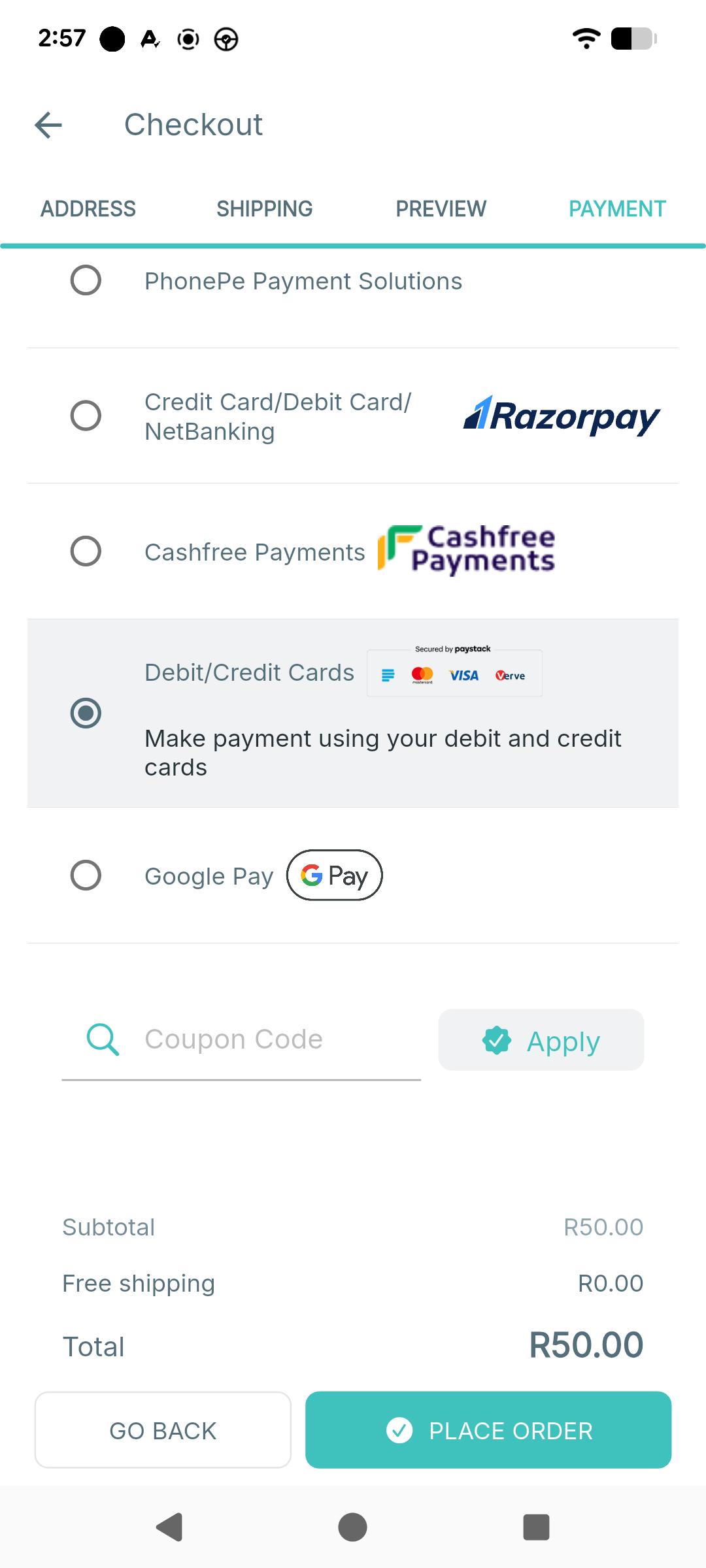
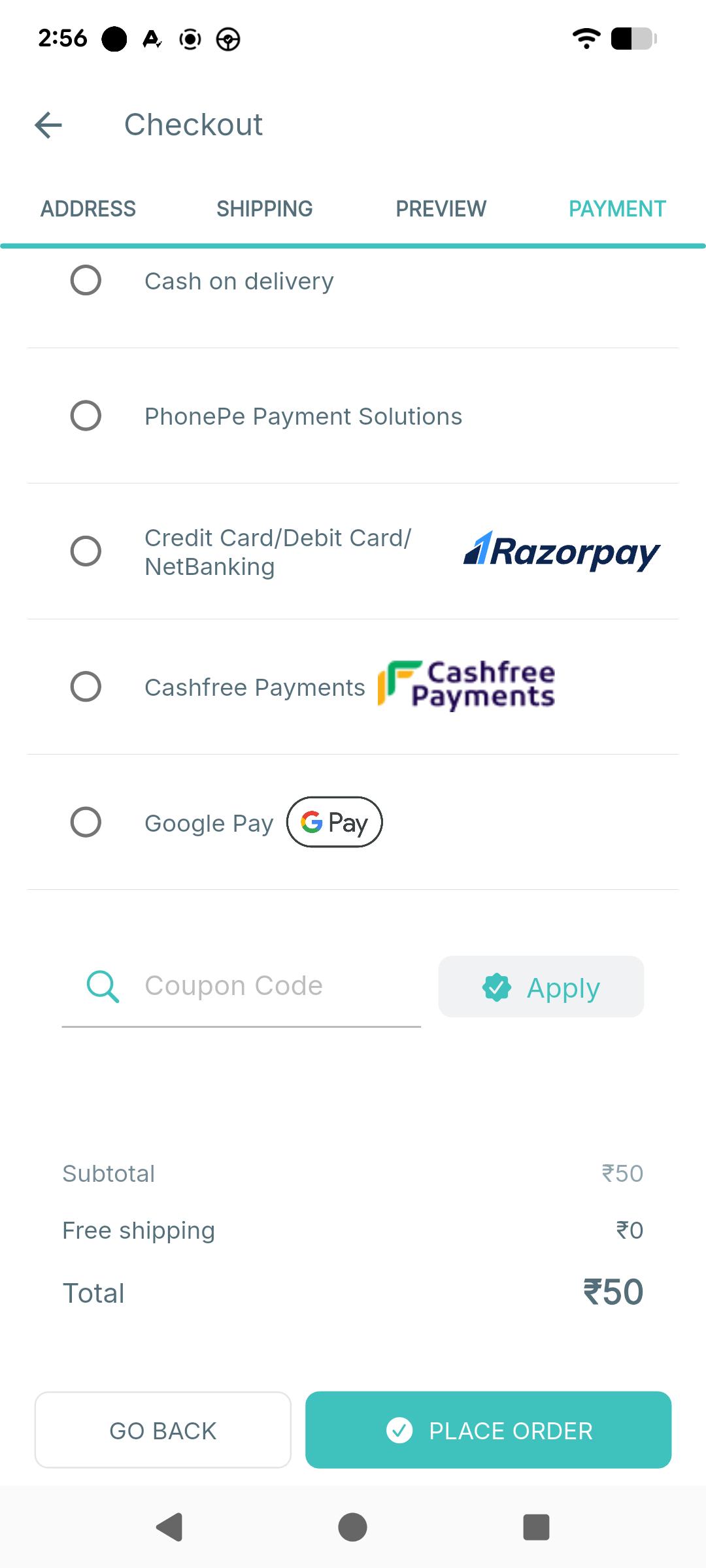
- A payment gateway is hidden on the Checkout Payment and Listing Booking screens, if the current currency is not included in its Supported Currencies list.
- If Supported Currencies is not set or is an empty list, the payment gateway remains available for all currencies.
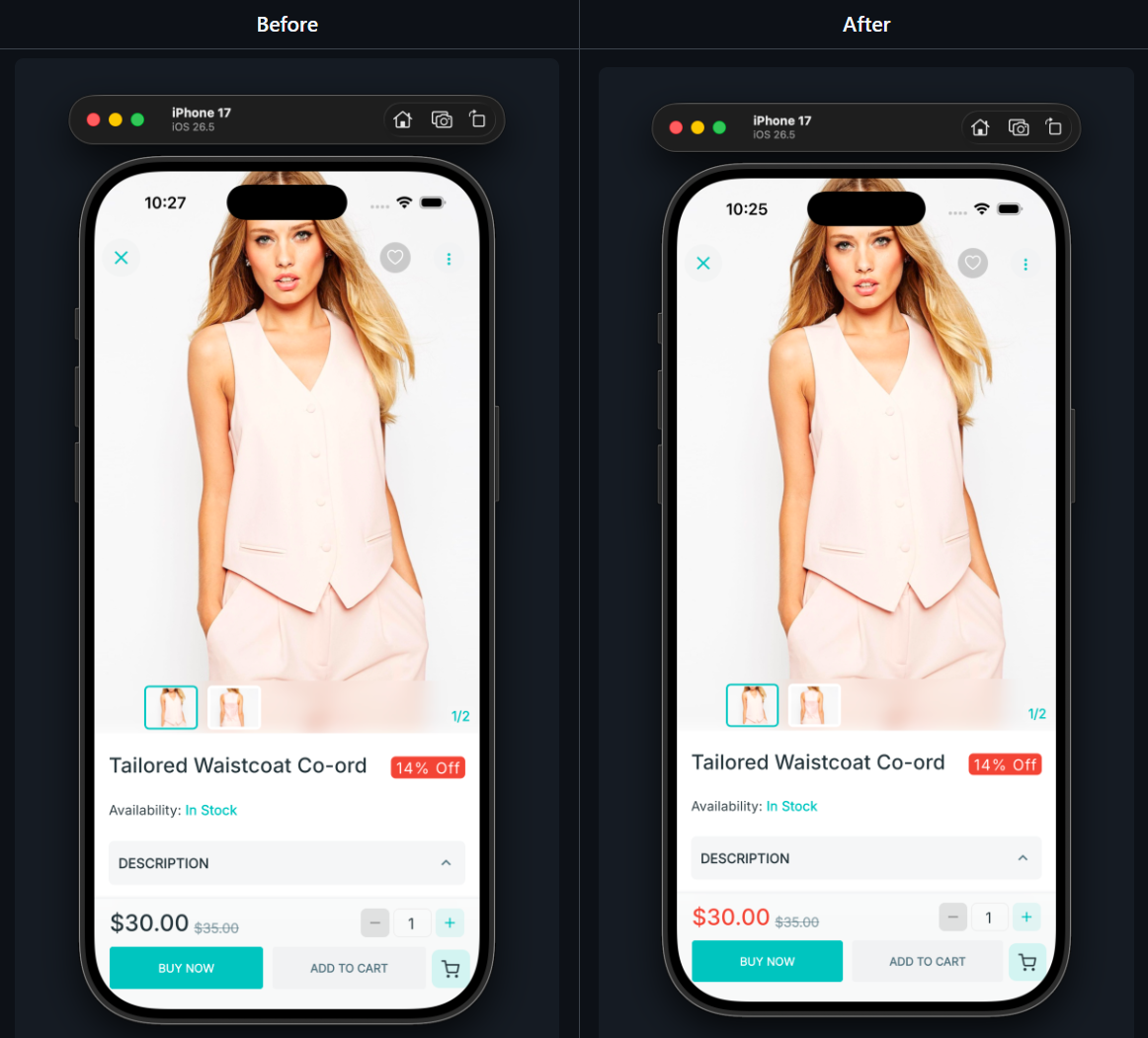
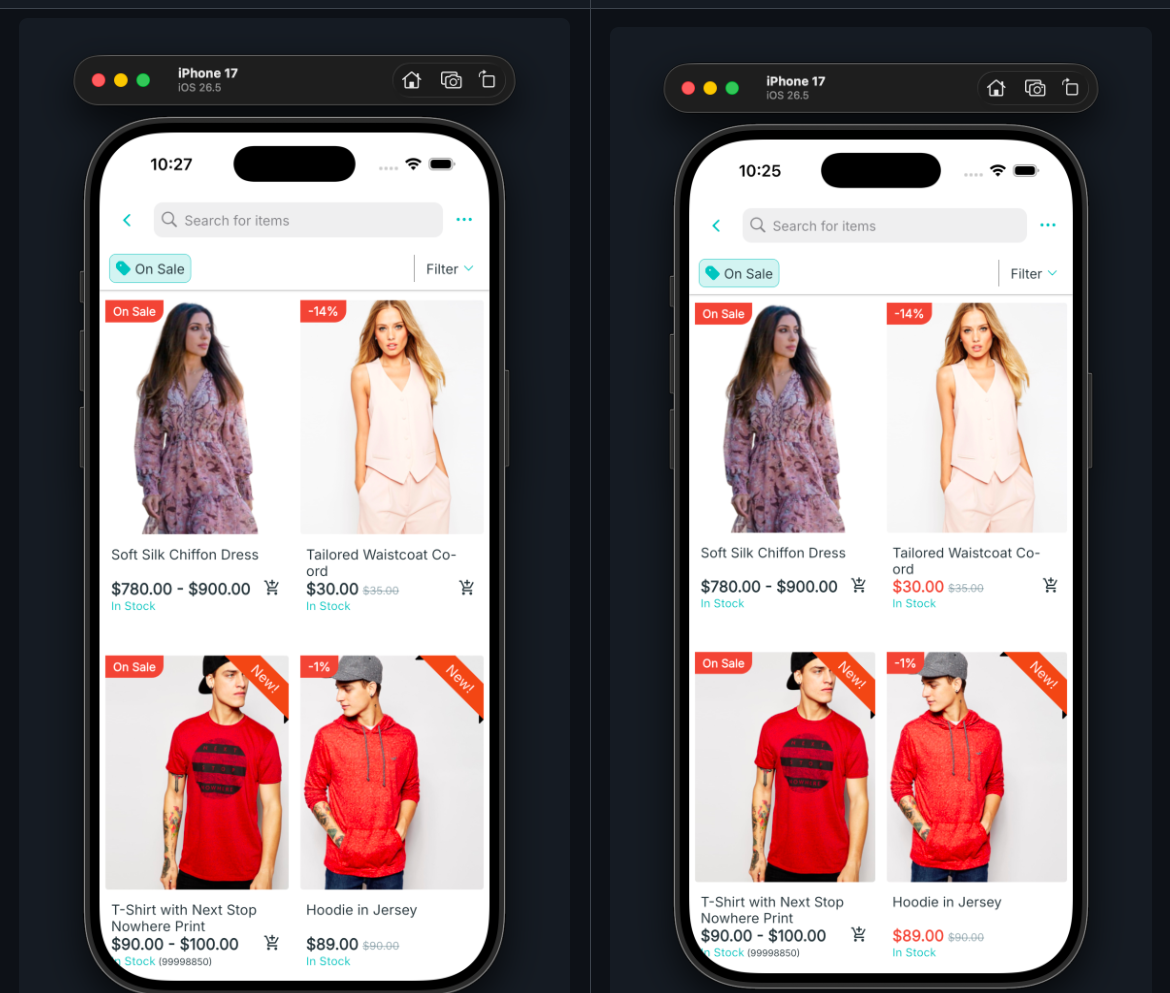
(7) Sale Price Color 🎨
Supported: All E-commerce Apps
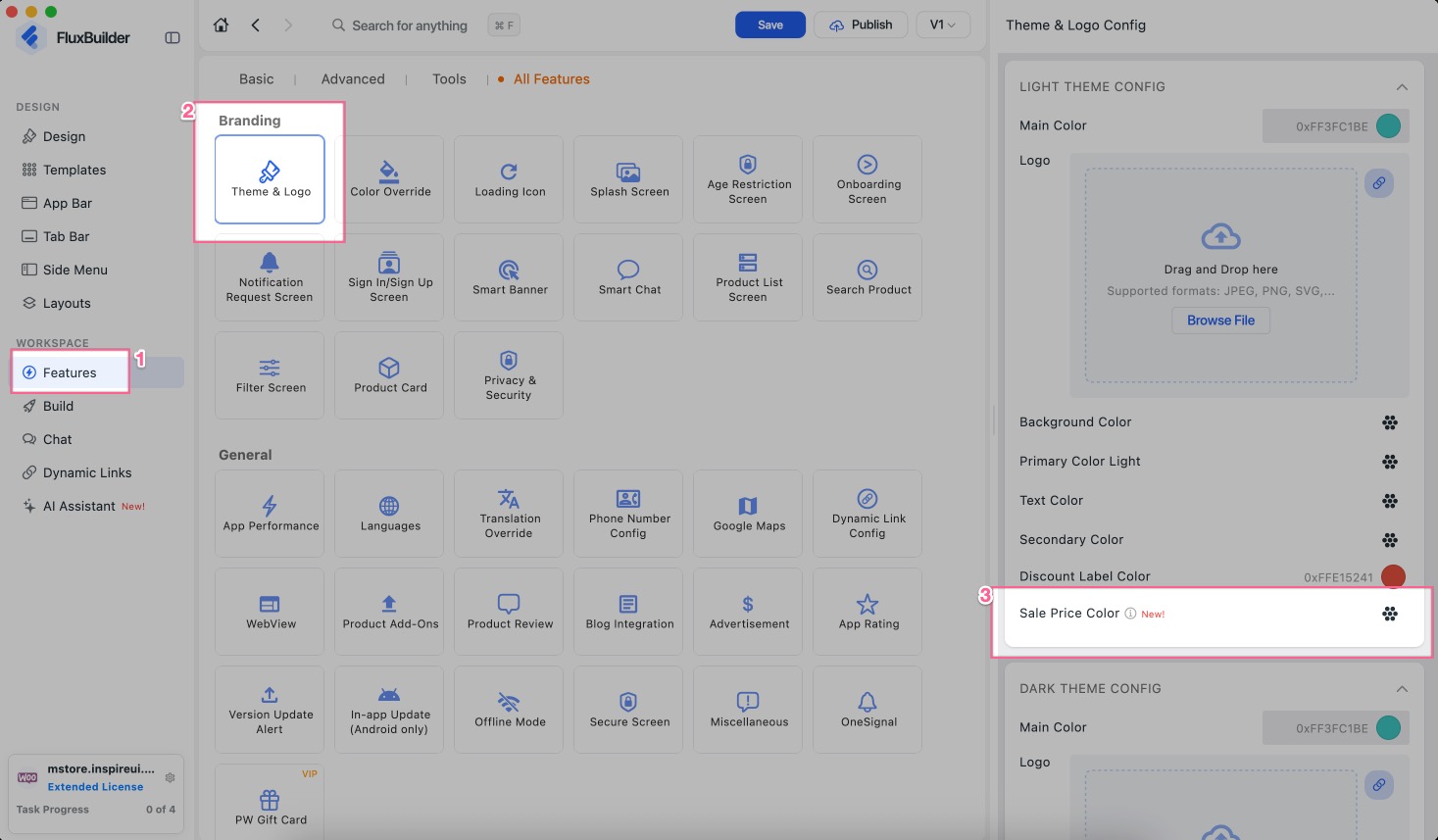
Set your own color for the sale price on the product card and product detail page.
Enable this feature: create/open your app project on FluxBuilder, then search Theme & Logo, and customize the Sale Price Color:
(8) Product Details Screen
Supported Apps: WooCommerce, MultiVendor, Shopify, Magento, Opencart, Strapi, Prestashop, Notion, BigCommerce, Haravan, Serverless (Firebase), MAX-Multisites
New options to customize the Product Details screen:
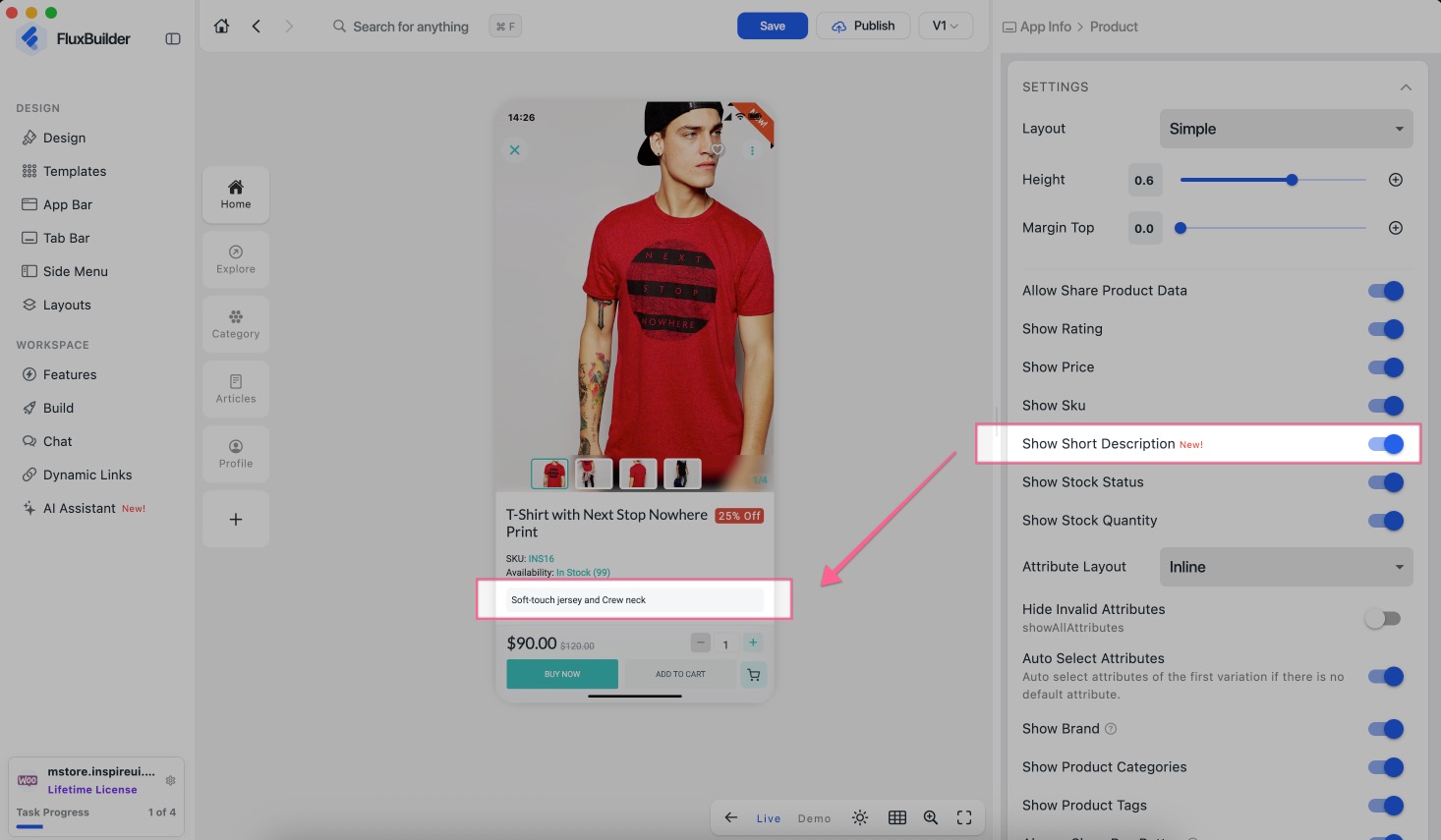
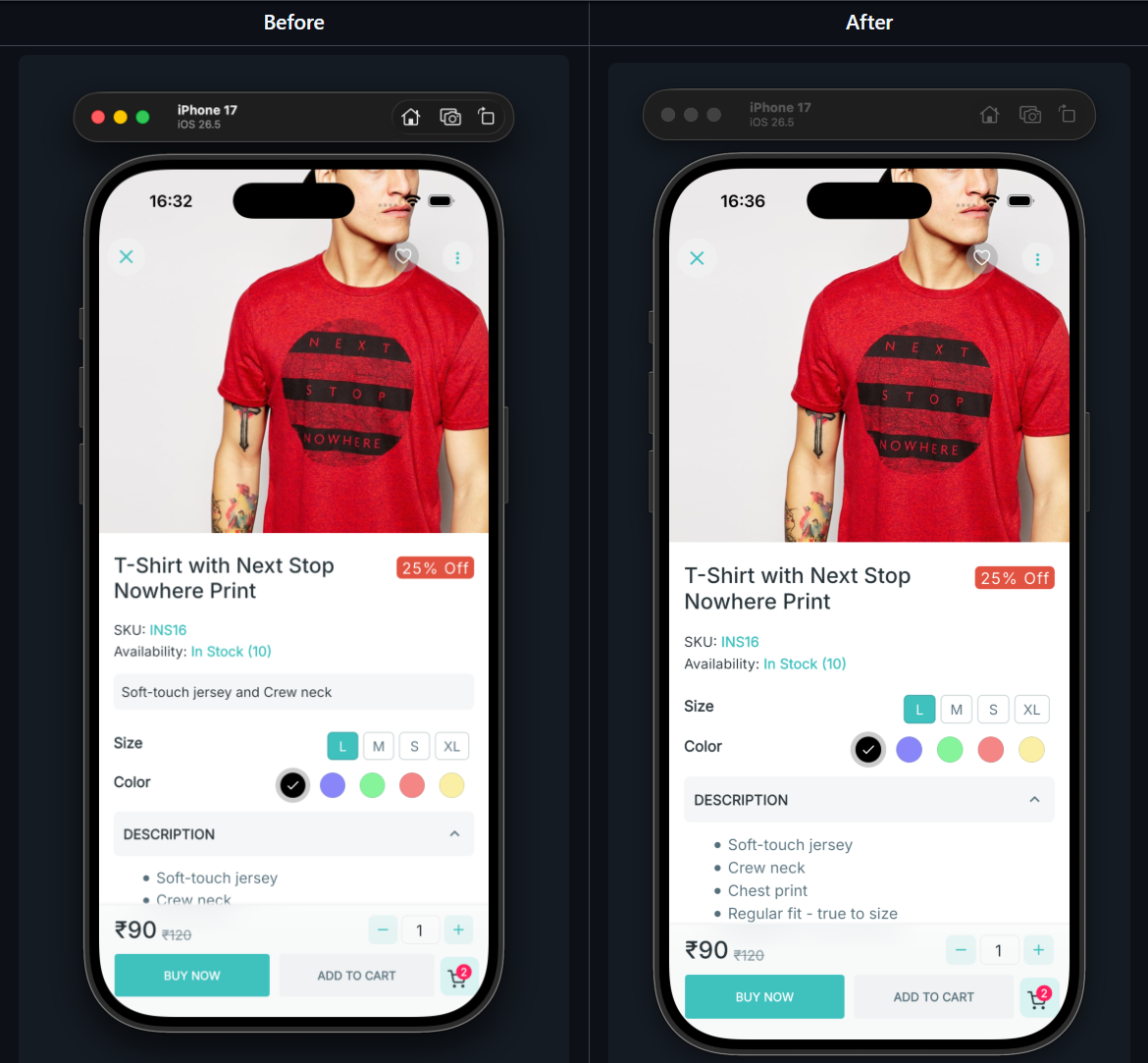
Show Video SectionandDefault Expand Video: Display a Video section in the Product Details.Show Short Description: show or hide the Short Description across all Product Detail layouts.
Enable this feature: create/open your app project on FluxBuilder, then select a product to open Product Details screen, turn off Show Short Description:
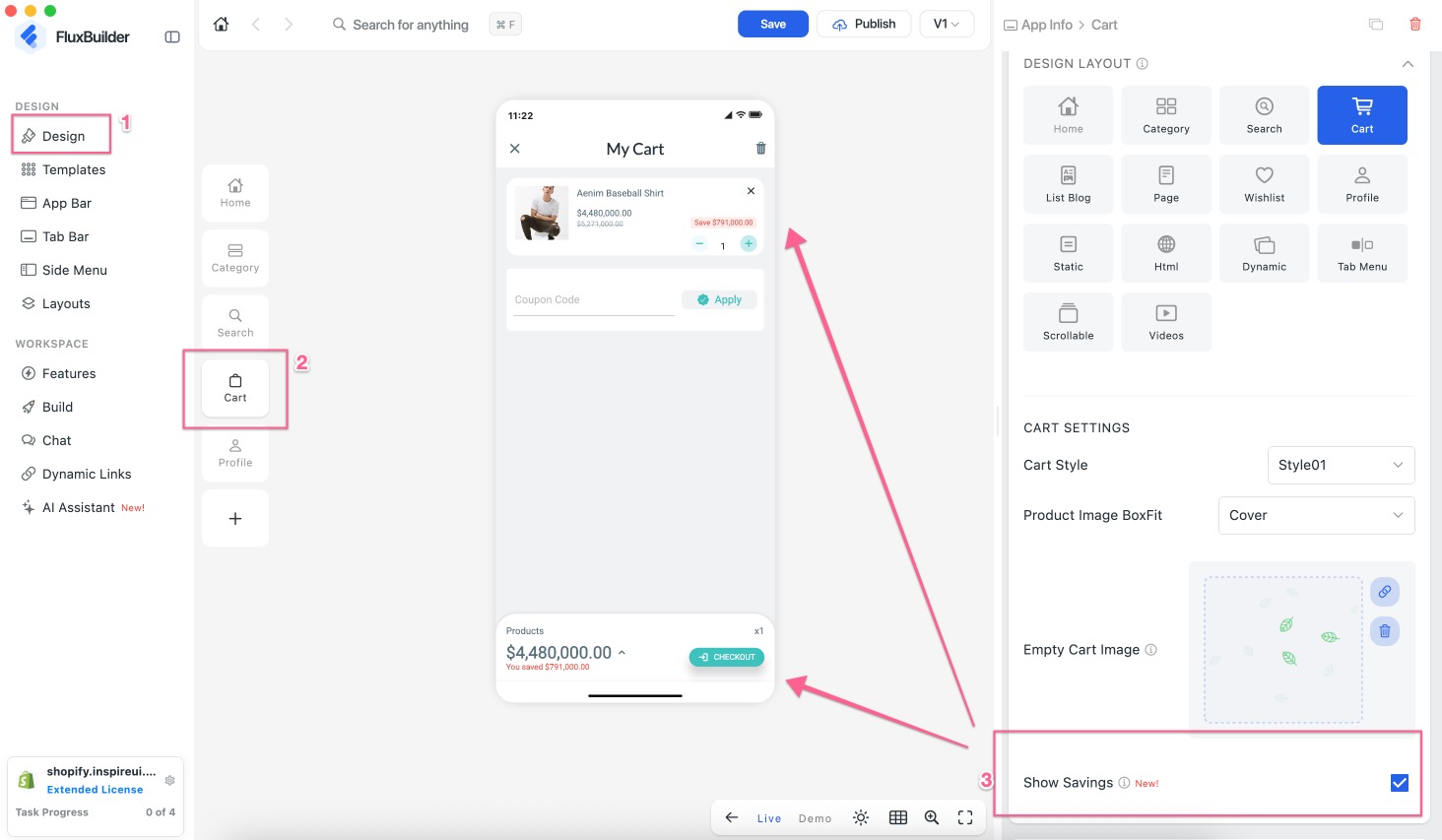
(9) Show Savings in Cart 💰
Supported Apps: WooCommerce, MultiVendor (Dokan/WCFM), Shopify, Listing, Magento, Opencart, Strapi, Prestashop, Notion, BigCommerce, Haravan, Serverless (Firebase), MAX-Multisites
Show customers how much they save on discounted products in the Cart.
Enable this feature: create/open your app project on FluxBuilder, then select Design, click Cart button, and enable “Show Savings”:
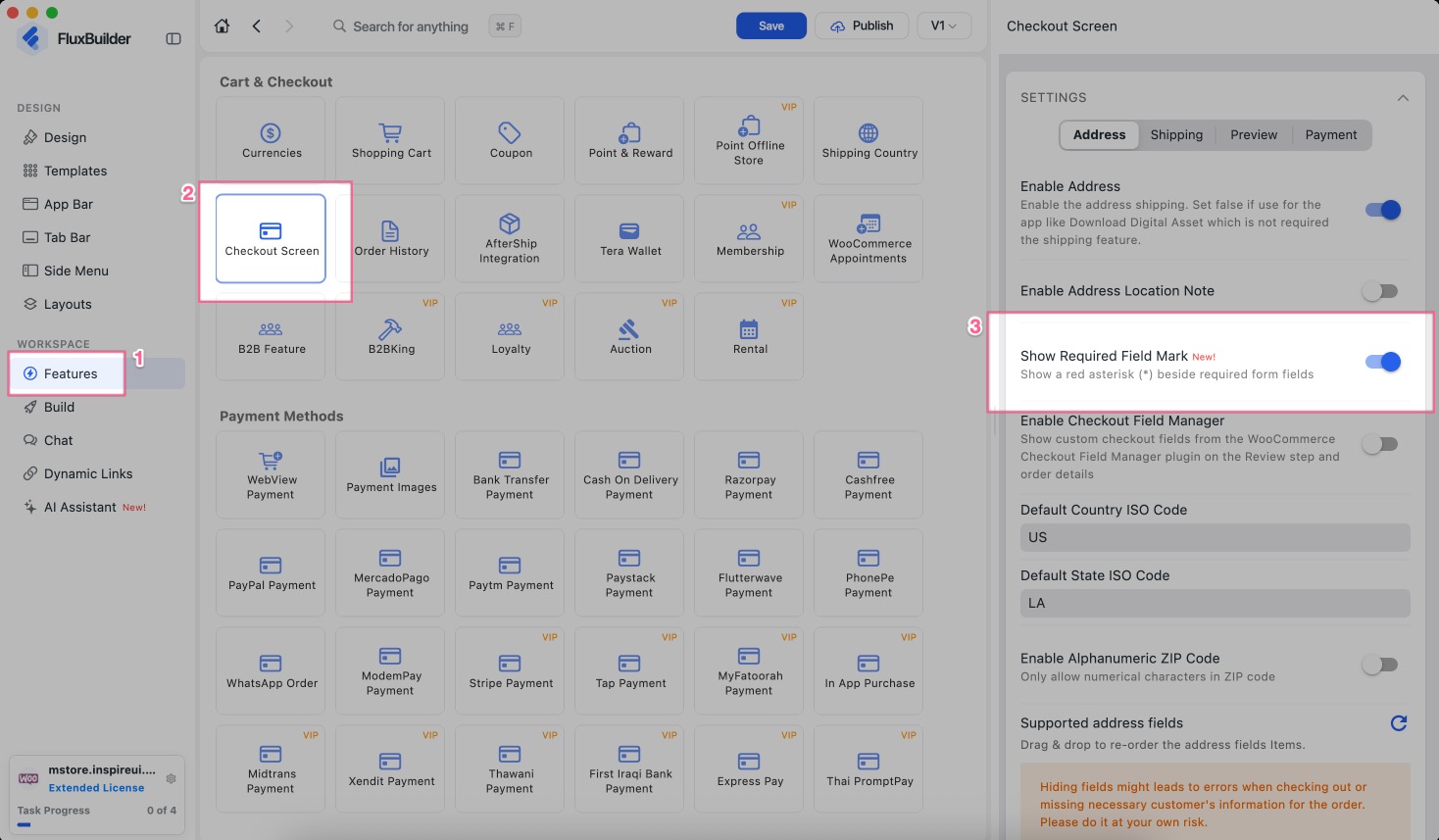
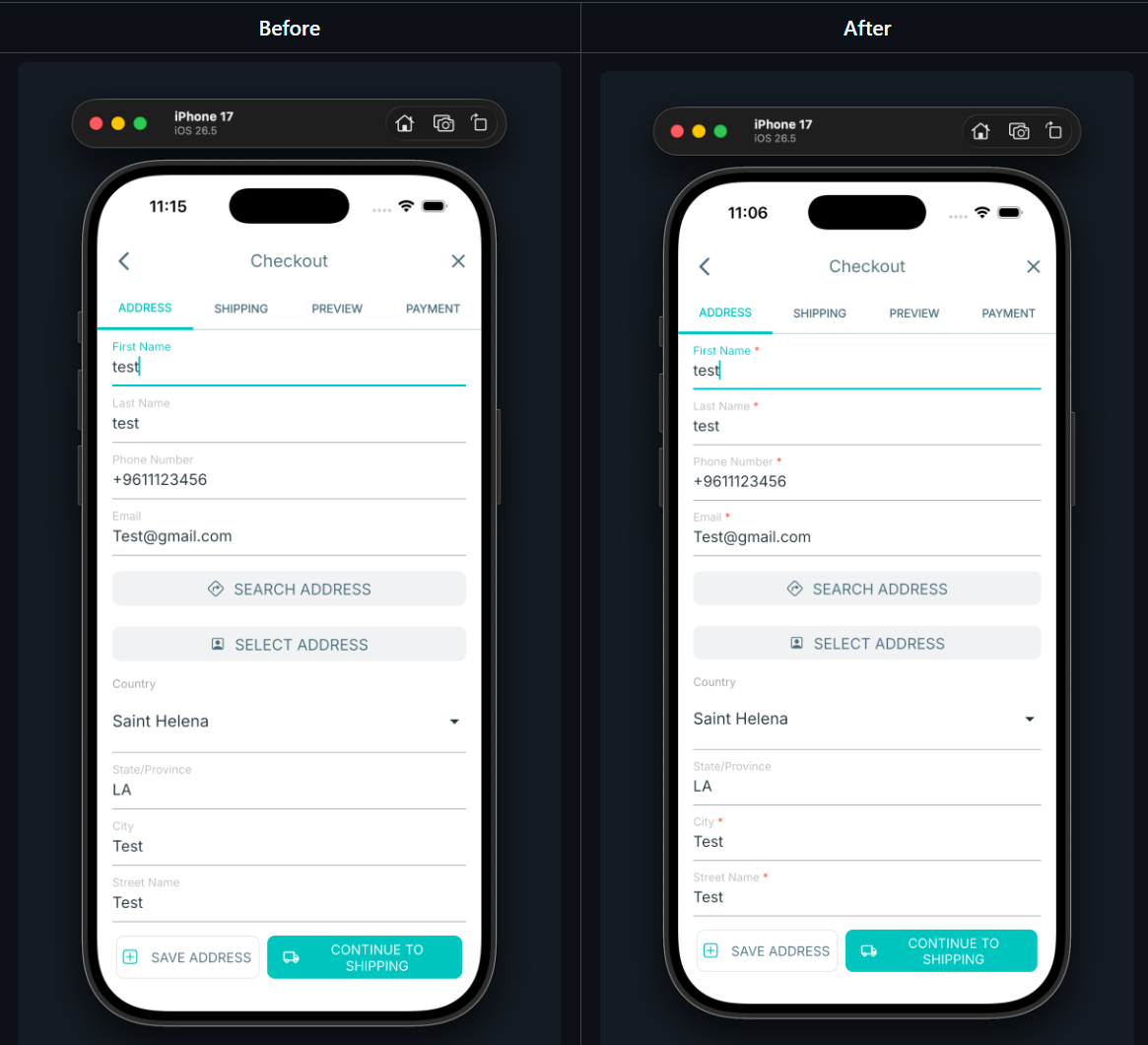
(10) Show Required Field Mark
Show a red asterisk (*) beside the required fields on the checkout Address screen.
Enable this feature: create/open your app project on FluxBuilder, then select Features, search Checkout Screen, and enable Show Required Field Mark:
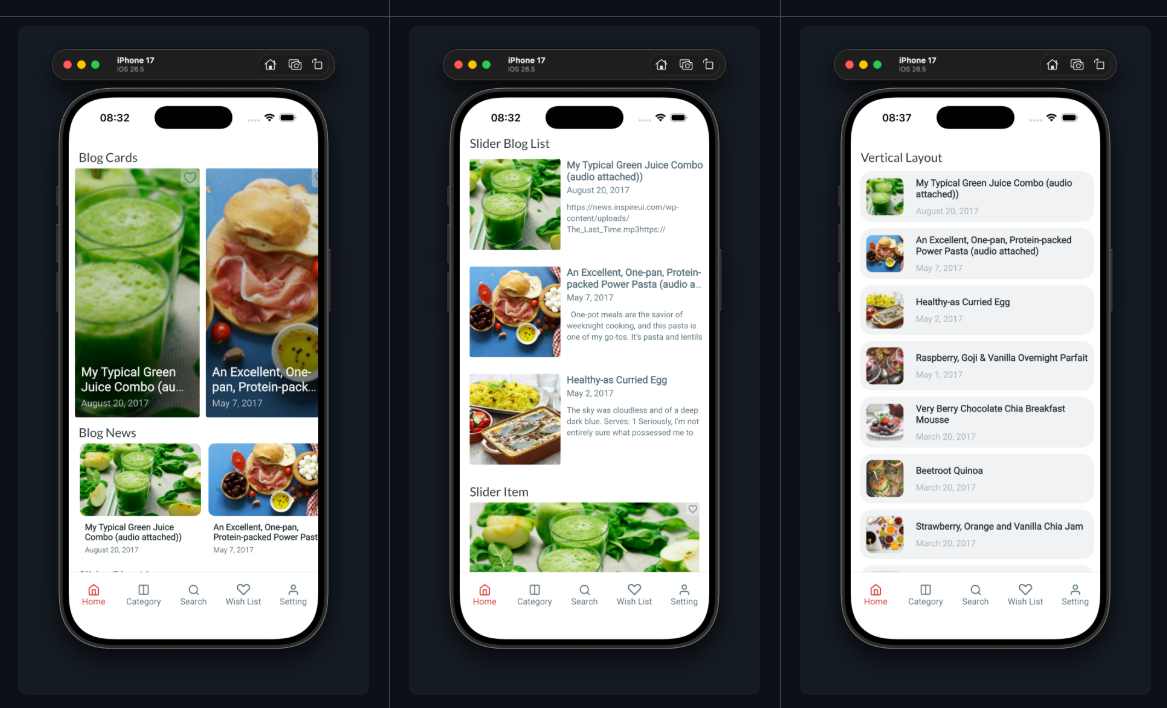
(11) Hide “See All” in Home Screen
Supported: All Apps
Show or hide the See All button on the header of Home layouts, such as Horizontal, Vertical, Blog, Brand, Slider, and Large Card layouts.
(12) Mapped Categories Tree 🌳
Supported: All Apps
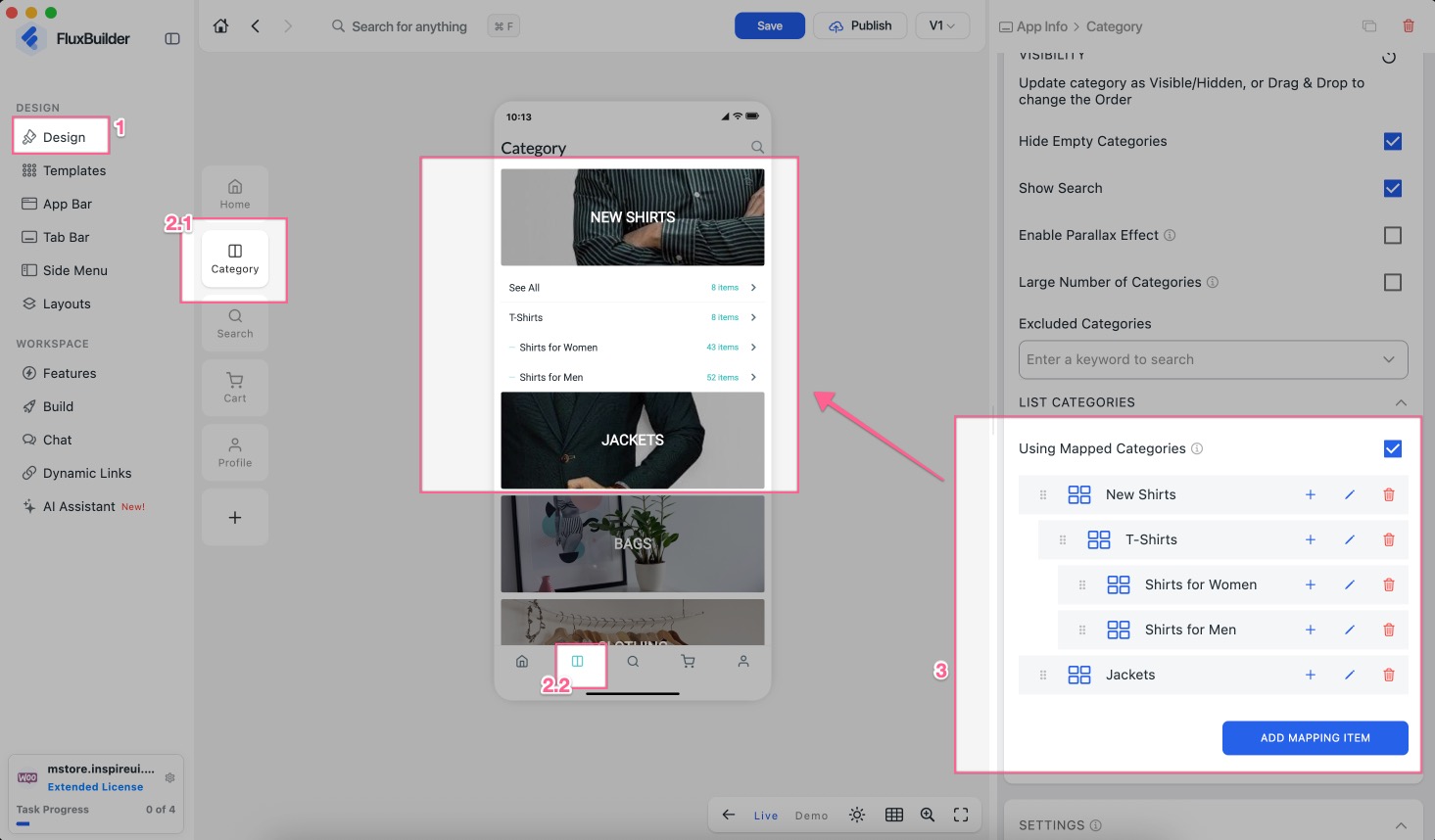
Mapped categories are now displayed as a tree, making it easier to see and manage the category position, order and level.
- Want to organize your app categories differently from the website?
- Use Mapped Categories to create a custom category structure for your app without changing the original categories on your website.
Enable this feature: create/open your app project on FluxBuilder, then select Design, choose Category, scroll down and enable Using Mapped Categories, select ADD MAPPING ITEM to start creating your category tree:
(13) Banner Data List
Supported: All Apps
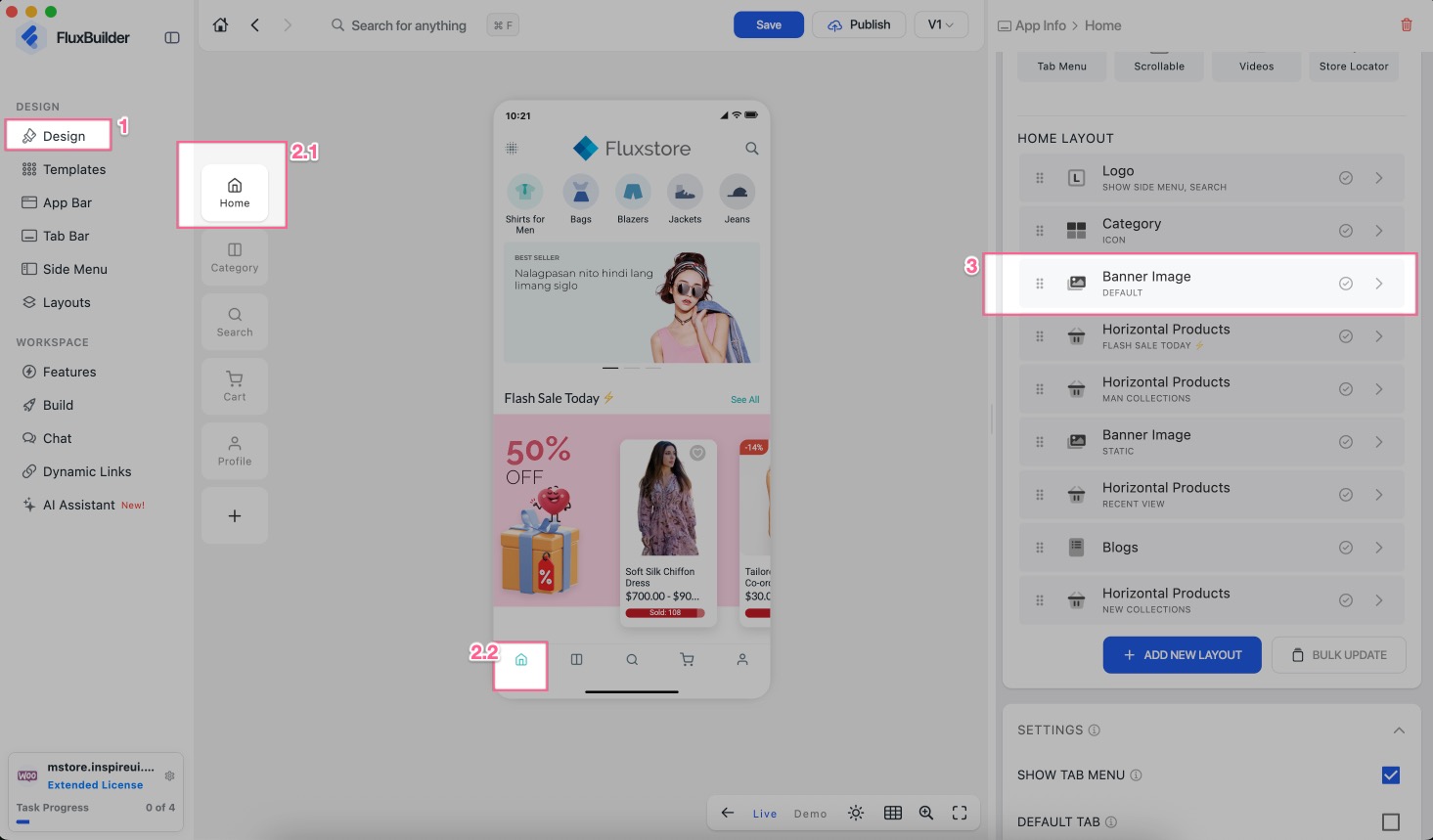
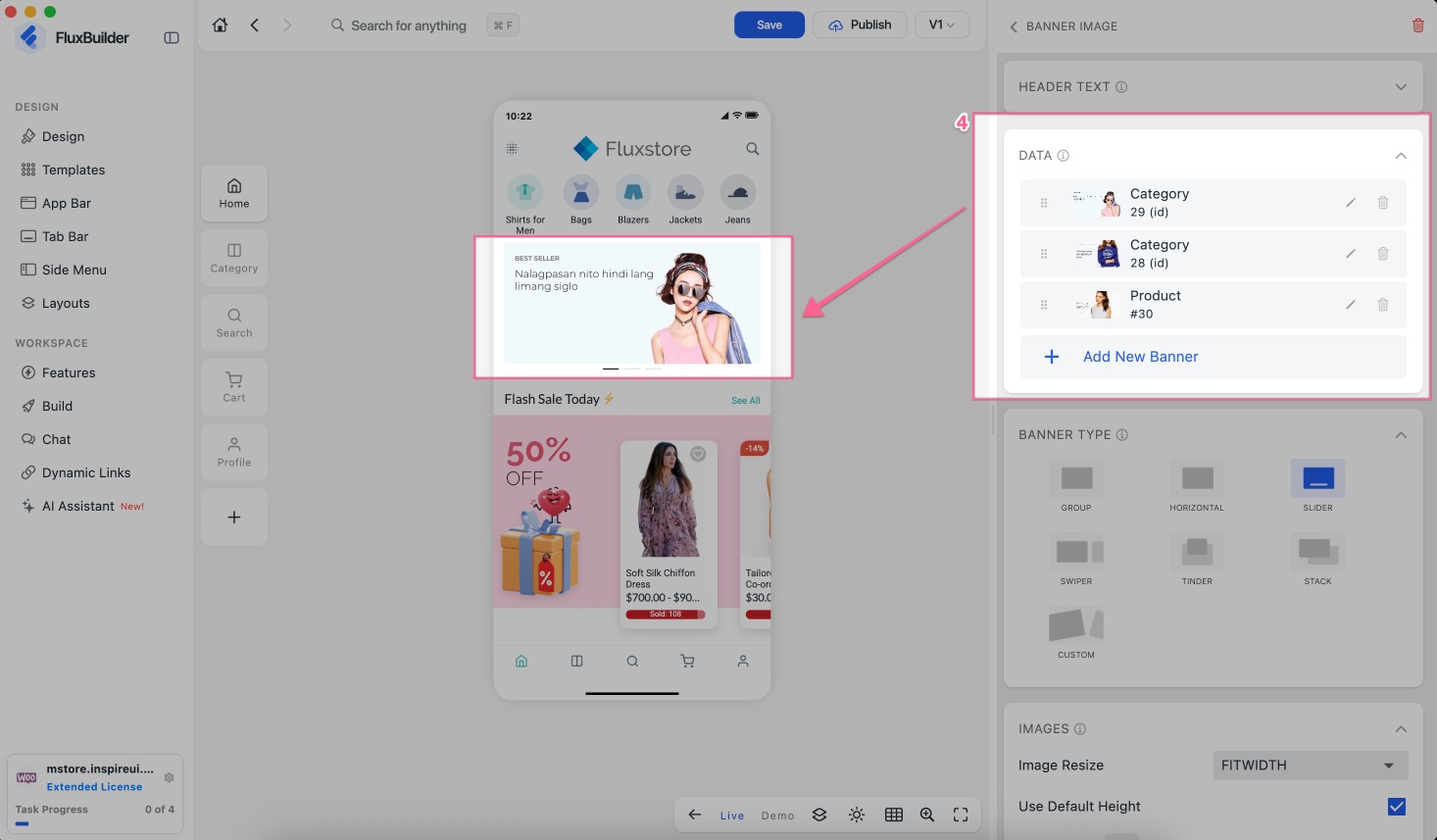
Each banner item in the Data list now shows the banner image, title and navigation target, with an edit icon so you can quickly find and edit the right banner.
(14) Hybrid Payment for Listeo 🏠
Supported: Listing (Listeo) App
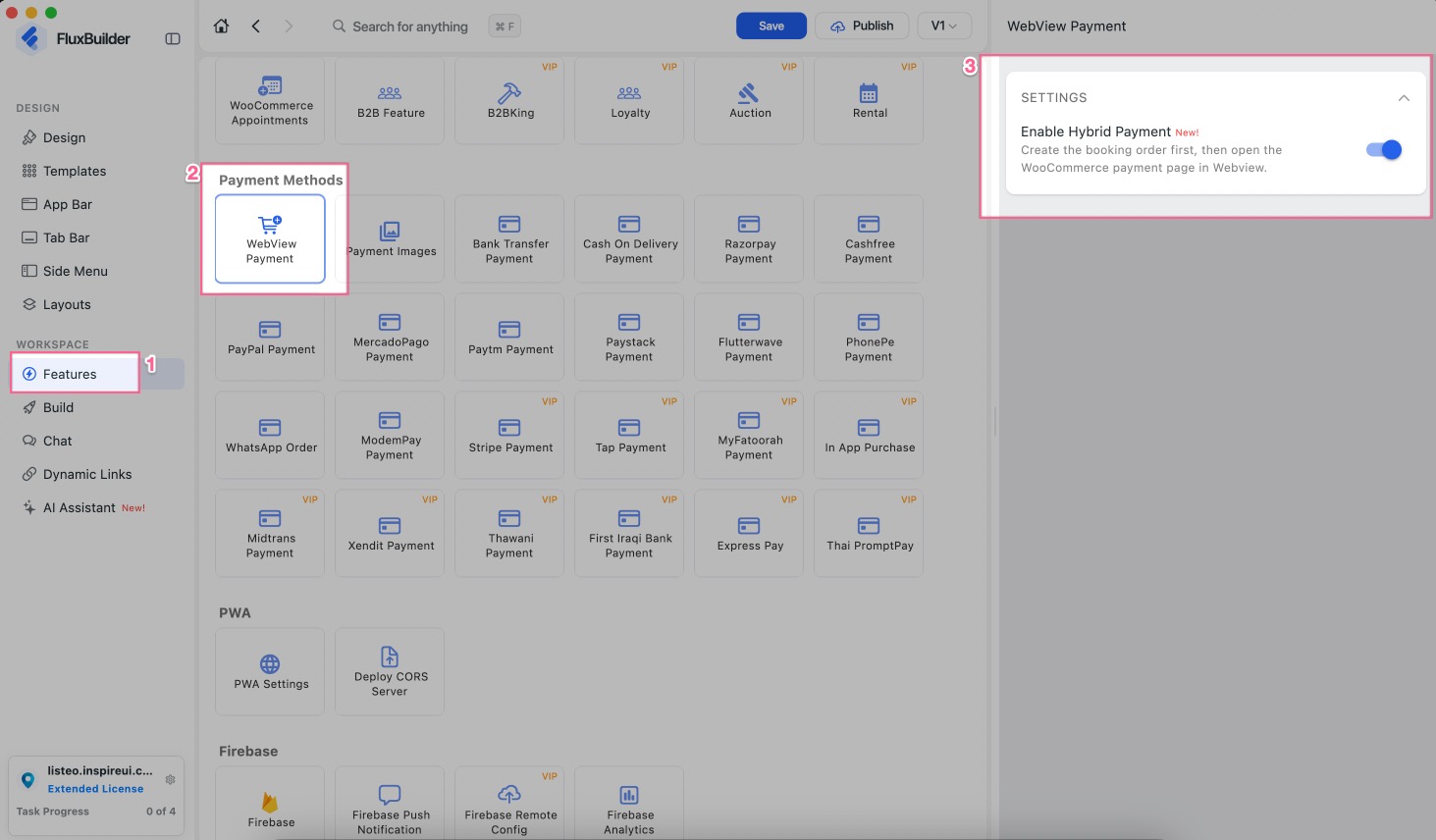
Enable hybrid payment option for Listeo booking checkout, giving users more ways to complete their bookings.
(15) Update Listing Details Screen
Supported: Listing Apps (Listeo, MyListing, Listing Pro)
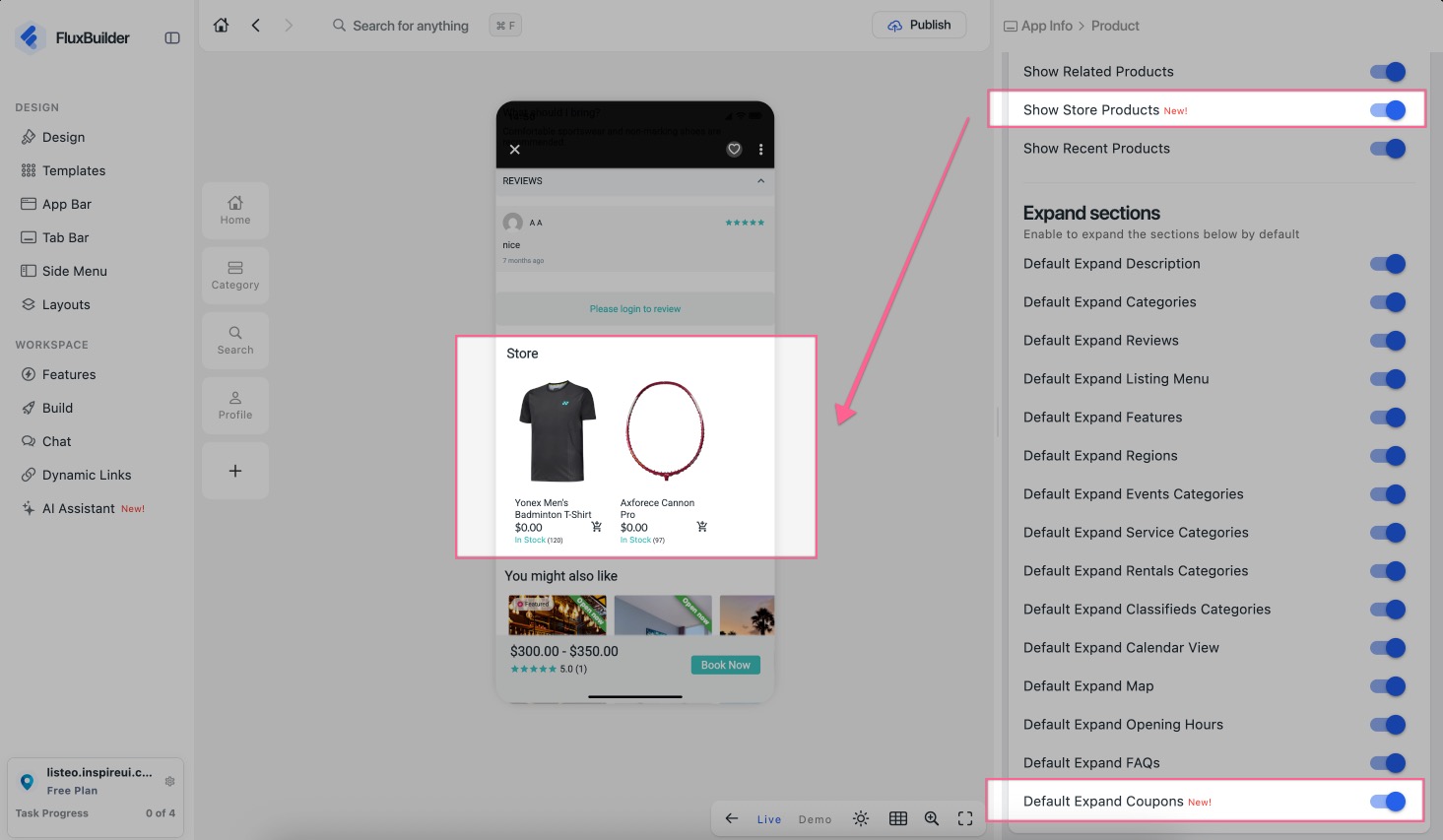
Show Store Products: Display related products from the same vendor on the Listing Details screen in Listeo and MyListing apps. (For Listeo, the Store Section must be enabled.)Default Expand Coupons: Display the Coupon Block expanded by default on the Listing Details screen, allowing users to easily discover and apply available coupons before proceeding with their booking.Default Expand Store Information(Listeo + Dokan): Display vendor information directly on the Listing Details screen, making it easier for users to identify the vendor associated with each listing.Show Video SectionandDefault Expand Video: Display a Video section in the Product Details.Show Short Description: show or hide the Short Description across all Product Detail layouts.
Enable this feature: create/open your Listing app on FluxBuilder, then select Design, click on a listing item, enable Show Store Products:
(16) Blog & Post Settings ♻️
Supported: WordPress and ChatGPT Apps ♻️
This improvement is designed for: ⚡️ WordPress apps: recipe, news, magazine, and music apps, etc. — excluding e-commerce apps. ⚡️ And AI apps integrated with “OpenAI & ChatGPT”.
- Default Status for New Posts: Set the default status for new posts created by Authors or Admins in the WordPress or ChatGPT app. Available statuses: Draft, Published, Pending, and Private.
Supported: All Apps
These improvements are designed for the Blog section across all Apps:
- Blog List Layout: Set the default layout for the Blog List screen. Add more layout options for the Blog List and Filter screens. Available layouts: List, Columns, Card, Horizontal, List Tile, and Simple List.
- Default Blog Image: displayed when a post has no image (applies to all blog layouts).
(17) Delivery Status Filter 🚚
Supported: WooCommerce Apps
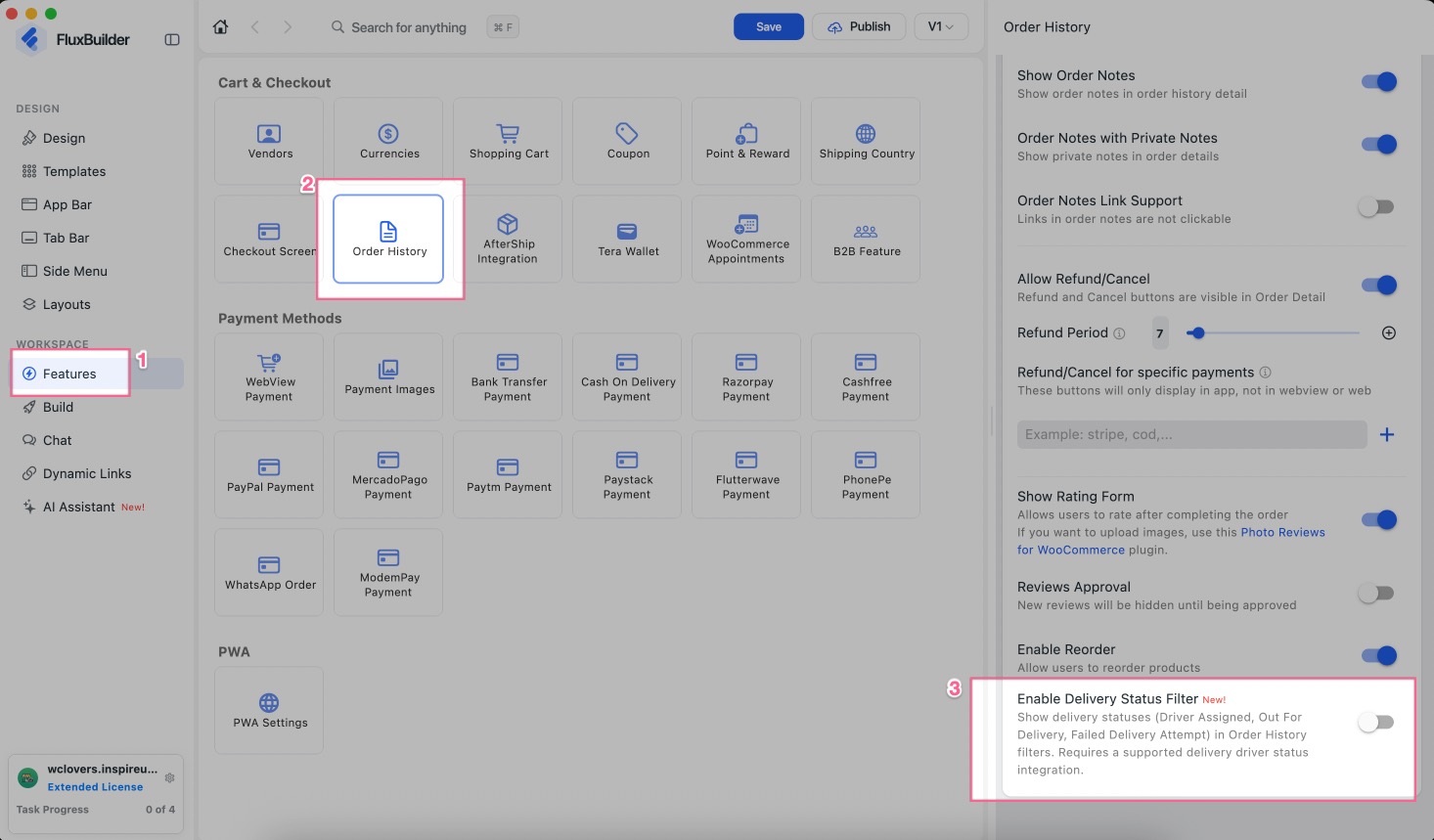
Show delivery statuses (Driver Assigned, Out for Delivery, Failed Delivery Attempt) in the Order History filters. Requires the delivery driver status integration.
Enable this feature: create your app on FluxBuilder, then search Order History and select it, turn on the Enable Delivery Status Filter option:
(18) Google Login for PWA
Supported: All Apps
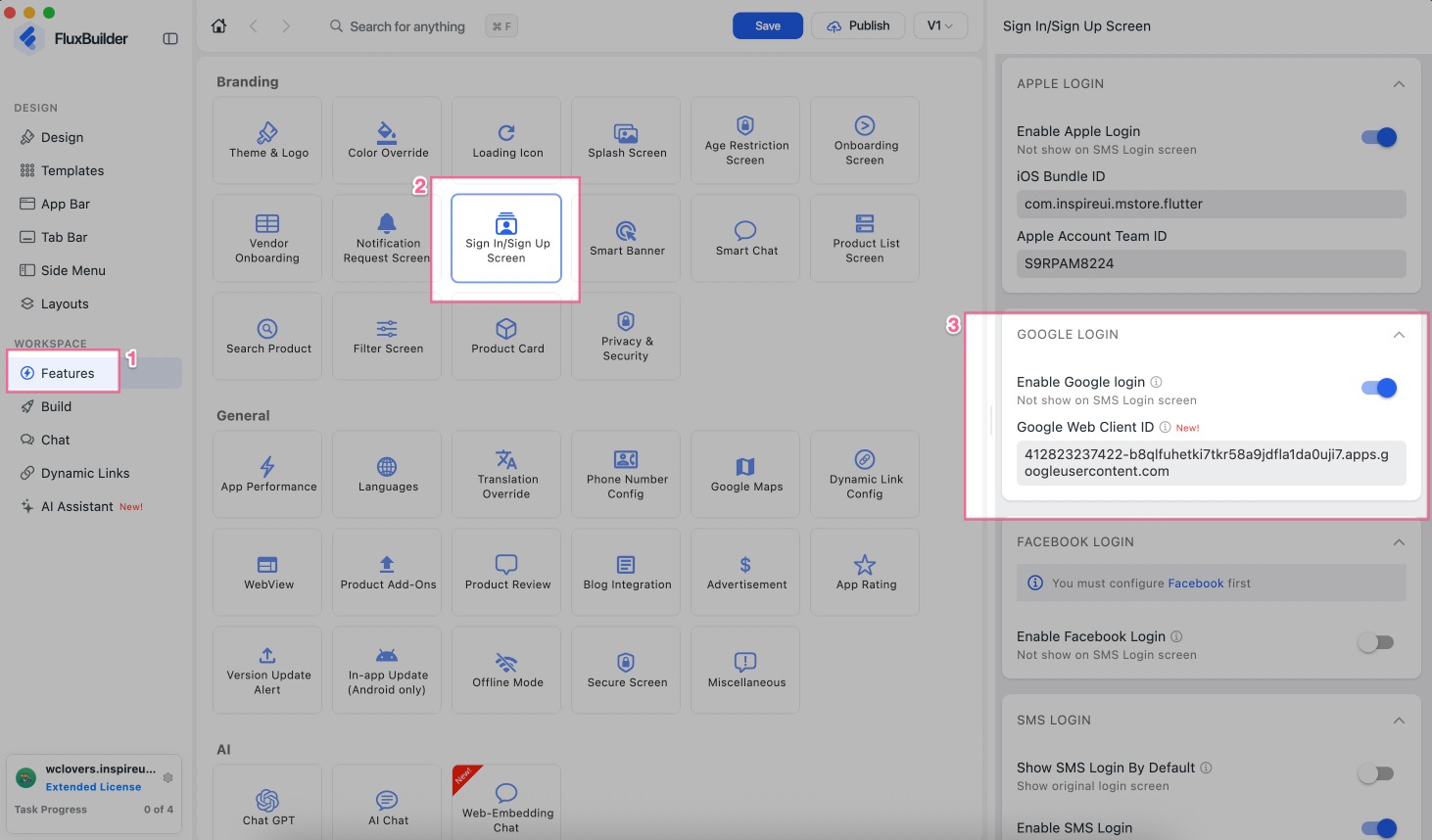
Add a Google Web Client ID to support Google Login in your PWA (Progressive Web App).
Enable this feature: create/open your app project on FluxBuilder, then search Sign In/Sign Up Screen and select it, you will see the Google Web Client ID:
(19) Improvements & Bug Fixes
- Improved the in-app update dialog: release notes links and emails are clickable, the background is blurred, and the download progress is shown. If the download fails, the release page opens instead.
- Version Update Alert options are now locked until Version Check is enabled, with a quick link to turn it on.
- Moved the Add New Item button to the top of the Payment Images list.
- Clearer description of where the Blog List Layout setting applies.
- Updated the App Store Connect API key guide link.
- Fixed the simulator not showing the default currency on the checkout Payment step.
- Fixed the preview not reloading when the Default Blog Image or Default Product Image changes.
- Fixed the Show See All option missing for non-WordPress apps.
- Fixed an endless simulator sync loop with mapped categories.
- Fixed animated items not showing correctly in the banner Data list.
- Fixed sticky and flexible Smart Banners showing on screens other than Home in the preview.
- Fixed the Add to Cart bottom sheet losing its background and rounded corners.
- Fixed category image options showing when Multiple Category Filter is on.
- Fixed the Version Update Alert panel not scrolling.
- Fixed the SHOW LOGS text being hard to read in dark theme.
- Fixed the Integration task not opening the right screen and title.
- Fixed Publish not opening Firebase Remote Config in the feature list.
- Fixed broken images in some templates.
- Fixed Cmd+F not working after the app regains focus.
- Fixed Theme and Loading Icon AI prompts showing in the Manager app.
- Fixed the MCP installer not showing a message when no MCP-compatible agent is found.
- Fixed a false "update failed" message after enabling or disabling OpenClaw.
✨ Try the FluxBuilder No-code App Builder for FREE https://fluxbuilder.com/download
📖 Quick Tutorial https://docs.fluxbuilder.com
🧑🏻💻 FREE Support https://support.fluxbuilder.com