Version 2.5
Last updated: May 08th, 2026
FluxBuilder.com | MacOS | Windows | Web | Guide | Affiliate
We are excited to introduce FluxBuilder 2.5.0, packed with powerful new design capabilities, advanced marketplace integrations, and enhanced payment gateways to give you total control over your e-commerce application.
(1) FiboSearch Integration 🔎
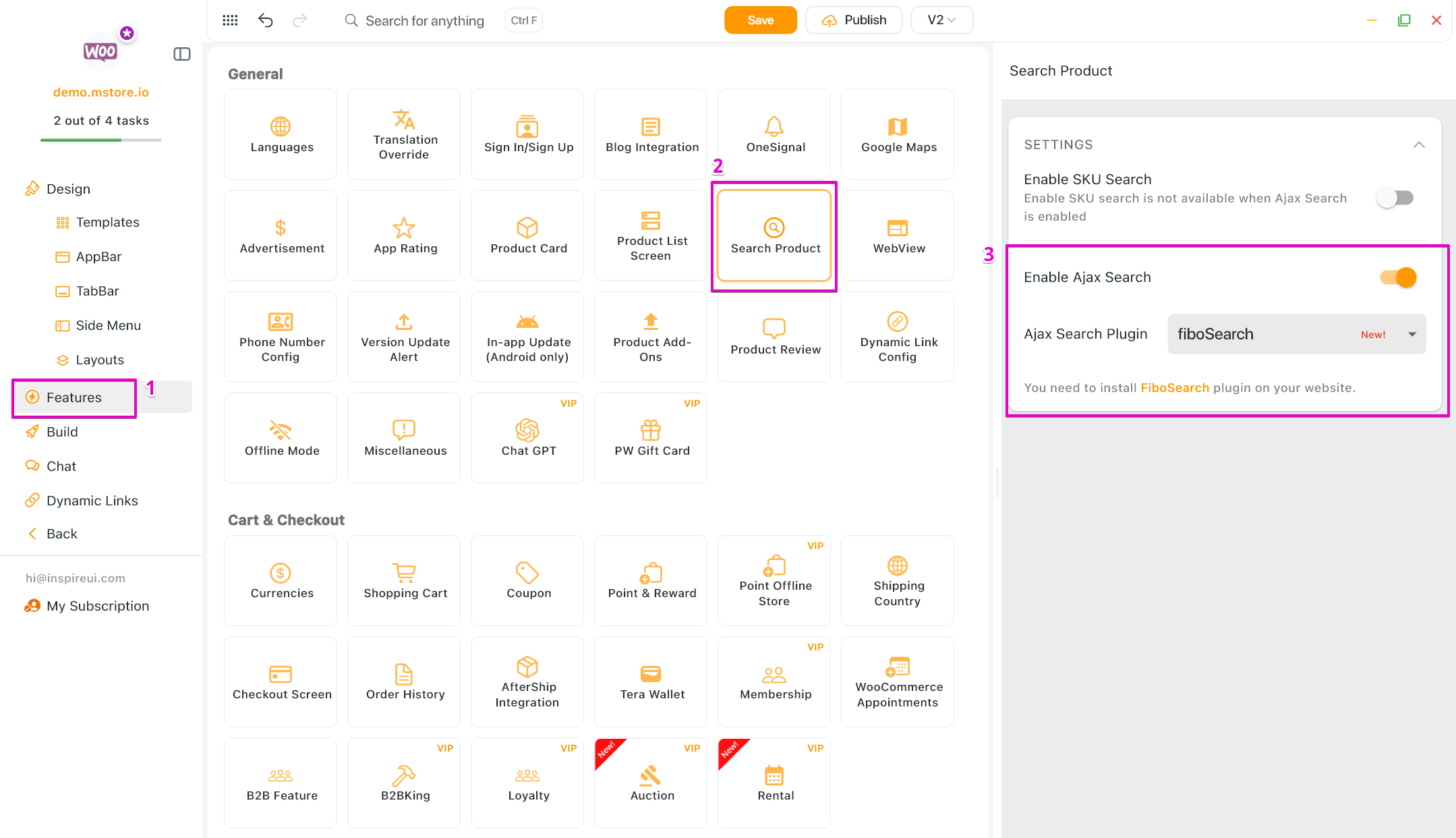
Added support for FiboSearch - the most popular WooCommerce product search plugin. It gives your users a well-designed advanced AJAX search bar with live search suggestions.
- Seamless integration with the FiboSearch (Ajax Search) plugin.
- Displays instant search results while typing, without page reloads.
- Improves search accuracy and product discovery for users.
- Enable this feature: create your app on FluxBuilder > Features > General > Search Product > turn on the Enable Ajax Search option.
(2) Auction Products Support 🤼
Transform your WooCommerce app into a dynamic marketplace with the Auction feature! Customers can now place bids directly within the app.
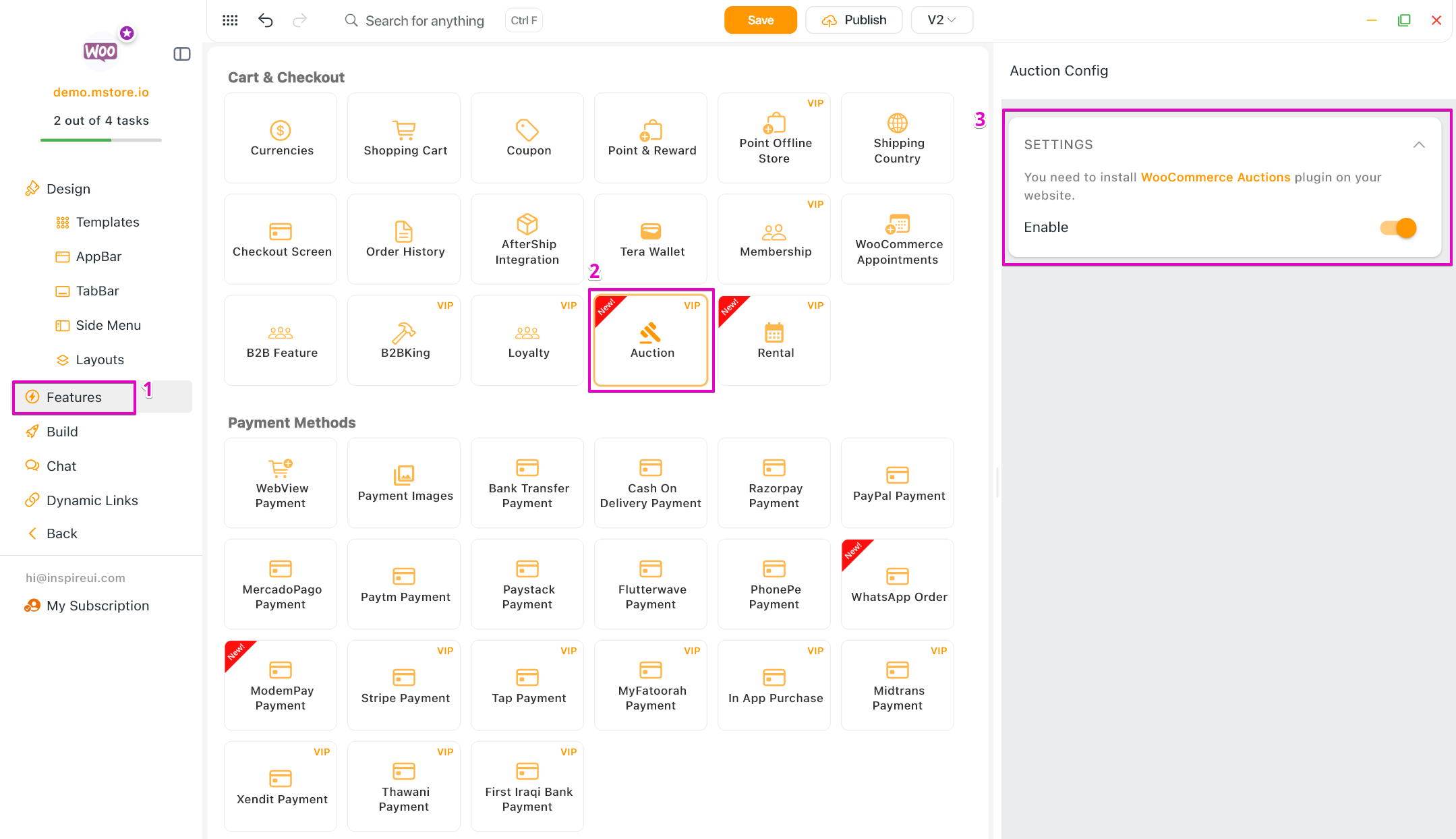
- Require installing the WooCommerce Auctions - WordPress Simple Auctions plugin on your website.
- Displays key auction information such as current bid, starting price, bid increment, auction start/end time, and auction status.
- Supports real-time bid updates when users refresh the product detail screen.
- Enable this feature: create your app on FluxBuilder > Features > Cart & Checkout > Auction > turn on the Enable option.
(3) Rental Products Support ✨
Enable Rental Products with dynamic date and duration calculations in the app.
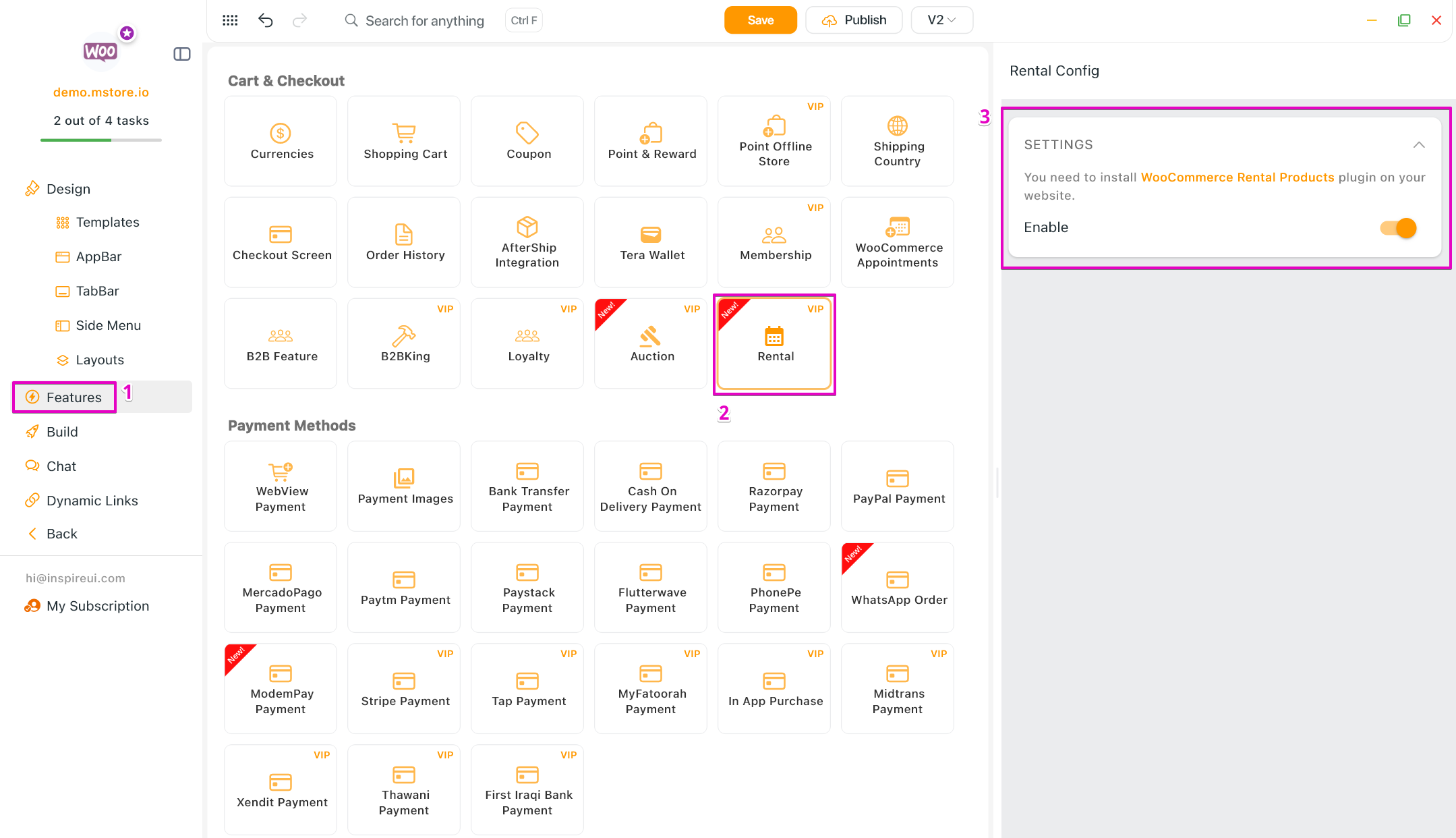
- Require installing the Rental Products for WooCommerce plugin on your website.
- Allow customers to select rental dates directly on the product detail screen.
- Rental availability is validated in real time, and pricing is calculated accurately throughout the cart and checkout flow.
- Enable this feature: create your app on FluxBuilder > Features > Cart & Checkout > Rental > turn on the Enable option.
(4) Appointments Products Support 🎉
- WooCommerce Appointments support is now available for all plans. Build your booking app with ease today!
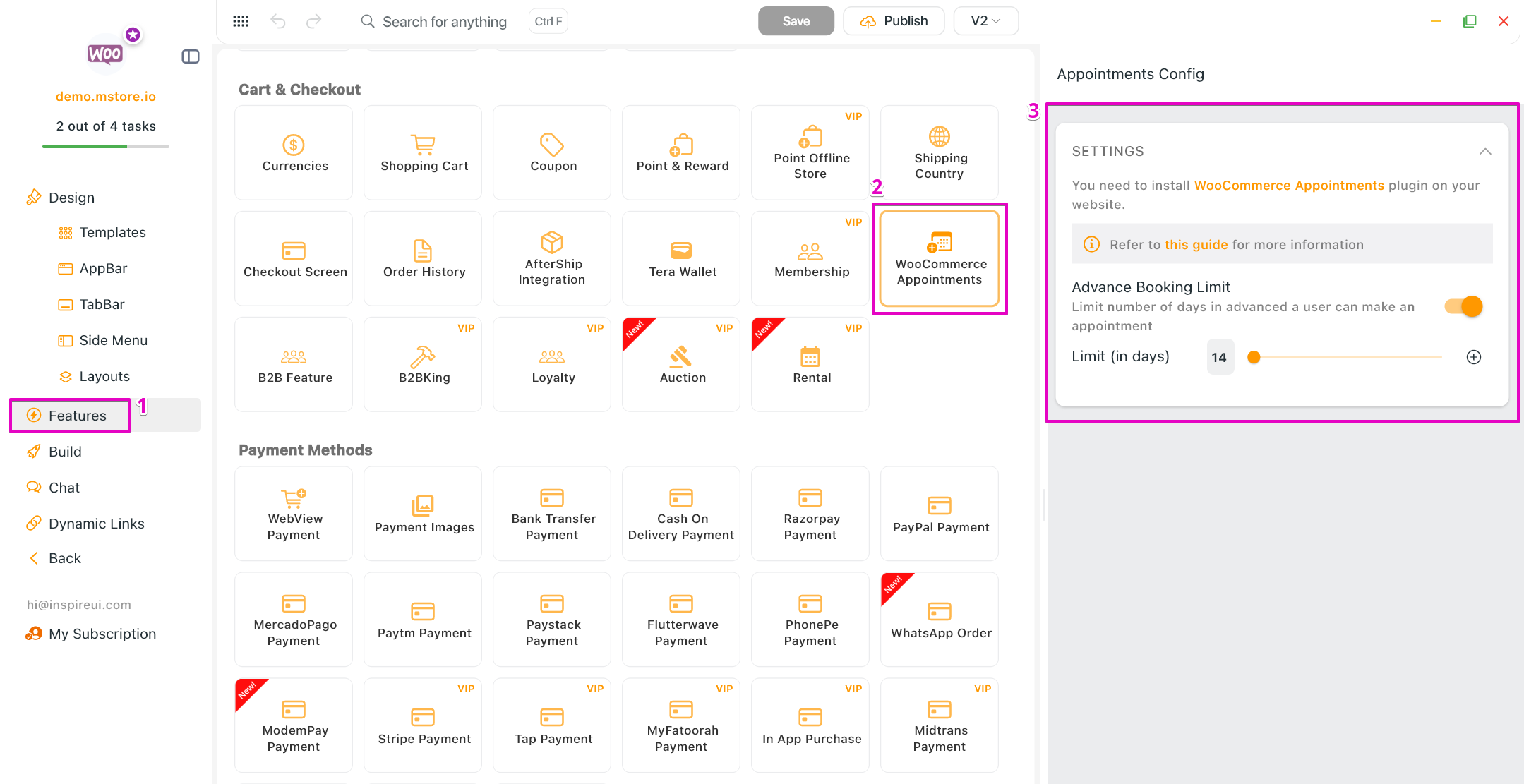
- Install the Appointments for WooCommerce plugin on your website.
- Enable this feature: create your app on FluxBuilder > Features > Cart & Checkout > WooCommerce Appointments > enter data.
(5) Hybrid Payment 💳
Introduced a seamless new hybrid checkout flow combining native UI with targeted webview payments. Supported: WooCommerce, MultiVendor (Dokan/WCFM).
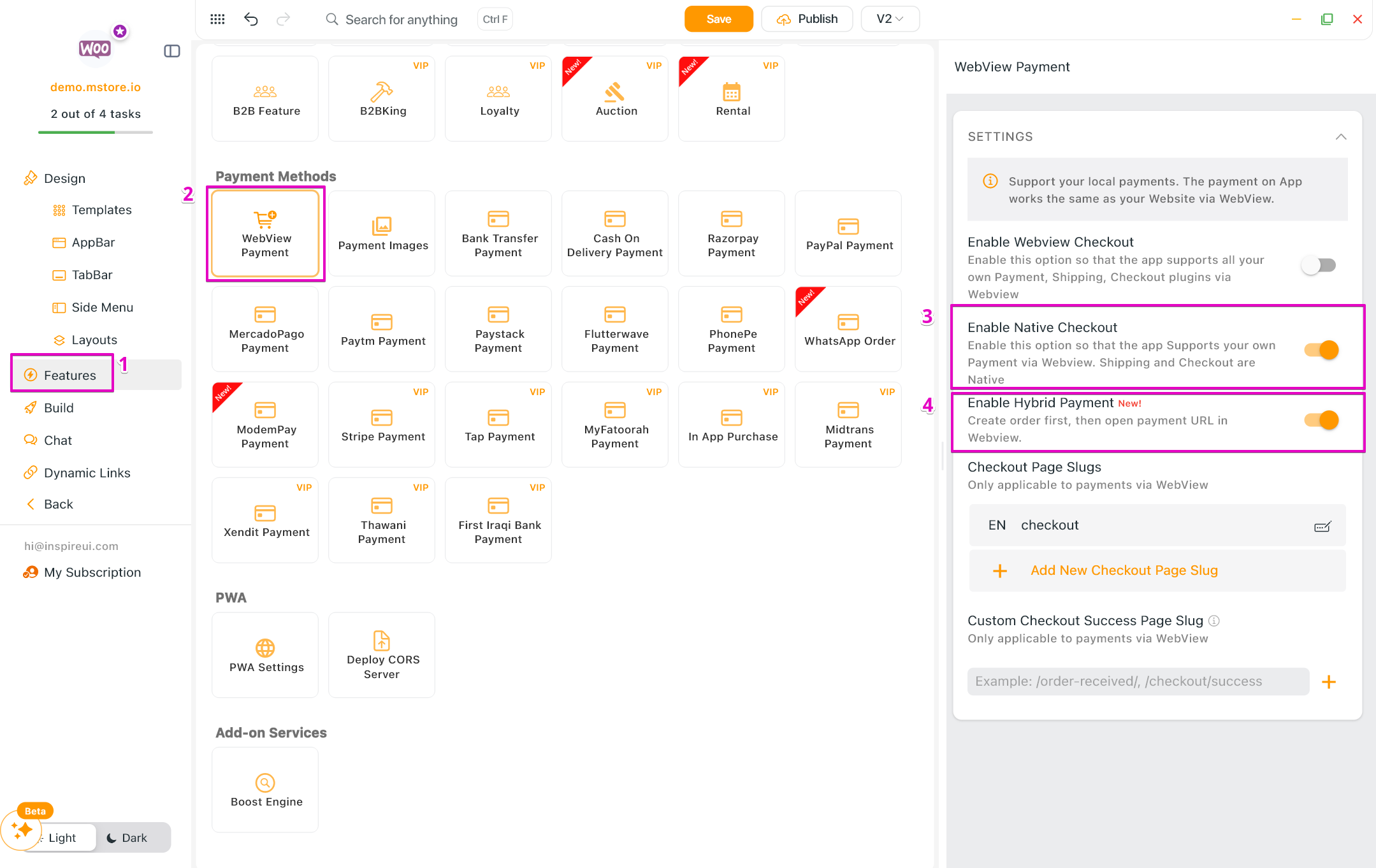
- New checkout flow: Native checkout → enter address → select shipping → create order via API → app opens the payment page in a WebView (payment only, no full checkout page) → customer pays → order complete. This feature is used to replace the old MStore Checkout webview.
- If the customer cancels payment, the order remains with
Pending paymentstatus — a Pay button is shown on the Order Confirmation and Order History screens - Enable this payment: create your app on FluxBuilder > Features > Payment Methods > WebView Payment > turn on the “Enable Native Checkout” and “Enable Hybrid Payment” options.
(6) Modempay Payment 💳
Integrated Modempay as a native payment gateway supporting wallets, cards, and bank payment methods. Supported: WooCommerce | Currency: GMD only.
- Plugin: https://docs.modempay.com/plugins/woocommerce
- Get your keys from merchant.modempay.com/developers
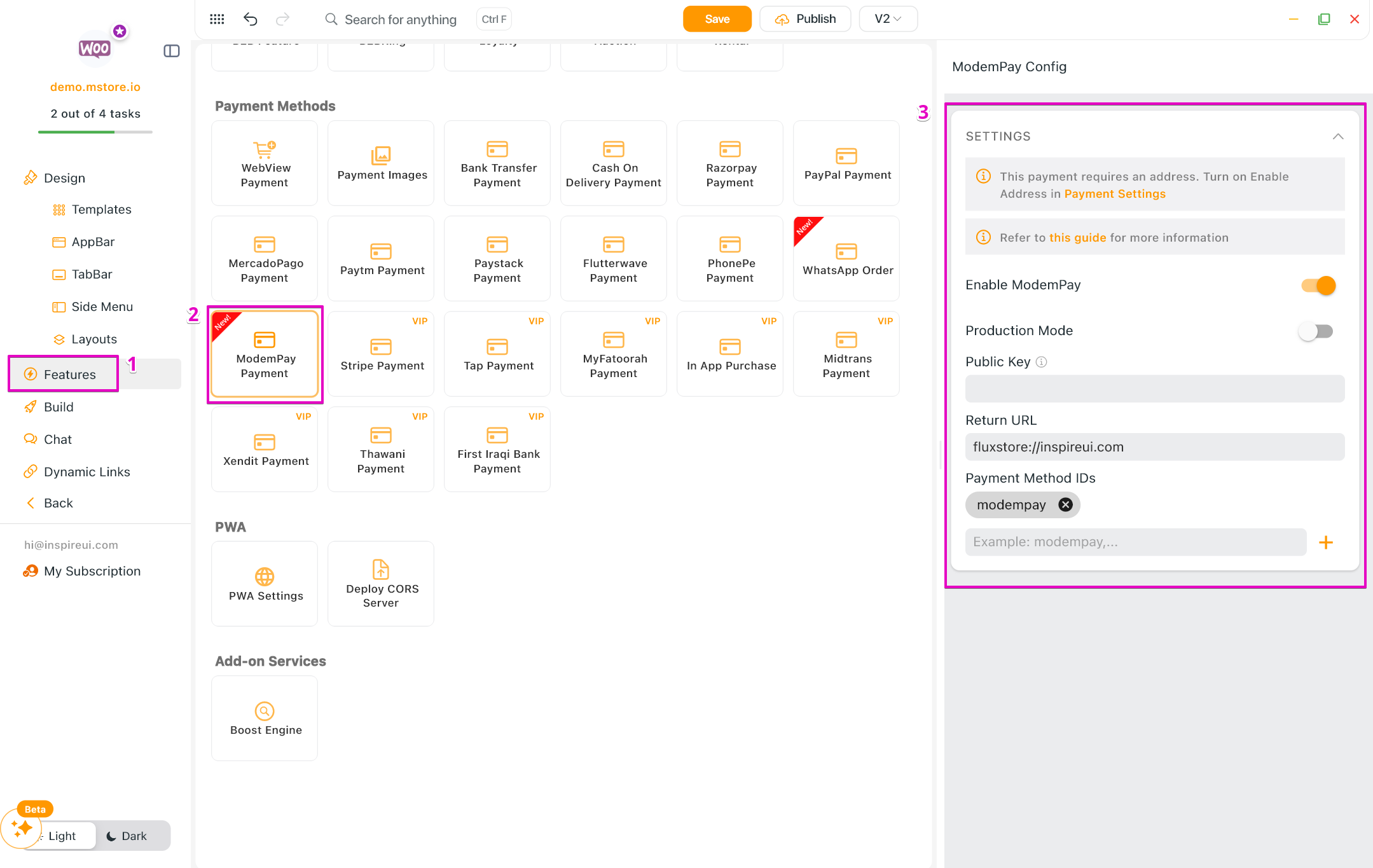
- Enable this payment: create your app on FluxBuilder > Features > Payment Methods > ModemPay Payment > turn on the Enable ModemPay option > enter data.
(7) Payment Splits in Dokan 💳
Seamlessly manage your marketplace app with our new Dokan Split Payment support!
- Enabling commission-based transactions where payments are automatically distributed between the marketplace owner and vendors.
- Compatible with Dokan Pro and PayPal Marketplace/Stripe Connect modules.
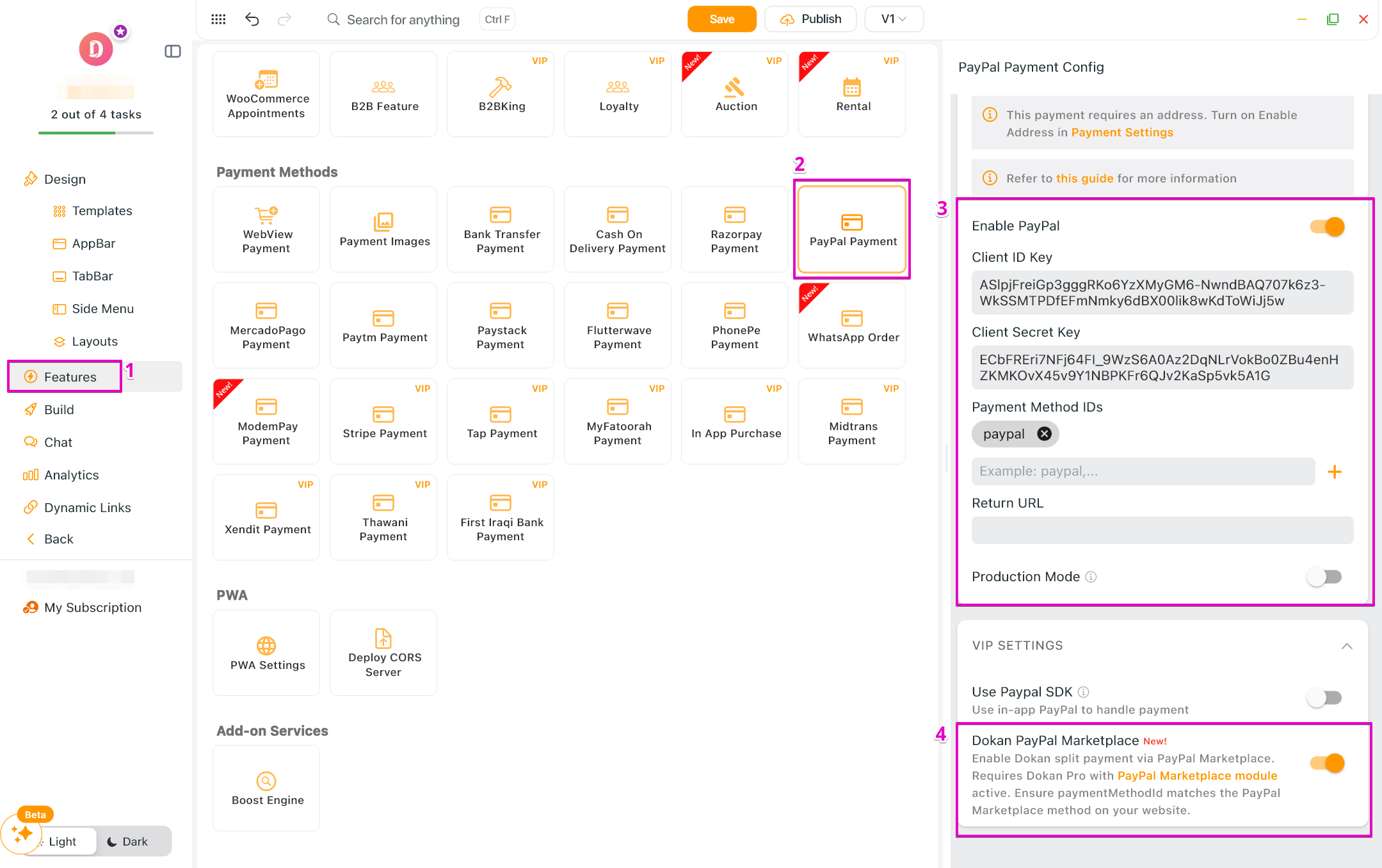
- Enable this payment for PayPal: create your app on FluxBuilder > Features > Payment Methods > PayPal Payment > turn on the Enable PayPal option > enter data and enable the Dokan PayPal Marketplace option.
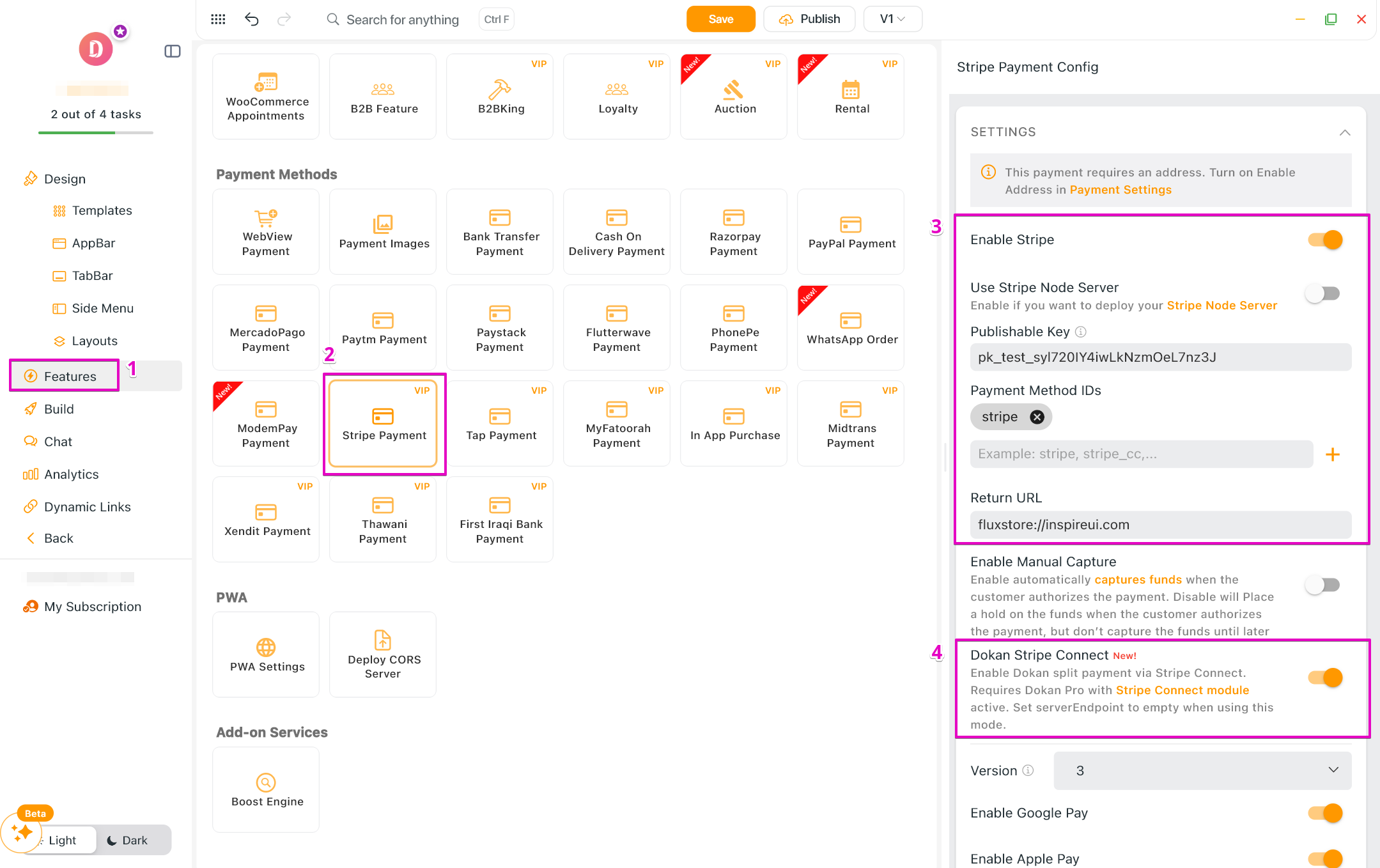
- Enable this payment for Stripe: create your app on FluxBuilder > Features > Payment Methods > Stripe Payment > turn on the Enable Stripe option > enter data and enable the Dokan Stripe Connect option.
(8) WhatsApp Order Integration 💬
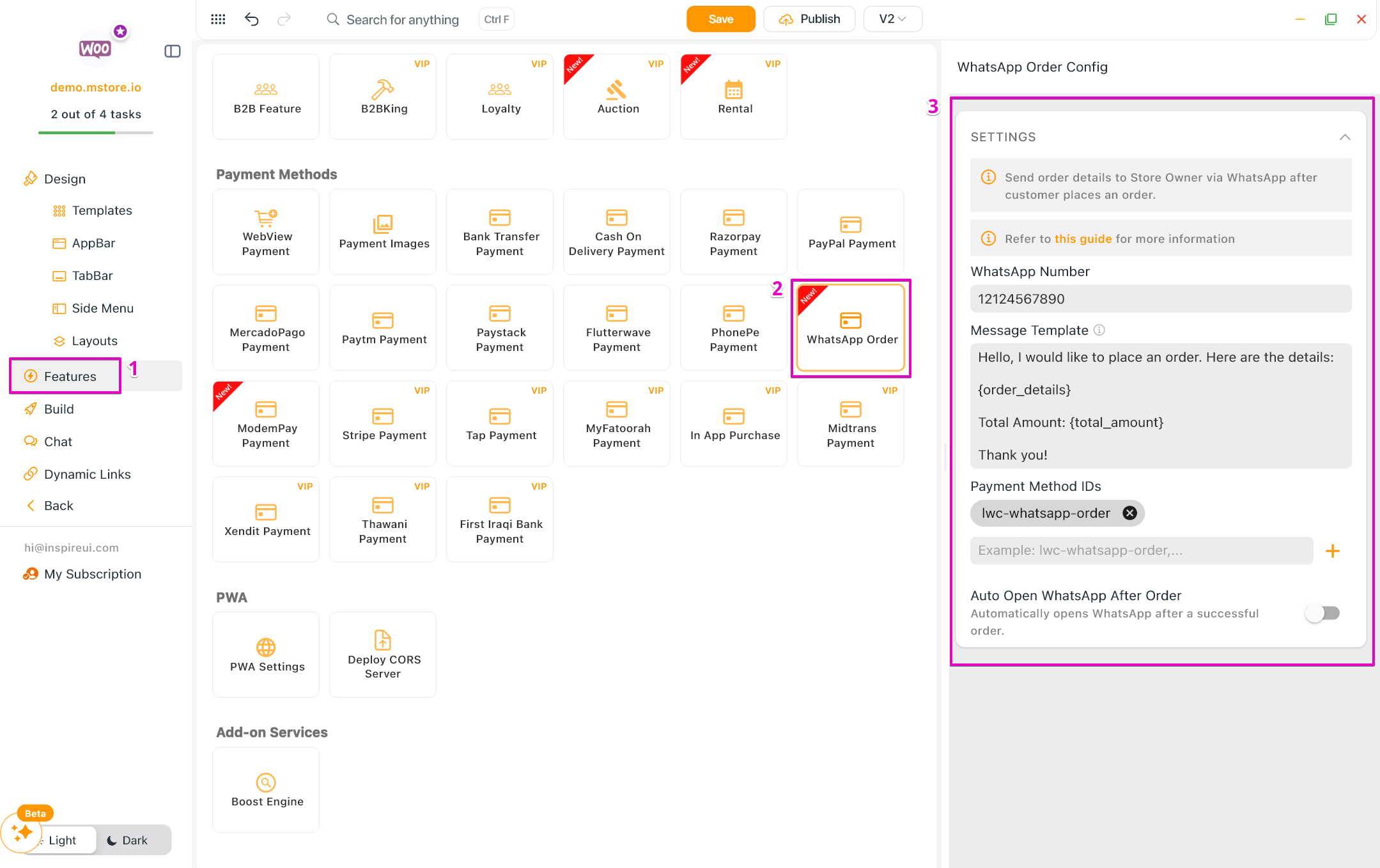
Enabled direct-to-WhatsApp ordering for quicker, localized customer support.
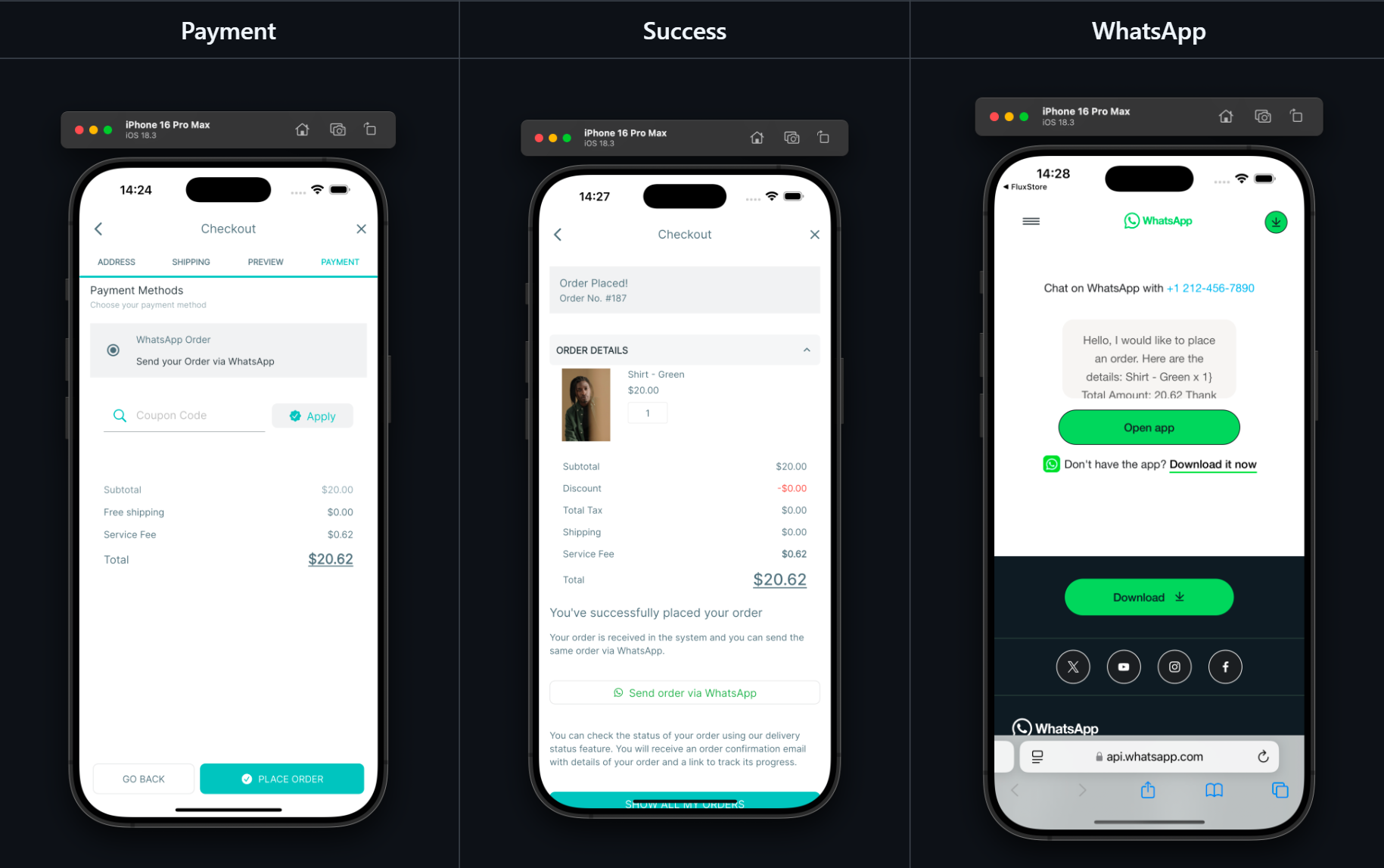
- Allow customers to send their order details directly via WhatsApp after a successful checkout.
- Integrate seamlessly with the existing payment flow.
- Message templates are fully customizable, with order information automatically populated for convenience.
- Support Native payment only (not support webview payment).
- Enable this feature: create your app on FluxBuilder > Features > Payment Methods > WhatsApp Order > enter data.
(9) TeraWallet Customization 💳
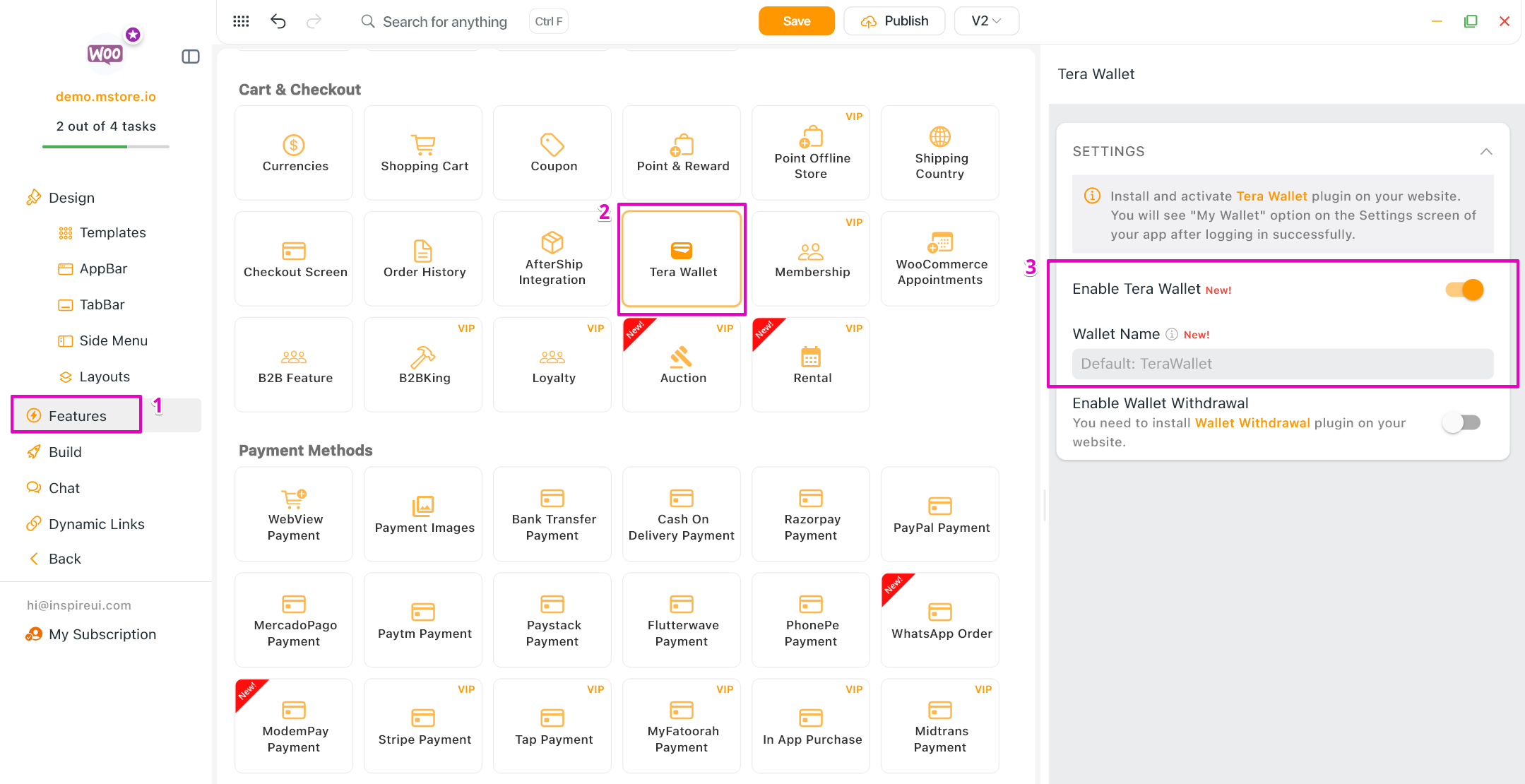
TeraWallet is a digital wallet and credit system for WooCommerce, providing seamless payments through deposits, transfers, and purchases using wallet balances.
- Added option to enable/disable wallet.
- Allows customization of the TeraWallet name.
- Enable this feature: create your app on FluxBuilder > Features > Cart & Checkout > Tera Wallet > enable and enter data.
(10) Self-Hosted Share Link 🔗
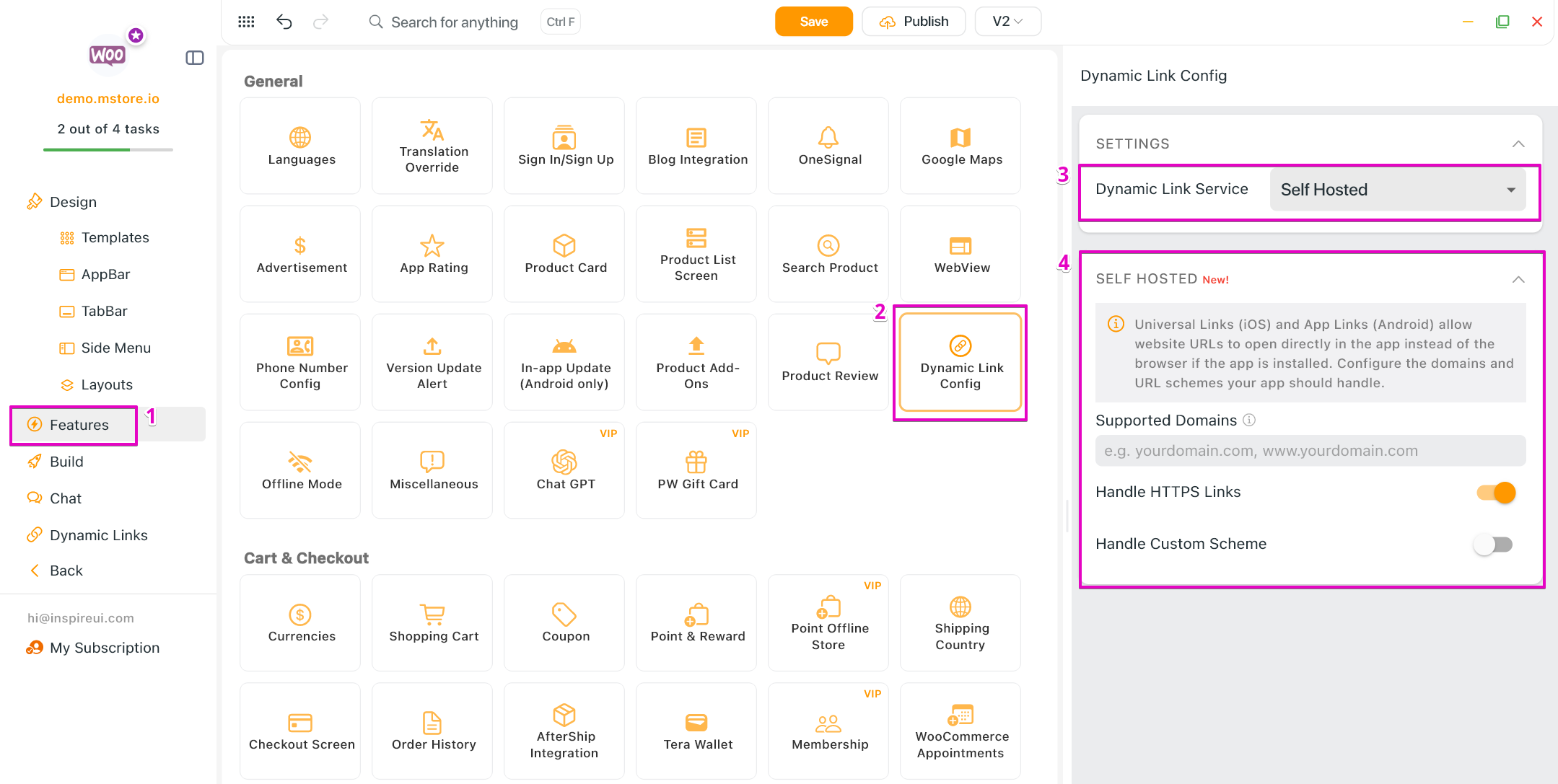
Updated and optimized the logic for generating self-hosted share links and handling Universal Links/App Links.
- Remove previous limitations in link creation, ensuring shared links always navigate to the intended screen regardless of layout configuration
- Users can now generate and open share links correctly even when layouts are / are not tied to a specific category, brand, or tag.
- Enable this feature: create your app on FluxBuilder > Features > General > Dynamic Link Config > in the Dynamic Link Service, select “Self Hosted” > enter data.
(11) New TabBar Templates 🌈
Added new, beautiful pre-designed templates for the app's Tabbar to help you customize navigation faster.
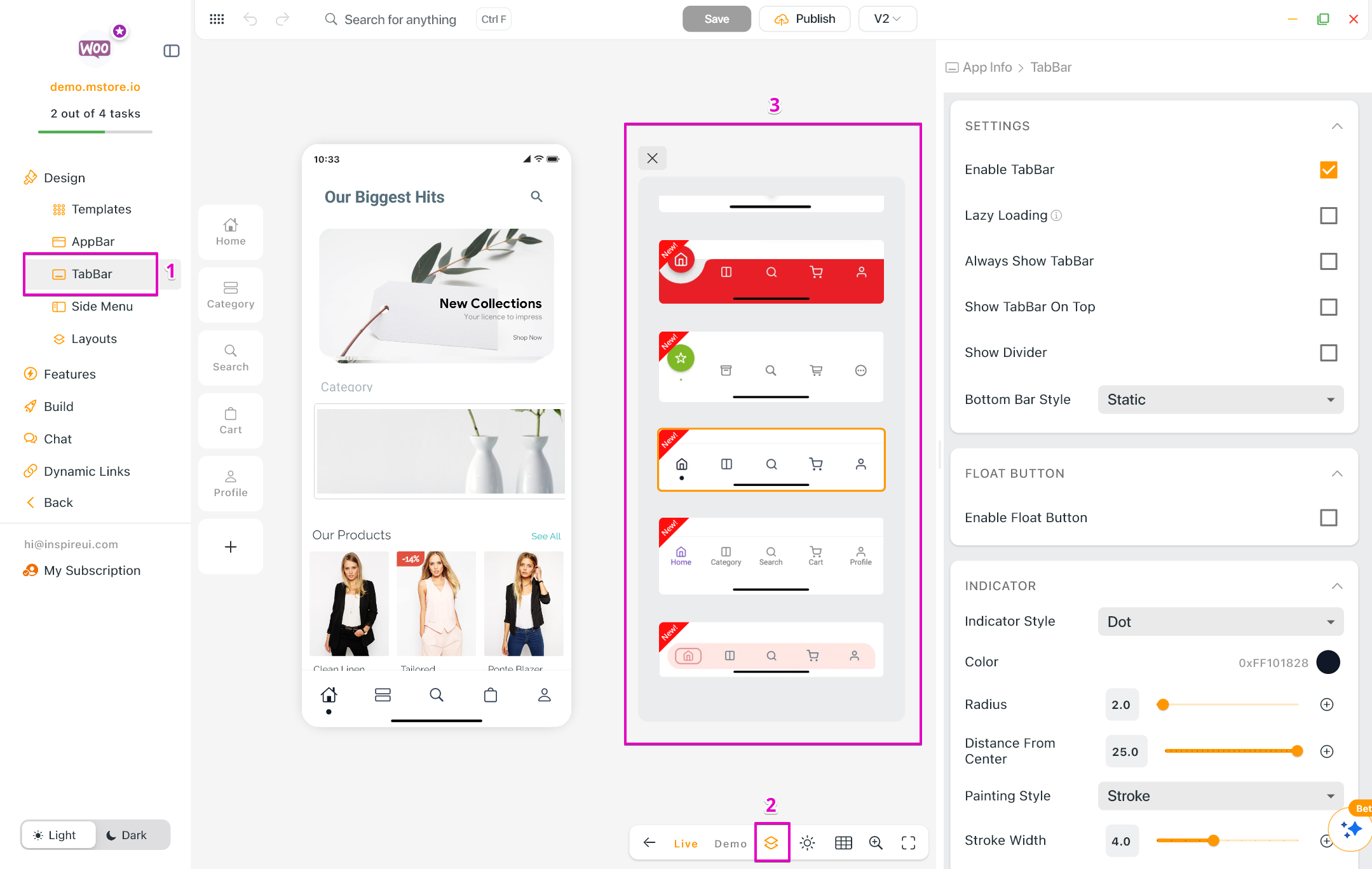
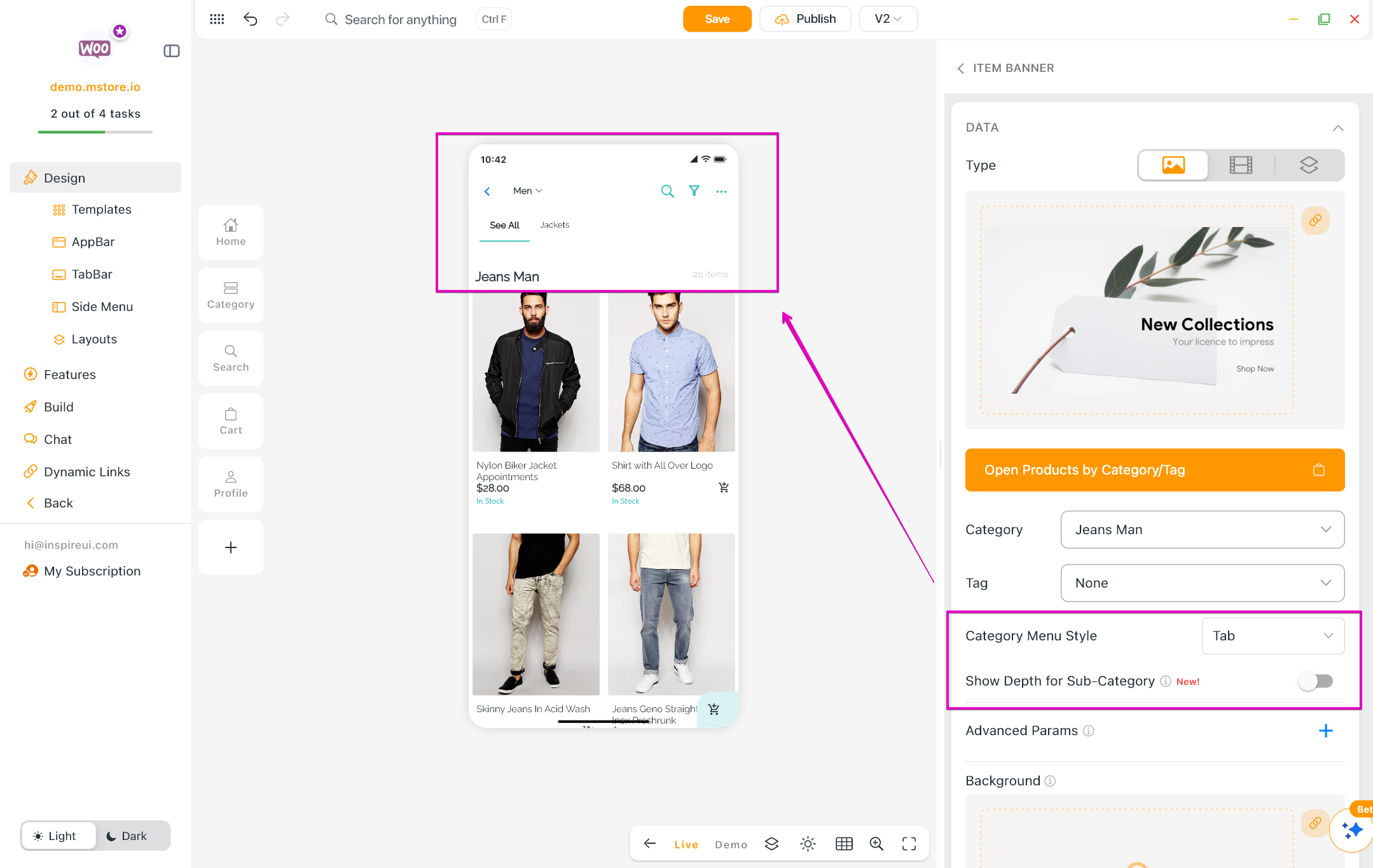
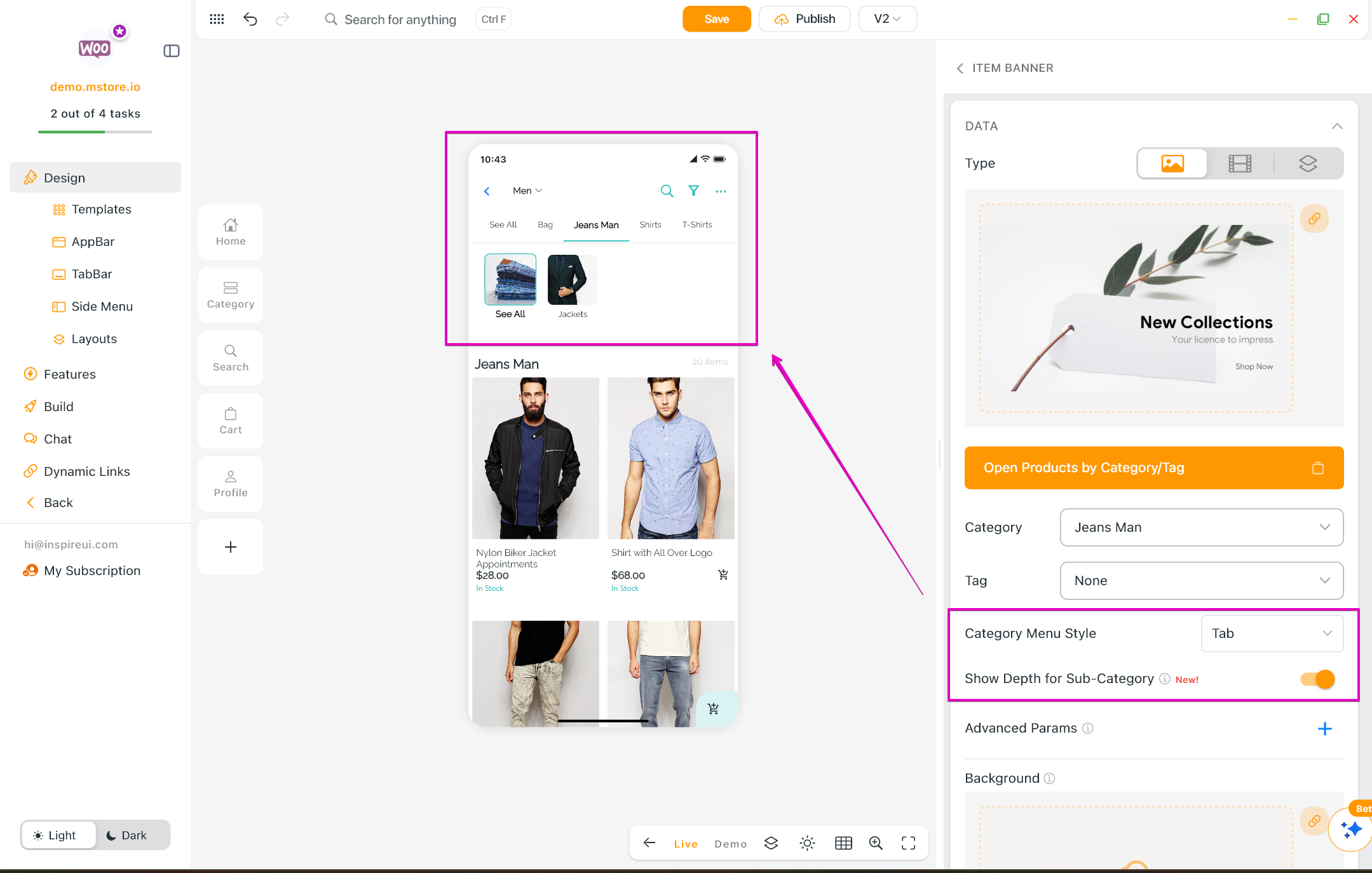
(12) Sub-Category Depth Display
Added a new UI layout that shows the depth and hierarchy for sub-categories, making navigation cleaner and more intuitive for your customers.
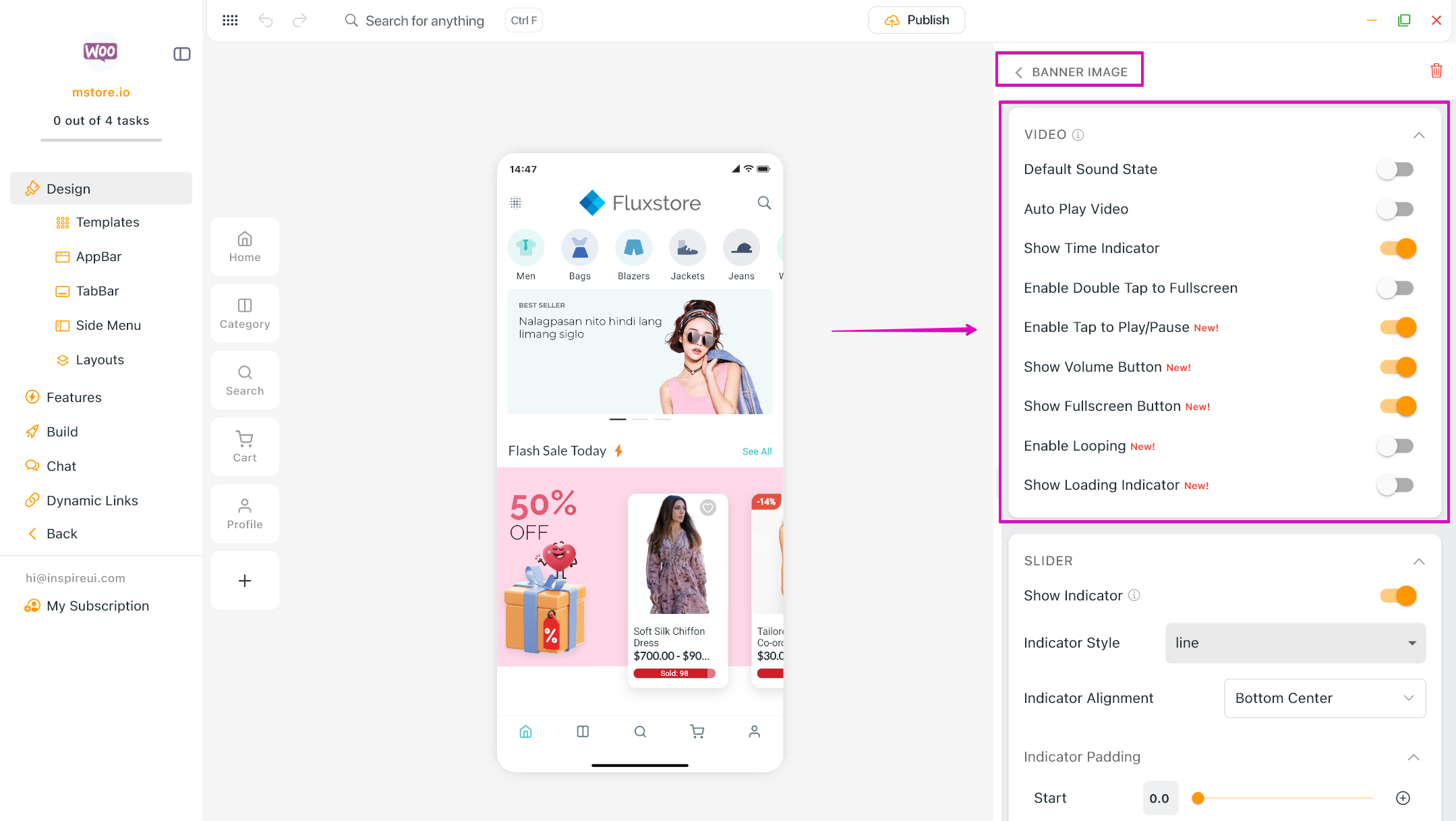
(13) Banner Video Configuration
Introduced expanded settings to customize and control video playback specifically for the Banner layout.
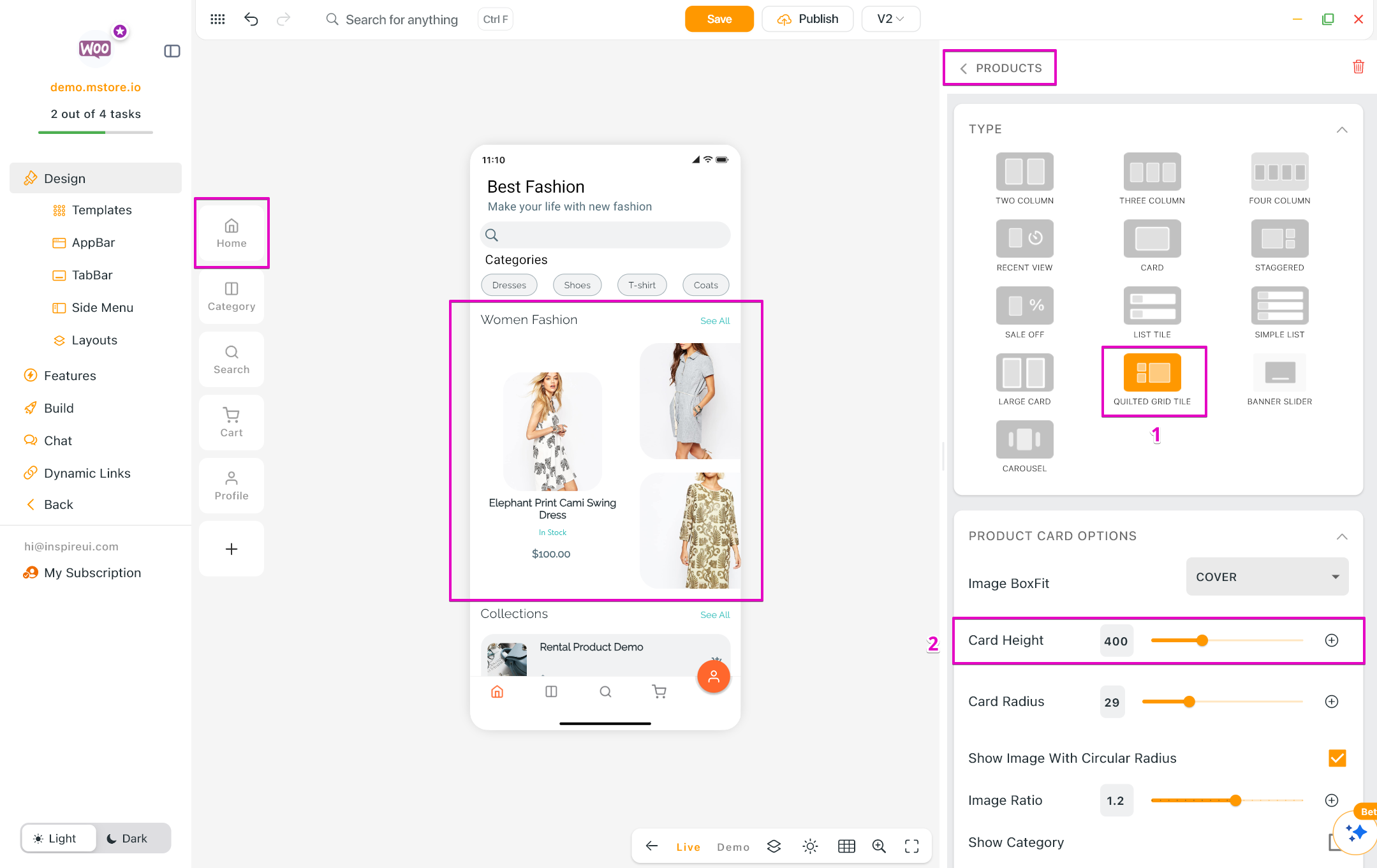
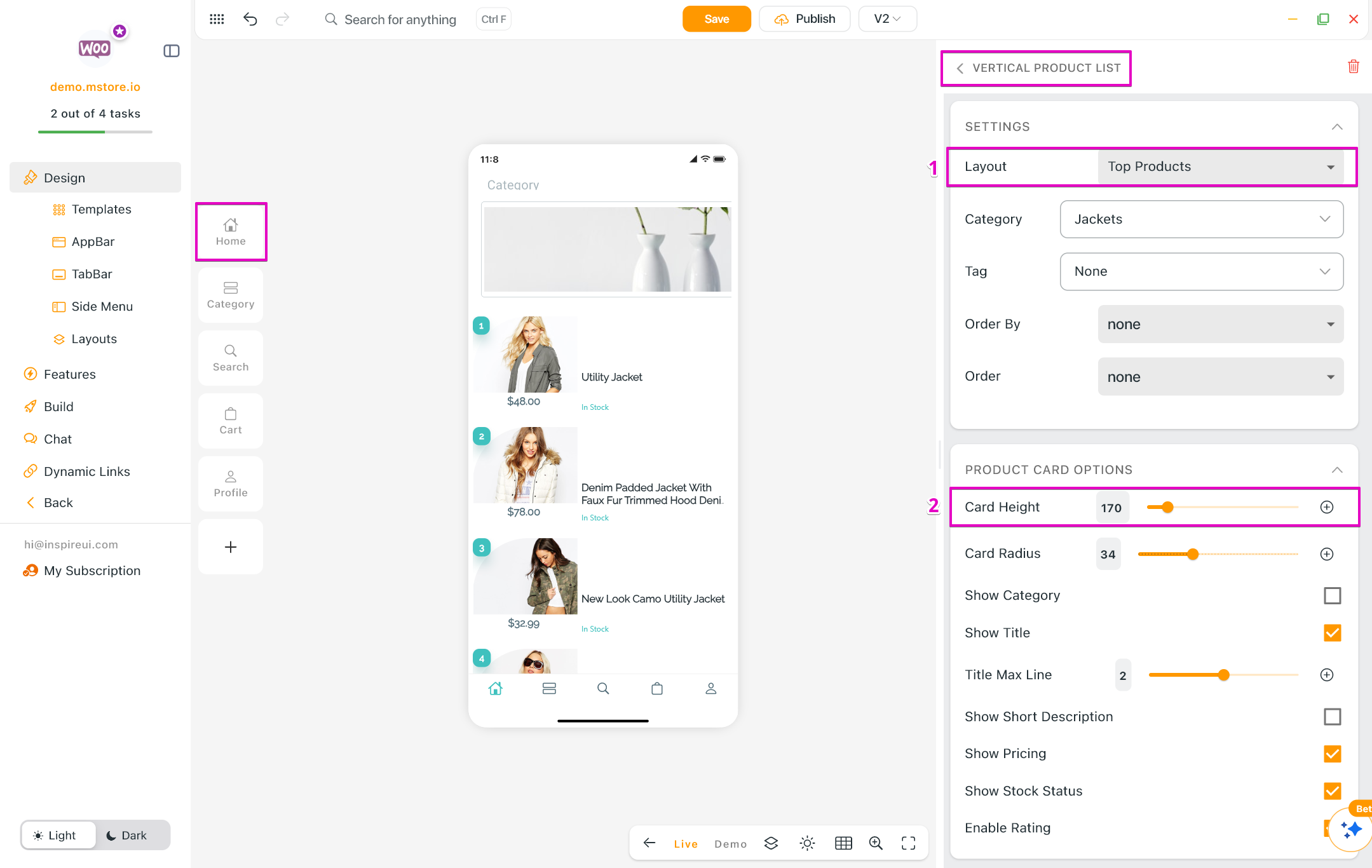
(14) Card Height Adjustments
- Quilted Grid Tile: Added new controls to adjust card heights for a more balanced grid layout.
- Top Product: Added custom card-height controls to improve alignment on the homepage.
(15) Image Positioning
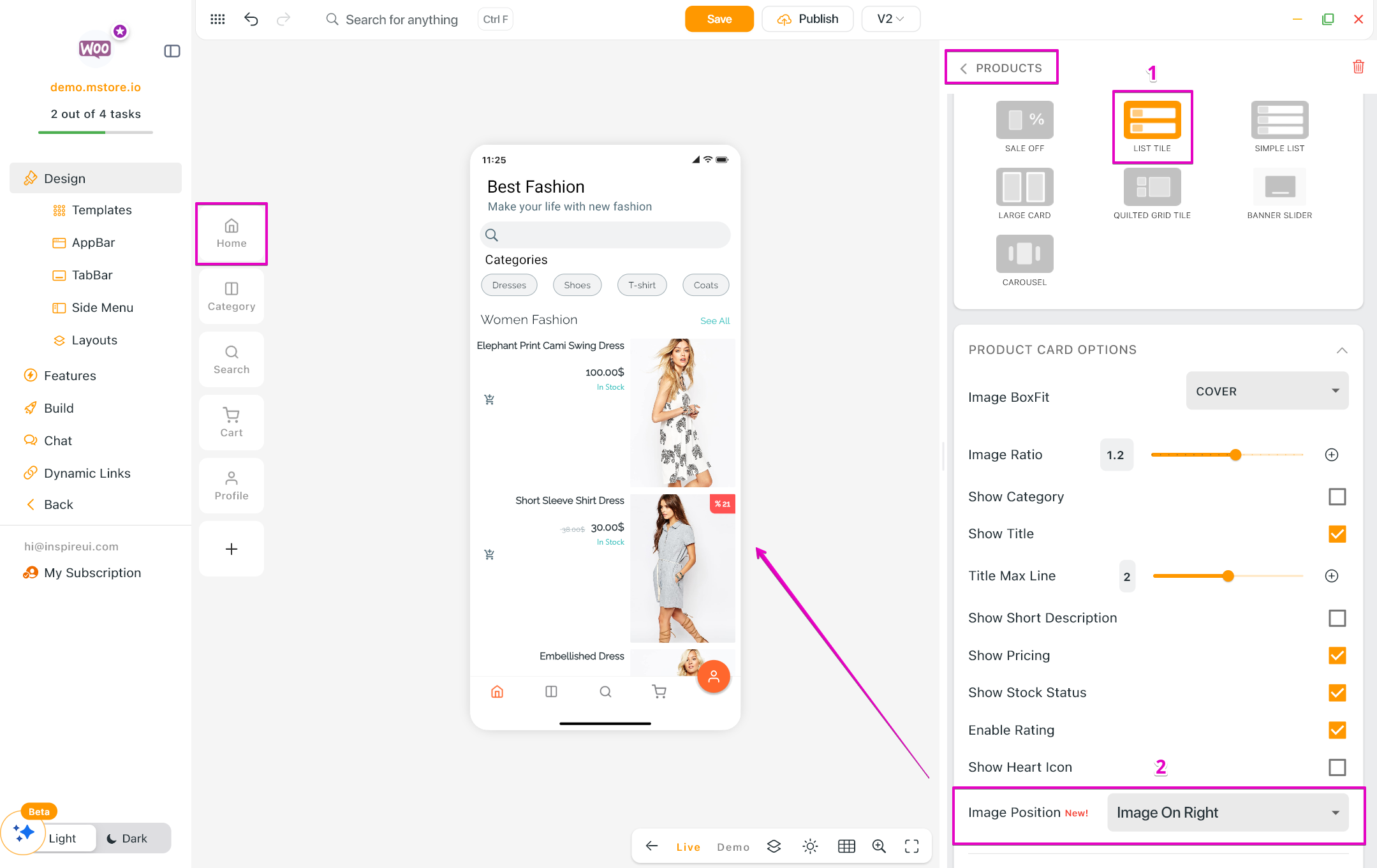
Added controls to adjust the image position and fit for the List Tile type of Product Horizontal layout.
- Default: The image position is automatically adjusted based on the app language.
- Image On Left: Displays images on the left side.
- Image On Right: Displays images on the right side.
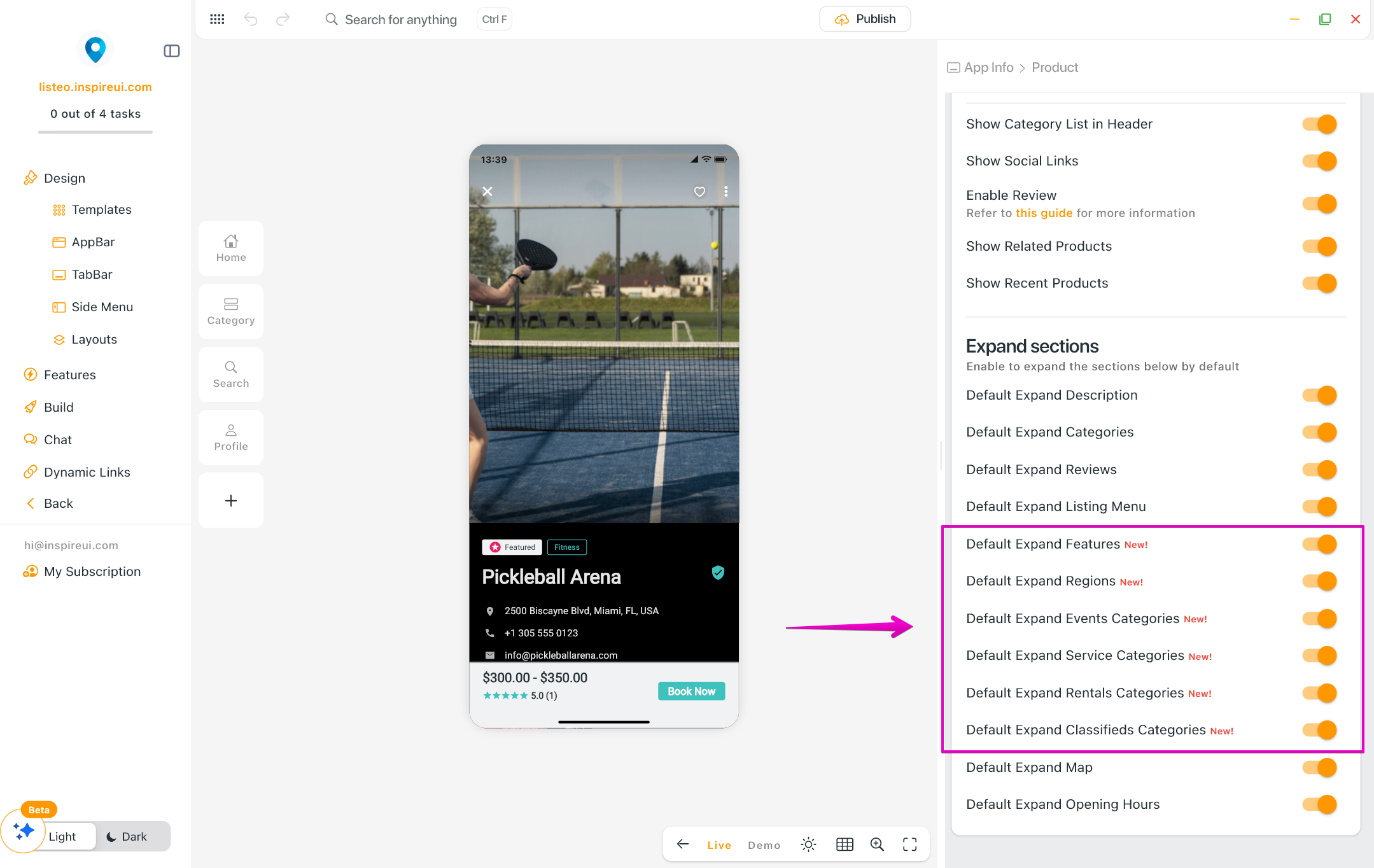
(16) Listing Detail Screen 💎
Introduced new configuration options to customize the layout and details displayed on the Listing Detail screen.
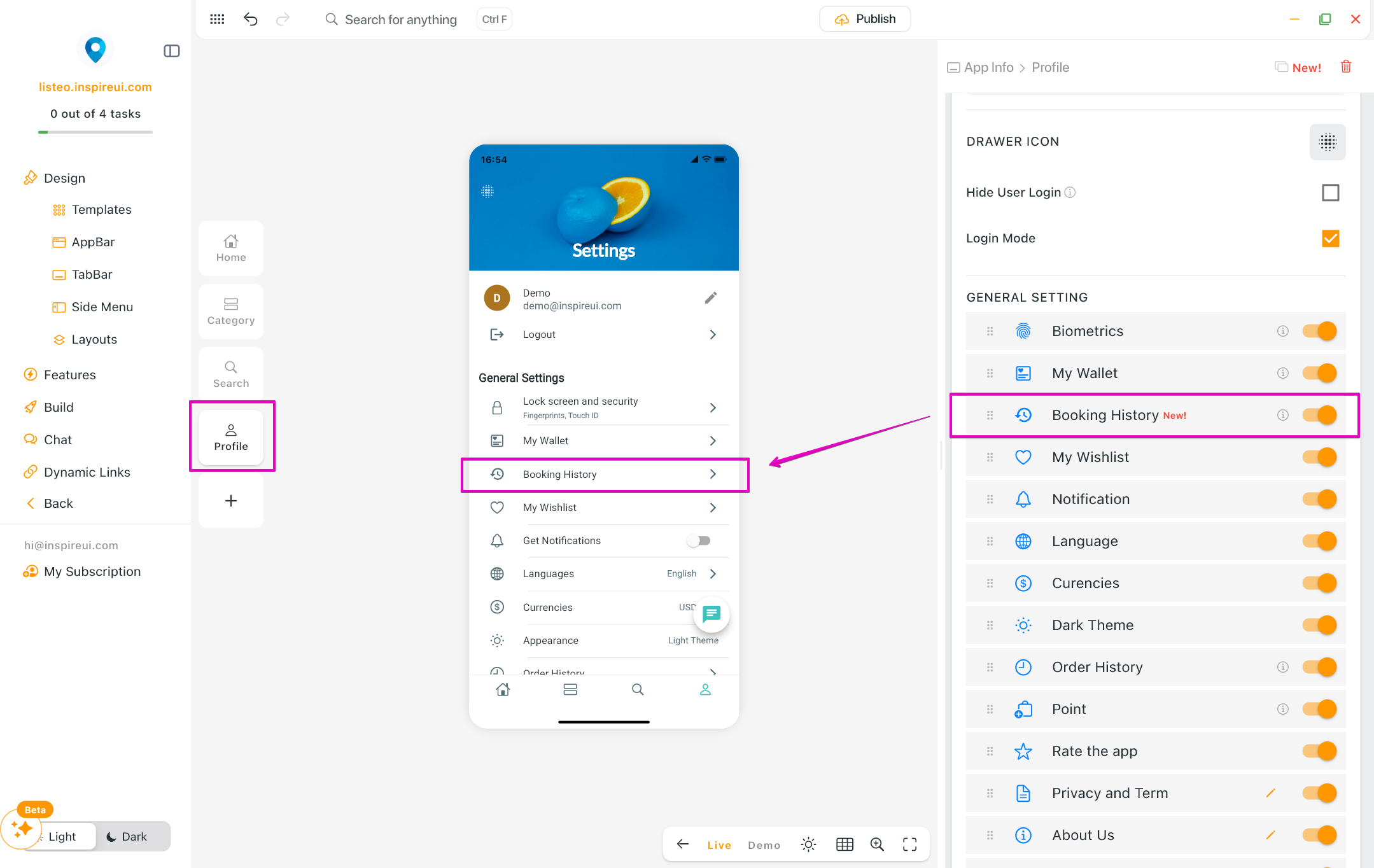
(17) Booking History Control 💎
You can now easily customize the Booking History item in the Profile (Settings) screen — show, hide, or reorder it just the way you like. Create your Listeo app today!
- Enable this feature: create your app on FluxBuilder > on the simulator, select Profile (Settings screen) > on the right panel, turn on/off/reorder the Booking History item.
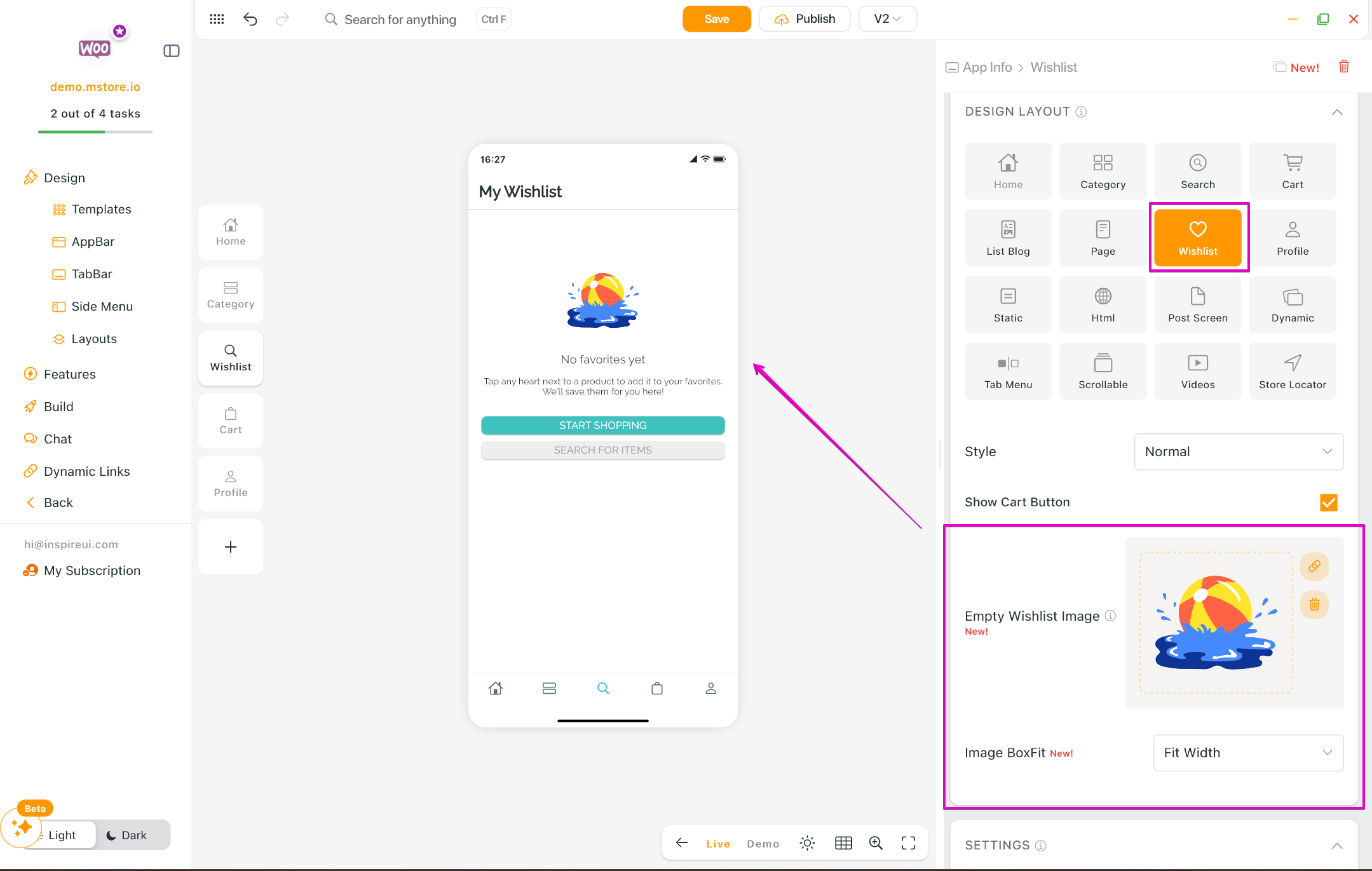
(18) Wishlist Enhancements
Added new configuration options, including the ability to change the wishlist image and adjust the image BoxFit.
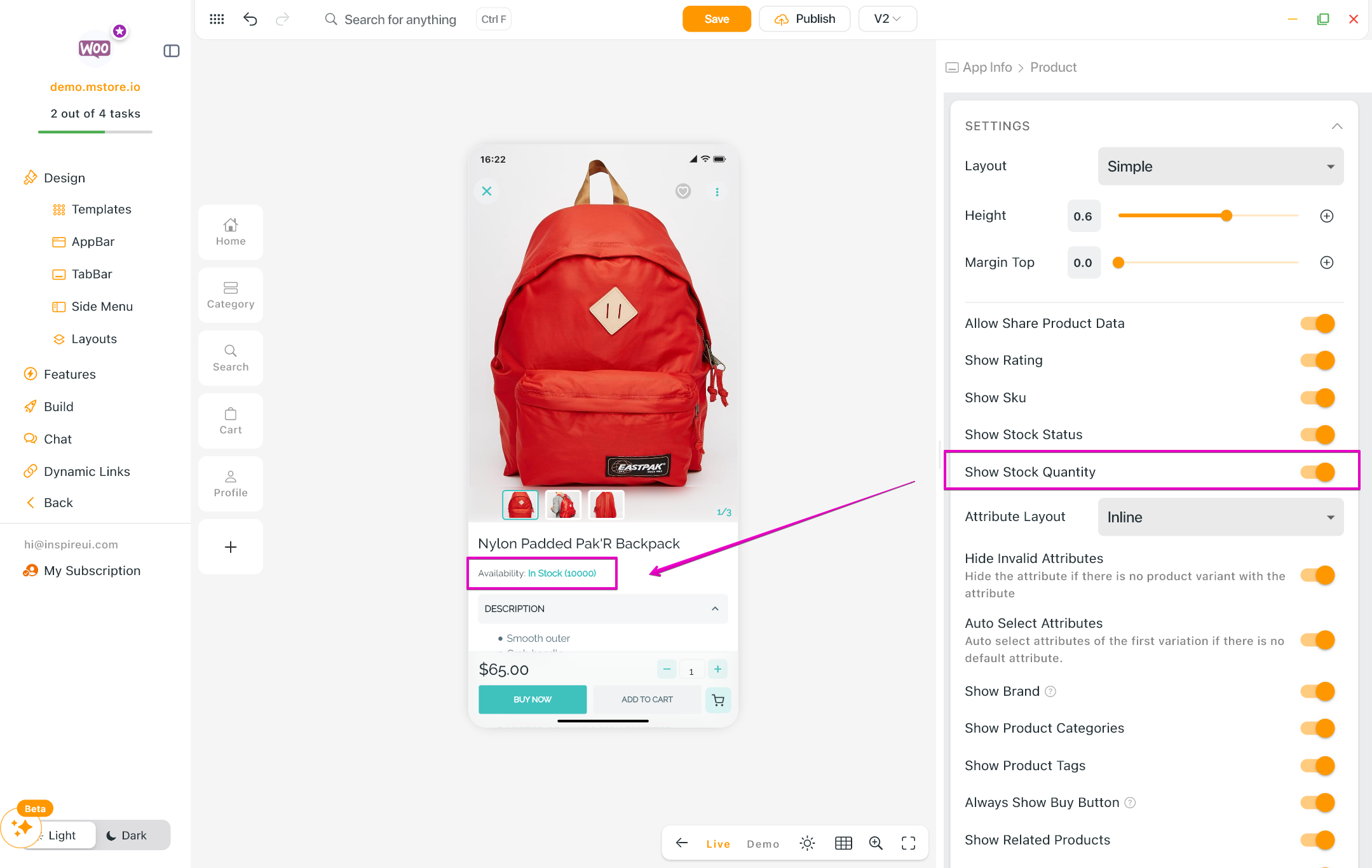
(19) Show Stock Quantity
Added the ability to display the exact stock quantity directly on the Product Detail screen.
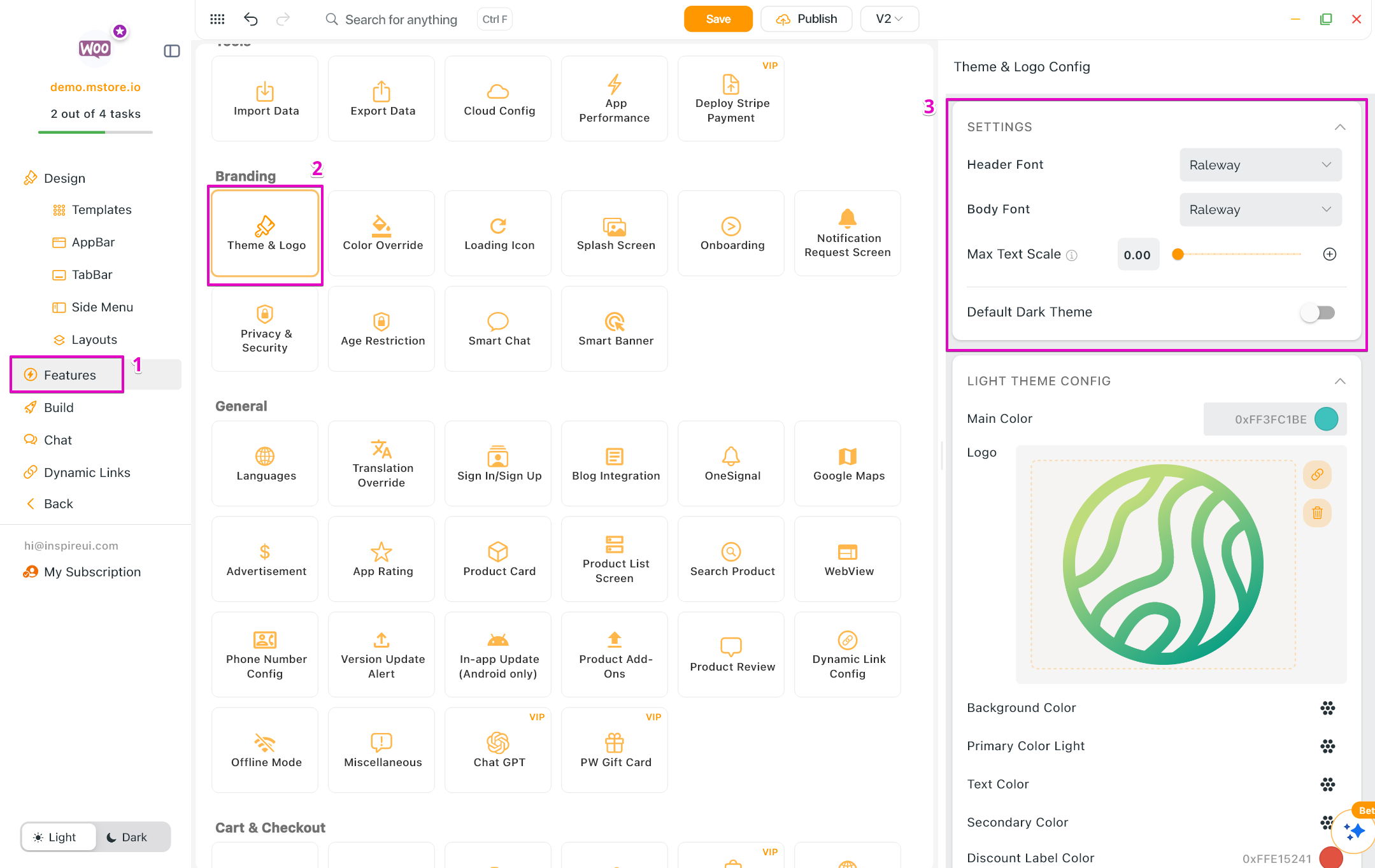
(20) Font & Text Scaling Settings
Added Font Style and Max Text Scale settings into Theme & Logo configuration for improved accessibility and easy customization.
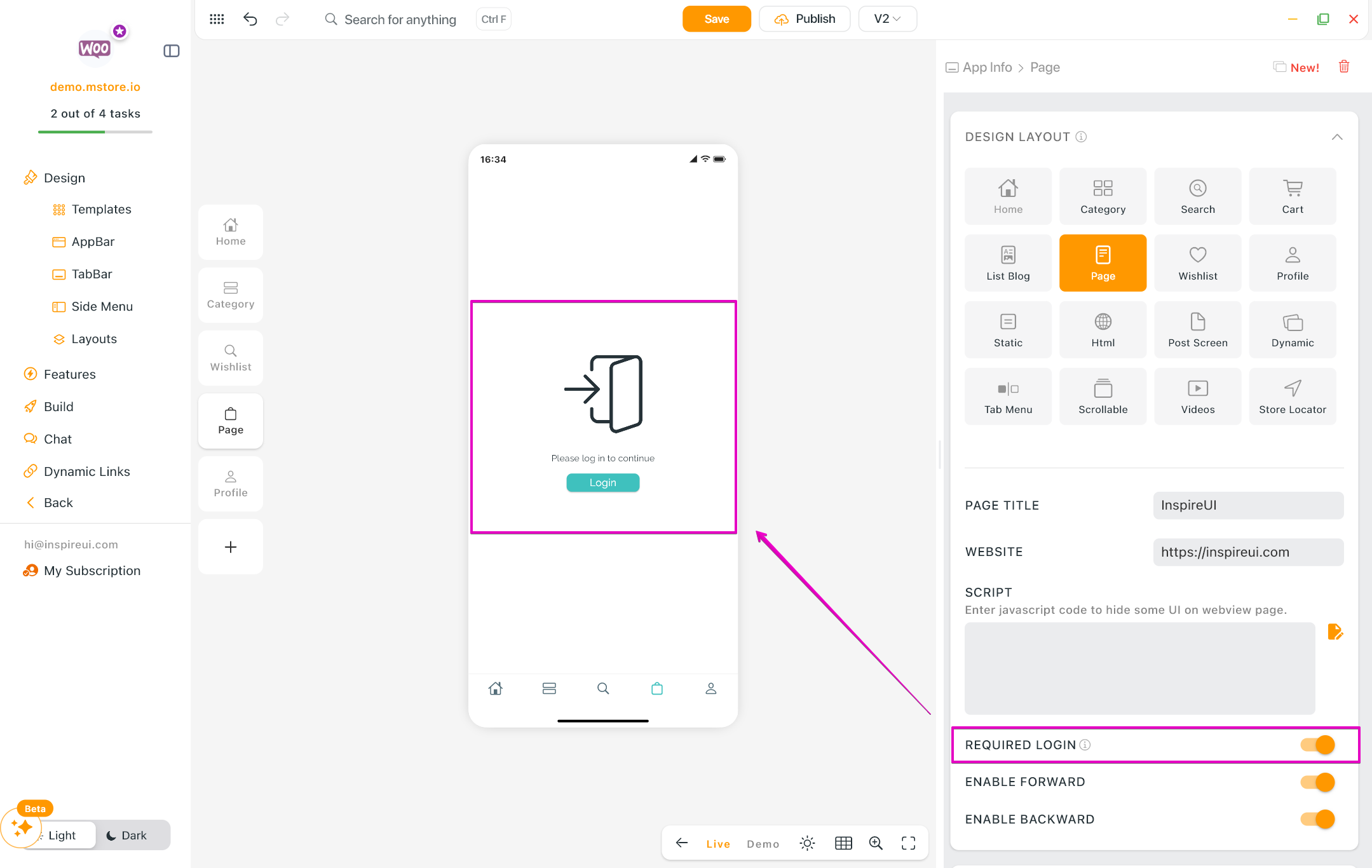
(21) Login Prompt for Webview Authentication
You can now test and view the 'Required Login' screen directly on the simulator.
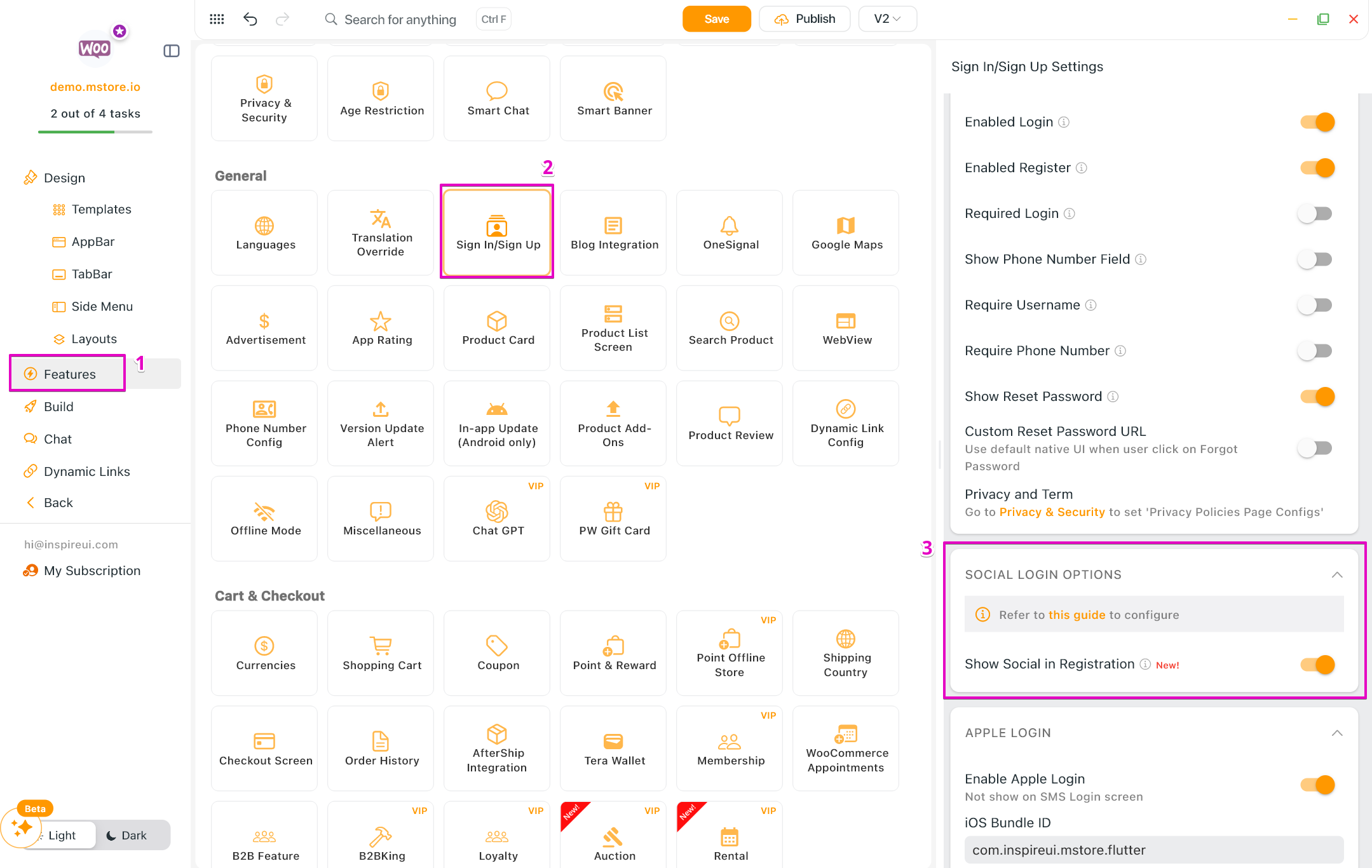
(22) Social Login on Registration
Added a new toggle to display social login options on the registration screen for faster onboarding.
(23) Others
- Currency Setting Validation: Added strict validation for country codes within the currency settings to ensure data integrity and prevent payment errors (Shopify only).
- iOS Auto-Build Fix: Resolved an issue during the iOS auto-build process that resulted in a "missing password" error.
- Stripe v1 Removal: Completely removed all legacy Stripe v1 configuration.