App Security
App Security is a top priority for any mobile application. In this guide, we’ll walk you through essential steps to enhance security for your apps built with FluxBuilder App Builder. Essential for WooCommerce, Shopify, Listeo, and all Web-to-App projects.
1. Secure API Communication
Always use HTTPS (SSL/TLS) for all communication between your app and the server to ensure data is encrypted.
2. Hide WooCommerce Prefixes (for WooCommerce only)
The attacher could search the ck_ or cs_ from the encrypted file to find your app API key.
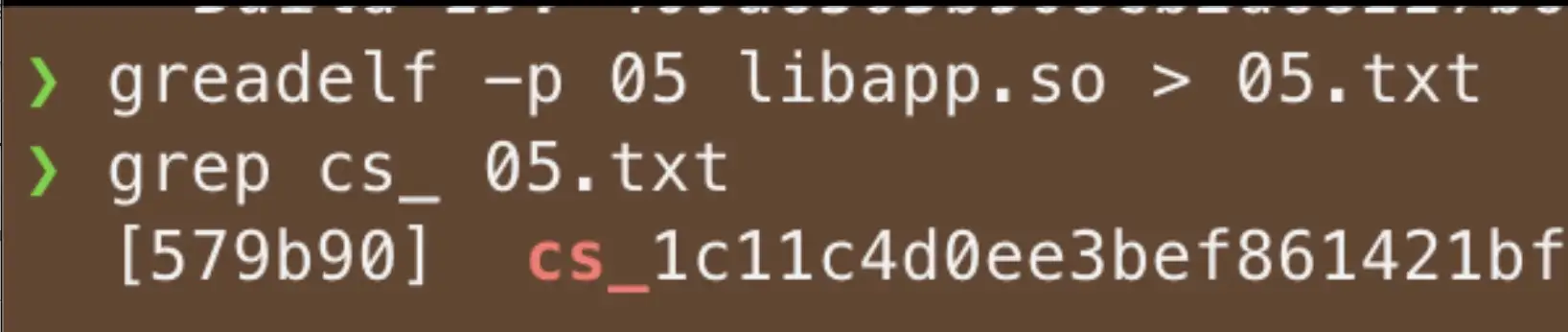
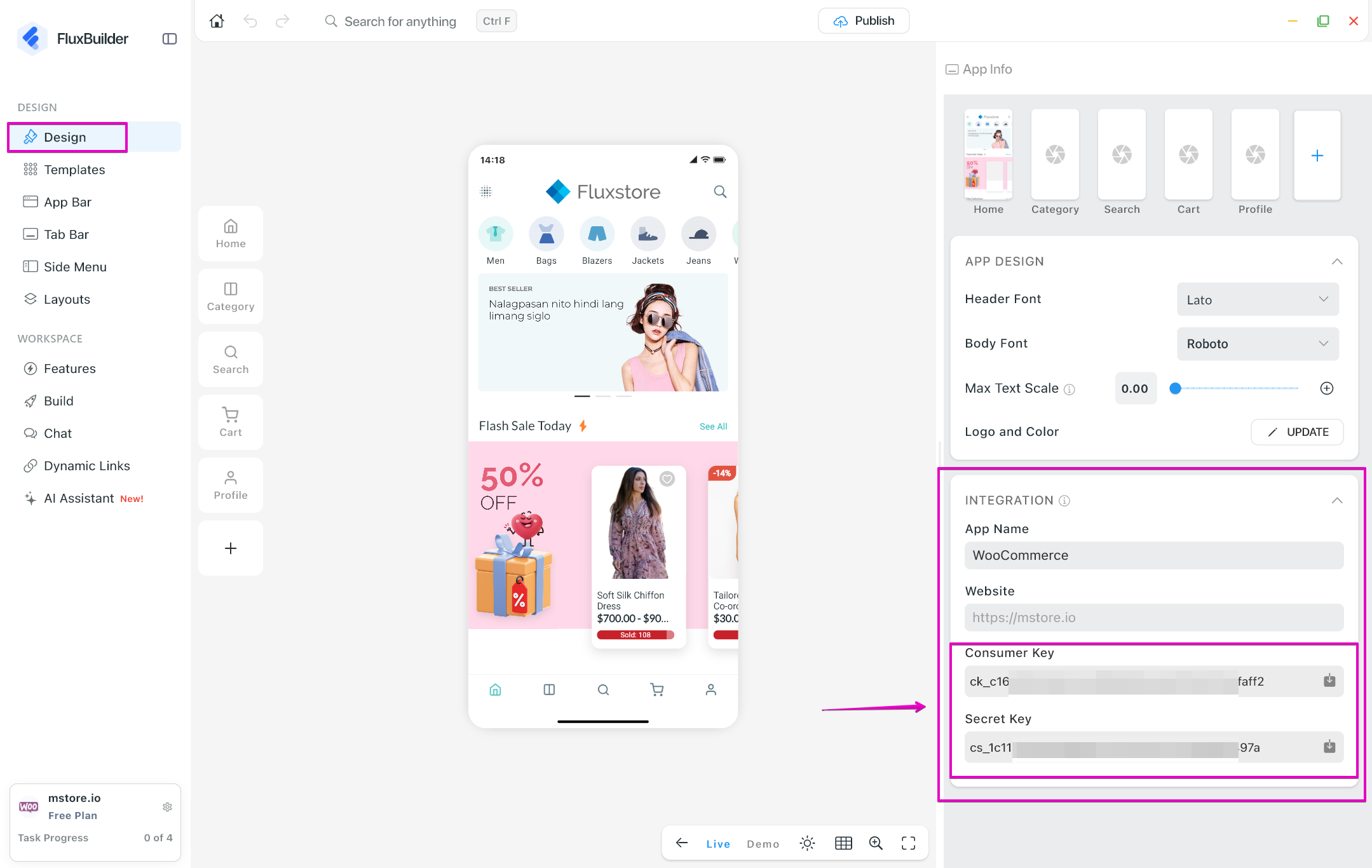
To prevent attackers from finding your API keys, remove the ck_ and cs_ prefixes.
In FluxBuilder: Update your WooCommerce API key settings here.
3. Use Firebase Remote Config
Instead of setting all configurations in the app every time you build, you can use the Firebase Remote config feature to store your configuration and load them remotely later each time the application is opened only.
A great example of this is securing your WooCommerce API keys. You can remove them from the local app files while ensuring the app remains fully functional. Here is how:
Enable Firebase Remote Config: Enable the feature Firebase Remote Config and upload your current full settings to Firebase to store your configuration securely. Refer to the guide.
Export Configuration Files: Export your
env.dartandconfig.jsonfiles using the Export guide.Secure your Local Files: Open your
env.dartfile, remove the WooCommerce API keys, and save the changes.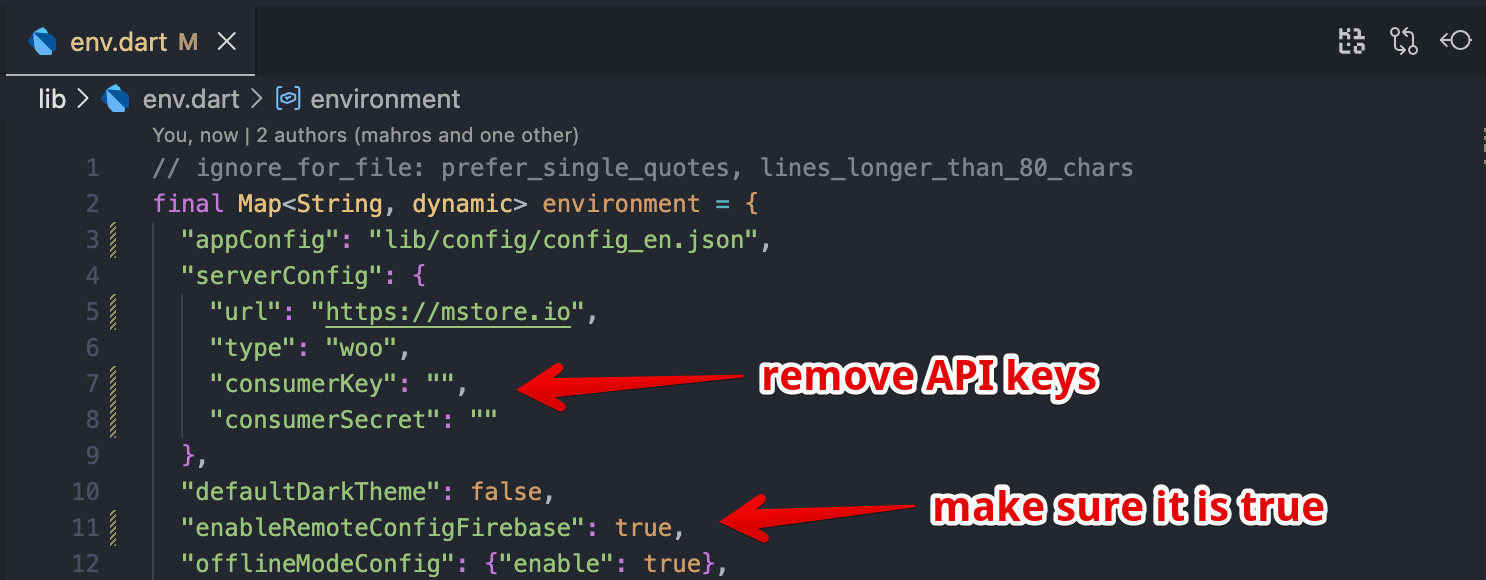
Prepare for Build: In the Build feature of FluxBuilder, manually upload the modified
env.dart(the one without the API keys) and yourconfig.jsonfile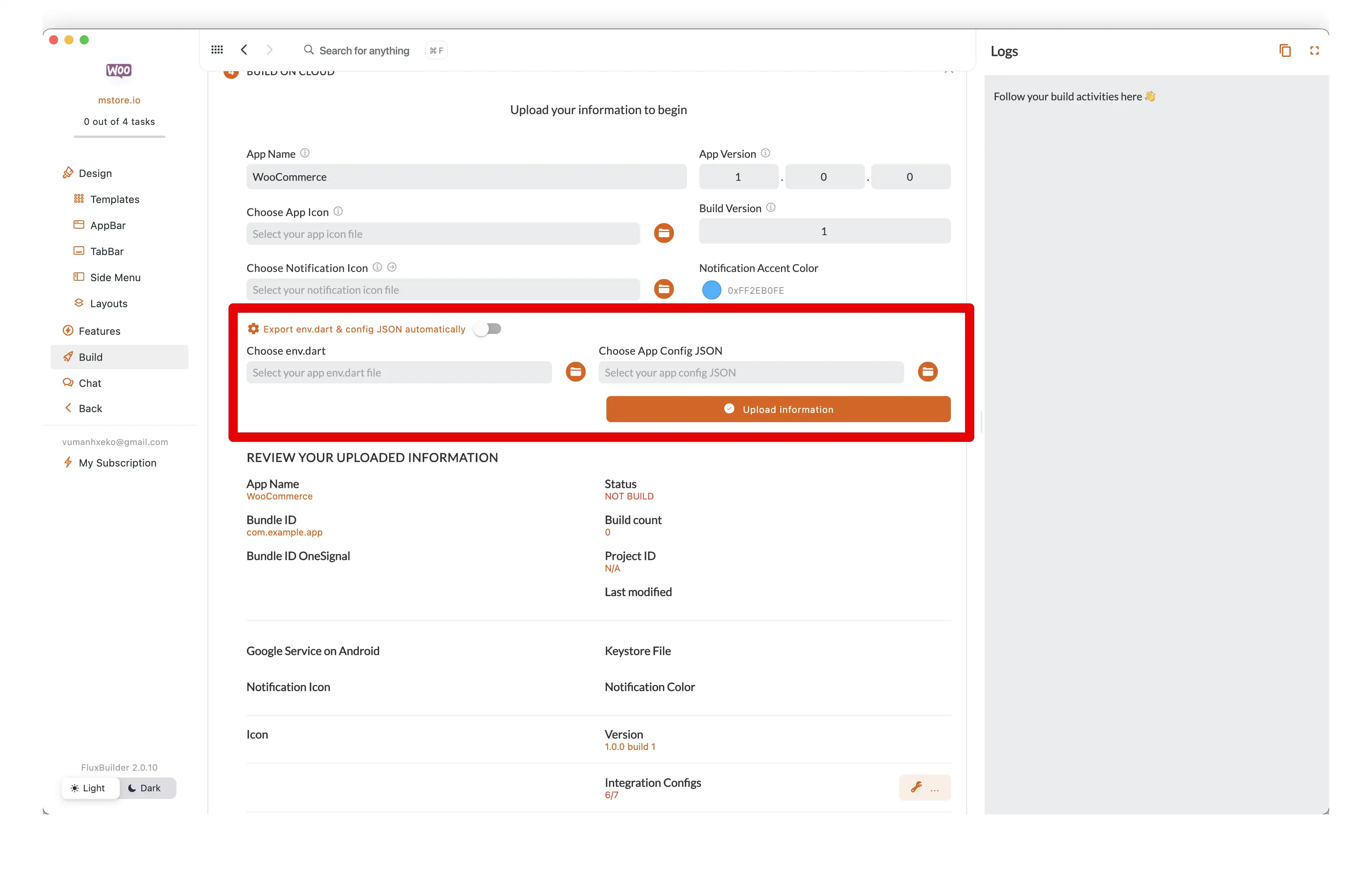
Submitting a new build and then checking the app again.
Once the new build is complete, you will see that the app continues to function perfectly! Even though the API keys were removed from the local build files, the app now pulls that information directly from your Firebase Remote Config storage.
4. Store your KeyStore securely
Please store your KeyStore file and key password securely. They are used to sign your application. Anyone with your key can re-sign an invalid application to commit wrong doing.
Additionally, this key is also used to upload your app to the Google Play Console. If you lose the key, you will need to submit a request to reset the uploaded key on the Google Play Console.
Have no KeyStore now? 👉 Refer to this guide.