B2B WholeSale
The feature now supports Simple and Variable products.
The customers, after signing up as Wholesale Customers, can see the wholesale prices of the setup products.
Prerequisite
The feature is available for WooCommerce, Pro(WooCommerce) and Multi Vendors apps.
Before setting up the feature, you need to install the WooCommerce Wholesale Prices plugin on your website to support the feature on the Fluxstore App.
Then follow the guide below:
Configuration
1. Set Up the Product on Website
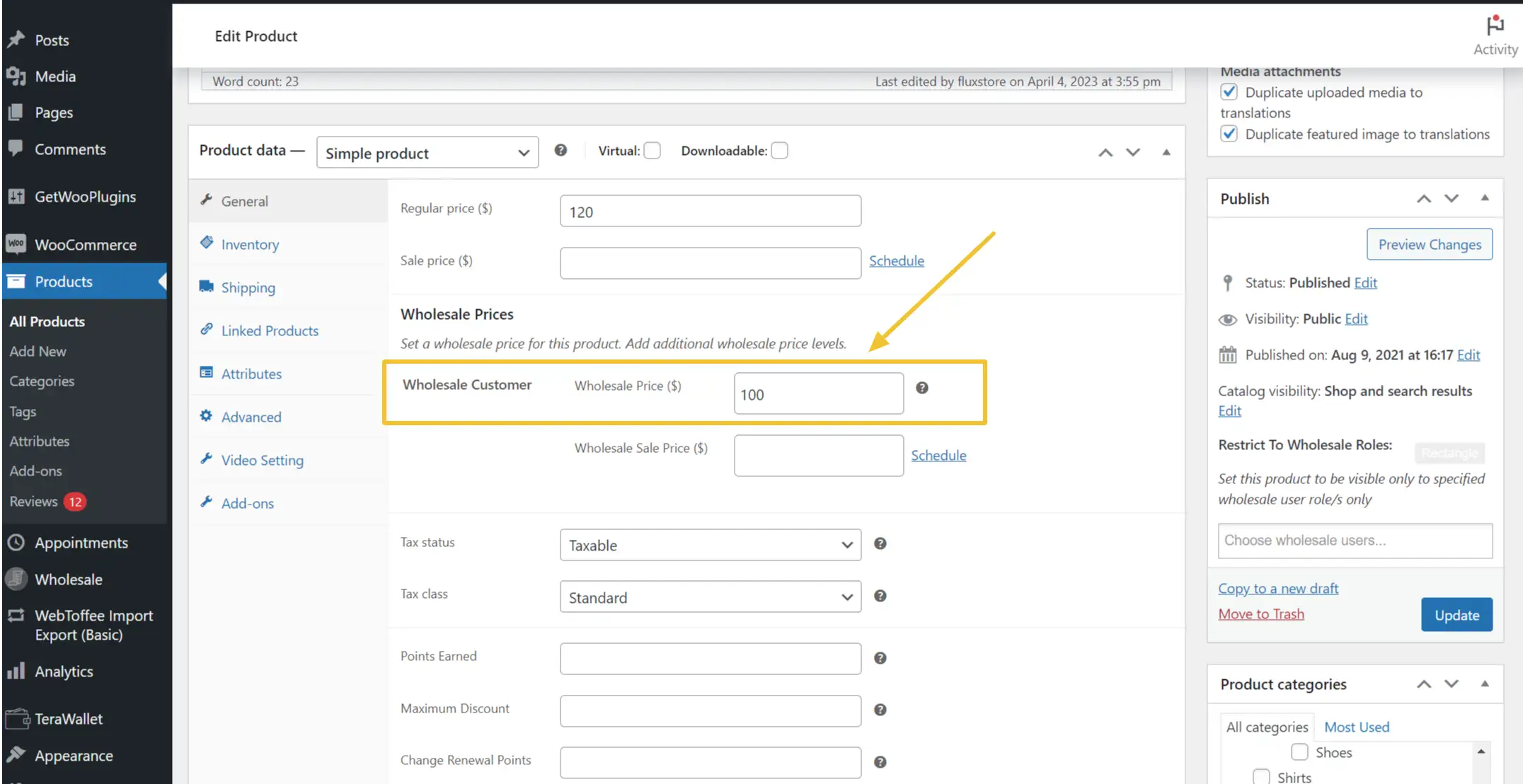
On your website, you will go to Products on the left side menu.

Select the products that need setting Wholesale Price. Update the Wholesale Price for the Wholesale Customer.
2. Set Up the Feature on App
- Open your app on FluxBuilder.
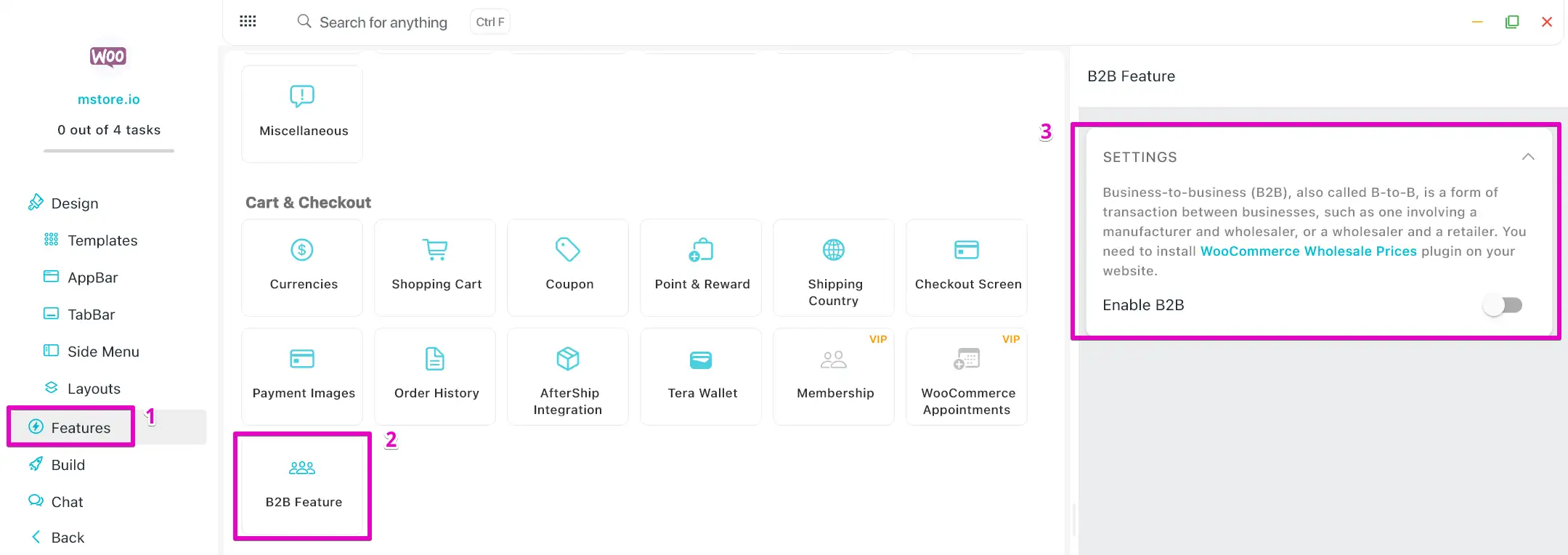
- Go to Features, in Cart & Checkout, open B2B Features.
- Turn on Enable B2B option.
- Click Save button.
Or edit the source code manually: open the source code and modify the file lib\env.dart as the following: