WooCommerce Point and Reward
This guide helps you learn how to configure WooCommerce Points and Rewards, allowing customers to earn points from purchases and redeem them for discounts in your app.
1. Configuration
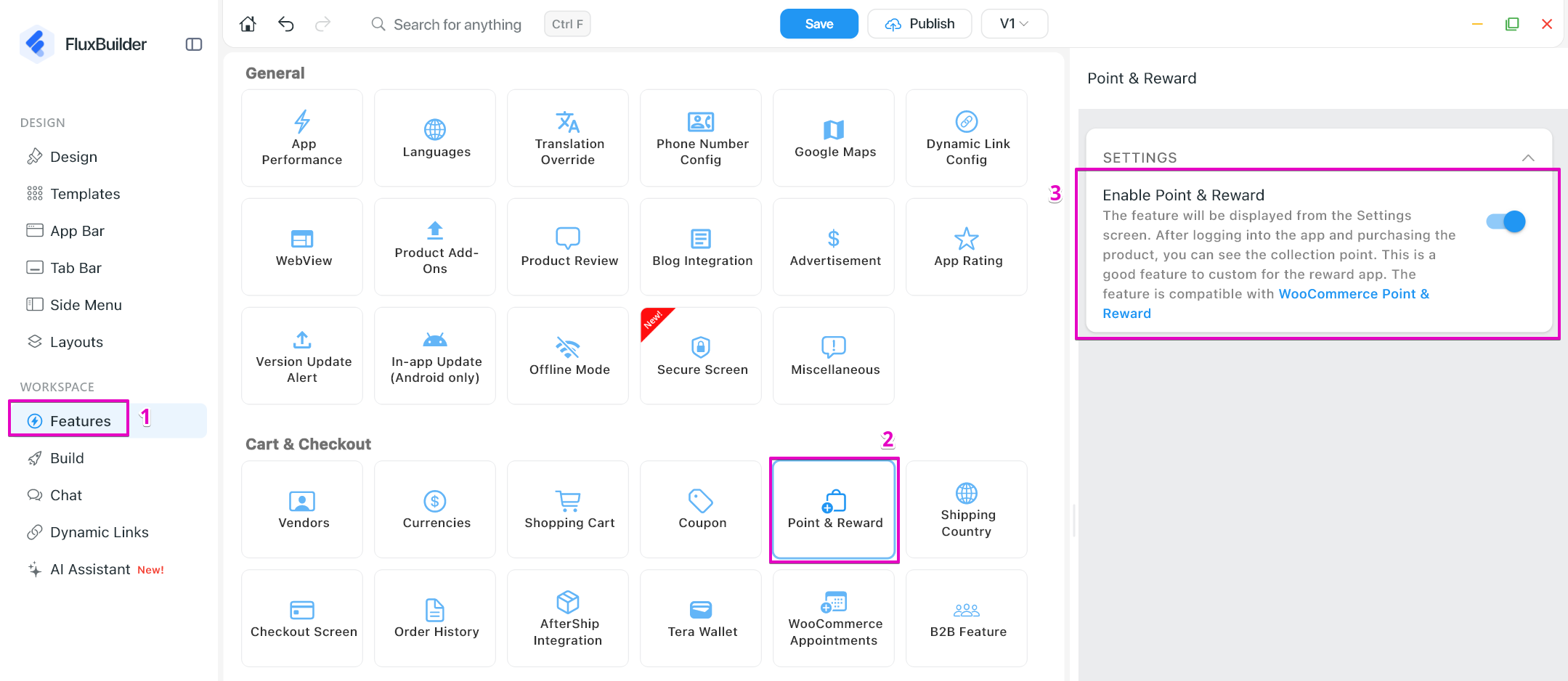
The feature will be displayed from the Settings screen. After logging into the app and purchasing the product, you can see the collection point. This is a good feature to custom for the reward app.
First, install this plugin into your website: https://woocommerce.com/products/woocommerce-points-and-rewards
Then,
- Open your app on FluxBuilder (create a new one by following this guide)
- Go to Features. In Cart & Checkout, open Point & Reward
- Turn on Enable Point and Reward option
- Save the change
2. Maximum Points Discount
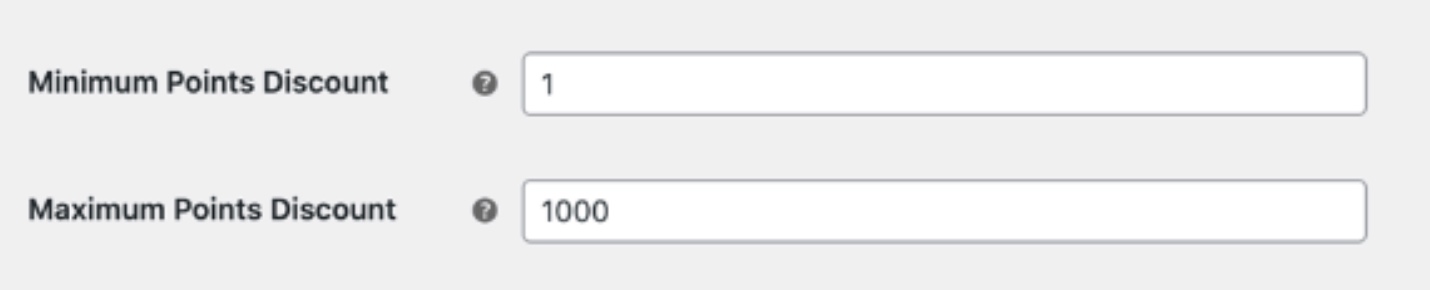
Vendors can set the maximum points that users can apply for each checkout. The feature is compatible with WooCommerce Point & Reward
To set the maximum point discount, navigate to your website.
On Woocommerce, select Points & Rewards, go to Settings screen. At this screen, input the desired data for Maximum Point Discount and click Save changes button to apply the customization.