Tera Wallet
TeraWallet is a digital wallet and credit system for WooCommerce, providing seamless payments through deposits, transfers, and purchases using wallet balances.
Enable TeraWallet
Install and Activate the TeraWallet – For WooCommerce plugin on your website.
Open your app on FluxBuilder.
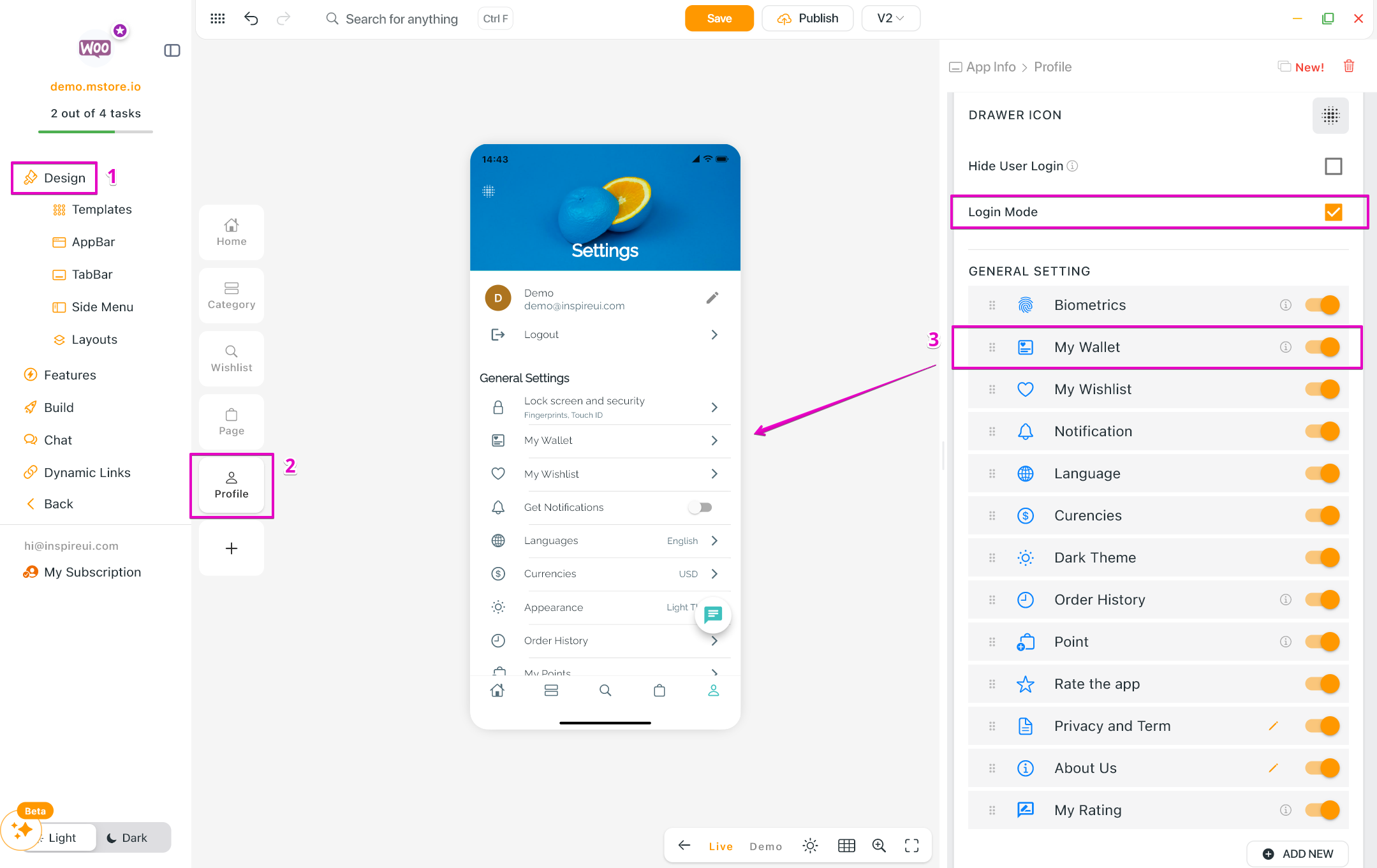
Go to Design > Profile tab > in GENERAL SETTINGS, enable My Wallet. (enable Login Mode to see the feature on the simulator)
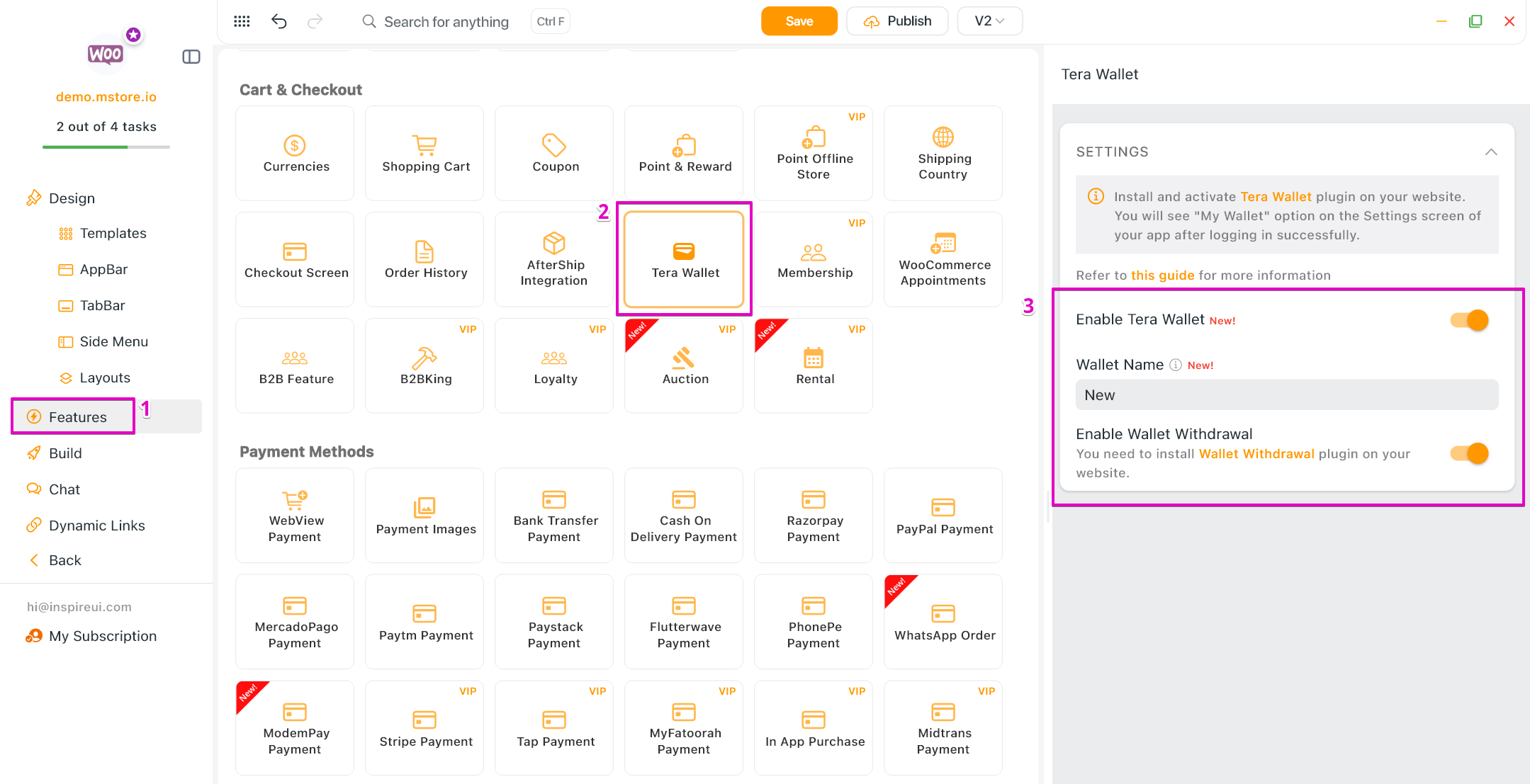
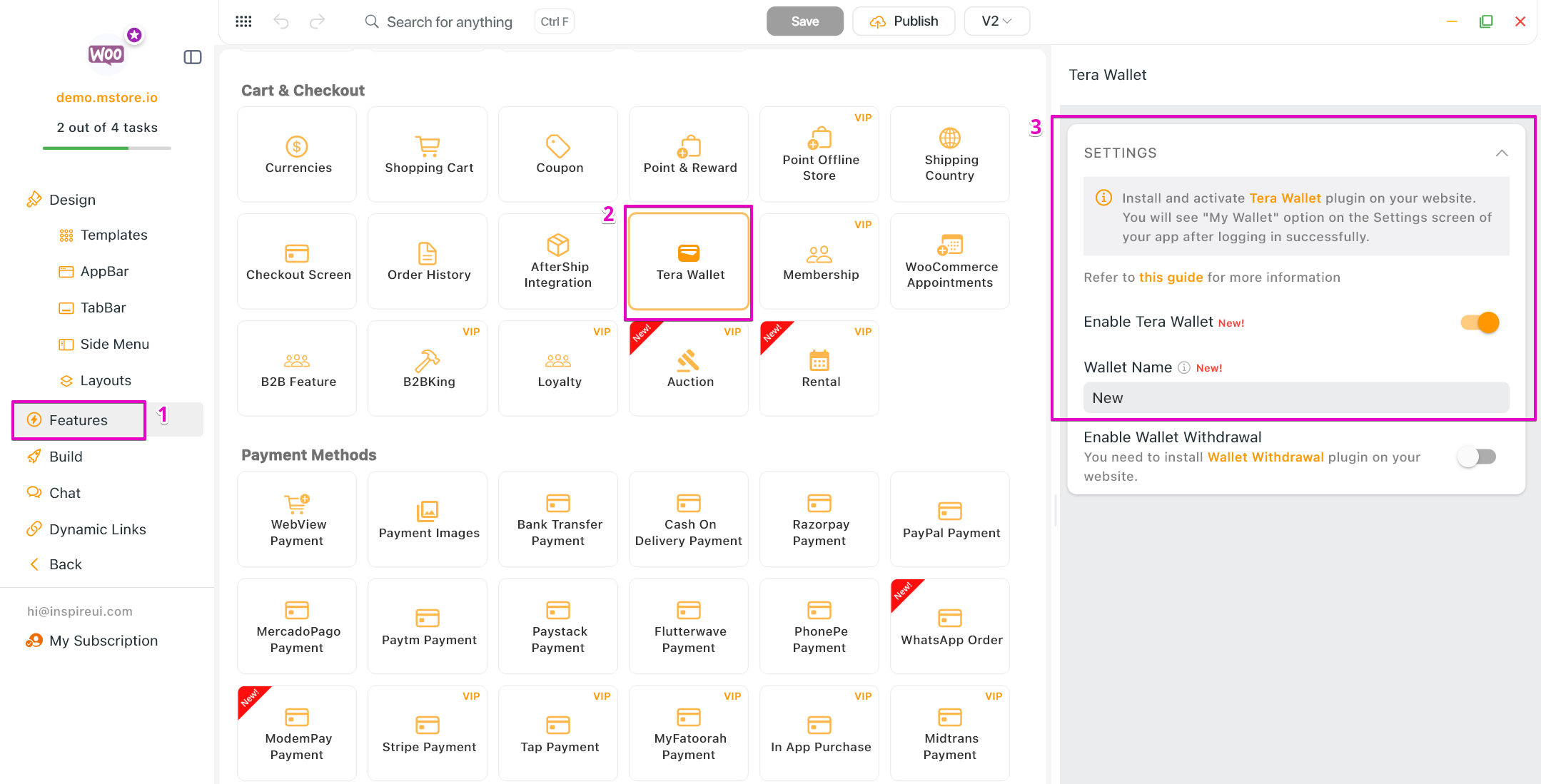
Go to Features > in Cart & Checkout, open Tera Wallet.
Select Enable Tera Wallet.
Input Wallet Name.
Wallet Withdrawal
With this add-on, customers can file a withdrawal request to withdraw their wallet balance into their bank account or other payment applications. The merchant can approve or reject these requests in the Withdrawal tab. The request table will also show the needed user info at a glance.
To enable the Wallet Withdrawal:
- You need to Install and Activate the Wallet Withdrawal plugin on your website.
- Enable the Wallet on app as the guide Enable Tera Wallet above and then select Enable Wallet Withdrawal.