WhatsApp Order
1. About WhatsApp Order
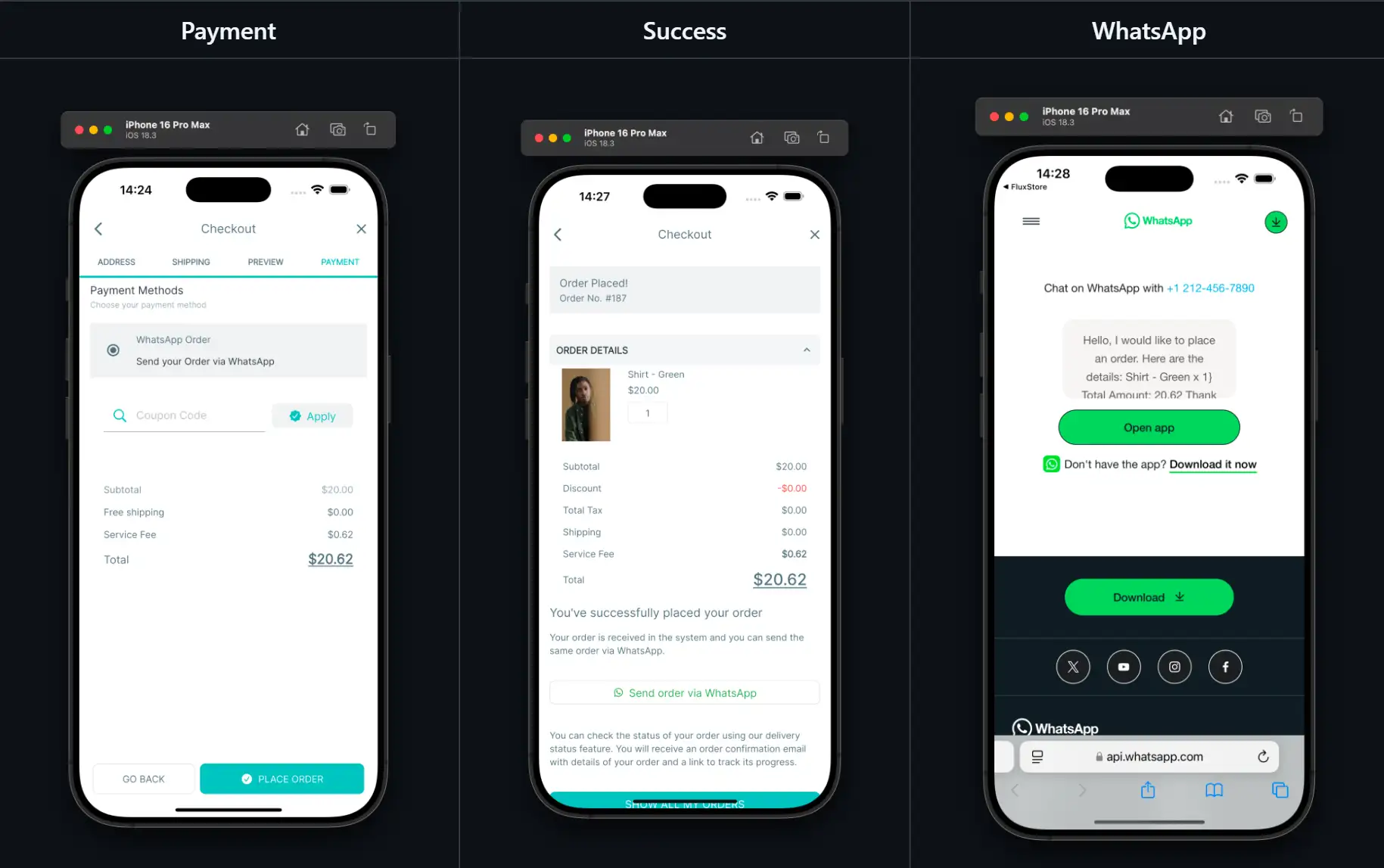
- Allow customers to send their order details directly via WhatsApp after a successful checkout.
- Integrate seamlessly with the existing payment flow.
- Message templates are fully customizable, with order information automatically populated for convenience.
- Support Native payment only (not support webview payment).
2. Configurate WhatsApp Order
Install plugin this plugin to work on your website: WooCommerce WhatsApp Order plugin
Open your app on FluxBuilder
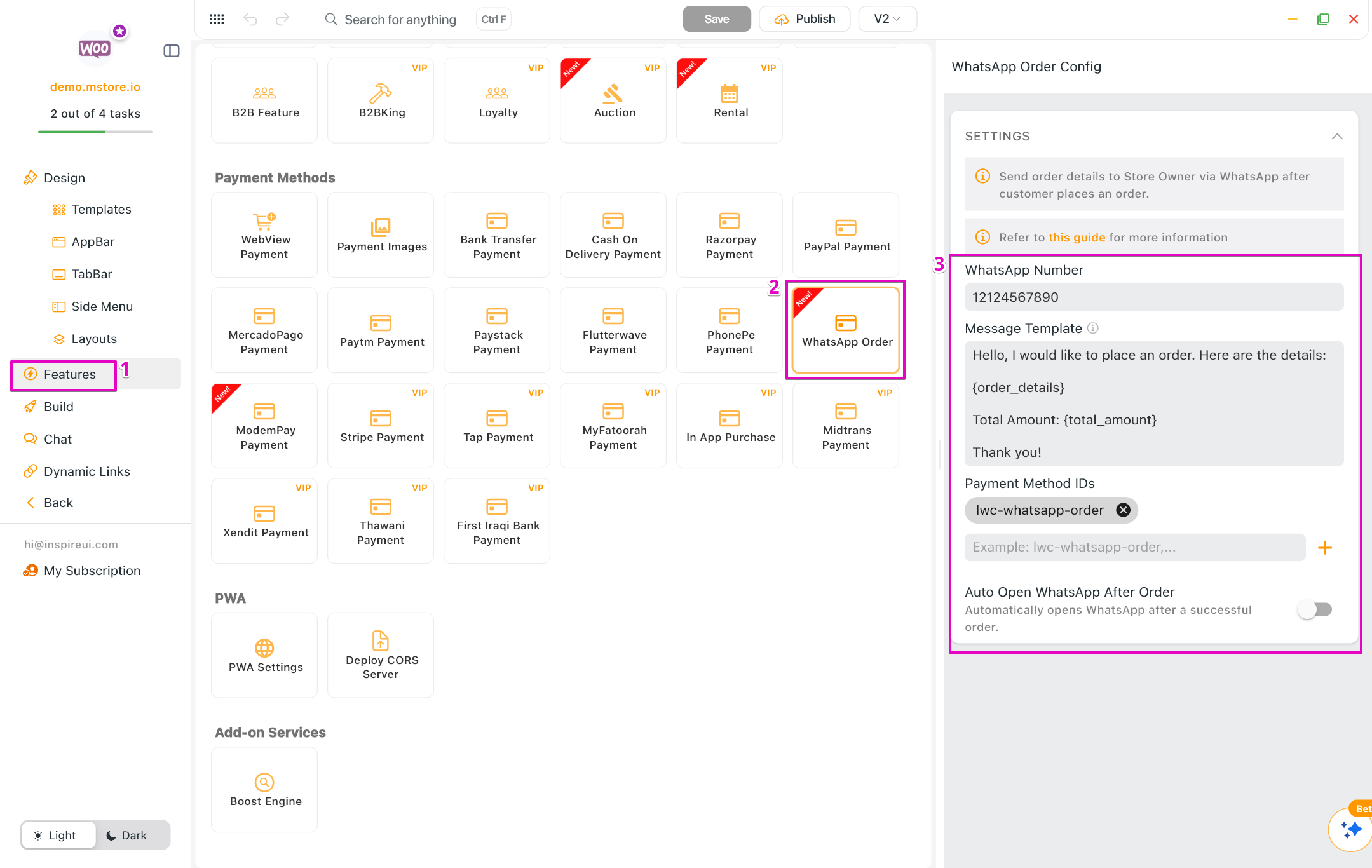
Go to Features. In Payment Methods, select WhatsApp Order
Input WhatsApp Number
Input the Message Templates. The replaced params can be added into the messsage:
{billing_name}, {billing_email}, {billing_phone}, {billing_address}, {shipping_name}, {shipping_email}, {shipping_phone}, {shipping_address}, {order_id}, {order_details}, {total_amount}tipFor example: Hello, I would like to place an order. Here are the details:
{order_details}
Total Amount: {total_amount}
Thank you!
- Input Payment Method IDs
- Enable/Disable the option Auto Open WhatsApp after Order
💭 Message demo:
_Hello, I would like to place an order. Here are the details:
Shirt - Green x 1Total Amount: 20.62 (USD)
Thank you!_