Filter Settings
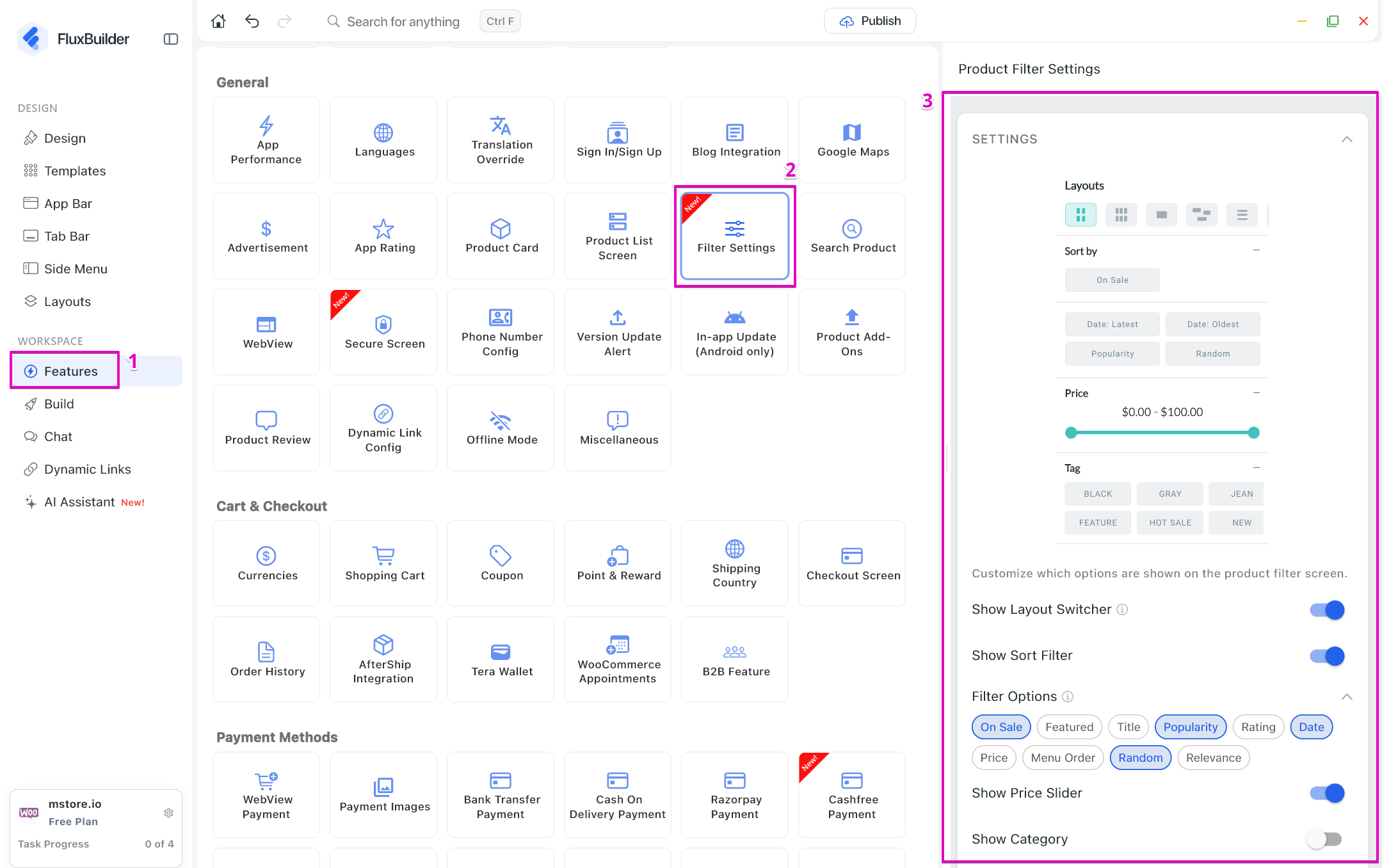
This guide shows you how to hide some items on Filter screen of Product List.
- Create your app on FluxBuilder
- Go to Features. In General, open Filter Settings
- Turn on the items to display or turn off to hide them on Filter screen.
This guide shows you how to hide some items on Filter screen of Product List.