PW WooCommerce Gift Cards
This guide is to explain how to customize PW Gift Card products on app. Similar to Amazon.com gift cards, you can sell gift cards in your WooCommerce store.
The card number will show up when the order is completed.

1. Prerequisite
The feature is available for WooCommerce, Pro (WooCommerce) and FluxStore Multi Vendors apps.
Before setting up the feature, you need to install the plugin PW WooCommerce Gift Cards on your website:
2. Configuration
2.1. Enable Feature on App
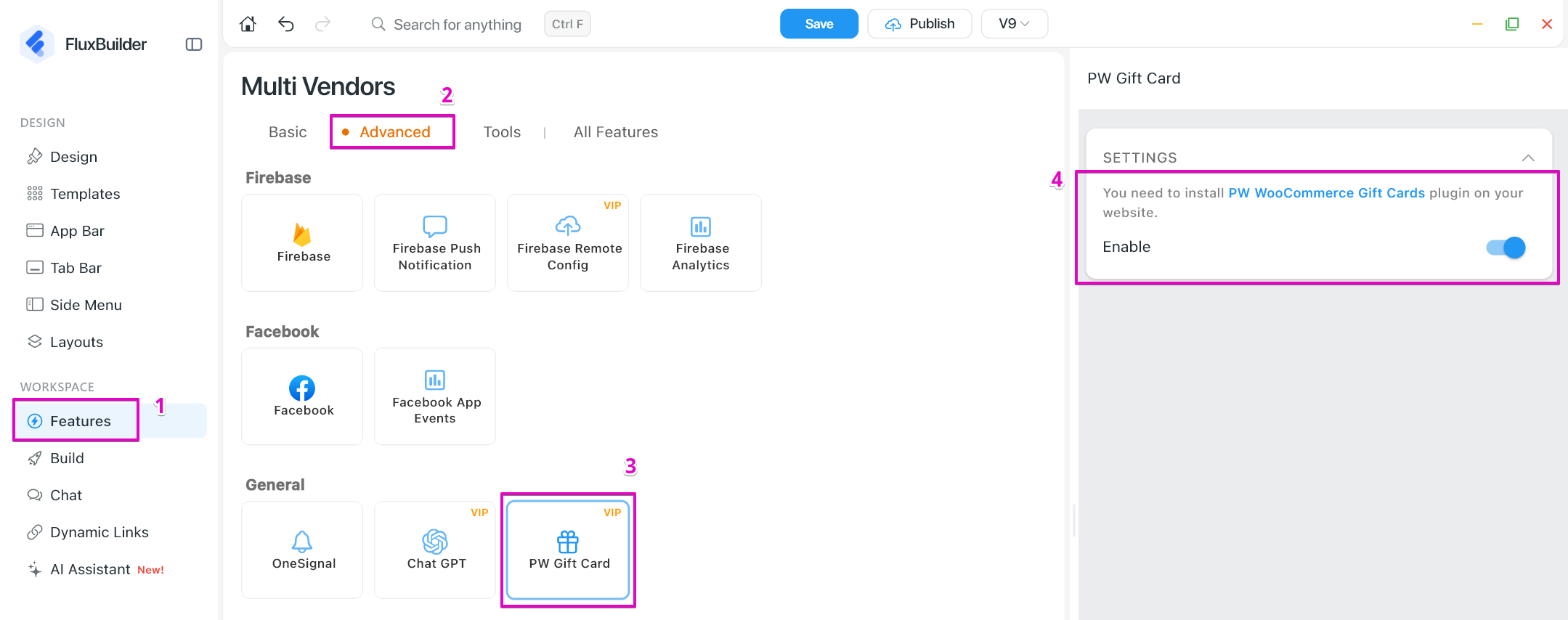
- Open your app on FluxBuilder.
- Go to Features. In General, open PW Gift Cards.
- Turn on Enable option.
- Click Save button.
2.2. Set Up the Website
After completing all the settings above, now let open your admin site, and follow the steps to make sure the feature works on app:
Step 1: Add PW Gift Card product.
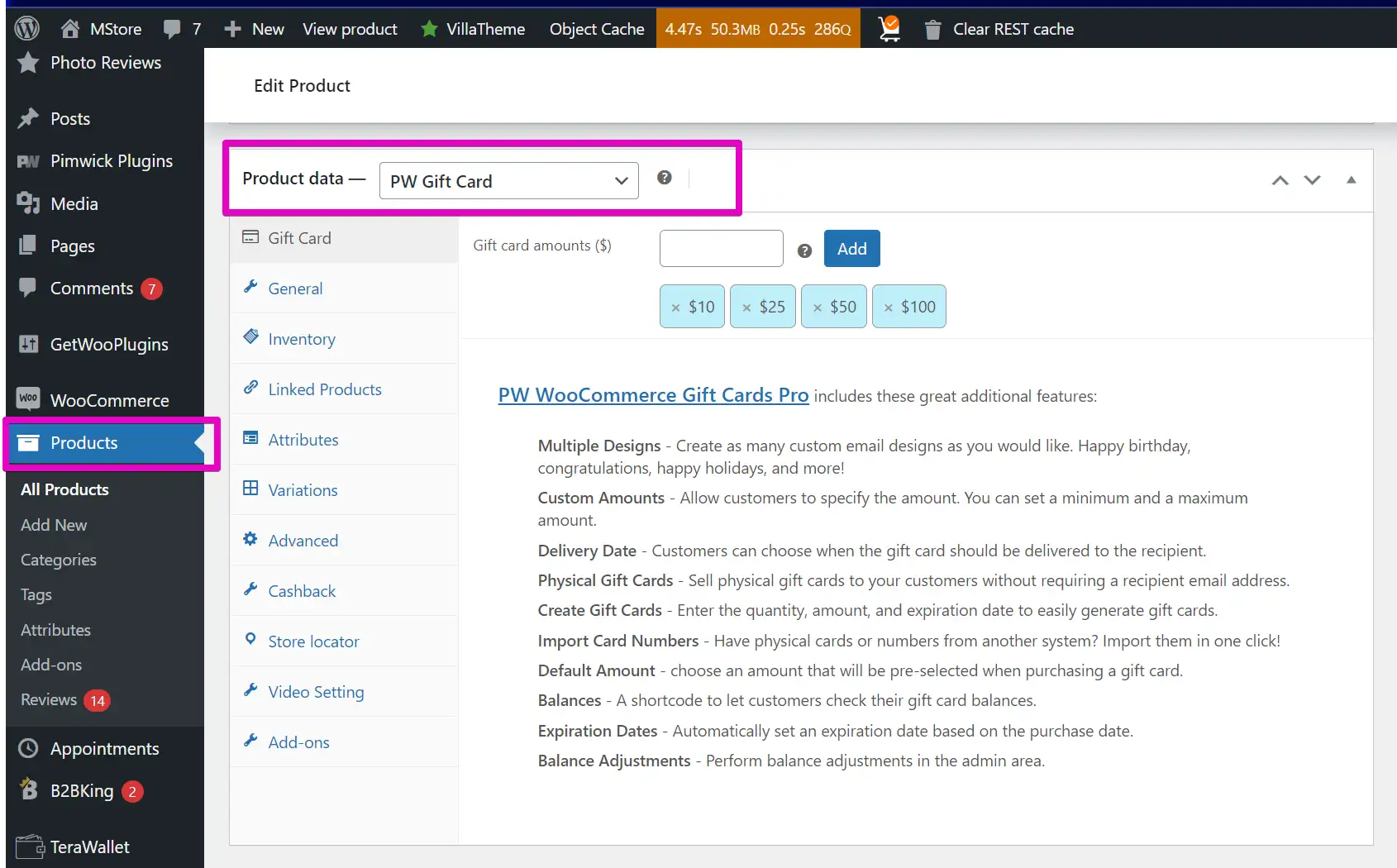
Step 2: Add Gift card amount for the product.
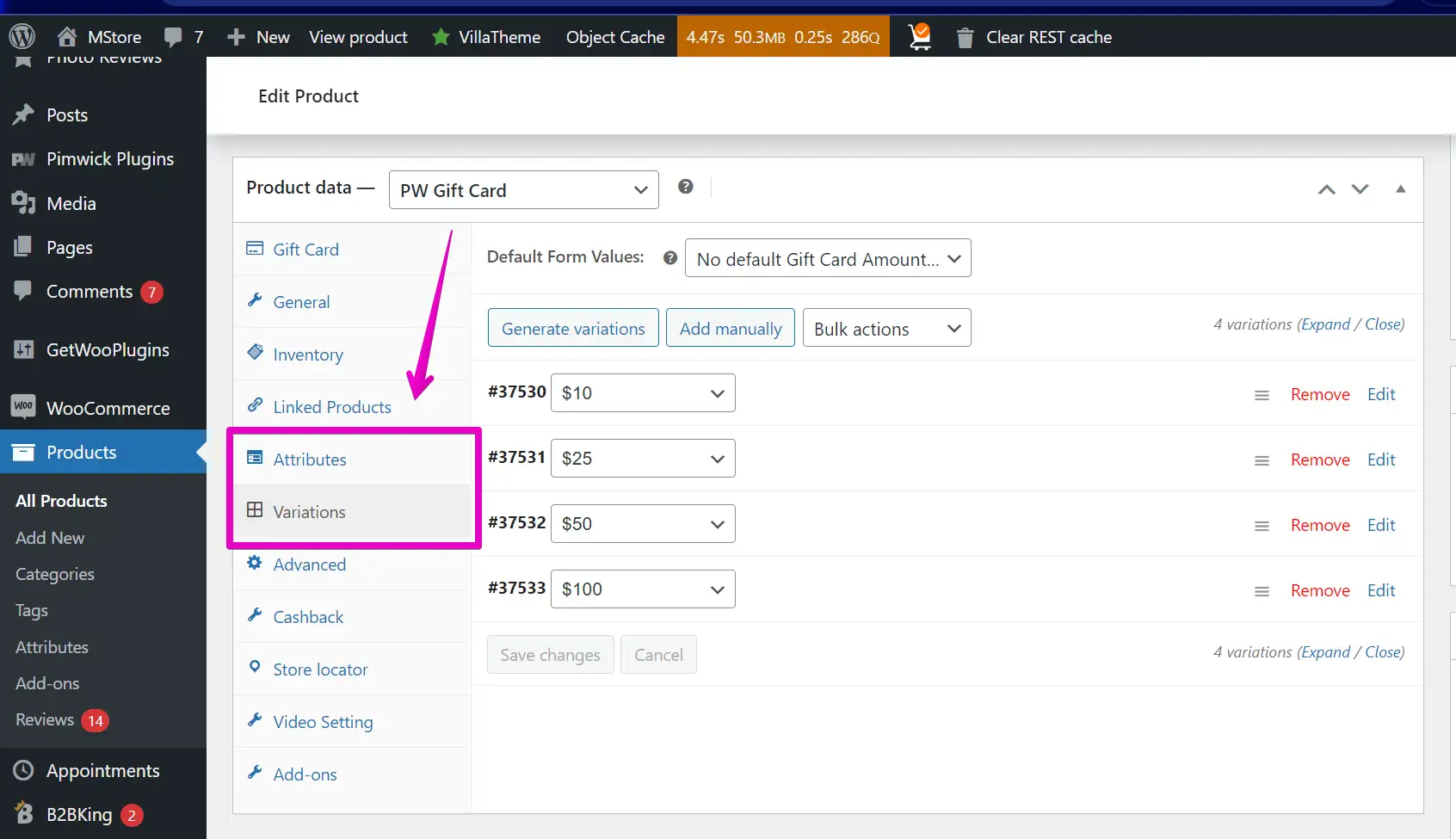
Step 3: Set Attributes and Variations for the product.